Back to Projects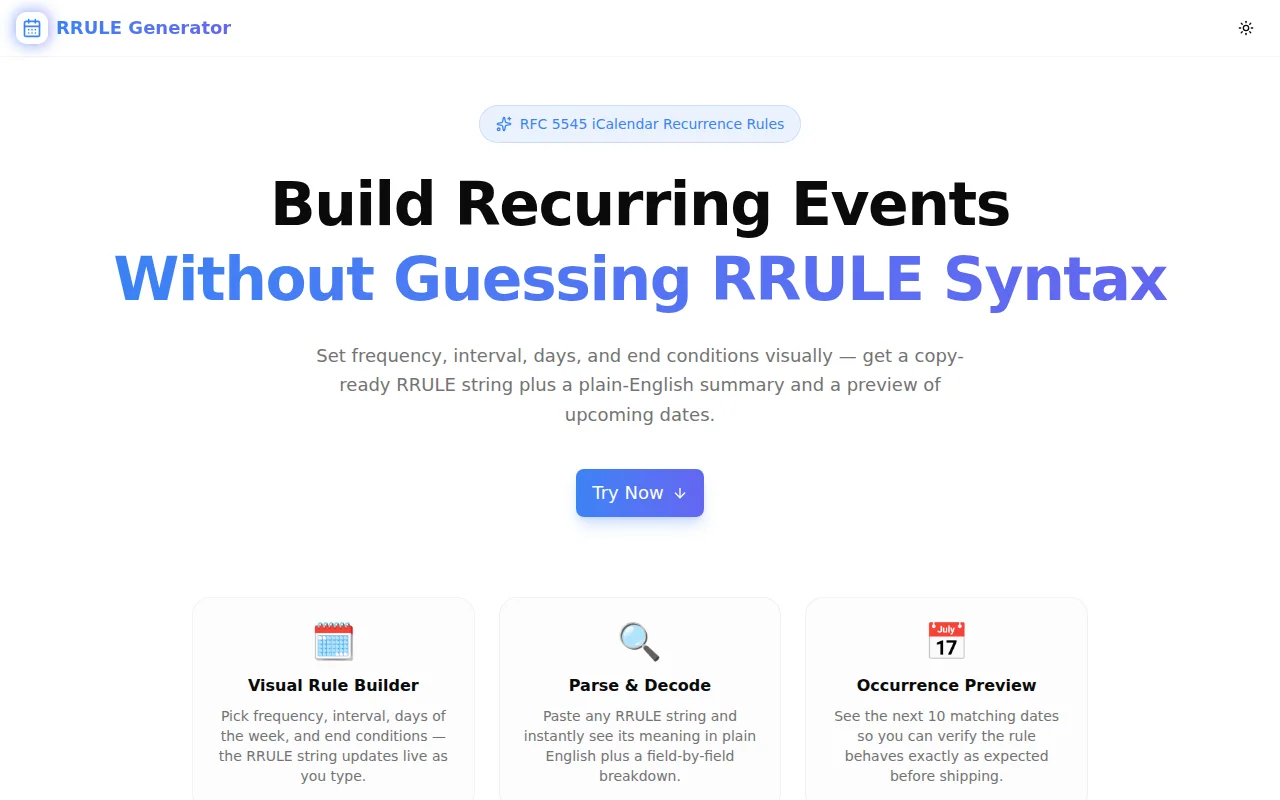
Developer ToolsFeatured
RRULE Generator
A free visual builder and parser for RFC 5545 iCalendar recurrence rules. Set frequency, interval, days, and end conditions — get a copy-ready RRULE string, plain-English summary, and a preview of the next occurrences.
CalendariCalendarRFC 5545RRULEDeveloper ToolsNext.jsTypeScript
Start Similar ProjectAbout the Project
RRULE Generator — Build & Parse iCalendar Recurrence Rules
RRULE Generator is a free browser-based tool that lets you build RFC 5545 RRULE strings visually — pick frequency, interval, days, and end conditions using a simple form, then copy the ready-to-use string. It also parses existing RRULE strings back into plain English and shows the next upcoming occurrences. No signup, no installs, fully client-side.
The Problem
Every major calendar system — Google Calendar, Outlook, Apple Calendar, CalDAV servers, the Python dateutil library, the JavaScript rrule package — uses a text-based format called RRULE to describe repeating events. The format comes from RFC 5545 (iCalendar), and while it is powerful, writing it by hand is error-prone:
RRULE:FREQ=MONTHLY;BYMONTHDAY=15;INTERVAL=2;COUNT=24
What does that mean? Is the interval correct? Did you remember to use BYDAY for weekly rules or BYMONTHDAY for monthly ones? Is UNTIL in UTC with a Z suffix? These are the kinds of small mistakes that produce silent bugs in scheduling code — the event fires on the wrong day, the series ends two months early, or the rule is silently ignored by the calendar server.
There was no quick, free, no-login tool to build and verify these rules before adding them to code. RRULE Generator fills that gap.
How It Works
Build Mode
- Choose a frequency — Daily, Weekly, Monthly, or Yearly.
- Set the interval — a range slider lets you pick 1–30 units between recurrences.
- Configure frequency-specific options — for Weekly, check the days of the week; for Monthly, pick the day of the month; for Yearly, pick the month and day.
- Set the start date — the occurrence preview uses this as the anchor.
- Choose an end condition — no end, after N occurrences (COUNT), or on a specific date (UNTIL).
- Copy the output — the RRULE string and a plain-English summary update live as you adjust values. A list of the next 10 occurrences shows immediately below.
Parse Mode
Paste any RRULE string — with or without the RRULE: prefix — and the tool decodes each component:
- FREQ, INTERVAL, BYDAY, BYMONTHDAY, BYMONTH, COUNT, UNTIL, WKST
- A plain-English summary of what the rule means
- The next 10 dates starting from today
Five example rules are available with one click for quick exploration.
Key Features
- Visual rule builder — no memorising RFC 5545 syntax
- Live RRULE output — updates instantly as you change options
- Human-readable summary — "Every 2 weeks on Monday and Wednesday, 10 times"
- Next occurrences preview — see the next 10 dates before you copy
- RRULE parser — decode any existing rule string instantly
- Fully client-side — no data leaves your browser
- No signup required — open and use immediately
- Dark mode support — respects system preference
Technical Implementation
Core Technologies
- Next.js 16 with App Router
- TypeScript in strict mode
- Tailwind CSS v4 with OKLCH color tokens
- shadcn/ui components (Tabs, Card, Badge, Button)
- Framer Motion for section animations
- Pure client-side RRULE logic — no external calendar library dependency
RRULE Logic
The entire RRULE generation and occurrence expansion is implemented in TypeScript without any third-party calendar library. Key components:
- String builder — assembles the RRULE parts (FREQ, INTERVAL, BYDAY, etc.) in the correct RFC 5545 order
- Occurrence generator — expands the rule into actual dates for each frequency type (DAILY adds interval days, WEEKLY tracks week boundaries and BYDAY membership, MONTHLY handles BYMONTHDAY with month overflow, YEARLY sets month and day per recurrence)
- Parser — tokenises the RRULE string, validates each key-value pair, and re-hydrates the form state
- Human-readable formatter — converts the structured options into a natural-language sentence
Architecture
The tool component (rrule-generator-tool.tsx) is a client component with two sub-components rendered inside a Tabs container: BuildTab and ParseTab. Both share the same pure helper functions (buildRRule, humanReadable, generateOccurrences, parseRRule). State is local to each tab — no global store needed.
Use Cases
Building Calendar API Integrations
Developers integrating with Google Calendar API, Microsoft Graph Calendar, or any CalDAV server need to specify recurrence as an RRULE string. Use the generator to build the rule visually, verify the next dates are correct, and paste the string directly into the API call.
// Google Calendar API example
{
  recurrence: ["RRULE:FREQ=WEEKLY;BYDAY=MO,WE,FR;COUNT=12"]
}
Using rrule.js or python-dateutil
Both libraries accept RRULE strings directly. Build the rule here, copy it, and pass it to the library — no need to understand the RRule constructor options first.
import RRule from 'rrule';
const rule = RRule.fromString('RRULE:FREQ=WEEKLY;BYDAY=MO,WE,FR');
Debugging Existing Rules
When an event fires on the wrong day or a series ends unexpectedly, paste the stored RRULE into the Parse tab to see exactly what it describes and preview the dates it produces.
Designing Subscription Billing Cycles
Billing systems that use iCalendar recurrence for invoice scheduling (monthly on the 1st, quarterly, annual) can use the generator to design and validate the recurrence rule before wiring it into the billing engine.
Learning the iCalendar Standard
For developers unfamiliar with RFC 5545, the generator makes the mapping between options and syntax tangible. Adjust the interval, watch the RRULE update, see the dates change — the standard becomes clear through interaction.
Why RRULE Generator?
vs. Reading RFC 5545
- Instant feedback — see the resulting dates as you build the rule
- No manual string assembly — the tool handles quoting, ordering, and UTC formatting
- Validation built-in — invalid combinations are prevented by the UI
vs. Library Trial-and-Error
- Faster — build and verify in seconds without writing code
- Visual — understand the rule before committing it to your codebase
- Parser mode — decode existing rules without instrumenting your code
vs. Online Documentation
- Interactive — test your specific use case, not a generic example
- Occurrence preview — confirm the exact dates the rule produces
- Copy-ready output — go straight from tool to code
Results
RRULE Generator removes the friction from recurring calendar event development:
- No more trial-and-error — build the rule correctly the first time
- Instant verification — see the next 10 occurrences before shipping
- Parser included — debug stored rules without guesswork
- Zero dependencies at runtime — paste the string and you are done
Try it now: rrule-generator.tools.jagodana.com
The Challenge
The client needed a robust developer tools solution that could scale with their growing user base while maintaining a seamless user experience across all devices.
The Solution
We built a modern application using Calendar and iCalendar, focusing on performance, accessibility, and a delightful user experience.
Project Details
Category
Developer Tools
Technologies
Calendar,iCalendar,RFC 5545,RRULE,Developer Tools,Next.js,TypeScript
Date
June 2026
Related Projects
More work in Developer Tools

