Back to Projects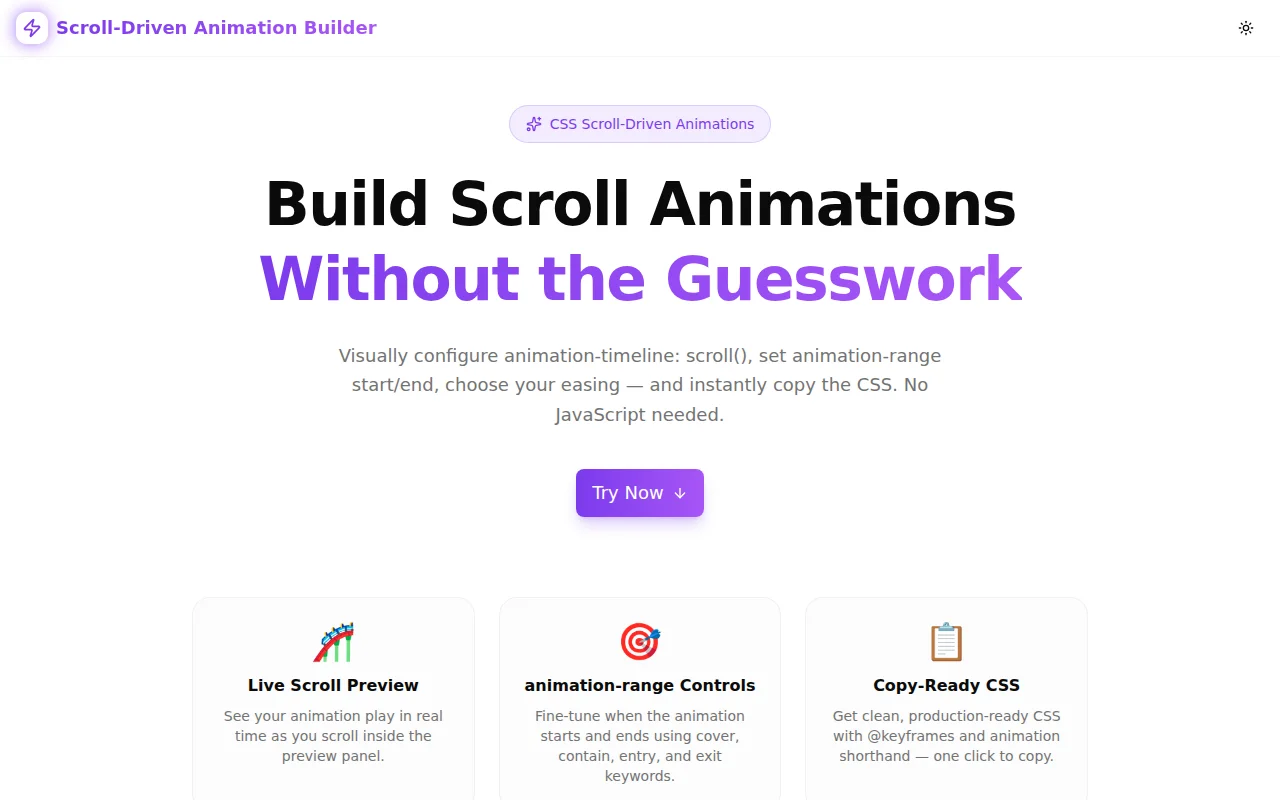
Developer ToolsFeatured
Scroll-Driven Animation Builder
A free visual tool to build CSS scroll-driven animations using animation-timeline scroll(). Configure animation-range, easing, and keyframes, then copy production-ready CSS instantly — no JavaScript needed.
CSSAnimationsScroll AnimationDeveloper ToolsFrontendNext.jsTypeScript
Start Similar ProjectAbout the Project
Scroll-Driven Animation Builder — Visual CSS scroll() Animation Tool
Scroll-Driven Animation Builder is a free, browser-based tool that lets you configure CSS scroll-driven animations visually — choose a property to animate, set animation-range start and end, pick an easing function, and watch the result live in a scrollable preview panel. Copy the generated CSS and paste it into your project. No JavaScript, no account, no install.
The Problem
CSS scroll-driven animations (landed in Chrome 115, Edge 115) let you link any CSS animation's progress to a scroll container's position. But the syntax has several moving parts:
@keyframes fade-in {
  from { opacity: 0; }
  to   { opacity: 1; }
}

.element {
  animation: fade-in linear both;
  animation-timeline: scroll(y);
  animation-range: cover 20% cover 80%;
}
The animation-range property alone accepts combinations of five keywords (cover, contain, entry, exit, normal) plus percentages — and the result is non-obvious until you see it playing. Without a visual tool, the workflow is: write code → reload browser → adjust → reload again.
Designers and developers who are new to scroll-driven animations spend more time fighting syntax than building experiences.
How It Works
1. Choose What to Animate
Pick from six ready-made animation properties:
| Property | Effect | |----------|--------| | Opacity | Fade in or out | | Scale (transform) | Grow or shrink | | Translate Y | Slide up or down | | Translate X | Slide left or right | | Rotate | Spin | | Blur (filter) | Sharpen from blur |
Each property pre-fills sensible from and to defaults. You can override them to any value — negative translate values, sub-1 opacity, full rotations.
2. Set animation-range
Two dropdowns let you choose a range keyword for the animation start and end, each paired with a percentage slider:
- cover — relative to the element covering the scroller viewport edge
- contain — relative to the element fitting inside the viewport
- entry — relative to the element entering the scroller
- exit — relative to the element leaving the scroller
- normal — default CSS behaviour (no range restriction)
The live preview updates immediately as you drag the sliders or change keywords.
3. Pick an Easing Function
Select from six easing options — linear, ease-in, ease-out, ease-in-out, and two custom cubic-bezier curves. The choice changes how the animation accelerates across the scroll range.
4. Choose Scroll Axis
The scroll() function accepts an axis argument — y (default), x, block, or inline. Toggle between axes to match your layout.
5. Live Scroll Preview
The preview panel contains a scrollable box. Inside it, the animated element plays the configured animation as you scroll — no page reload, no inspecting code. The animation updates within milliseconds of any control change because the tool injects a scoped <style> tag into the document.
6. Copy the CSS
The generated CSS panel shows the full output including the @keyframes block and the element rule. One click copies it to clipboard.
Key Features
- Six animation properties — opacity, scale, translate Y/X, rotate, blur
- animation-range controls — keyword selector + percentage slider for start and end
- Live scroll preview — scrollable box shows the animation playing in real time
- Six easing functions — including linear and common cubic-bezier curves
- Scroll axis selector — y, x, block, inline
- One-click CSS copy — production-ready
@keyframes+ animation rule - Custom animation name — name the keyframes anything for your project
- Reset button — return to sensible defaults in one click
- Zero JavaScript in output — generated code is pure CSS
- No signup required — open the URL, start building
Technical Implementation
Core Technologies
- Next.js 16 with App Router
- TypeScript in strict mode
- Tailwind CSS v4 with OKLCH color tokens
- React 19 —
useId,useCallback,useEffect,useRef - Framer Motion for page entry animations
- shadcn/ui components (Button, Toaster)
- Sonner for toast notifications
- Google Analytics 4 for usage tracking
Architecture
The tool uses a scoped style injection approach:
- Each tool instance gets a unique ID via
useId() - A
<style>element is created and appended todocument.head - The style content is regenerated and updated via
useEffectwhenever any config value changes - The animated element receives a class derived from the unique ID — isolation prevents conflicts when multiple instances exist
The scrollable preview container uses overflow-y: scroll with a fixed height of 320px. The animation-timeline: scroll() function targets the nearest scrolling ancestor, so the animation plays relative to the preview box rather than the page — enabling the live preview without full-page scroll interference.
CSS generation is pure string interpolation — no external CSS-in-JS libraries. The output is always valid, copy-pasteable CSS.
Type Safety
All configuration options are typed with TypeScript union types:
AnimationProperty— the six animatable property keysRangeKeyword— the five animation-range keywordsEasingFn— the six supported timing functions
Default values are typed and derived from the constants — no magic strings scattered through the component.
Use Cases
Entrance Animations for Sections
A common pattern: sections that fade in and slide up as the user scrolls to them. Previously this required IntersectionObserver + JavaScript class toggling. With scroll-driven animations:
@keyframes section-enter {
  from { opacity: 0; transform: translateY(40px); }
  to   { opacity: 1; transform: translateY(0); }
}

.section {
  animation: section-enter ease-out both;
  animation-timeline: scroll(y);
  animation-range: entry 0% entry 100%;
}
The builder lets you prototype this in seconds — adjust the range to control how much of the entry phase triggers the animation.
Parallax Effects
Use Translate Y with a large range to create subtle parallax depth. Set from to a negative value and to to a positive value — the element appears to move at a different rate from the scroll.
Progress Indicators
Animate scaleX from 0 to 1 on a fixed progress bar element with animation-timeline: scroll(y) targeting the document scroller (using :root as the container). The builder generates the keyframes; you adapt the selector for your use case.
Scroll-Based Colour Transitions
Configure opacity from 1 to 0 to make decorative elements fade as the user scrolls past them. Combine with CSS background-color transitions in a multi-keyframe block to create colour-shifting headers.
Learning animation-range
The most underappreciated use: learning. Understanding which percentage value of which keyword triggers the animation for a specific layout is hard to reason about in the abstract. The live preview makes the relationship concrete — change a number, see the effect, build the intuition.
Browser Support
Scroll-driven animations require Chrome 115+, Edge 115+, or Opera. Firefox support is available behind layout.css.scroll-driven-animations.enabled in about:config as of Firefox 110; native support is expected soon.
For production use, apply a @supports guard:
@supports (animation-timeline: scroll()) {
  .element {
    animation: my-anim linear both;
    animation-timeline: scroll(y);
    animation-range: cover 0% cover 100%;
  }
}
Without the guard, browsers that do not support animation-timeline simply ignore the rule — the element renders in its final to state.
Why Scroll-Driven Animation Builder?
vs. Manual CSS + Browser DevTools
- Instant preview without saving — controls update the animation live; no file save, no reload
- Keyword exploration — try all five range keywords without memorising their behaviour first
- Ready output — no need to write the
@keyframesblock or remember thebothfill mode
vs. JavaScript Solutions (GSAP ScrollTrigger, etc.)
- No runtime dependency — zero JavaScript in the generated output
- Simpler mental model — one CSS property controls the timeline, not an event-driven animation library
- Performance — scroll-driven animations run on the compositor thread without main-thread JavaScript
vs. Other CSS Generators
- Scroll-specific controls —
animation-rangekeyword/percentage pairs, not justanimationshorthand - Live scroll preview — not a static visual; you actually scroll to see the result
- Axis control — the
scroll()axis argument is rarely surfaced in tooling
Try it now: scroll-driven-animation-builder.tools.jagodana.com
The Challenge
The client needed a robust developer tools solution that could scale with their growing user base while maintaining a seamless user experience across all devices.
The Solution
We built a modern application using CSS and Animations, focusing on performance, accessibility, and a delightful user experience.
Project Details
Category
Developer Tools
Technologies
CSS,Animations,Scroll Animation,Developer Tools,Frontend,Next.js,TypeScript
Date
July 2026
Related Projects
More work in Developer Tools

