Back to Projects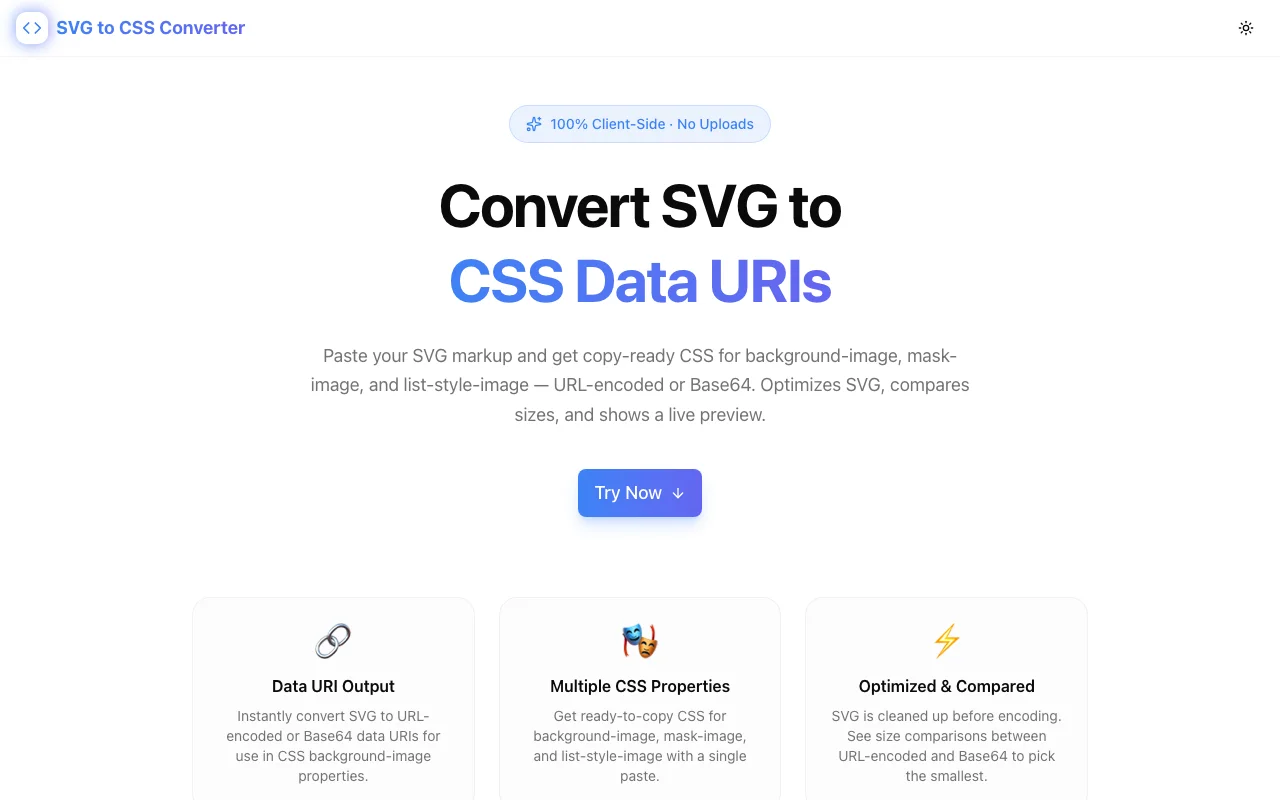
Developer ToolsFeatured
SVG to CSS Converter
A free browser-based tool that converts SVG markup into production-ready CSS data URIs for background-image, mask-image, and list-style-image — with URL-encoded and Base64 output, size comparison, and live preview. No uploads, no accounts.
SVGCSSData URIDeveloper ToolsFrontendNext.jsTypeScript
Start Similar ProjectAbout the Project
SVG to CSS Converter — Inline SVGs as CSS Data URIs
SVG to CSS Converter transforms raw SVG code into production-ready CSS data URIs — instantly, entirely in your browser. Paste any SVG and get back URL-encoded and Base64 data URIs, ready-to-use CSS for background-image, mask-image, and list-style-image, a size comparison between encoding methods, and a live preview confirming the SVG renders correctly through CSS.
No server uploads. No API calls. No accounts. Everything runs client-side.
The Problem It Solves
Every SVG on your page is an HTTP request. Icons, logos, decorative elements — each one adds a network round-trip. On an image-heavy marketing page with 15–20 SVG elements, that's 15–20 extra requests before the page finishes loading.
Inlining SVGs as CSS data URIs eliminates those requests entirely. The SVG lives inside your stylesheet. When the browser parses the CSS, the icon is already there — no extra fetch, no flash of missing content, no CDN dependency for a 200-byte arrow.
But manually encoding SVGs is tedious. You need to handle URL encoding, strip unnecessary whitespace, remove XML declarations, and choose between URL-encoded and Base64 formats. Most developers know the optimization exists. Most don't bother because the manual process is error-prone and slow.
This tool does it in one paste.
How It Works
1. Paste Your SVG
Drop any SVG markup into the input area. The tool immediately processes it — stripping whitespace, removing XML declarations and comments, and trimming unnecessary attributes.
2. Get Multiple Output Formats
The converter generates:
- URL-encoded data URI — typically the smaller option, ideal for most use cases
- Base64 data URI — for maximum compatibility in edge cases
- Size comparison showing the byte difference between encoding methods so you can pick the lighter one
3. Copy Production-Ready CSS
Each output comes with ready-to-use CSS snippets:
background-image— the most common use case for inline SVGsmask-image— for colorable SVG icons controlled bybackground-colorandcurrentColorlist-style-image— for custom bullet points in lists
4. Live Preview
A CSS-rendered preview confirms the SVG displays correctly before you copy the code. No guessing, no deploy-and-check cycles.
Key Features
- Dual encoding — URL-encoded and Base64 output with size comparison
- Three CSS targets —
background-image,mask-image, andlist-style-imagesnippets - SVG optimization — strips whitespace, XML declarations, and comments before encoding
- Live preview — see the SVG rendered through CSS in real time
- One-click copy — grab any output with a single click
- 100% client-side — no SVG data leaves your browser, ever
- No accounts — no signup, no tracking, no upsells
When to Use Data URIs
Good candidates:
- Icons under 2KB (arrows, chevrons, checkmarks, social icons)
- Decorative elements that appear on every page (cached in the stylesheet)
- UI elements that need to load instantly (loading spinners, placeholder graphics)
- Custom bullet points via
list-style-image
Better as separate files:
- Large illustrations over 5KB — cache them independently
- SVGs that change frequently — each edit invalidates the entire stylesheet cache
- SVGs used once on a rarely visited page — lazy-load a separate file instead
The mask-image Trick
One powerful technique the tool supports: using mask-image with data URIs to create colorable SVG icons in pure CSS.
.icon {
  width: 24px;
  height: 24px;
  background-color: currentColor;
  mask-image: url("data:image/svg+xml,...");
  mask-size: contain;
  mask-repeat: no-repeat;
}
The SVG acts as a mask. The background-color fills the visible shape. Change the color with CSS — the icon follows. No fill attributes. No JavaScript. Pure CSS.
Technical Details
- Framework: Next.js (static export)
- Hosting: Vercel
- Domain: svg-to-css-converter.tools.jagodana.com
- Processing: 100% client-side JavaScript
- SVG optimization: Strips whitespace, XML declarations, and comments before encoding
- Output formats: URL-encoded data URI, Base64 data URI
- CSS targets:
background-image,mask-image,list-style-image - SEO: Full structured data (WebApplication, FAQPage, HowTo, Organization)
Part of the 365 Tools Challenge
SVG to CSS Converter is part of Jagodana's 365 Tools Challenge — one new developer tool shipped every day for a year. Every tool is free, open-source, and runs entirely client-side.
The Challenge
The client needed a robust developer tools solution that could scale with their growing user base while maintaining a seamless user experience across all devices.
The Solution
We built a modern application using SVG and CSS, focusing on performance, accessibility, and a delightful user experience.
Project Details
Category
Developer Tools
Technologies
SVG,CSS,Data URI,Developer Tools,Frontend,Next.js,TypeScript
Date
March 2026
Related Projects
More work in Developer Tools

