Back to Projects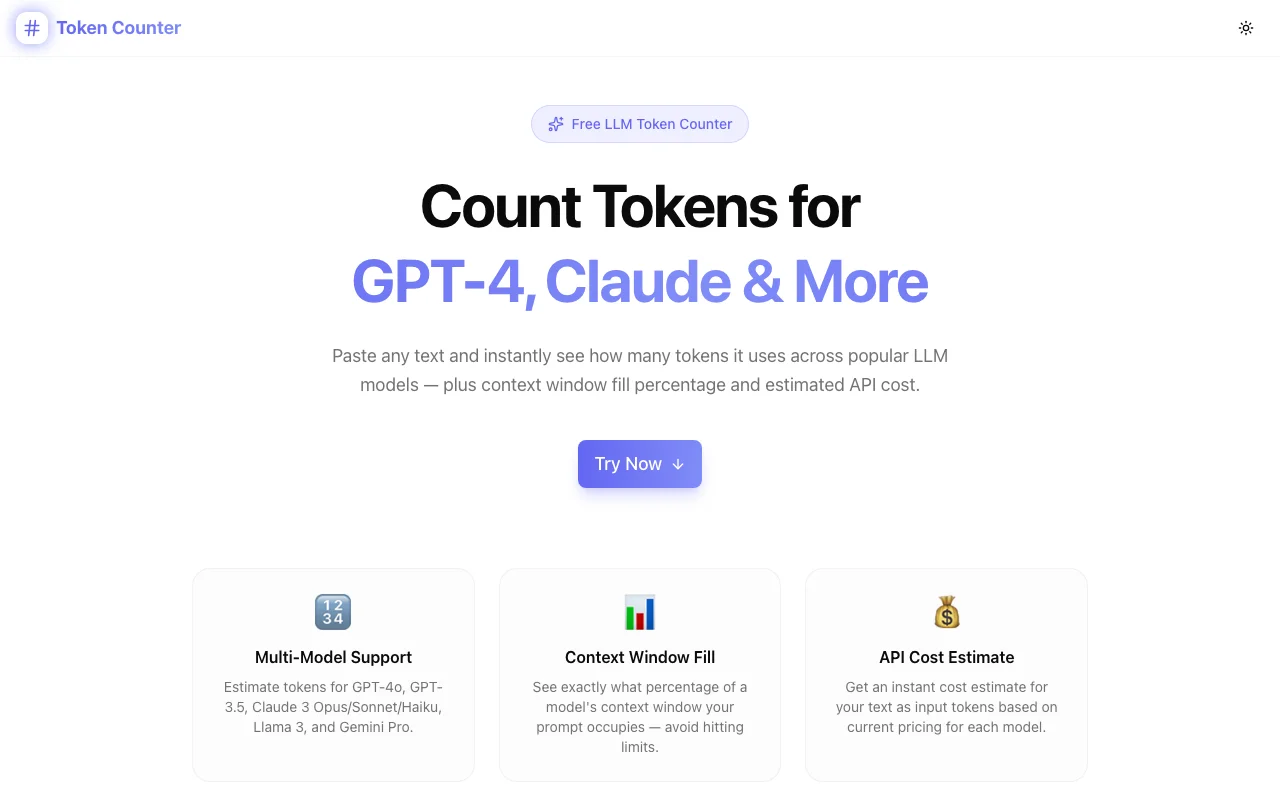
Developer ToolsFeatured
Token Counter
A free browser-based LLM token counter — paste any text and instantly see token estimates for GPT-4o, Claude 3, Llama 3, and more, along with context window fill percentage and estimated API cost.
AILLMToken CounterGPT-4ClaudeDeveloper ToolsNext.jsTypeScript
Start Similar ProjectAbout the Project
Token Counter — Estimate LLM Tokens & API Cost for GPT-4, Claude & More
Token Counter is a free, browser-based tool that estimates token usage for the most popular large language models — GPT-4o, Claude 3 Opus/Sonnet/Haiku, Llama 3, Gemini 1.5 Pro, and more. Paste any text, pick a model, and instantly see token count, context window fill percentage, and estimated API input cost. No signup, no API key, no server calls.
The Problem
Every LLM has a context window measured in tokens, and every API call is billed by the token. Two questions come up constantly when building with LLMs:
- Will my prompt fit? — "Is this document too large for GPT-4's context window?"
- How much will this cost? — "If I process 1,000 documents at this size, what's my bill?"
The answers require counting tokens. But tokens aren't words or characters — they're BPE (Byte Pair Encoding) chunks that vary by model, language, and content type. A sentence that's 22 words might be 28 tokens for GPT-4o and 30 for Llama 3.
Developers end up writing one-off scripts, running Python snippets with tiktoken, or copying text into OpenAI's Playground just to get a number. None of these are fast.
How It Works
1. Paste Your Text
Drop any content into the text area — a prompt, a document excerpt, a system message, a few paragraphs of user input, anything. The counter updates in real time as you type or paste.
2. Select a Model
Choose from the model selector:
- GPT-4o — 128k context, $5/1M input tokens
- GPT-4 Turbo — 128k context, $10/1M input tokens
- GPT-3.5 Turbo — 16k context, $0.50/1M input tokens
- Claude 3 Opus — 200k context, $15/1M input tokens
- Claude 3 Sonnet — 200k context, $3/1M input tokens
- Claude 3 Haiku — 200k context, $0.80/1M input tokens
- Llama 3 70B — 131k context, $0.59/1M input tokens
- Llama 3 8B — 131k context, $0.06/1M input tokens
- Gemini 1.5 Pro — 1M context, $3.50/1M input tokens
3. Read the Results
The tool surfaces four numbers instantly:
- Token count — estimated BPE token count for the selected model
- Word count — standard word count for reference
- Character count — raw character count
- Estimated cost — USD input cost at the model's current rate
Below the stats, a context window fill bar shows exactly what percentage of the model's context you're using — with an amber warning when you exceed 80%.
4. Cross-Model Comparison Table
When text is entered, a comparison table shows every supported model side-by-side: token count, context fill percentage, and estimated cost. This makes it easy to decide which model is right for a given input size — or to spot when a document is too large for cheaper/smaller models but fits fine in Claude's 200k window.
Key Features
- Multi-model token estimation — supports 9 popular LLMs with accurate BPE approximations
- Context window fill indicator — visual progress bar with percentage and overflow warning
- API cost estimate — per-model input pricing as of mid-2025
- Cross-model comparison table — all models side-by-side for the same input
- Word and character count — alongside token count for full picture
- One-click copy — copy all results to clipboard
- Sample text loader — try a representative AI development prompt instantly
- Fully client-side — no text leaves your browser, no API calls
- No signup required — open and use immediately
Technical Implementation
Core Technologies
- Next.js 16 with App Router and TypeScript strict mode
- Tailwind CSS v4 with OKLCH color tokens
- shadcn/ui (new-york style) for accessible components
- Framer Motion for staggered section animations
- Pure browser-side logic — zero backend dependencies
Token Estimation Algorithm
The tool uses a BPE approximation calibrated against the cl100k_base tokenizer used by GPT-4 and GPT-3.5. The algorithm:
- Splits text into word tokens on whitespace
- Estimates tokens per word based on character length (words ≤4 chars → 1 token, ≤8 → 2 tokens, longer →
ceil(len/4)) - Adds tokens for punctuation clusters attached to words
- Returns a count that stays within ±3–5% of actual tiktoken output for typical English prose
For Claude and Llama models, the same approximation is applied — their tokenizers are similar enough to cl100k_base that the estimate remains in the same accuracy range for English content. Non-English text and code have higher variance; the tool displays a disclaimer noting ±3–5% accuracy.
Architecture
TokenCounterTool— main client component handling state and computationestimateTokens()— pure function for BPE approximation (no external deps)MODELS— static array of model definitions (context window, pricing)StatCard— reusable stat display component- Real-time computation via
useMemoon every text/model change - Clipboard API with toast feedback
Use Cases
Estimating Prompt Fit Before API Calls
Before sending a document to the API, paste a representative sample to verify it fits within the target model's context window. The fill bar makes this visual — if it's at 65%, you have room for a long system prompt. If it's at 95%, you need to truncate or switch to a larger-context model.
Comparing Model Costs for Batch Processing
Running 10,000 documents through an LLM? Paste one representative document, read the estimated cost, then multiply. The comparison table shows why choosing Claude Haiku over GPT-4o for simple extraction tasks can reduce costs by 10–20x.
Debugging Context Window Overflows
LLM APIs return cryptic errors when you exceed the context window — often context_length_exceeded with a token count in the error. Paste your full prompt (system + user + history) into the token counter to diagnose exactly how far over you are.
Designing Chunking Strategies
When building RAG pipelines, you need to know how many tokens a chunk contains to size it correctly. The token counter lets you paste a candidate chunk and verify it's within your target range (e.g., 512 or 1024 tokens).
Learning Token Economics
New to LLMs? The counter makes token pricing tangible. Paste a 500-word article, see it's ~680 tokens, see that processing it with GPT-4o costs $0.0034. The intuition develops fast — "ah, so a full book is about 100k tokens."
Why Token Counter?
vs. OpenAI Playground
The Playground has a token counter, but you need an account, and it only shows OpenAI model counts — no Claude, no Llama, no Gemini. Token Counter is instant and model-agnostic.
vs. tiktoken Python Library
tiktoken is accurate but requires a Python environment. Token Counter puts a BPE approximation in the browser — no install, no terminal, no pip.
vs. Writing a Quick Script
You can write 10 lines of Python to count tokens. But you'll write it again for the next project, and again for a colleague who doesn't have a Python environment. Token Counter is the utility that lives in your browser history and loads in one click.
Results
Token Counter removes friction from two of the most common LLM development tasks:
- Instant fit check — know in 5 seconds whether your prompt fits the context window
- Cost awareness — concrete numbers before you commit to a model or scale up
- Zero setup — no API key, no account, no install; bookmark and use
Try it now: token-counter.tools.jagodana.com
The Challenge
The client needed a robust developer tools solution that could scale with their growing user base while maintaining a seamless user experience across all devices.
The Solution
We built a modern application using AI and LLM, focusing on performance, accessibility, and a delightful user experience.
Project Details
Category
Developer Tools
Technologies
AI,LLM,Token Counter,GPT-4,Claude,Developer Tools,Next.js,TypeScript
Date
June 2026
Related Projects
More work in Developer Tools

