Back to Projects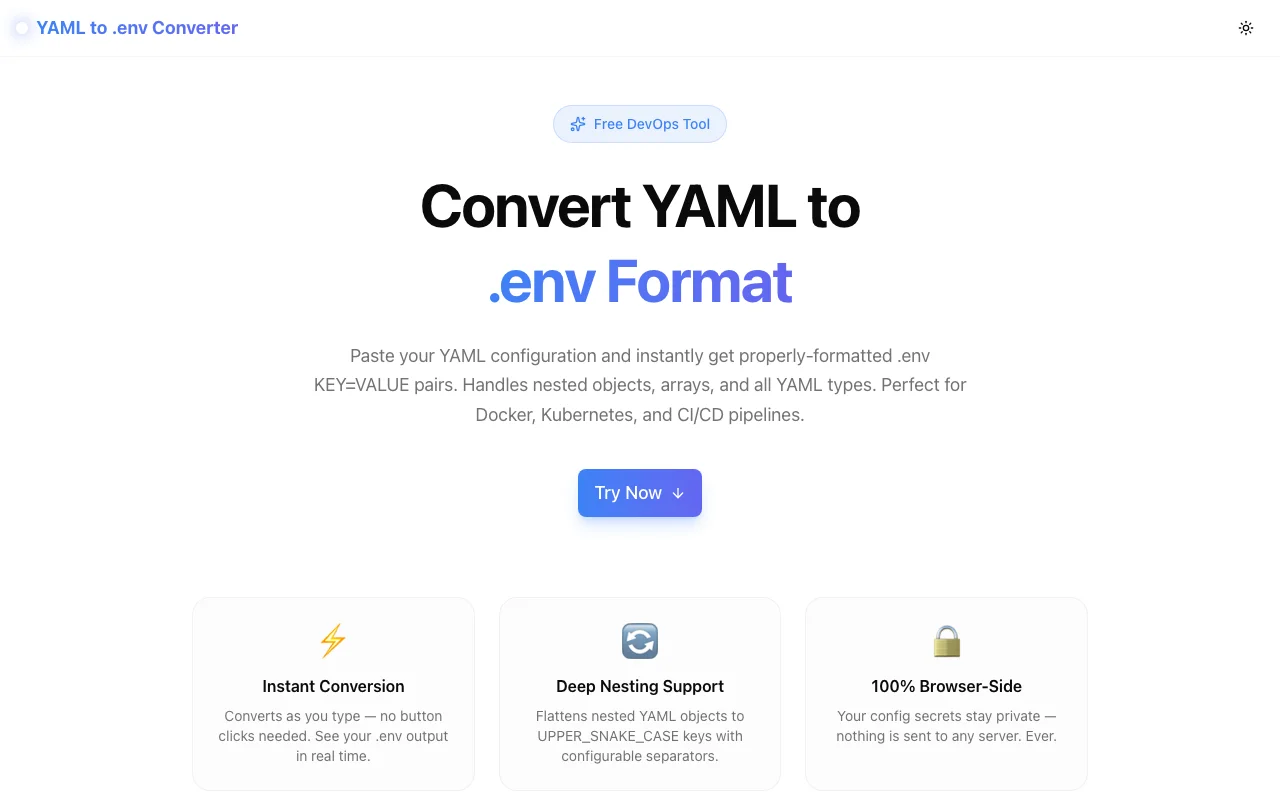
Developer ToolsFeatured
YAML to .env Converter
A free browser-based tool that converts YAML configuration files into .env KEY=VALUE pairs instantly. Supports nested objects, arrays, custom separators, prefix, and case style. 100% client-side — your secrets never leave your machine.
YAMLDevOpsEnvironment VariablesDockerKubernetesDeveloper ToolsNext.jsTypeScript
Start Similar ProjectAbout the Project
YAML to .env Converter — Flatten YAML Config to KEY=VALUE Pairs Online
YAML to .env Converter is a free, browser-based tool that converts YAML configuration files into .env format — the KEY=VALUE pairs used by Docker, Kubernetes, Node.js, Python, and virtually every modern runtime. Paste YAML, get a .env file in under a second. No signup, no server, no uploads.
The Problem
YAML is the lingua franca of configuration. Kubernetes manifests, Helm values files, GitHub Actions configs, Docker Compose files, Ansible playbooks — they're all YAML. But at runtime, most applications expect environment variables in KEY=VALUE format, not YAML.
Bridging that gap manually is tedious:
database:
  host: db.prod.internal
  port: 5432
  credentials:
    user: admin
    password: s3cr3t!
Manually becomes:
DATABASE_HOST=db.prod.internal
DATABASE_PORT=5432
DATABASE_CREDENTIALS_USER=admin
DATABASE_CREDENTIALS_PASSWORD=s3cr3t!
With five or ten keys this is annoying. With a fifty-key ConfigMap it's error-prone and slow. The nesting rules aren't obvious, you might miss a key, and the naming conventions (single underscore vs double, uppercase vs lowercase) vary by framework.
How It Works
Paste and Go
The tool converts as you type — there's no "convert" button to click. Paste YAML into the left panel, and the right panel updates with .env output in real time.
Deep Nesting Flattening
Nested YAML objects are flattened using the configured separator. The default is a single underscore (_), which is supported by nearly every .env loader:
app:
  server:
    host: 0.0.0.0
    port: 8080
Becomes:
APP_SERVER_HOST=0.0.0.0
APP_SERVER_PORT=8080
Arrays
Arrays can be rendered two ways:
Indexed (default — maximum compatibility):
features:
  - dark_mode
  - beta_api
Becomes:
FEATURES_0=dark_mode
FEATURES_1=beta_api
CSV (when you need a single variable):
FEATURES=dark_mode,beta_api
Configurable Options
| Option | Choices | Purpose |
|--------|---------|---------|
| Separator | _, __, . | How nested keys are joined |
| Case | UPPER, lower, Preserve | Key naming convention |
| Prefix | Any string (e.g. APP_) | Namespace all variables |
| Arrays | Indexed, CSV | How lists are serialized |
| Quote all | On/Off | Force quotes around all values |
Auto-Quoting
Values that contain spaces, hash characters, equals signs, or other shell-special characters are automatically quoted. Values that don't need quoting are left unquoted to keep the output clean.
Key Features
- Real-time conversion — output updates as you type, no button needed
- Deep nesting support — flattens objects of arbitrary depth
- Configurable separator —
_,__, or.to match your loader - Prefix support — namespace all variables with a single input
- Three case styles — UPPER, lower, or preserve original casing
- Two array formats — indexed keys or comma-separated values
- Auto-quoting — special characters handled correctly
- Three example presets — App Config, Kubernetes ConfigMap, Docker Compose
- Copy to clipboard — one click copies the full output
- 100% client-side — no uploads, no backend, works offline
- No signup required — open and use immediately
Use Cases
Local Development from Kubernetes ConfigMaps
When your production app runs in Kubernetes but local development needs a .env file, you often end up copying ConfigMap values by hand. Paste the YAML data: block into this tool and get a .env.local file in seconds.
Docker Compose to .env Migration
Docker Compose v3+ supports loading environment variables from .env files. If you have an existing environment: block in YAML, paste it here to get the equivalent .env pairs.
CI/CD Pipeline Config
Many CI/CD systems (GitHub Actions, GitLab CI, CircleCI) store secrets as environment variables but reference them in YAML config. When migrating between systems or extracting variables for local testing, this tool saves the manual transcription step.
Helm Values to App Config
Helm values files define Kubernetes application configuration in YAML. When debugging or running a service locally without Helm, you need the same values as environment variables. YAML to .env handles the translation.
Team Onboarding
Sharing configuration with a new team member who needs a .env.local file? Maintain the canonical config as YAML in a shared document, then convert it here to generate the .env file format the developer needs.
Technical Implementation
Core Technologies
- Next.js 16 with App Router
- TypeScript in strict mode
- Tailwind CSS v4 with OKLCH color tokens
- js-yaml for standards-compliant YAML parsing
- shadcn/ui (new-york style) components
- framer-motion for UI animations
Architecture
The conversion pipeline is pure TypeScript running entirely in the browser:
- Parse —
js-yaml.load()parses the input string into a JavaScript object tree - Flatten — a recursive function walks the tree, building key paths by joining key segments with the configured separator
- Format — each leaf value is converted to a string and optionally quoted, then combined with the key to form a
KEY=VALUEline - Output — lines are joined with newlines and written to the output textarea in real time via a
useEffecthook
The array format switch is applied during the flatten step: indexed format recurses into arrays with numeric key segments; CSV format joins array items at the leaf level without recursing.
Privacy by Design
Because all processing happens in the browser, the tool is safe for sensitive configuration values — API keys, database passwords, and other secrets. Nothing is transmitted to any server. The tool works offline after the initial page load.
Live Tool
Try it now: yaml-to-env.tools.jagodana.com
Source code: github.com/Jagodana-Studio-Private-Limited/yaml-to-env
The Challenge
The client needed a robust developer tools solution that could scale with their growing user base while maintaining a seamless user experience across all devices.
The Solution
We built a modern application using YAML and DevOps, focusing on performance, accessibility, and a delightful user experience.
Project Details
Category
Developer Tools
Technologies
YAML,DevOps,Environment Variables,Docker,Kubernetes,Developer Tools,Next.js,TypeScript
Date
July 2026
Related Projects
More work in Developer Tools

