Chmod Calculator: The Visual Unix File Permission Calculator Developers Actually Need
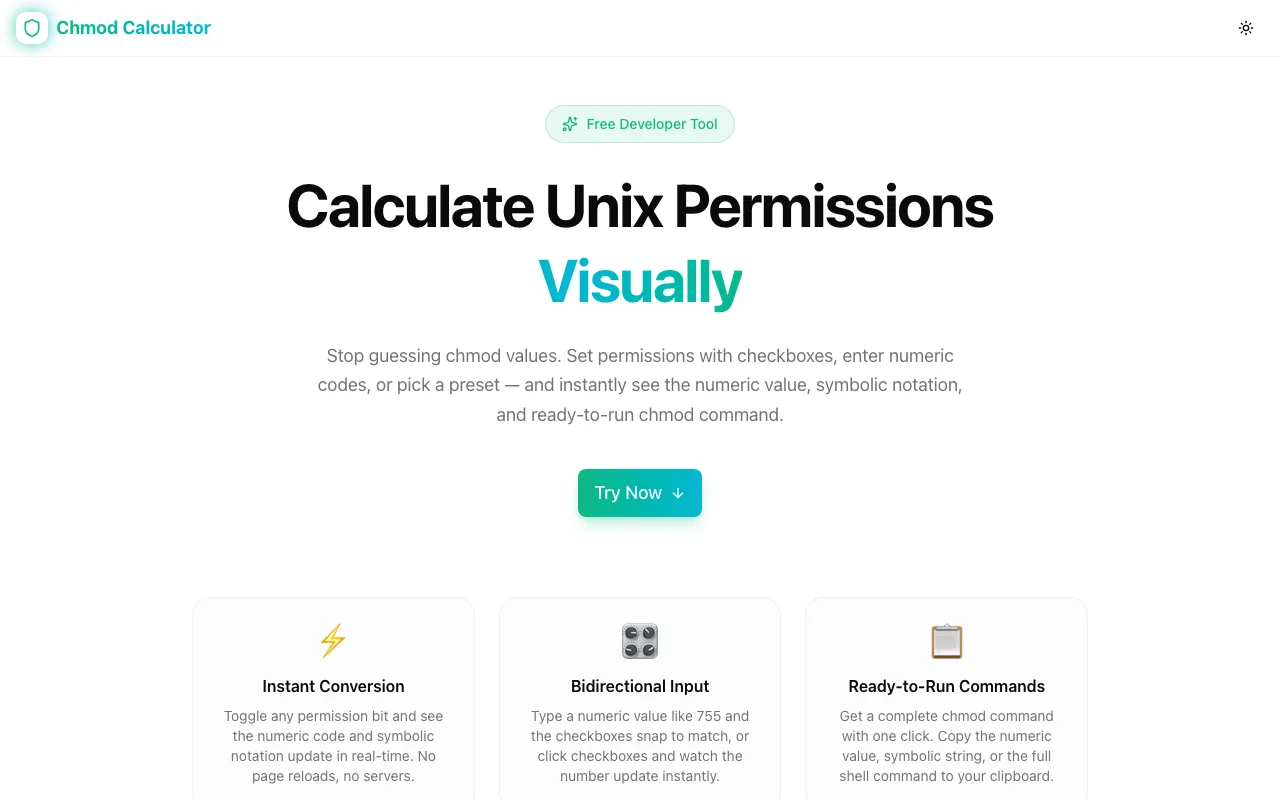
Stop memorising octal permission tables. Chmod Calculator is a free browser tool that lets you toggle rwx bits visually and get the exact octal code, symbolic notation, and chmod command instantly — no signup required.
Chmod Calculator: The Visual Unix File Permission Calculator Developers Actually Need
You're setting up a web server. You need directories to be 755 and files to be 644. You know this. But do you remember which digit is owner, which is group, which is others? And which bit maps to read, write, execute?
Most developers hit this blank at least once a week. The answer is always the same: open a new tab, search "chmod calculator", do the mental arithmetic (or let the tool do it), copy the result, close the tab. Then do it again tomorrow.
Chmod Calculator is the tool you should have bookmarked. Visual permission toggles, instant octal and symbolic output, ready-to-run chmod command, special bits support. Free, no signup, all in your browser.
Why Unix File Permissions Are Confusing (Even for Experienced Developers)
Unix permissions are conceptually simple: three groups (owner, group, others), three bits each (read, write, execute). But the way they're represented trips people up constantly.
The Octal System
Each permission group maps to a 3-bit binary number, which becomes a decimal digit 0–7:
| Binary | Decimal | Permissions | |--------|---------|-------------| | 000 | 0 | none | | 001 | 1 | execute only | | 010 | 2 | write only | | 011 | 3 | write + execute | | 100 | 4 | read only | | 101 | 5 | read + execute | | 110 | 6 | read + write | | 111 | 7 | read + write + execute |
So 755 means: owner = 7 (rwx), group = 5 (r-x), others = 5 (r-x). Most developers know 755 and 644 by heart. Anything else requires arithmetic.
The Symbolic Notation
ls -la shows permissions like drwxr-xr-x. Each character has a meaning:
d— directory (or-for file,lfor symlink)rwx— owner permissionsr-x— group permissionsr-x— others permissions
Special bits change the execute character: s for setuid/setgid, t for sticky bit.
The Special Bits Problem
When you need setuid, setgid, or sticky bit, the octal becomes 4 digits: 4755 (setuid + 755), 2775 (setgid + 775), 1777 (sticky + 777). These are less common but critical — and the mental model for computing them is different enough that most developers just Google it.
Introducing Chmod Calculator
Chmod Calculator is a free, browser-based tool that makes all of this visual.
Here's how it works:
- Toggle the checkboxes for Owner, Group, and Others across Read, Write, Execute — or click a preset
- See the octal code, symbolic notation, and
chmodcommand update in real time - Click Copy to copy the command to your clipboard
No arithmetic. No memorisation. No server. Everything runs in your browser.
Key Features
🎯 Visual Permission Toggles
The core interface is a grid of checkboxes — Owner/Group/Others on one axis, Read/Write/Execute on the other. Toggle any combination and watch all three outputs update instantly.
The visual layout directly mirrors the symbolic permission string. You can see rwxr-xr-x as a set of checked boxes before you even read the output field. After a few minutes with the tool, the connection between the visual and the octal clicks.
⚡ Quick Presets
One-click presets for the 8 most common permission modes, each with a plain-English description of when to use it:
- 755 — Directories, scripts — owner full, others read + execute
- 644 — Regular files — owner read + write, others read-only
- 700 — Private scripts — owner only, no group or others access
- 600 — Private files — SSH keys, config files with credentials
- 400 — Read-only for owner — SSH private keys in strict mode
- 777 — Full access for everyone — rarely appropriate in production
- 1777 — Sticky + full access — how
/tmpis set up - 4755 — Setuid + 755 — executables that run as their owner (like
sudo)
The descriptions remove guesswork. Instead of remembering which mode to use for your SSH key, you see "Private files (SSH keys)" next to 600 and click it.
🔐 Special Bits (Setuid, Setgid, Sticky)
Most chmod calculators stop at 3-digit modes. Chmod Calculator supports all three special bits, generating correct 4-digit modes:
Setuid (4000) — When set on an executable, it runs as the file's owner instead of the user running it. Classic example: passwd needs to write to /etc/shadow, which is owned by root, so it's setuid root. Mode: 4755 → rwsr-xr-x.
Setgid (2000) — On an executable, it runs as the file's group. On a directory, new files created inside inherit the directory's group — useful for shared project directories where everyone should own files as the same group. Mode: 2775 → rwxrwsr-x.
Sticky bit (1000) — On directories, users can only delete their own files even if they have write permission on the directory. This is how /tmp works — everyone can write there, but you can only delete your own files. Mode: 1777 → rwxrwxrwt.
Toggle any combination of special bits in the same checkbox interface. The output automatically switches to 4-digit octal and updates the symbolic string with the correct s or t characters.
📋 Copy Command
The generated command isn't just the octal code — it's the full chmod command: chmod 755 filename. One click copies it to your clipboard. Paste directly into your terminal.
For recursive operations you'll still add -R and the path yourself, but having the correct mode already on your clipboard eliminates the most error-prone part.
Common Chmod Scenarios
Setting Up a Web Server
The standard setup for a web-served directory:
# Directories: traverse + read
chmod 755 /var/www/html

# Files: read (no execute, no write)
chmod 644 /var/www/html/index.php

# Apply recursively (use carefully — files and dirs may need different modes)
find /var/www/html -type d -exec chmod 755 {} \;
find /var/www/html -type f -exec chmod 644 {} \;
Use the calculator to confirm 755 for directories (owner full, others read + execute) and 644 for files (owner read + write, others read-only) before scripting the recursive change.
Securing SSH Keys
SSH will refuse connections if your private key is readable by others:
@@@@@@@@@@@@@@@@@@@@@@@@@@@@@@@@@@@@@@@@@@@@@@@@@@@@@@@@@@@
@         WARNING: UNPROTECTED PRIVATE KEY FILE!          @
@@@@@@@@@@@@@@@@@@@@@@@@@@@@@@@@@@@@@@@@@@@@@@@@@@@@@@@@@@@
Permissions 0644 for '/home/user/.ssh/id_rsa' are too open.
Fix: chmod 600 ~/.ssh/id_rsa. Use the calculator to confirm 600 means owner read + write, nothing for group or others.
The ~/.ssh/ directory itself needs 700 — owner-only access. Chmod Calculator shows that clearly: Owner rwx, Group nothing, Others nothing.
Shared Project Directories
You want a directory where multiple team members can write files, and new files automatically belong to the team's group:
chmod 2775 /projects/sharedSetgid (2) + owner full + group full + others read + execute = 2775. Use the calculator to see this visually, then confirm the symbolic output is rwxrwsr-x (the s in group execute confirms setgid is set).
Debugging Existing Permissions
You see drwxr-sr-x in ls -la output. What does that mean? Break it down:
d— directoryrwx— owner: read + write + executer-s— group: read + execute + setgidr-x— others: read + execute
The setgid bit (the s in group execute position) means new files in this directory inherit the directory's group. Common in shared development environments.
Use Chmod Calculator's special bits section to understand when you'd see each variation.
Docker Permissions
COPY --chown=node:node . .
RUN chmod 755 /app/scripts/entrypoint.sh
RUN chmod 600 /app/config/secrets.env
Before writing these into your Dockerfile, use the calculator to confirm the exact mode for each file type. Scripts need execute permission (755), secrets need to be owner-only (600).
Unix Permissions Reference
The Core Table
| Octal | Symbolic | Meaning |
|-------|----------|---------|
| 0 | --- | No permissions |
| 1 | --x | Execute only |
| 2 | -w- | Write only |
| 3 | -wx | Write + execute |
| 4 | r-- | Read only |
| 5 | r-x | Read + execute |
| 6 | rw- | Read + write |
| 7 | rwx | Read + write + execute |
Common Modes
| Mode | Symbolic | Use Case |
|------|----------|----------|
| 400 | r-------- | SSH private key (strict) |
| 600 | rw------- | SSH private key, config with credentials |
| 644 | rw-r--r-- | Regular files, web content |
| 700 | rwx------ | Private scripts, home directory |
| 755 | rwxr-xr-x | Directories, executables, web scripts |
| 775 | rwxrwxr-x | Shared team directories |
| 777 | rwxrwxrwx | World-writable (avoid in production) |
| 4755 | rwsr-xr-x | Setuid executables (passwd, sudo) |
| 1777 | rwxrwxrwt | World-writable + sticky (/tmp) |
What "-R" (Recursive) Does
chmod -R 755 /path applies the same mode to every file and directory in the tree. This is often wrong because files and directories typically need different modes — 644 for files, 755 for directories.
The safer approach:
# Only change directories
find /path -type d -exec chmod 755 {} \;

# Only change files
find /path -type f -exec chmod 644 {} \;
Chmod Calculator vs. The Alternatives
vs. Mental Arithmetic
Mental arithmetic works — until you need a mode you don't have memorised. Chmod Calculator handles any combination without mental load, and it's correct every time.
vs. Googling "chmod calculator"
You get a random site with ads, possible dark patterns, and no special bits support. Chmod Calculator is clean, fast, and actually covers setuid, setgid, and sticky bit.
vs. man chmod
man chmod is comprehensive but you have to already know what you're looking for. The calculator shows you the result as you explore — better for learning and for confirming modes you're unsure about.
vs. Command-Line Trial and Error
chmod 746 /path && ls -la /pathThis works, but running chmod incorrectly on the wrong file in production is a real risk. Use the calculator to confirm the mode before running the command.
Who Should Bookmark This
Web developers who set permissions on server files and directories — the 755/644 combination is something you'll need to confirm regularly.
DevOps and SREs who manage shared directories, setgid group setups, or sticky-bit temporary directories.
Developers new to Linux who are learning the permission system — the visual interface makes the mapping between toggles and octal numbers immediately intuitive.
Security-conscious developers who need to confirm their SSH keys, secrets, and config files have the tightest appropriate permissions.
Try Chmod Calculator
Stop doing the mental arithmetic. Open the tool, toggle the bits, copy the command.
👉 chmod-calculator.tools.jagodana.com
Free. Private. No signup. Works in any browser.
Built by Jagodana Studio — we make developer tools that remove friction from everyday workflows. See all our tools at tools.jagodana.com.