iFrame Embed Generator: Stop Googling YouTube Embed Code Every Time
A free browser tool that generates correct iframe embed codes for YouTube, Google Maps, Vimeo, and CodePen — with responsive wrapper, live preview, and one-click copy.
iFrame Embed Generator: Stop Googling YouTube Embed Code Every Time
You know the loop. You need to embed a YouTube video on a client's page. You copy the URL from the address bar. Then you realize YouTube's share modal gives you a different URL format. You switch to the share tab, click Embed, copy the iframe — only to realize you forgot to enable privacy mode and the responsive wrapper. Back to Stack Overflow. Find the padding-bottom: 56.25% trick. Paste it. Change the URL. Done. Twenty minutes gone.
iFrame Embed Generator collapses that loop into a URL paste and a click.
What Is iFrame Embed Generator?
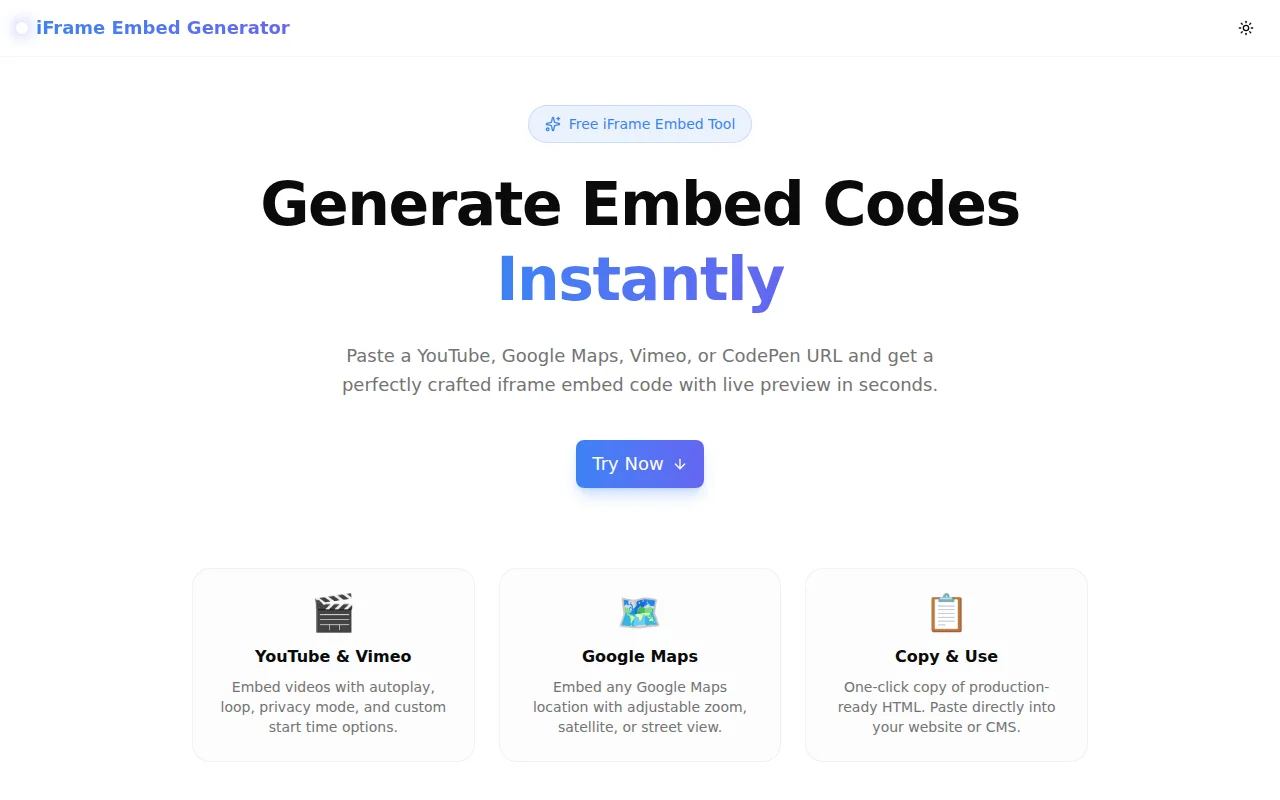
iFrame Embed Generator is a free, no-login web tool at iframe-embed-generator.tools.jagodana.com that produces production-ready <iframe> HTML for four platforms: YouTube, Google Maps, Vimeo, and CodePen.
Every option you actually use is exposed in the UI. Every attribute you forget to add manually is included in the output. All of it runs in the browser — no server, no API key, no account.
Why Does Iframe Embed Code Keep Tripping People Up?
The YouTube embed URL is not the page URL
The page URL is youtube.com/watch?v=VIDEO_ID. The embed URL is youtube.com/embed/VIDEO_ID. Getting the wrong one means a broken embed. The tool handles this automatically.
Autoplay requires mute — browsers block it otherwise
If you add ?autoplay=1 without &mute=1, modern browsers will block autoplay and the video won't play. This is one of the most common YouTube embed bugs. The generator enforces this combination.
Loop requires a playlist parameter
YouTube's loop feature won't work without &playlist=VIDEO_ID added to the same URL. This is documented but easy to miss. The generator adds it automatically when you enable loop.
Privacy-enhanced mode uses a different domain
youtube-nocookie.com instead of youtube.com. Same embed, fewer cookies. Switching manually means editing the URL string — easy to miss on one of many embeds. The tool makes it a toggle.
Responsive iframes need a CSS wrapper
A standard <iframe width="560" height="315"> will overflow on mobile. Making it responsive requires wrapping it in:
<div style="position:relative;padding-bottom:56.25%;height:0;overflow:hidden;">
  <iframe style="position:absolute;top:0;left:0;width:100%;height:100%;" ...></iframe>
</div>
This pattern works everywhere — in CMS editors, Notion embeds, Webflow, raw HTML — without requiring any external CSS. The generator includes it when you enable Responsive mode.
Google Maps does not give you a plain URL
The Google Maps share link (maps.app.goo.gl/...) is not the embed URL. Getting the actual embed requires going to Share → Embed a map in the Maps UI. The generator accepts the share URL and builds the embed.
CodePen embeds use an unusual format
CodePen's embed is not a standard iframe — it's a <p> tag with data attributes plus an async script tag. Almost nobody has this memorized. The generator produces it correctly from a pen URL.
How to Use iFrame Embed Generator
Step 1: Open the tool
Go to iframe-embed-generator.tools.jagodana.com. No account needed.
Step 2: Select your platform
Four tabs — YouTube, Google Maps, Vimeo, CodePen. The UI adapts to show only the relevant options for each platform.
Step 3: Paste your URL
Paste any standard URL for that platform. The tool parses out the video ID, map reference, or pen slug automatically.
YouTube accepts:
youtube.com/watch?v=VIDEO_IDyoutu.be/VIDEO_IDyoutube.com/shorts/VIDEO_ID
Vimeo accepts:
vimeo.com/VIDEO_IDvimeo.com/video/VIDEO_ID
CodePen accepts:
codepen.io/user/pen/SLUGcodepen.io/user/full/SLUG
Step 4: Set your options
Toggle responsive mode, autoplay, loop, privacy mode, or start time. For fixed-size embeds, set width and height in pixels.
Step 5: Check the live preview
For YouTube, Vimeo, and Google Maps, the actual embed renders inline so you can verify it before copying.
Step 6: Copy and paste
Click the Copy button. The complete, formatted HTML is on your clipboard — ready to paste into your CMS, HTML file, or template.
Who Uses iFrame Embed Generator?
Web developers
Any developer who embeds content from these platforms regularly will stop re-reading the YouTube embed docs after the first time they use the generator. The correct code, every time, in seconds.
Content managers and editors
Non-technical users who manage blogs, landing pages, or documentation sites in a CMS often need embed codes but should not have to understand iframe URL structure to get one. The generator gives them the correct HTML without requiring any technical knowledge.
Marketing teams
Landing pages, webinar recordings, demo videos, location maps — all common marketing page elements. Getting the embed code right used to mean asking a developer. Now it does not.
Designers building in Webflow or Framer
Both platforms support custom HTML embeds. Getting a responsive YouTube video or a Google Maps location into a section requires the correct iframe code. The generator provides it without leaving the design workflow.
Agencies
Client websites regularly need embedded maps, videos, and live demos. The generator standardizes how embed codes are produced across a team — everyone gets the same correct, consistent output.
How Is the Embed Code Generated?
Everything runs in the browser with TypeScript. No URLs leave your device.
The generator parses the URL client-side using regular expressions that handle the full range of real-world URL variants for each platform. It then constructs the embed URL with the correct parameter encoding using URLSearchParams, and formats the HTML output with correct indentation and all recommended attributes.
For YouTube, the builder:
- Selects the correct base domain (
youtube.comoryoutube-nocookie.com) - Adds
mute=1automatically whenautoplay=1is present - Adds
playlist=VIDEO_IDautomatically whenloop=1is present - Encodes all parameters correctly
For the responsive wrapper, it uses the inline style approach rather than a CSS class — so it works in any embed context without requiring control over the host page's stylesheet.
Frequently Asked Questions
Does the embed code work in WordPress?
Yes. Paste the generated HTML in WordPress's HTML block (Gutenberg) or the text editor (Classic). For responsive embeds, the wrapper styles use inline CSS so no theme modifications are needed.
Why does YouTube autoplay not work without muting?
Modern browser autoplay policies (implemented by Chrome, Firefox, Safari) block autoplaying video with audio unless the user has interacted with the page or the site is on an allowlist. Muting the video bypasses this restriction. The generator enables mute automatically when autoplay is toggled.
What is YouTube privacy-enhanced mode?
When privacy-enhanced mode is enabled, the embed uses youtube-nocookie.com instead of youtube.com. YouTube will not set cookies on your visitors until they interact with the video player. This is the recommended embed mode for sites with GDPR obligations or cookie consent requirements.
Is the generated code safe to use in production?
Yes. The output includes all recommended security and performance attributes: frameborder="0", allowfullscreen, loading="lazy", and referrerpolicy="no-referrer-when-downgrade" where applicable. No custom scripts or untrusted attributes are added.
Does this tool send my URLs to a server?
No. All URL parsing and code generation happens in your browser using JavaScript. Nothing is sent to any server.
What happens if I paste a short URL (youtu.be or maps.app.goo.gl)?
The tool handles youtu.be URLs natively — it extracts the video ID from the short URL format. For Google Maps short URLs (maps.app.goo.gl), the tool builds a search-style embed from the URL since full resolution of the destination requires a server-side request that would violate the tool's privacy-first design.
Try It Now
iframe-embed-generator.tools.jagodana.com — free, no account, works instantly.
Source: github.com/Jagodana-Studio-Private-Limited/iframe-embed-generator