Introducing CSS Minifier: Compress Stylesheets in Your Browser, Privately
CSS Minifier is a free, 100% client-side tool that strips comments, whitespace, and redundant characters from your CSS — achieving up to 70% size reduction without uploading a single byte.
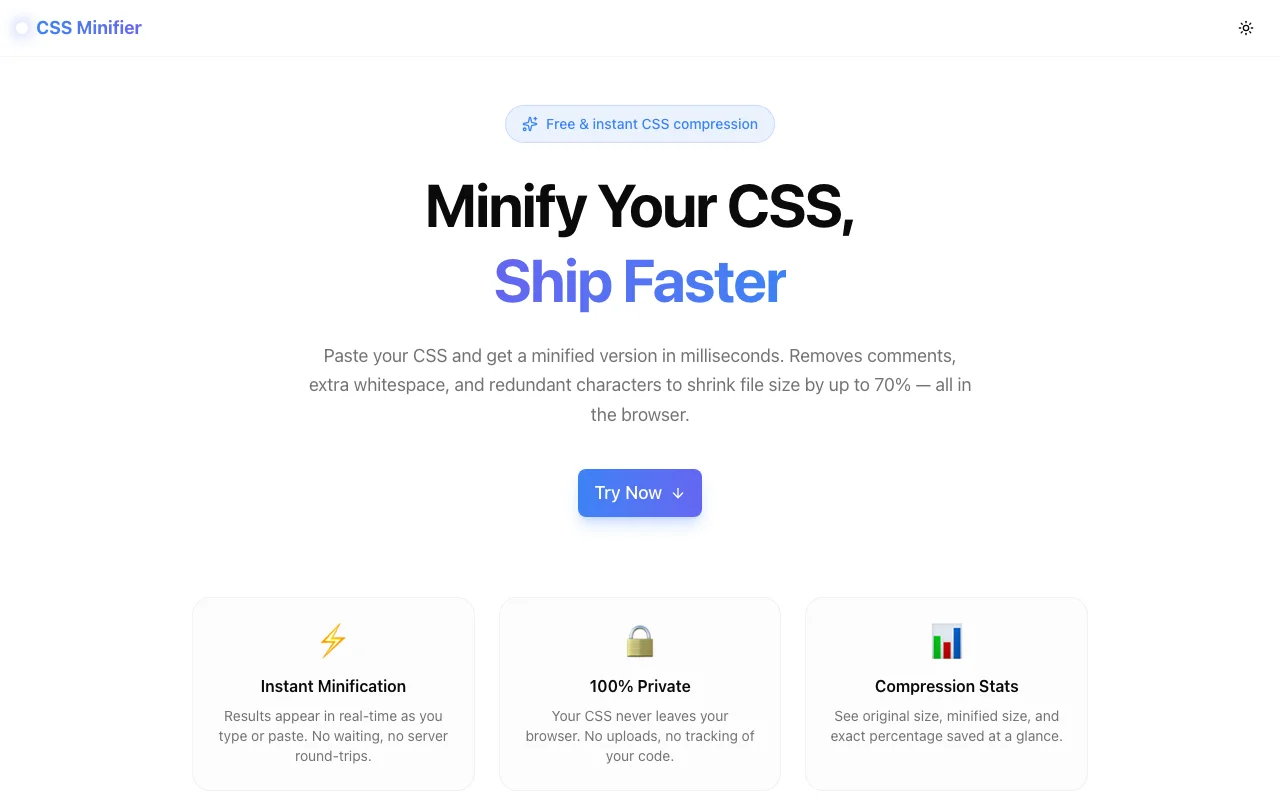
We just shipped CSS Minifier — a fast, private, browser-based tool that compresses CSS files in real time. No sign-up, no upload, no backend. Paste your stylesheet and get a minified result in milliseconds.
What does CSS minification do?
CSS minification removes everything from a stylesheet that a browser ignores at parse time: comments, whitespace, blank lines, and redundant syntax. The structure and rules of the stylesheet stay identical — only the characters that serve human readability get stripped out.
A typical stylesheet authored by a developer might look like this:
/* Main navigation */
.nav {
  display: flex;
  align-items: center;
  gap: 1rem;
}
After minification, that becomes:
.nav{display:flex;align-items:center;gap:1rem}Same computed style. About half the bytes. Multiply that across a full production stylesheet and the savings compound quickly.
How does the CSS Minifier actually work?
The tool runs a series of regex passes over your input — there is no heavy parser or AST involved, which keeps it fast and dependency-free.
Step 1 — Comment removal. The first pass targets /* ... */ block comments using a non-greedy regex that handles multiline comments correctly. Comments have zero effect on rendering and are one of the largest sources of bloat in hand-authored CSS.
Step 2 — Whitespace collapse. Tabs, newlines, and runs of spaces are each collapsed to a single space (or removed entirely when adjacent to structural characters like {, }, :, and ;). This handles indentation, blank lines between rule sets, and the space after selector commas.
Step 3 — Redundant character removal. The trailing semicolon before a closing brace is legal to omit in CSS, so the pass ; → } strips it. Spaces around : inside declarations are removed where safe. The result shaves a few more bytes without touching the cascade logic.
Step 4 — Final trim. Leading and trailing whitespace on the output string is removed.
Each pass is a single .replace() call. The chain runs synchronously on the main thread, which is why the output panel updates with every keystroke.
How much can you save?
Results vary by stylesheet, but as a rough guide:
- Small utility file (5 KB): typically 30–45% reduction
- Full component library stylesheet (50 KB): 50–65% reduction
- Verbose legacy stylesheet with heavy comments (100 KB+): up to 70% reduction
The tool shows you original size, minified size, and the exact percentage saved so you can judge for yourself.
Is it safe to use?
Yes — for two reasons.
First, your CSS never leaves your browser. The tool is 100% client-side; there is no server, no network request, no logging. Proprietary stylesheets, unreleased design tokens, internal utility classes — none of it is transmitted anywhere.
Second, the minification is semantically safe. The tool does not reorder declarations, remove vendor prefixes, merge selectors, or apply any transformation that could change computed styles. It only removes characters that browsers skip during parsing. If you paste valid CSS in, you get valid CSS out.
When would you actually use this?
Build tools like webpack, Vite, and Parcel handle CSS minification automatically in production builds. So when does a standalone browser tool add value?
1. Auditing a legacy stylesheet you did not write. You have a styles.css from an old project and want to know its real compressed footprint before deciding whether to refactor it. Paste, check, decide.
2. Preparing a static site or CodePen without a build step. Not every project needs a pipeline. If you are shipping a single-page demo or a simple landing page, inlining minified CSS directly saves you from setting up PostCSS or cssnano just for one file.
3. Debugging a minification-related bug. You suspect your build tool is mangling a specific rule. Paste the isolated selector into CSS Minifier and see what the raw regex passes produce — no webpack config required.
4. Quickly estimating savings before committing to a refactor. You want to know if splitting a monolithic stylesheet into component files will hurt your bundle. Minify the current file first; that gives you the baseline.
5. Teaching or code review. Showing a junior developer exactly what minification removes is easier with a live tool than with a written explanation. Paste a snippet, point at the diff.
How does it compare to PostCSS / cssnano?
| | CSS Minifier | cssnano (via PostCSS) | |---|---|---| | Setup | Zero | npm install + config | | Speed (one-off) | Instant | Seconds (cold start) | | Privacy | 100% local | Depends on where you run it | | Advanced optimisations | No | Yes (merge rules, calc reduction, etc.) | | CI/CD integration | No | Yes | | Offline use | Yes | Yes (once installed) |
CSS Minifier is not a replacement for cssnano in a production pipeline — cssnano does significantly more, including merging duplicate rules, optimising calc() expressions, and shorthand property normalisation. But for quick, private, one-off compression, a browser tool removes all the friction.
What we built it with
The tool runs on Next.js 16 with TypeScript in strict mode. The UI uses Tailwind CSS v4 and shadcn/ui components. Framer Motion handles the panel transitions. The minification itself is plain JavaScript — no external minification library, no WASM, no worker thread. Total build time was approximately 35 minutes.
Try it
CSS Minifier is free, open source, and requires no account. The source is on GitHub if you want to inspect the minification logic or self-host it.
It is part of our ongoing 365 Tools project — one useful developer tool shipped every day.