Color Harmony Generator — Free Online Color Scheme Tool for Designers and Developers
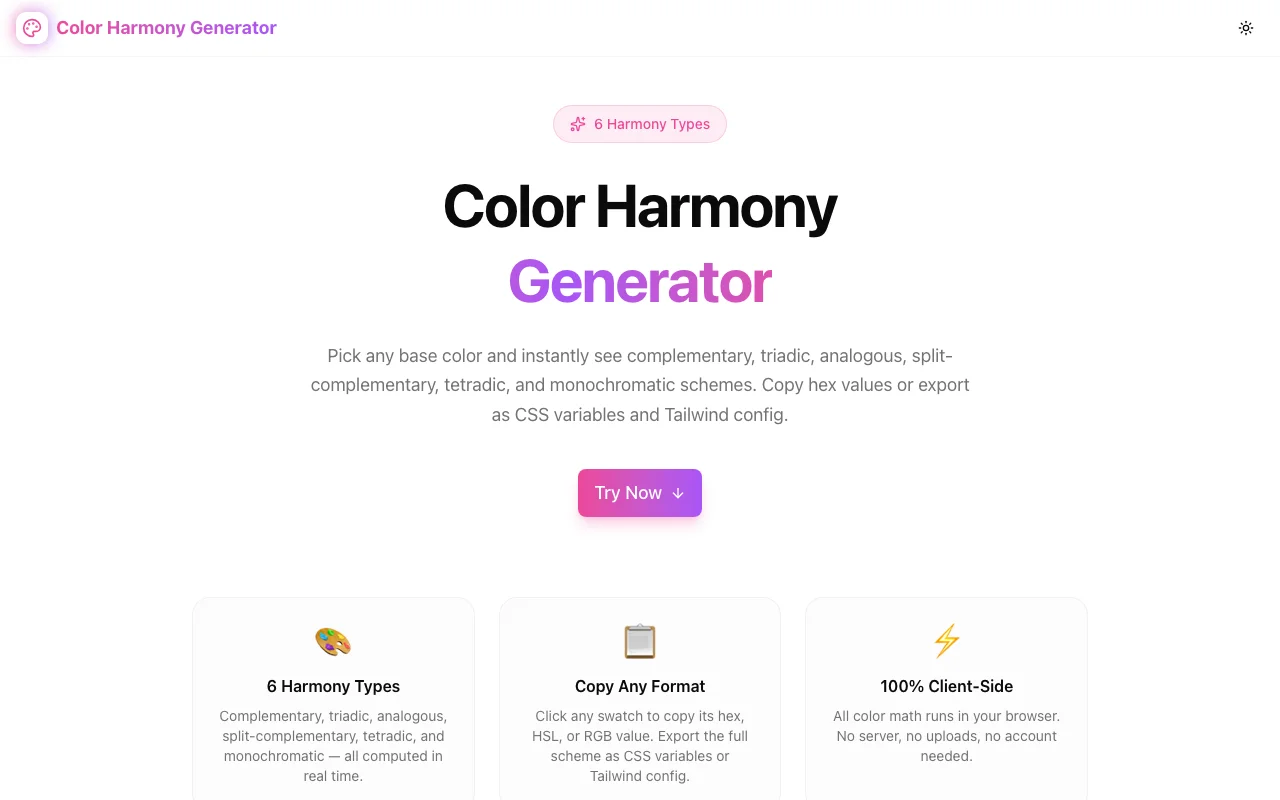
Generate complementary, triadic, analogous, split-complementary, tetradic, and monochromatic color schemes from any hex code. Copy HEX, HSL, RGB, CSS variables, or Tailwind config. 100% client-side, no signup.
Color Harmony Generator — Free Online Color Scheme Tool for Designers and Developers
You have a brand color. You need a full palette. Color theory says complementary colors sit 180° apart on the hue wheel, triadic colors at 120°, analogous colors at ±30°—but translating one hex code into a production-ready scheme still requires either a design tool subscription, a manual calculation, or fifteen minutes of browser tab switching.
Color Harmony Generator does the math instantly. Enter any hex code, choose a harmony scheme, and copy colors in HEX, HSL, or RGB format—or export the entire palette as CSS variables or a Tailwind config block. All client-side, no data sent anywhere.
What Is Color Harmony?
Color harmony refers to the set of rules from color theory that describe which color combinations are visually pleasing and why. Each rule is based on the positions of colors on the hue wheel:
| Scheme | Rule | Colors | |---|---|---| | Complementary | 180° apart | 2 | | Triadic | 120° apart | 3 | | Analogous | ±30° adjacent | 3 | | Split-Complementary | Base + 150° and 210° | 3 | | Tetradic | Two complementary pairs, 90° apart | 4 | | Monochromatic | Same hue, varying lightness | 5 |
These relationships are precise. Knowing the base hue angle, any harmony scheme is a calculation—not a judgment call. That's why a computer can generate all six schemes in milliseconds.
How to Generate a Color Scheme
Step 1: Open color-harmony-generator.tools.jagodana.com
Step 2: Enter your base color — type a hex code directly, or click the color picker to choose visually. The current HSL values display next to the input so you can see where the color sits on the wheel.
Step 3: Click a scheme tab — Complementary, Triadic, Analogous, Split-Complementary, Tetradic, or Monochromatic. The swatches update instantly.
Step 4: Copy what you need — click any swatch to copy its hex value, or use the HEX / HSL / RGB buttons below each swatch to copy a specific format. To export the full scheme, click CSS or Tailwind.
The "All Schemes at a Glance" strip at the bottom shows all six schemes as horizontal color bars simultaneously. Click any bar to switch to that scheme.
The Six Harmony Schemes
Complementary
Two colors at exactly 180° apart. Highest contrast of any two-color relationship—the colors fight for attention in a productive way. Use for call-to-action buttons against a neutral background, or any interface element that needs to stand out against a brand color.
Classic example: red-green, blue-orange, yellow-purple. The complement of a warm color is always a cool color.
Triadic
Three colors equally spaced at 120° intervals. Vibrant and balanced without feeling forced. Works for colorful brands, children's products, and creative tools where you want variety without tension. The base color is the dominant; the other two play supporting roles.
Analogous
Three adjacent colors at ±30° from the base. The most natural-feeling scheme because adjacent hues appear together in the real world (sky blues into purples, autumn yellows into oranges). Low contrast between the three colors makes this scheme cohesive and safe for professional or enterprise interfaces.
Split-Complementary
The base color plus the two colors adjacent to its complement (±30° from the opposite point). Softer visual tension than a true complementary pair while maintaining the contrast difference between base and accent. A good middle ground when complementary feels too aggressive.
Tetradic
Four colors forming two complementary pairs, 90° apart. The richest scheme in terms of variety—four distinct hue families. Works for complex UIs with multiple component types, data visualizations, or marketing materials with varied content blocks. Requires careful management of dominance; usually one color leads.
Monochromatic
One hue at five lightness levels: 20%, 40%, 55%, 70%, 85%. No new hue families—just the same color made dark (for text, backgrounds), medium (primary brand use), and light (surfaces, hover states). The output maps naturally to a design system's color scale: 900 through 100 or dark through lightest.
Why Three Copy Formats?
Different parts of a project need different color formats:
- HEX — standard for design handoff, Figma, Sketch, image editors, and HTML
colorattributes - HSL — preferred for CSS custom properties and dynamic theming because hue, saturation, and lightness are individually adjustable:
hsl(330, 81%, 60%) - RGB — required for some CSS utility patterns, Canvas API, PDF generation, and any context that computes opacity separately:
rgb(236, 72, 153)
Most color tools give HEX only. Color Harmony Generator provides all three from the same interface so you don't need a separate conversion step.
Exporting to CSS and Tailwind
CSS Custom Properties
The CSS export button copies a :root block with numbered custom properties and role comments:
:root {
  /* Triadic scheme — base #EC4899 */
  --harmony-1: #EC4899;  /* Base */
  --harmony-2: #98EC49;  /* Triad 2 */
  --harmony-3: #4998EC;  /* Triad 3 */
}
Rename the custom property names to match your token system (--color-primary, --color-accent, etc.) and the block is ready for production.
Tailwind Config
The Tailwind export button copies an extend.colors object:
// tailwind.config.js — extend.colors
// Triadic scheme — base #EC4899
{
    "harmony-1": "#EC4899",  // Base
    "harmony-2": "#98EC49",  // Triad 2
    "harmony-3": "#4998EC",  // Triad 3
}
Paste into the extend.colors section of your tailwind.config.js, rename the keys, and the colors become available as Tailwind utilities (text-harmony-1, bg-harmony-2, etc.).
Use Cases
Starting a Brand from One Color
A client gives you one brand color. Run it through the generator, pick a scheme based on the brand's tone—complementary for bold/energetic, analogous for calm/professional, monochromatic for minimal/clean—and you have a complete palette in under a minute.
Building a Design System Color Scale
The monochromatic scheme produces a five-step lightness scale from the same hue. Export as CSS variables, rename to --color-primary-900 through --color-primary-100, and you have a design system color ramp ready for dark text, primary buttons, hover states, and light backgrounds.
Checking an Existing Palette
You have two colors that feel off. Paste the primary into the generator and compare its scheme outputs against your secondary color. If the secondary doesn't match any harmony, you'll see what it should be—and whether adjusting the hue by 10° would snap it into a proper relationship.
Teaching Color Theory
The all-schemes preview strip makes color relationships visible. Shift the base hue and watch all six schemes rotate simultaneously. The structural difference between triadic and split-complementary becomes clear from the bar widths and positions.
How It's Built
Color Harmony Generator runs entirely in the browser. There's no backend, no API, no external color library.
All conversion functions are implemented as pure TypeScript:
hexToRgb— parses a 6-digit hex string to{r, g, b}integersrgbToHsl— standard conversion algorithm producing{h, s, l}in 0-360/0-100/0-100 rangeshslToRgb— reverse conversion using the chroma methodrgbToHex— formats back to lowercase hex stringshiftHue— adds degrees to hue with modulo 360 wrap
The buildSchemes function applies these primitives to generate all six scheme definitions from a single HSL input. Monochromatic is a special case—same hue and saturation, five fixed lightness steps.
The component uses React useMemo to recalculate schemes only when the active hex changes, keeping the UI responsive as you drag the color picker.
Privacy
Your colors stay in your browser. Color Harmony Generator has no backend. No color values are transmitted to any server. There's no account, no login, no session. Close the tab and nothing persists beyond what you copied.
Try It
Color Harmony Generator is free with no signup required. Paste a hex code and all six schemes generate in milliseconds.
Also useful:
- Color Palette Generator — generate multi-color palettes from a single seed
- Color Format Converter — convert between HEX, HSL, RGB, and OKLCH
- Color Contrast Checker — WCAG contrast ratio for text on background combinations