CSS Button Generator: Create Beautiful CSS Buttons Online Free
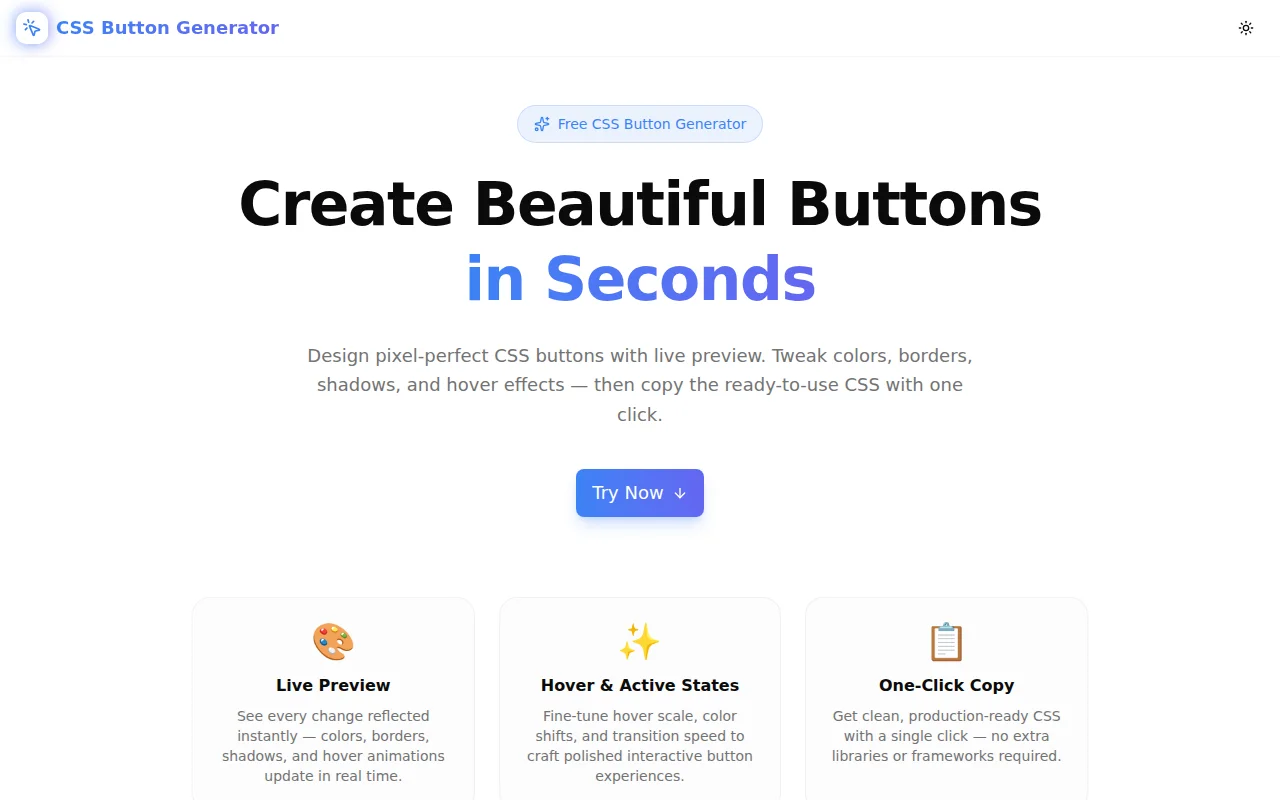
Free online CSS Button Generator — design pixel-perfect buttons visually with live preview. Customize colors, borders, box shadows, hover effects, and copy clean CSS instantly. No login required.
CSS Button Generator: Create Beautiful CSS Buttons Online Free
Writing a production-ready CSS button takes more effort than most developers expect. You need a base style, a hover state, an active state, a keyboard focus ring, and the right contrast ratio for accessibility. The CSS Button Generator at css-button-generator.tools.jagodana.com handles all of it — adjust sliders, see the button update live, copy the complete CSS in one click.
No login. No install. No dependencies.
What Does a Production CSS Button Actually Need?
Most tutorials stop at background-color and border-radius. A button that ships to production needs more:
.btn {
  background: #3b82f6;
  color: #ffffff;
  border-radius: 8px;
  padding: 12px 24px;
  font-size: 16px;
  font-weight: 600;
  cursor: pointer;
  box-shadow: 0 4px 12px 0 rgba(59, 130, 246, 0.45);
  transition: all 200ms ease;
}

.btn:hover {
  background: #1d4ed8; /* darken by ~30 */
  box-shadow: 0 4px 12px 0 rgba(59, 130, 246, 0.45);
}

.btn:active {
  transform: scale(0.97);
}

.btn:focus-visible {
  outline: 2px solid #3b82f6;
  outline-offset: 2px;
}
That's a lot of boilerplate. And if you want to experiment with a different style — say, a gradient pill with a lift hover effect — you're rewriting most of it. The generator automates this entirely.
How Does the CSS Button Generator Work?
Step 1: Pick a Preset Style
Six presets give you a strong starting point:
- Solid — classic filled button, high contrast, works everywhere
- Outline — transparent background with a colored border and text
- Ghost — borderless, with a subtle fill appearing only on hover
- Gradient — two-color linear gradient with an optional colored shadow
- Pill — fully rounded corners (border-radius: 9999px) for a friendly, modern look
- 3D — a bottom-edge box shadow that creates a physical pressing effect on click
Click any preset and all controls update. Customize from there.
Step 2: Customise Colors, Shape, and Size
Each visual property has its own control:
Colors — background, text, border, shadow color, and gradient accent each have a hex input paired with a color picker. Type a value or click to open the picker — they stay in sync.
Border radius — from 0 (sharp corners) to 9999px (full pill). The live preview updates as you drag.
Padding — separate X (horizontal) and Y (vertical) sliders. Most button padding lives in the 8–32px range for Y and 12–80px for X.
Font size and weight — size from 10–32px, weight from 400 to 800.
Border width — 0 to 6px. Set it above 0 and a border color picker appears automatically.
Step 3: Configure Box Shadow
Toggle the shadow on or off with a single switch. When enabled:
- Shadow color — typically matches the button background for a glow effect
- Offset X/Y — position the shadow relative to the button
- Blur radius — softness of the shadow edge (0 = hard, 40+ = diffuse glow)
- Spread radius — expand or contract the shadow beyond the blur
A common pattern: offset Y of 4, blur of 12–16, spread of 0, shadow color matching the button background at ~45% opacity. This is the "colored shadow" look used across modern UI systems.
Step 4: Set the Hover Effect
Five hover behaviours:
| Effect | CSS Output |
|---|---|
| Darken | Background shifts ~30 RGB units darker |
| Lighten | Background shifts ~30 RGB units lighter (or adds a transparent tint for ghost/outline) |
| Scale | transform: scale(1.05) |
| Lift | translateY(-2px) + shadow deepens |
| None | No change on hover |
Transition duration sets the animation speed from 50ms (instant) to 800ms (very deliberate). Most UI buttons feel best at 150–250ms.
Step 5: Copy the CSS
The generated CSS block appears below the controls. Click Copy CSS and the full block — including :hover, :active, and :focus-visible rules — copies to your clipboard.
.btn { /* full base styles */ }
.btn:hover { /* hover state */ }
.btn:active { transform: scale(0.97); }
.btn:focus-visible { outline: 2px solid #3b82f6; outline-offset: 2px; }
Paste directly into a stylesheet, a CSS module, a <style> tag, or Tailwind's @layer components.
How Do I Check Button Accessibility?
The generator includes a live WCAG contrast ratio indicator. As you adjust the background and text colors, the indicator updates to show:
- The exact contrast ratio (e.g.,
5.2:1) - Whether it meets WCAG AA (4.5:1 minimum for normal text) or AAA (7:1 minimum)
- A Fail label if the ratio is below 4.5:1
This prevents a common mistake: choosing a low-contrast color combination (light blue text on white, for example) that looks fine in bright light but fails for users with low vision or in poor lighting conditions.
Can I Preview the Button in Dark Mode?
Yes. The tool shows two preview areas simultaneously — a white background (light mode) and a dark background (dark mode). Since you're setting explicit hex color values, the button renders the same in both contexts. This lets you verify that your button reads clearly on dark backgrounds before shipping.
How Do I Share My Button Configuration?
Every change updates the browser URL via URLSearchParams and history.replaceState(). Share the URL with a teammate and they see the exact same configuration — no screenshot, no file attachment.
Example URL format:
https://css-button-generator.tools.jagodana.com?variant=gradient&bgColor=%233b82f6&accentColor=%236366f1&...
Can I Use the Generated CSS in React / Vue / Tailwind?
Yes. The output is plain CSS with no framework dependencies. A few usage patterns:
Plain CSS / CSS Module:
/* styles.module.css or global.css */
.btn { /* paste here */ }
.btn:hover { /* paste here */ }
Tailwind @layer:
@layer components {
  .btn { /* paste here */ }
}
React inline style (base styles only):
<button style={{ background: '#3b82f6', color: '#fff', borderRadius: '8px', padding: '12px 24px' }}>
  Click Me
</button>
For Tailwind specifically, the generator's values (border-radius, padding, colors, shadow) map directly to utility classes: rounded-lg = 8px, px-6 = 24px, py-3 = 12px, shadow-blue-500/40 ≈ the colored shadow pattern.
What CSS Button Styles Are Most Popular?
Gradient Buttons
Gradient buttons have stayed popular through multiple design trend cycles because they signal interactivity clearly. The generator outputs a clean linear-gradient(135deg, color1, color2) with a matching colored shadow:
background: linear-gradient(135deg, #3b82f6, #6366f1);
box-shadow: 0 4px 16px 0 rgba(99, 102, 241, 0.45);
Pill Buttons
Pill-shaped buttons (border-radius: 9999px) are the dominant shape in B2C SaaS UIs. They read as friendly and action-oriented. The generator supports this via the pill preset or by dragging the border-radius slider to maximum.
Ghost / Outline Buttons
Ghost buttons are used as secondary actions alongside a solid primary CTA. The outline variant keeps a border; the ghost variant removes it. Both rely on a subtle hover fill — the generator handles both patterns.
3D / Neumorphic Buttons
The 3D preset creates a bottom-edge box shadow that appears as a physical bottom border:
box-shadow: 0 6px 0 0 #1d4ed8;
.btn:active { transform: translateY(4px); box-shadow: none; }
The active state moves the button down by 4px and removes the shadow — simulating a physical key press.
Is the CSS Button Generator Free?
Yes, completely free. No account, no subscription, no API key. The tool runs entirely in your browser — no data is sent to any server.
The source code is available on GitHub at github.com/Jagodana-Studio-Private-Limited/css-button-generator.
Start designing: css-button-generator.tools.jagodana.com