CSS Filter Builder: Build CSS filter() Properties Visually (Free Tool)
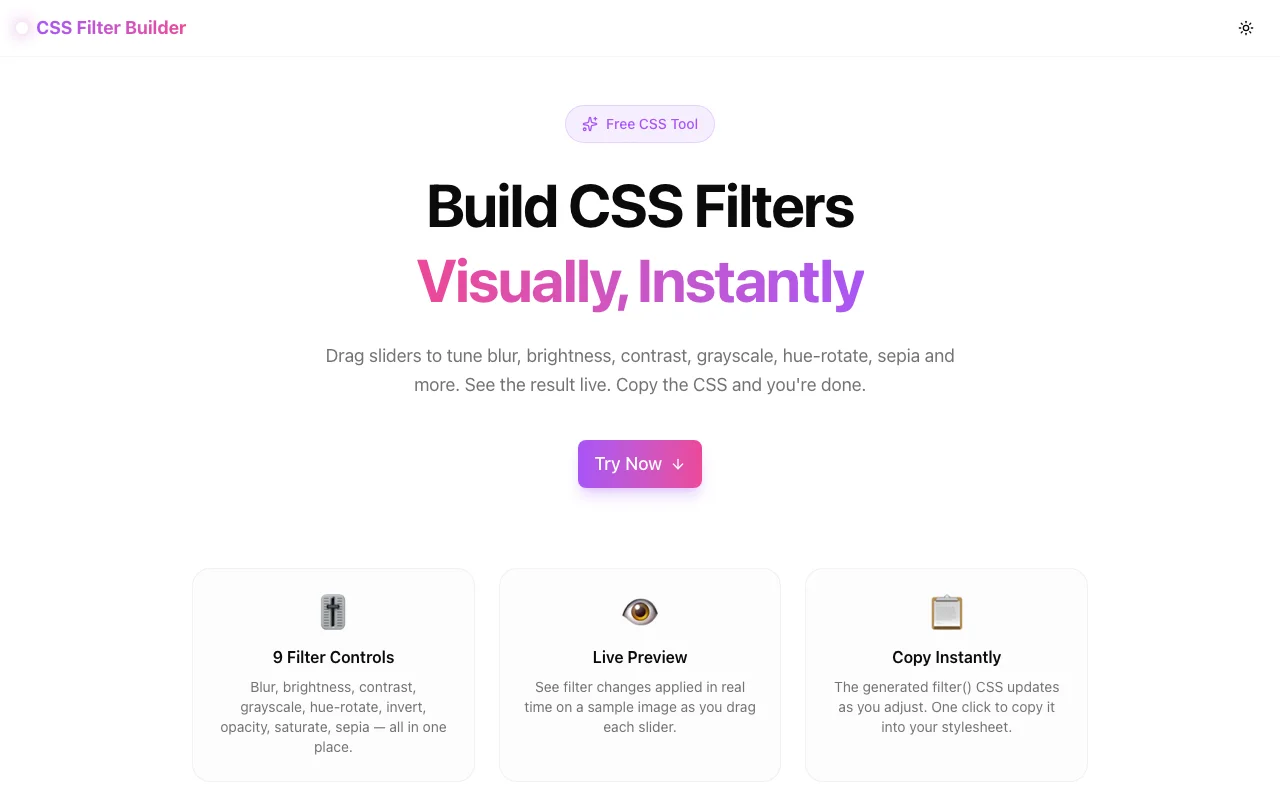
Free online CSS Filter Builder — adjust blur, brightness, contrast, grayscale, hue-rotate, sepia and more with live preview. Copy the generated CSS in one click. No login required.
CSS Filter Builder: Build CSS filter() Properties Visually (Free Tool)
Writing CSS filter() values by hand is a guessing game. You type brightness(1.3) contrast(1.1), save the file, wait for the browser to reload, and squint at the result. Too bright. Adjust. Reload again. Repeat.
The CSS Filter Builder at css-filter-builder.tools.jagodana.com replaces that loop with sliders and live preview. Move a slider, see the result immediately, copy the CSS, and ship.
What Is CSS filter()?
The CSS filter property applies visual effects to an element — images, divs, SVGs, anything. It accepts a space-separated list of filter functions:
filter: brightness(130%) contrast(110%) saturate(150%);Nine standard filter functions exist in CSS:
| Function | What It Does | Default |
|---|---|---|
| blur(px) | Gaussian blur | 0px |
| brightness(%) | Lightens or darkens | 100% |
| contrast(%) | Increases or reduces contrast | 100% |
| grayscale(%) | Removes color | 0% |
| hue-rotate(deg) | Shifts all hues | 0deg |
| invert(%) | Inverts colors | 0% |
| opacity(%) | Changes transparency | 100% |
| saturate(%) | Boosts or reduces saturation | 100% |
| sepia(%) | Adds warm brown tone | 0% |
Combining them creates effects that would otherwise require image editing software — but applied in CSS at render time, with no modified source files.
How to Use the CSS Filter Builder
The tool gives you nine sliders and a live preview. Here is how to get from zero to copied CSS in under a minute.
Step 1: Open the Tool
Go to css-filter-builder.tools.jagodana.com. The tool loads instantly — no install, no login, nothing to configure.
Step 2: Drag the Sliders
The right panel contains one slider per filter function. Drag any slider and the preview image on the left updates in real time.
Active (non-default) sliders are highlighted in the brand color so you can see at a glance which filters you have modified.
Step 3: Watch the Live Preview
The preview shows a colorful built-in scene — sky, ground, house, trees — rendered entirely in SVG in the browser. The CSS filter is applied to this element as you adjust, giving accurate visual feedback.
Because the preview image is inline SVG, there are no external requests and no loading delays. The preview is instant.
Step 4: Copy the CSS
The generated CSS appears below the preview:
filter: brightness(130%) grayscale(20%) saturate(140%);Only non-default values appear in the output. If blur is at 0 (its default), it is not included. This keeps the output clean and production-ready.
Click Copy CSS to copy the full declaration to your clipboard.
Step 5: Reset if Needed
Click Reset to return every slider to its default value and start fresh.
Practical CSS Filter Recipes
Here are some common filter combinations and when to use them.
Desaturated on Hover
img { filter: none; transition: filter 0.3s; }
img:hover { filter: grayscale(100%); }
Use: Portfolio grids, product images, team member photos.
Warm Vintage Photo
filter: sepia(40%) brightness(105%) contrast(95%) saturate(130%);Use: Editorial photography sections, food blog images.
Dark Mode Image Adjustment
@media (prefers-color-scheme: dark) {
  img { filter: brightness(85%) contrast(110%); }
}
Use: Preventing images from being distractingly bright on dark-themed pages.
Subtle Hero Enhancement
filter: brightness(110%) contrast(105%) saturate(120%);Use: Making hero images look vivid without editing the source file.
Invert for Dark Mode Icons
.dark-mode-icon { filter: invert(100%); }Use: Converting white-background SVG icons or logos for dark mode use.
CSS Filter Browser Support
CSS filter is supported in all modern browsers. The current support table:
| Browser | filter support | |---|---| | Chrome | Yes (since v53) | | Firefox | Yes (since v35) | | Safari | Yes (since v9.1) | | Edge | Yes (since v12) |
No vendor prefixes are required for current browser versions. The generated CSS from the builder works in production without modification.
Why Use a Visual Tool for CSS Filters?
The Manual Problem
Without a visual tool, the workflow is: guess values, save, reload, assess, adjust, reload again. For a property with nine parameters that compound unpredictably, this takes minutes instead of seconds.
What Visual Sliders Change
Sliders let you explore the parameter space continuously. You can see the relationship between brightness and contrast, or between saturate and sepia, in ways that typing numbers never reveals.
Result: finding the right values takes seconds, not minutes.
No Image Editing Required
Photoshop and Figma are not the right tools for CSS filter values. They cannot export filter() CSS. The CSS Filter Builder outputs the exact CSS declaration you paste into your stylesheet.
Frequently Asked Questions
Can I combine multiple filters?
Yes. Move multiple sliders at once. The tool combines all active (non-default) filters into a single filter declaration with space-separated functions.
Does the tool work with images on my own website?
Yes. The generated CSS is a standard filter property. Apply it to any img, div, svg, or other HTML element in your CSS.
Are there any limits?
No limits. All nine filter functions are available. All values within the allowed range can be set. The tool is free with no account required.
Does this tool send any data to a server?
No. Everything runs in the browser. Your filter values and preview are computed locally. Nothing is transmitted.
Try the CSS Filter Builder: css-filter-builder.tools.jagodana.com