CSS Gradient Generator: Create Beautiful CSS Gradients Online Free
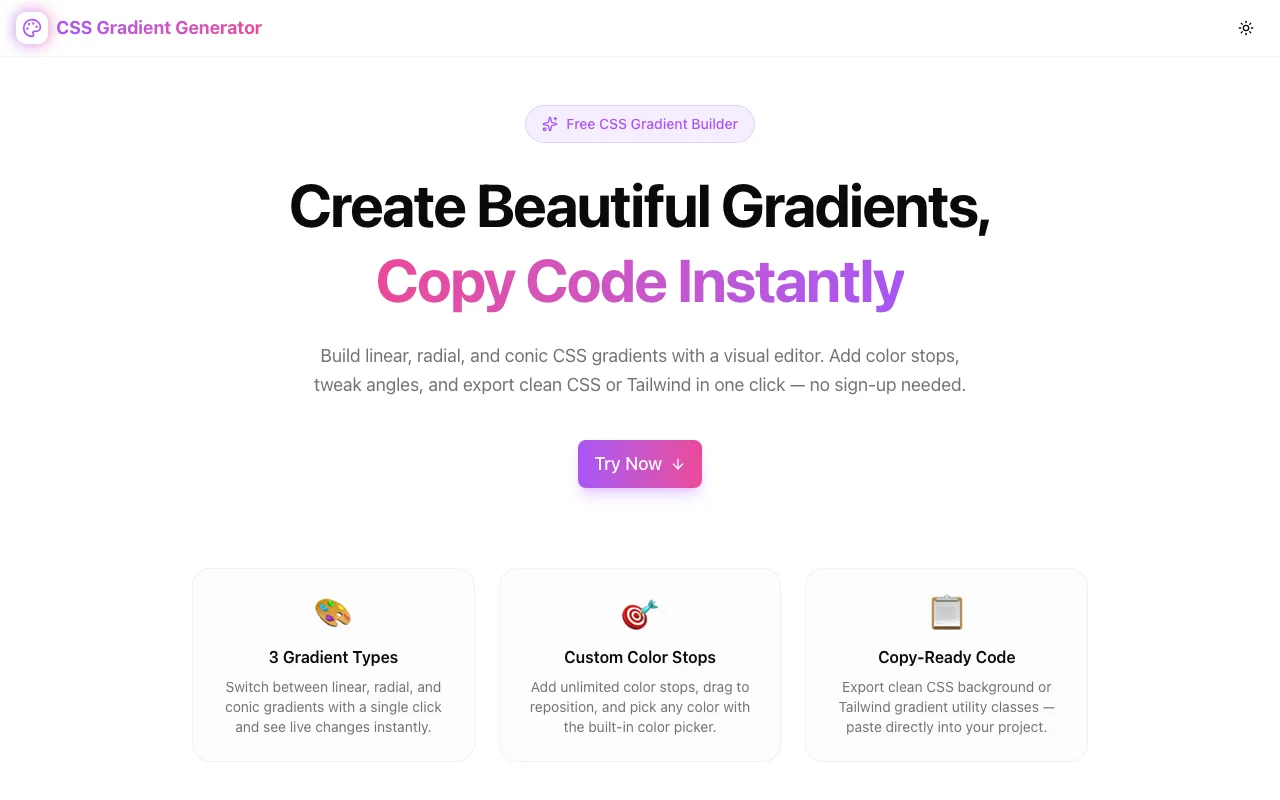
Build linear, radial, and conic CSS gradients with a free visual editor. Add color stops, adjust angles, preview live, and copy CSS or Tailwind code instantly.
CSS Gradient Generator: Create Beautiful CSS Gradients Online Free
CSS gradients are one of the most underused features in modern frontend development. They're supported everywhere, require zero images or external dependencies, and can produce visual effects that designers love — but writing them by hand is painful enough that most developers reach for a flat background color instead.
The CSS Gradient Generator changes that. It's a free, browser-based visual editor that lets you build linear, radial, and conic gradients interactively, then copy production-ready CSS or Tailwind code in one click.
Why CSS Gradients Are Worth Learning in 2026
Before we get into the tool, let's talk about why gradients deserve more attention than they get.
No Images Required
A gradient background is pure CSS — no HTTP request, no image format, no file to maintain. Your hero section's background can be defined in a single CSS property and changed instantly without a design file.
Infinite Scalability
Gradients scale perfectly to any screen size, density, or resolution. A linear-gradient on a 4K display looks exactly as crisp as on a 720p screen. Images can't say the same.
Composable with Everything
CSS gradients work with every element: div, button, input, ::before, ::after. They respond to media queries, animate with CSS transitions, and combine with background-size, background-position, and background-repeat for patterns and textures.
Modern Gradient Types
Most tutorials cover linear-gradient, but CSS now supports:
linear-gradient— the classic straight-line gradientradial-gradient— radiates from a center point outwardconic-gradient— sweeps around a center point, enabling pie charts, color wheels, and angular designsrepeating-*variants — tile the gradient for stripe patterns
The CSS Gradient Generator supports all three main types with a unified visual interface.
How to Use the CSS Gradient Generator
Step 1: Choose Your Gradient Type
Open the tool at css-gradient-generator.tools.jagodana.com and click Try Now to jump to the editor.
Three buttons at the top of the controls panel let you switch between Linear, Radial, and Conic. The preview updates immediately.
Step 2: Pick Colors and Add Stops
The Color Stops section shows each stop as a row with three controls:
- Color swatch — click to open the native color picker
- Position slider — drag to place the stop from 0% to 100%
- Delete button — remove the stop (minimum 2 stops enforced)
Click Add Stop to insert a new stop. It appears near the midpoint between existing stops.
The stops are visually sorted by position in the preview, so you don't need to add them in order.
Step 3: Adjust the Angle or Direction
For linear gradients, the angle control appears below the type selector:
- Range slider — drag smoothly from 0° to 360°
- Numeric input — type an exact value
- Quick-select buttons — click 0°, 45°, 90°, 135°, 180°, 225°, 270°, or 315° for cardinal and diagonal directions
For conic gradients, the angle sets the starting rotation of the first color stop.
For radial gradients, choose between ellipse (adapts to the element's width/height ratio) or circle (always a perfect circle).
Step 4: Copy Your Code
Two output tabs sit below the preview panel:
CSS tab:
background: linear-gradient(135deg, #a855f7 0%, #ec4899 100%);Tailwind tab (for linear gradients with 2–3 stops):
<div class="bg-gradient-to-br from-[#a855f7] to-[#ec4899]">Click Copy and you're done. A confirmation toast appears, and the code is ready to paste into your project.
Understanding the Three CSS Gradient Types
Linear Gradients
The most common type. Colors transition along a straight line at a specified angle:
/* Vertical — top to bottom (default, 180°) */
background: linear-gradient(to bottom, #a855f7, #ec4899);

/* Diagonal — top-left to bottom-right (135°) */
background: linear-gradient(135deg, #a855f7, #ec4899);

/* With three stops and explicit positions */
background: linear-gradient(90deg, #f97316 0%, #ec4899 50%, #8b5cf6 100%);
Best for: Hero backgrounds, button fills, card headers, section dividers, text gradients.
Radial Gradients
Colors radiate outward from a center point. The shape can be an ellipse (the default, filling the element) or a circle:
/* Elliptical — fills element proportionally */
background: radial-gradient(ellipse at center, #a855f7 0%, #1e1b4b 100%);

/* Circular — always a circle */
background: radial-gradient(circle at center, #a855f7 0%, transparent 70%);
Best for: Spotlight effects, glow/halo backgrounds, spotlight product photos, ambient lighting on dark UIs.
Conic Gradients
Colors sweep around a center point like the hands of a clock. The angle parameter controls where the sweep starts:
/* Full color wheel */
background: conic-gradient(from 0deg, red, yellow, green, blue, red);

/* Pie chart — 30% blue, 70% gray */
background: conic-gradient(blue 30%, gray 30%);
Best for: Pie charts, donut charts, loading spinners, color wheels, angular decorative backgrounds.
CSS Gradient Techniques Worth Knowing
Text Gradients
Apply a gradient to text using background-clip:
.gradient-text {
  background: linear-gradient(135deg, #a855f7, #ec4899);
  -webkit-background-clip: text;
  -webkit-text-fill-color: transparent;
  background-clip: text;
}
This is the technique behind the animated gradient text in modern SaaS websites.
Gradient Borders
Use background with border-image for gradient borders:
.gradient-border {
  border: 2px solid transparent;
  background: linear-gradient(white, white) padding-box,
              linear-gradient(135deg, #a855f7, #ec4899) border-box;
}
Or use a ::before pseudo-element for more control.
Layered Gradients
CSS supports multiple backgrounds, which means multiple gradients:
background:
  radial-gradient(circle at 20% 80%, rgba(168, 85, 247, 0.4) 0%, transparent 50%),
  radial-gradient(circle at 80% 20%, rgba(236, 72, 153, 0.4) 0%, transparent 50%),
  #0f0f0f;
This creates a dark background with two colored ambient light sources — a popular technique in modern design systems.
Gradient Animations
Gradients don't animate with CSS transitions (you can't tween background), but you can animate them using background-size and background-position:
@keyframes shimmer {
  0% { background-position: -200% center; }
  100% { background-position: 200% center; }
}

.shimmer {
  background: linear-gradient(90deg, transparent 0%, rgba(255,255,255,0.2) 50%, transparent 100%);
  background-size: 200% 100%;
  animation: shimmer 2s infinite;
}
This is the classic skeleton loading shimmer effect.
Tailwind CSS Gradients
Tailwind makes linear gradients composable with utility classes:
<!-- Basic gradient -->
<div class="bg-gradient-to-r from-purple-500 to-pink-500">

<!-- With a midpoint via color -->
<div class="bg-gradient-to-br from-purple-500 via-indigo-500 to-pink-500">

<!-- With arbitrary colors -->
<div class="bg-gradient-to-r from-[#a855f7] to-[#ec4899]">
The CSS Gradient Generator's Tailwind output uses the from-[hex], via-[hex], and to-[hex] arbitrary value syntax — compatible with any Tailwind v3 or v4 project.
For radial and conic gradients, Tailwind doesn't have built-in utilities, so the tool falls back to the CSS output with a note explaining the limitation.
Practical Examples
SaaS Hero Section Background
/* Subtle purple mesh gradient on dark */
background:
  radial-gradient(ellipse at 50% 0%, rgba(168, 85, 247, 0.3) 0%, transparent 60%),
  radial-gradient(ellipse at 100% 100%, rgba(236, 72, 153, 0.2) 0%, transparent 50%),
  #030712;
CTA Button with Hover State
.btn-primary {
  background: linear-gradient(135deg, #a855f7, #ec4899);
  transition: opacity 0.2s;
}
.btn-primary:hover {
  opacity: 0.9;
}
Gradient Card Border
.feature-card {
  background: white;
  border-radius: 12px;
  padding: 24px;
  position: relative;
}
.feature-card::before {
  content: '';
  position: absolute;
  inset: -1px;
  border-radius: 13px;
  background: linear-gradient(135deg, #a855f7, #ec4899);
  z-index: -1;
}
Diagonal Section Divider
.section {
  background: linear-gradient(170deg, #a855f7 0%, #ec4899 60%, #f97316 100%);
  clip-path: polygon(0 0, 100% 0, 100% 90%, 0 100%);
}
Who Uses This Tool
Frontend developers building React, Vue, or vanilla JS projects who want fast gradient iteration without trial-and-error in a stylesheet.
UI/UX designers who want to quickly test gradient directions and color combinations before committing to a design.
Full-stack developers and indie makers building MVPs who need polished visual design without a dedicated design workflow.
CSS learners who want to understand how gradient syntax works by seeing the code update as they interact with the controls.
Try the CSS Gradient Generator
The tool lives at css-gradient-generator.tools.jagodana.com. It's free, requires no account, and works entirely in your browser. Start with a preset, customize the stops, and copy the code — the whole workflow takes under a minute.
Every gradient you build is a CSS property waiting to be pasted.