Introducing JSON Flattener: Flatten Nested JSON into Dot-Notation Keys Instantly
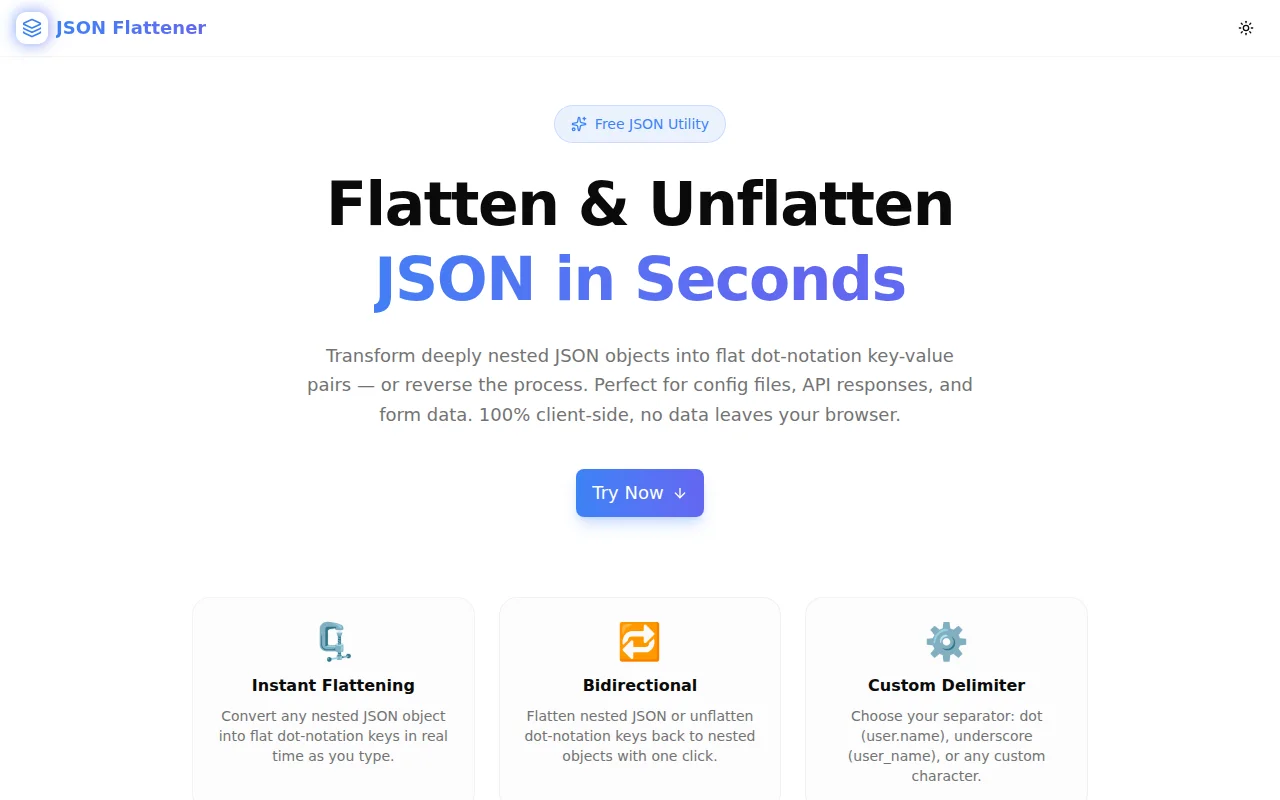
A free browser-based JSON flattener. Paste deeply nested JSON, get flat dot-notation key-value pairs in seconds. Supports unflattening, custom delimiters, and array handling. 100% client-side.
Introducing JSON Flattener: Flatten Nested JSON into Dot-Notation Keys Instantly
We built a free browser-based JSON flattener. Paste any nested JSON object, get flat dot-notation keys in under 5 seconds. Switch to Unflatten mode to reconstruct nested structure from flat keys. Custom delimiters, array support, one-click copy. No login. No server. Just the transformation.
→ json-flattener.tools.jagodana.com
What Is a JSON Flattener?
A JSON flattener converts a nested JSON object into a single-level object where nested key paths are joined by a delimiter — typically a dot.
Input:
{
  "user": {
    "name": "Alice",
    "address": {
      "city": "London"
    }
  }
}
Output:
{
  "user.name": "Alice",
  "user.address.city": "London"
}
The reverse — taking flat dot-notation keys and rebuilding the nested structure — is called unflattening.
Why Does This Tool Exist?
Nested JSON is excellent for representing hierarchical data. It becomes a problem the moment you need to do something that requires flat keys.
Storing JSON in a relational table. Flat columns can't store nested objects. You need flat keys.
MongoDB dot-notation queries. MongoDB references nested fields as address.city. Knowing the dot-notation path for a field buried in a complex document requires manually tracing the nesting — or flattening it.
Environment variable naming. Config systems that load from environment variables frequently use flat names like DATABASE_HOST or database.host. Flattening the expected config object shows you exactly which env vars to define.
Form data reconstruction. HTML forms with field names like user.name and user.address.city produce flat key-value pairs that need to be unflattened into a nested object for API submission.
API response debugging. A deeply nested API response with 8 levels of nesting is hard to scan. Flatten it to see all values in a flat list and immediately spot the one you're looking for.
In all of these cases, the right transformation takes 30 seconds with the right tool — and 10 minutes without it.
How Does the JSON Flattener Work?
What algorithm does it use for flattening?
The flattener uses a recursive descent algorithm:
- Start at the root object
- For each key-value pair:
- If the value is a primitive (string, number, boolean, null) → store it at the current key path
- If the value is an object → recurse with the current path as the prefix
- If the value is an array → recurse with bracket-index notation (
[0],[1], ...) for each element
- Collect all (path, primitive) pairs into the flat output object
The result is a single-level object where every key is a full path from the root to a leaf value.
How does unflattening work?
The unflattener is the inverse:
- For each flat key, split on the delimiter
- Walk the parts as a key path through the output object
- Create intermediate objects as needed
- Set the leaf value at the deepest key
The unflattener reconstructs exactly the original nested structure (modulo whitespace) from the flat representation.
How are arrays handled?
Arrays use bracket-index notation. items[0], items[1], items[2] — making array indices unambiguous and separate from object key notation. This ensures a clean round-trip: flatten → unflatten returns the original structure.
What Delimiters Are Supported?
| Delimiter | Example key | When to use |
|:---|:---|:---|
| Dot . (default) | user.address.city | Most config systems, MongoDB, lodash paths |
| Underscore _ | user_address_city | Environment variable conventions |
| Slash / | user/address/city | Path-based systems, some YAML configs |
| Arrow -> | user->address->city | When keys themselves contain dots |
Choose the delimiter that matches the system you're integrating with.
Is My JSON Data Sent to a Server?
No. All processing happens in your browser using JavaScript. Your JSON never leaves your device.
This matters when working with production API responses, user data in config files, or internal database records. The tool is safe to use with sensitive data because it never transmits anything.
What Are the Most Common Use Cases?
Environment variable mapping from a config object
Paste your application's expected config object, flatten it, and you immediately see the flat key names you need to set in .env. This is faster than reading through config documentation looking for every nested field.
MongoDB query path discovery
Flatten a sample MongoDB document to see all the dot-notation paths you can use in find() queries, $set update operations, or projection selectors. No more manually tracing response.data.user.profile.preferences.theme.
Debugging configuration libraries
Libraries like convict, nconf, and cosmiconfig load nested config objects from various sources and merge them. Flattening the merged config makes it easy to verify every expected key is present and has the right value.
Comparing two JSON objects
Flatten both objects, then compare the flat representations key by key. This is simpler than walking a nested diff — especially when objects have different nesting depths.
API payload construction from form data
A form with inputs named order.shipping.address.line1, order.shipping.address.city, etc. produces a flat object. Unflatten it to construct the nested API payload without writing the transformation by hand.
What Makes This Different from the flat npm Package?
The flat npm package does the same thing correctly and is widely used in Node.js projects. JSON Flattener does the same thing through a browser UI — for the cases where you have a JSON blob and need the answer now, without a Node.js environment or a script.
When to use the npm package: in a build step, a test fixture, or a production transformation where you need it in code.
When to use this tool: when you're debugging a response in a browser tab, checking a config file on a staging server, or exploring a new API schema without writing code.
Who Is This For?
Backend developers working with MongoDB, Redis, or other document stores who need dot-notation paths for queries and updates.
Frontend developers mapping form data to API payloads or debugging deeply nested API responses.
DevOps engineers translating between nested config files and flat environment variable sets.
Full-stack engineers debugging configuration loading — especially when using config libraries that merge from multiple sources.
Product engineers on data-heavy teams who regularly handle JSON blobs from internal APIs, analytics events, or webhook payloads.
Try It Now
json-flattener.tools.jagodana.com
Free. No account. Works in any browser. Your data never leaves your device.
Built as part of the 365 Tools Challenge — one useful tool every day for developers, designers, and product builders.