Introducing JSON to Python: Generate Dataclasses, TypedDict & Pydantic Models Instantly
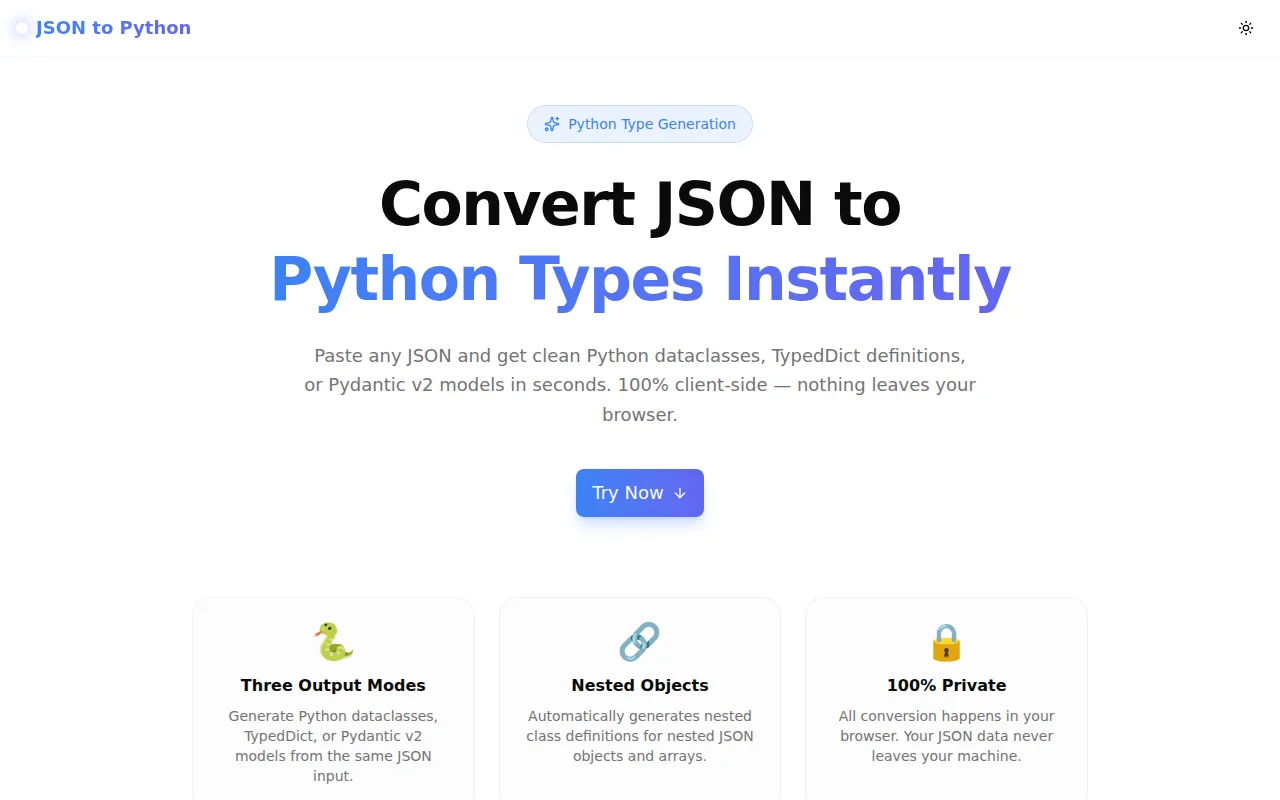
A free browser tool that converts any JSON object to Python dataclasses, TypedDict definitions, or Pydantic v2 models in one click. No login, no install — paste JSON, copy Python.
Introducing JSON to Python: Generate Dataclasses, TypedDict & Pydantic Models Instantly
We built a free, browser-based JSON-to-Python converter. Paste any JSON object, pick your output format — @dataclass, TypedDict, or Pydantic v2 BaseModel — and copy production-ready Python code in under 10 seconds. No login. No install. No data leaves your browser.
→ json-to-python.tools.jagodana.com
What Does JSON to Python Do?
JSON to Python is a type generator. You give it a JSON object — from a REST API response, a config file, a database record — and it gives you back a fully typed Python class that models that data.
It supports three output modes:
@dataclass— Python's built-in data class (Python 3.7+, zero dependencies)TypedDict— a typed dictionary for static type checkers (Python 3.8+, zero dependencies)- Pydantic v2
BaseModel— runtime validation and serialisation (requirespydantic>=2.0)
All three modes handle nested objects, arrays, and null values correctly. Every generated class includes the right imports so it works immediately when you paste it into your project.
Why Does This Tool Exist?
Every Python developer who works with APIs has written the same code more than once:
# Step 1: print the response and stare at it
data = response.json()
print(data)

# Step 2: manually build the class
@dataclass
class User:
    id: int
    name: str
    email: str
    is_active: bool
    # ...forgot the nested address object
    # ...forgot score is float, not int
    # ...forgot metadata can be null
For a flat five-field object, this is a five-minute job. For a nested response with three levels of objects and fifteen fields, it's tedious, error-prone, and completely mechanical.
The tool removes the mechanical part. The thinking — what to name the class, how to use it, whether you need Pydantic validation or a simple dataclass — stays with you.
How Does JSON to Python Work?
What is a Python dataclass?
A dataclass is a class decorated with @dataclass that automatically generates __init__, __repr__, and other methods from type-annotated fields. It's the standard Python pattern for plain data containers and requires no third-party dependencies.
from dataclasses import dataclass
from typing import Optional

@dataclass
class Address:
    street: str
    city: str
    zip: str

@dataclass
class User:
    id: int
    name: str
    email: str
    is_active: bool
    score: float
    address: Address
    metadata: Optional[Any] = None
What is TypedDict in Python?
TypedDict (typing.TypedDict) defines the expected keys and types of a dictionary. Unlike a dataclass, it doesn't create a new runtime class — it's a type hint only, invisible at runtime. This makes it ideal for code that must accept raw dicts (e.g. JSON-deserialized API responses passed to functions that expect typed dicts).
from typing import TypedDict, Optional

class Address(TypedDict):
    street: str
    city: str
    zip: str

class User(TypedDict):
    id: int
    name: str
    email: str
    is_active: bool
    score: float
    address: Address
    metadata: Optional[Any]
What is a Pydantic v2 BaseModel?
Pydantic v2 BaseModel adds runtime validation on top of type hints. When you instantiate the model, Pydantic validates each field against its declared type and raises a ValidationError if the data doesn't conform. This makes it the right choice for API request/response models, settings management, and any code where you want guaranteed correctness at runtime.
from pydantic import BaseModel
from typing import Optional

class Address(BaseModel):
    street: str
    city: str
    zip: str

class User(BaseModel):
    id: int
    name: str
    email: str
    is_active: bool
    score: float
    address: Address
    metadata: Optional[Any] = None
Which Output Format Should I Use?
Use @dataclass when:
- You don't need runtime validation
- You want zero extra dependencies
- You're building a data pipeline or internal tool
- You're on Python 3.7+
Use TypedDict when:
- You're working with functions that accept raw dicts
- You want type safety for your IDE and type checker without creating class instances
- You're gradually adding types to legacy code
- You're on Python 3.8+
Use Pydantic v2 when:
- You need runtime validation (catching bad API responses at the boundary)
- You're building a FastAPI endpoint (Pydantic is FastAPI's default)
- You need
.model_dump(),.model_validate(), or settings management - You're on Python 3.8+ with Pydantic 2.0+ installed
How Does the Type Inference Work?
The converter infers Python types from JSON values using these rules:
| JSON value | Inferred Python type |
|:---|:---|
| true / false | bool |
| Integer (e.g. 42) | int |
| Float (e.g. 9.8) | float |
| String | str |
| Array of objects | List[ChildClass] |
| Array of strings | List[str] |
| Nested object | Named child class |
| null | Optional[Any] = None |
Nested objects get their own named class. The class name is derived from the JSON key — address becomes Address, user_profile becomes UserProfile. All classes are ordered dependency-first so the output is importable top-to-bottom.
What Happens With Null Values in JSON?
JSON null values are converted to Optional[Any] = None. This is the most conservative correct inference — the actual type of the field is unknown from a single null value. In practice, you'll often want to replace Any with the concrete type once you know it from the API documentation. The converter gives you a working starting point that type-checks immediately.
Does This Tool Send My JSON to a Server?
No. All conversion logic is implemented in TypeScript and runs entirely in your browser. Your JSON data never leaves your machine. There are no API calls, no backend, and no server-side processing.
Can I Use This for Large or Complex JSON?
Yes. The converter handles deeply nested objects, arrays of primitives, arrays of objects, and mixed-type fields. For very large production responses with hundreds of fields, paste a representative sample — enough to capture all the types and nesting levels — rather than the full raw response. The generated classes will be reusable across all responses of the same shape.
Who Is This For?
Python backend developers integrating REST APIs who want typed models without writing them by hand.
FastAPI developers who need Pydantic request/response models for new endpoints.
Data engineers adding type safety to pipelines that read JSON from S3, message queues, or databases.
Python beginners learning type annotations — the converter shows how Optional, List, and nested classes compose in a real-world example.
Teams migrating legacy code from untyped dicts to typed structures, who want to add gradual typing without rewriting runtime logic.
Try It Now
json-to-python.tools.jagodana.com
Free. No account. Works in any browser. Your JSON never leaves your device.
Built as part of the 365 Tools Challenge — one useful tool every day for developers, designers, and product builders.