Introducing JSON to CSV Converter: Paste JSON, Get CSV, Done
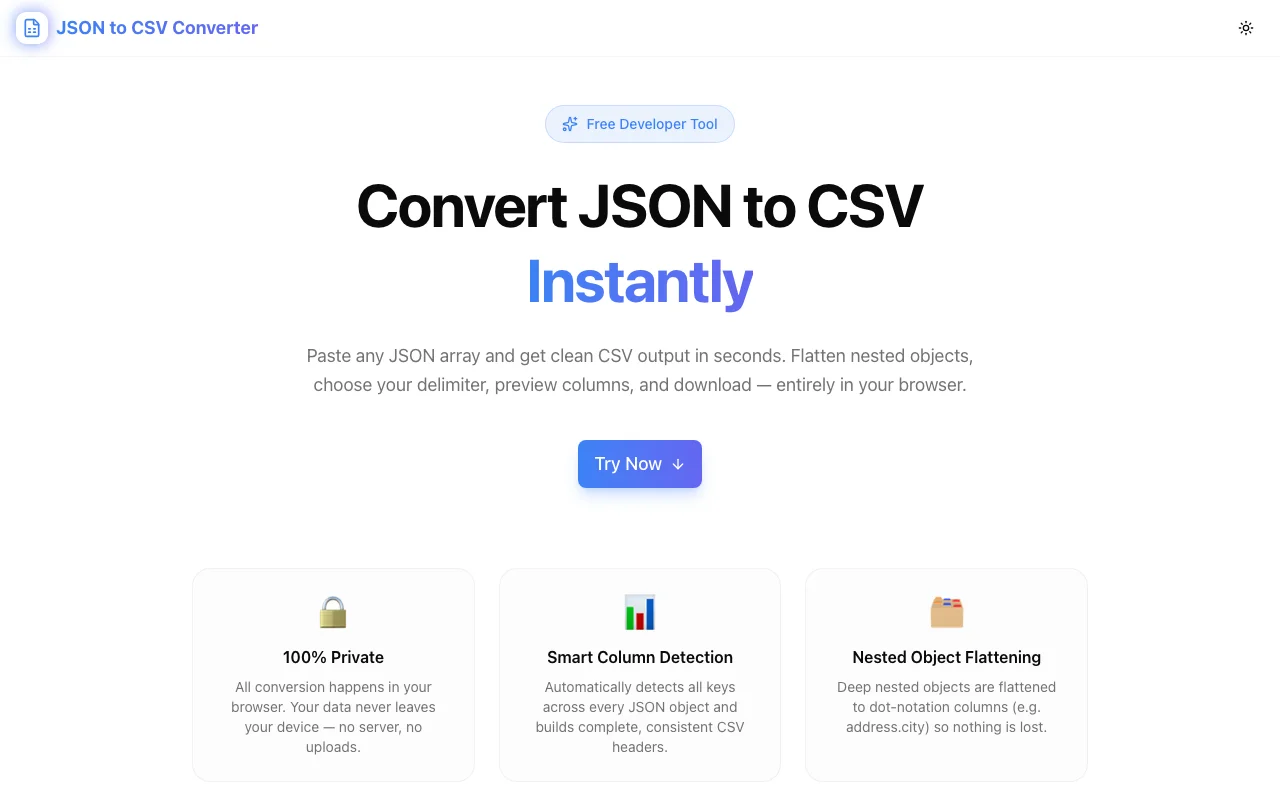
A free, instant JSON to CSV converter that runs entirely in your browser. Handles nested objects, missing keys, and custom delimiters — no upload, no account, 100% client-side.
Introducing JSON to CSV Converter: Paste JSON, Get CSV, Done
We built a free, instant JSON to CSV converter. Paste your JSON array, see the CSV in real time, and download or copy — no signup, no upload, no data leaves your browser. Built in under an hour.
→ json-to-csv.tools.jagodana.com
What Is a JSON to CSV Converter?
A JSON to CSV converter transforms a JSON array of objects into a comma-separated values (CSV) file — a flat table format that every spreadsheet application (Excel, Google Sheets, Numbers, LibreOffice Calc) can open without plugins or import steps.
JSON looks like this:
[
  { "id": 1, "name": "Alice", "role": "Engineer" },
  { "id": 2, "name": "Bob", "role": "Designer" }
]
CSV looks like this:
id,name,role
1,Alice,Engineer
2,Bob,Designer
The conversion is trivial for flat data. It gets complicated when objects have different keys, when values contain commas or quotes, when nested objects need to be flattened, and when you want to choose a delimiter that works with your locale or downstream tool.
Why Did We Build This?
JSON is the default output format for every API, database export, analytics endpoint, and data pipeline. CSV is what product managers, analysts, and operations teams actually work with.
The gap between those two formats is small but annoying to cross. Generic converter sites are ad-laden and upload your data to a server. Writing a quick Python script is fast — unless you don't have a Python environment set up, or you lose the script, or you're not technical enough to write one.
We wanted a tool that:
- Loads in a browser tab
- Handles nested objects without losing data
- Works with any locale's preferred delimiter
- Never touches a server
How Does JSON to CSV Conversion Work?
How do I convert JSON to CSV?
The fastest way: paste your JSON array into json-to-csv.tools.jagodana.com. The CSV appears in the right panel in real time. Click Download CSV or Copy CSV.
If you want to do it programmatically in JavaScript:
function jsonToCsv(data, delimiter = ",") {
  const headers = [...new Set(data.flatMap(Object.keys))];
  const escape = v => v.includes(delimiter) || v.includes('"') ? `"${v.replace(/"/g, '""')}"` : v;
  return [
    headers.join(delimiter),
    ...data.map(row => headers.map(h => escape(String(row[h] ?? ""))).join(delimiter))
  ].join("\n");
}
How does the converter handle nested JSON objects?
By default, nested objects are flattened to dot-notation column headers. A field like { "address": { "city": "SF" } } becomes the column address.city. Arrays within objects are joined as semicolon-separated strings.
If you prefer to keep nested objects as JSON strings (for example, if the nested data is opaque and you only need the outer fields), toggle to "Stringify nested" mode.
What happens when JSON objects have different keys?
The converter takes the union of all keys across every object in the array. Missing keys produce empty cells. The output is always a consistent rectangle — no ragged columns.
For example:
[
  { "id": 1, "name": "Alice", "email": "alice@example.com" },
  { "id": 2, "name": "Bob", "role": "Designer" }
]
Becomes:
id,name,email,role
1,Alice,alice@example.com,
2,Bob,,Designer
Can I change the CSV delimiter?
Yes. The tool supports four delimiters:
- Comma (,) — standard CSV, works everywhere
- Tab (\t) — paste directly into Excel or Google Sheets without an import wizard
- Semicolon (;) — standard in European locales where commas are decimal separators
- Pipe (|) — useful when values contain commas
Who Is JSON to CSV Converter For?
Developers Working with APIs
You're integrating an API and need to share the response data with a product manager or analyst who works in spreadsheets. Paste the API response, get a CSV, send it over. Done in 30 seconds.
Data Analysts and BI Engineers
Your data warehouse exports JSON. Your BI tool wants CSV. Instead of writing a jq command you'll forget by next month, open the converter, paste, download. The flattening mode preserves nested metadata as readable columns.
Product Managers
You downloaded a JSON export from your analytics tool, your CRM, or your database. You need to put it in a Google Sheet for stakeholder review. No one on the team has time to write a script. Use the converter.
Operations and Support Teams
Customer data, order exports, webhook payloads — all JSON. The converter handles missing keys automatically, so partial records don't corrupt the output. Download the CSV and filter in Excel.
Anyone Who Hits the "Won't Open" Error
Excel says it can't open your .json file. You paste it into the converter. You download the CSV. Excel opens it. Problem solved.
Features at a Glance
| Feature | Detail |
|---|---|
| Input | Any valid JSON array of objects |
| Output | RFC 4180-compliant CSV |
| Nested objects | Flatten (dot notation) or stringify |
| Delimiter | Comma, Tab, Semicolon, Pipe |
| Missing keys | Empty cells, consistent columns |
| Arrays in objects | Joined as semicolon-separated strings |
| Privacy | 100% client-side, no upload |
| Download | .csv file via browser download |
| Copy | Clipboard via Web Clipboard API |
What JSON Input Does the Tool Accept?
The tool accepts any valid JSON array of objects. Common sources:
- REST API responses — paste a
curloutput or a Postman response body directly - MongoDB / Mongoose exports —
.find()ormongoexportoutput - Supabase / PostgreSQL JSON — row data exported as JSON array
- Mixpanel / Amplitude exports — event data in JSON format
- Webhook payloads — Stripe events, GitHub webhooks, Shopify webhooks
- JSON files from disk — open the file, select all, paste
Inputs that do NOT work:
- A single JSON object (not an array) — wrap it in
[...] - JSON Lines format (one object per line, no array brackets) — add
[and]around the content and commas between objects - Non-JSON formats (XML, YAML, CSV) — use a dedicated converter for those
Privacy and Security
All conversion happens in your browser using JavaScript. Your JSON data is never transmitted to any server. The page works offline once loaded — there are no API calls during conversion.
This matters for:
- Data containing PII (personally identifiable information)
- Internal business data you can't share externally
- Data under NDA or compliance constraints (GDPR, HIPAA)
Upload-based converters receive a copy of your data on their servers. This tool does not.
Technical Notes
The tool uses JSON.parse() for input validation and a custom recursive flattener for nested objects. Values are escaped per RFC 4180 — any value containing the delimiter, a double-quote, or a newline character is wrapped in double-quotes with internal quotes doubled.
The download uses URL.createObjectURL() with a text/csv;charset=utf-8 Blob and a programmatically clicked anchor element. The clipboard copy uses navigator.clipboard.writeText().
Built with Next.js 16, TypeScript (strict mode), and Tailwind CSS v4. Zero runtime dependencies beyond the UI component library.
How to Use JSON to CSV Converter
- Open json-to-csv.tools.jagodana.com in your browser
- Paste your JSON array into the left input panel — or click Load Sample to try it with example data
- Configure your options: delimiter, nested object handling (expand Options)
- Preview the CSV output in the right panel, with row and column counts shown
- Export: click Download CSV to save a file, or Copy CSV to paste anywhere
Total time from paste to CSV: under 10 seconds.
Try it free, no account needed: json-to-csv.tools.jagodana.com
Source code: github.com/Jagodana-Studio-Private-Limited/json-to-csv