Introducing JSON to Zod: Paste JSON, Get a Zod Schema
A free browser tool that converts any JSON object or array into a fully typed TypeScript Zod schema — instantly, with no account required.
Introducing JSON to Zod: Paste JSON, Get a Zod Schema
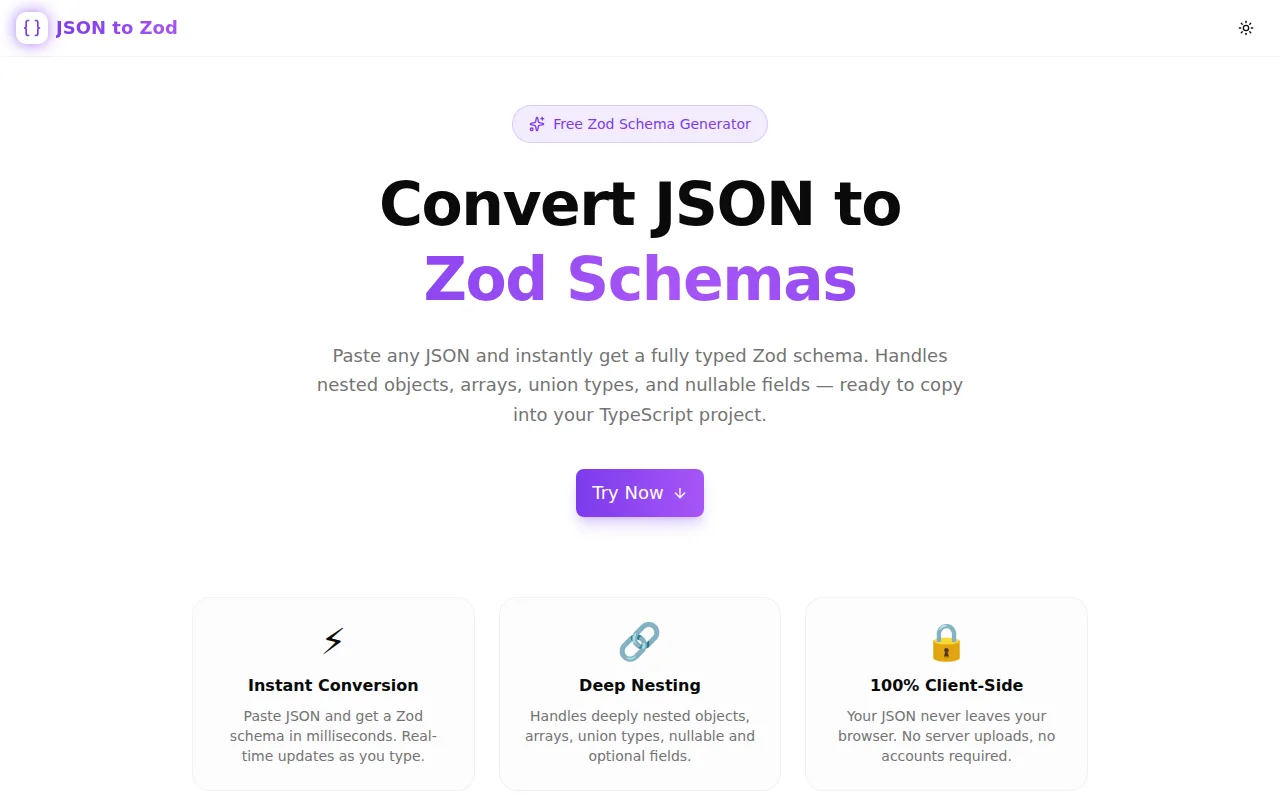
We built a free JSON-to-Zod schema generator. Paste any JSON object or array, get a fully typed TypeScript Zod schema in milliseconds. No account. No installs. Runs entirely in your browser.
→ json-to-zod.tools.jagodana.com
What Is JSON to Zod?
JSON to Zod is a single-purpose browser tool: paste JSON in the left panel, get a Zod schema in the right panel. Real-time, no button press.
{
  "id": 1,
  "name": "Alice",
  "email": "alice@example.com",
  "isActive": true,
  "score": 9.8,
  "tags": ["admin", "user"],
  "address": {
    "street": "123 Main St",
    "city": "Springfield"
  }
}
Becomes:
import { z } from "zod";

export const schema = z.object({
  id: z.number().int(),
  name: z.string(),
  email: z.string(),
  isActive: z.boolean(),
  score: z.number(),
  tags: z.array(z.string()),
  address: z.object({
    street: z.string(),
    city: z.string(),
  }),
});

export type Schema = z.infer<typeof schema>;
That's it. Copy the output. Paste it into your project.
Why Does This Tool Exist?
Zod is now the standard runtime validation library for TypeScript. If you use tRPC, T3 Stack, Next.js API routes, React Hook Form, or practically any modern TypeScript backend, you write Zod schemas regularly.
The problem: writing schemas by hand from existing JSON is mechanical, slow, and error-prone.
You get a response from a third-party API. You need to validate it. The JSON has six nested objects and three arrays. You start typing z.object({ and twenty minutes later you find a typo on line 37.
This tool eliminates that entirely. Paste JSON, copy schema, move on.
What Makes It Different?
Integer detection
Most JSON-to-Zod tools map every number to z.number(). This tool distinguishes integers (z.number().int()) from floats (z.number()) using Number.isInteger(value). A JSON field with value 42 gets z.number().int(). A field with 3.14 gets z.number().
Union types for mixed arrays
When an array contains multiple types — [1, "two", true] — the tool generates z.array(z.union([z.number().int(), z.string(), z.boolean()])). No fallback to z.unknown() when the types can be inferred.
Deep nesting
Nested objects are converted recursively at any depth, with correct indentation. An API response with five levels of nesting produces a readable, correctly structured schema — not a collapsed blob.
Optional fields toggle
One switch wraps every field in .optional(). Useful for partial shapes, PATCH request bodies, or any schema where missing fields are valid.
How to Use It
Basic flow
- Paste your JSON into the left panel
- The Zod schema appears instantly in the right panel
- Click "Copy Schema" — it's on your clipboard
Options
- Schema name — type a name in the input field; it sets the exported
constname and the auto-generatedz.infertype (auto-converts to camelCase) - Optional fields — toggle to wrap every field with
.optional() - Include import — toggle the
import { z } from "zod"line on or off
Examples
Three preset JSON examples are available via quick-load buttons: a User object, an API response shape, and a simple array. Click to load them directly.
What Is Zod?
Zod is a TypeScript-first schema declaration and validation library. You define a schema once and get both the TypeScript type and the runtime validator from the same definition:
const userSchema = z.object({
  name: z.string(),
  age: z.number().int().positive(),
  email: z.string().email(),
});

type User = z.infer<typeof userSchema>; // TypeScript type
const user = userSchema.parse(rawData);  // Runtime validation
If rawData doesn't match the schema, parse() throws with a detailed error listing every validation failure. No TypeScript generics, no manual type guards, no separate validation and typing logic.
Which Version of Zod Does It Target?
The generated code uses the stable API surface shared by Zod v3 and v4. The import is:
import { z } from "zod";This works with both ^3.0.0 and ^4.0.0. The tool generates z.object(), z.string(), z.number(), z.boolean(), z.null(), z.array(), z.union(), and z.unknown() — all stable across versions.
How Does the JSON-to-Zod Conversion Work?
Type mapping
The converter walks the JSON recursively and maps each value to its Zod equivalent:
| JSON Value | Zod Schema |
|:---|:---|
| "hello" | z.string() |
| 42 | z.number().int() |
| 3.14 | z.number() |
| true | z.boolean() |
| null | z.null() |
| [] | z.array(z.unknown()) |
| ["a", "b"] | z.array(z.string()) |
| [1, "x"] | z.array(z.union([z.number().int(), z.string()])) |
| {} | z.object({}) |
| {a: 1} | z.object({ a: z.number().int() }) |
Does my JSON ever leave my browser?
No. All processing runs in JavaScript in your browser. The JSON you paste is never sent to any server.
Common Use Cases
Validating third-party API responses
Copy the JSON response from Postman or browser DevTools, paste it into the tool, get the schema, add validation to your fetch handler. Done in under a minute.
tRPC input validation
tRPC procedures use Zod for input validation. Instead of writing schemas manually to match your client payload shape, paste the example payload and copy the schema.
React Hook Form schemas
React Hook Form uses Zod via the zodResolver adapter. Paste your form's default values shape and get a validation schema with zero typing.
Prototyping TypeScript types
Paste sample data. Get a Zod schema and a TypeScript type from z.infer simultaneously. Faster than writing interfaces manually.
Learning Zod
If you're new to Zod, seeing how JSON structures map to Zod methods is the fastest way to learn the API. Paste a JSON object. See the output. Try the optional fields toggle. Understand what it does.
Technical Notes
The tool is built with Next.js 16 (App Router), TypeScript in strict mode, Tailwind CSS v4, and shadcn/ui components. The schema generation is a single recursive function with no external dependencies. The tool uses Framer Motion for animations and Sonner for clipboard copy toasts.
It's 100% client-side — the page is a Next.js server component for SEO, but the tool logic is a "use client" component with no API routes. JSON processing happens in memory, never leaves the browser, and is instant.
Try it: json-to-zod.tools.jagodana.com
Source: github.com/Jagodana-Studio-Private-Limited/json-to-zod