Markdown Badge Generator: Create GitHub README Badges Instantly
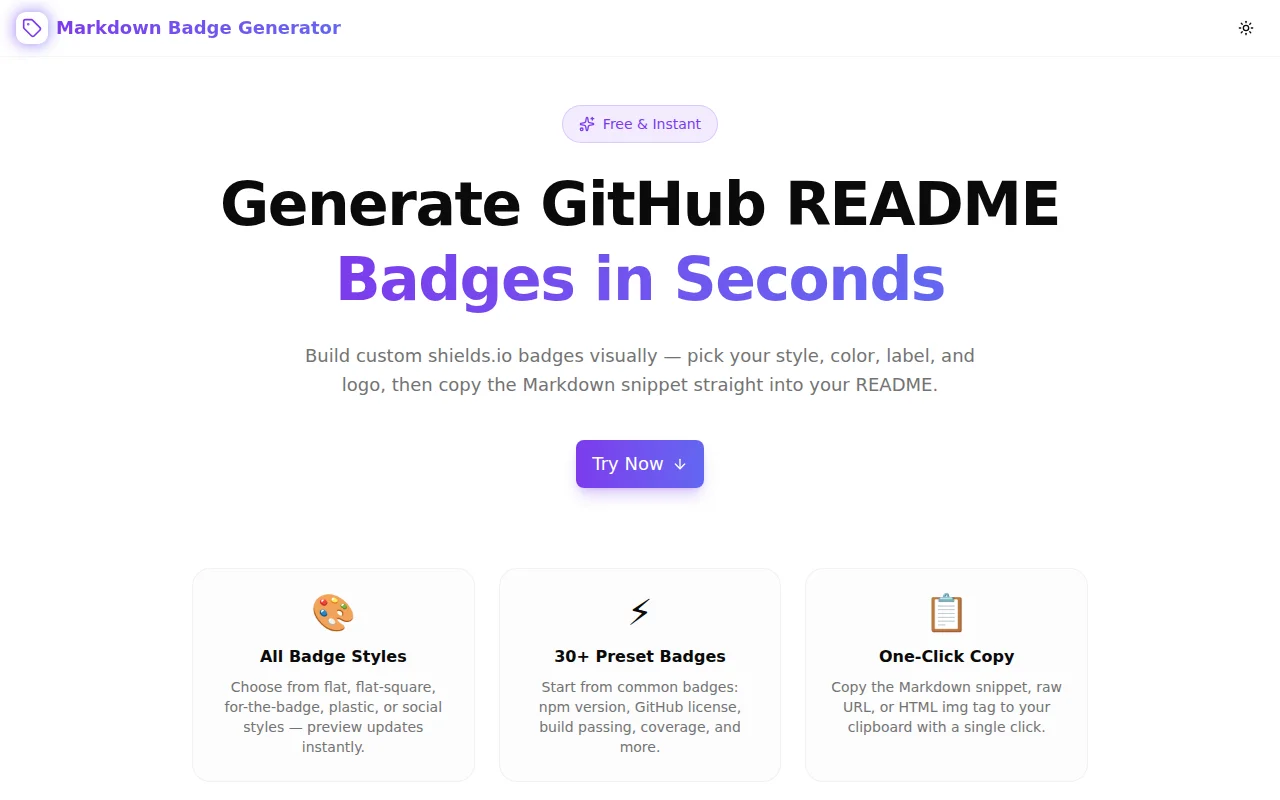
Free online Markdown badge generator — build shields.io-style badges for GitHub READMEs in seconds. Pick style, color, label, and logo, then copy the Markdown snippet with one click. No signup required.
Markdown Badge Generator: Create GitHub README Badges Instantly
You open a well-maintained open source project on GitHub. Before you read a single line of code, you see a row of small badges at the top of the README: build passing, 98% coverage, MIT license, npm version 4.2.1. In three seconds you know the project is active, tested, licensed for commercial use, and on a stable release.
Those badges come from shields.io. And every developer who sets up a new project has to build them from scratch—every time.
The Markdown Badge Generator at markdown-badge-generator.tools.jagodana.com makes that instant.
What Are Markdown Badges for GitHub READMEs?
A GitHub README badge is a small image that communicates metadata visually. It uses a standardized format from shields.io—a free, open service that generates SVG badge images on demand.
The badge URL encodes everything: the left-side label, the right-side message, the background color, the visual style, and an optional logo.
In a GitHub README, that renders as a small green badge with "build" on the left and "passing" on the right, with a GitHub Actions logo.
Why Is Building Badges So Tedious?
The shields.io URL format has several non-obvious rules:
- Dashes inside the badge text must be escaped as
--— a single dash terminates the label - Spaces become underscores (
_) - The
#prefix must be stripped from hex color values - Logo slugs are Simple Icons names, which are not always obvious (
nextdotjs,nodedotjs) - Some characters still need URL encoding in certain positions
Translating "I want a badge that says 'coverage: 87%'" into a correct shields.io URL requires either memorizing these rules or looking them up every time. And you can't preview the badge without loading it in a browser—which means committing the README to GitHub and waiting for the page to render, or opening a separate browser tab to test the URL.
That friction adds up across every project setup, every README update, every new badge type.
How the Markdown Badge Generator Solves This
Live Preview While You Type
The tool builds the shields.io URL as you type. Every change to the label, message, color, or logo immediately generates a new URL and renders the badge inline using an <img> element. You see the exact badge your README will show — before you copy anything.
No commit. No refresh. No separate browser tab.
All Five Badge Styles
Shields.io supports five visual styles. The generator lets you switch between them with one click, updating the preview instantly:
- Flat — the minimal default, clean and widely used
- Flat Square — same design with sharp corners
- For the Badge — uppercase bold text, wide format, common in project header rows
- Plastic — the classic 3D gradient look from early GitHub culture
- Social — rounded, lowercase, mimics GitHub's own UI elements
Color Without Memorizing Names
Enter a shields.io semantic color name (brightgreen, blue, red, orange, yellowgreen) or a raw hex value without the # prefix (4caf50, 007ec6). Eight common named colors are available as clickable color swatches — click the dot, the badge updates.
Logo from Simple Icons
Every major technology has a Simple Icons entry. Type the slug — typescript, react, docker, python, postgresql — and the badge gains a logo on the left. Not sure of the exact slug? The tool links directly to simpleicons.org.
30+ Preset Badges in Six Categories
The most common README badges are one click away:
| Category | Presets | |---|---| | npm | version, monthly downloads | | GitHub | license, stars, forks, build passing, build failing | | Coverage | 100%, 80% | | Languages | TypeScript, React, Next.js, Node.js, Python | | License | MIT, Apache 2.0, GPL v3 | | Misc | PRs welcome, contributions welcome, made with love |
Click a preset — all form fields populate, the preview updates, copy buttons appear.
Three Output Formats
Once the badge looks right, copy it in the format you need:
- Markdown —
— paste directly into any.mdfile - HTML —
<img alt="label" src="url" />— for HTML documentation, Docusaurus, or emails - URL — the raw shields.io URL — for any other context
Each format has its own copy button with clipboard confirmation.
How Do I Use the Markdown Badge Generator?
Step 1: Enter Badge Details
Type the label (left text), message (right text), and color in the Badge Builder section. Use a named color or a hex value.
Step 2: Choose Style and Logo
Click one of the five style buttons to change the visual appearance. Optionally enter a Simple Icons slug in the Logo field.
Step 3: Copy the Snippet
The Markdown, HTML, and URL snippets appear in the Copy Snippet section. Click the copy button next to the format you need and paste it into your README.
Total time: under 30 seconds.
What Is the shields.io Badge URL Format?
Shields.io static badges follow this pattern:
https://img.shields.io/badge/{label}-{message}-{color}?style={style}&logo={logo}
Key rules:
-separates label, message, and color in the path- Literal dashes in text are escaped as
-- - Spaces become
_, literal underscores become__ - Color is a name or hex without
# styleandlogoare query parameters
The Markdown Badge Generator handles all of this automatically.
Can I Create Custom Badges That Aren't on shields.io?
Shields.io is the standard for static badges where you control both the label and message. For dynamic badges that pull live data (npm download counts, GitHub star counts, latest release version), shields.io offers endpoint-based badges and integrations — those are separate from the static badge format this tool generates.
For most README use cases, static badges with manually set values are correct: you control what the badge says, and you update it when the information changes.
Does the Badge Generator Work Without an Account?
Yes. The tool is 100% client-side. No account, no API key, no server. The badge preview fetches images directly from shields.io (a free public service). The Markdown snippet generation happens in your browser with no network requests.
What Types of Badges Should Every GitHub Project Have?
A standard README badge row typically includes:
- Build status — does the CI pipeline pass on the main branch?
- License — what license terms apply?
- Version — what's the current release on the package registry?
- Coverage — what percentage of code is covered by tests?
- Language/framework version — what runtime version is required or supported?
Start with these five and add category-specific badges as needed.
Are shields.io Badges Free to Use?
Shields.io is a free, open-source service maintained by the shields.io community. There are no usage limits for reasonable use. The service is funded by donations. The badges themselves are SVGs served directly — you don't need an API key or account.
The Markdown Badge Generator removes the friction from one of the smallest but most repeated tasks in open source development. Build the badges you need, copy the Markdown, paste into your README.
Try it now: markdown-badge-generator.tools.jagodana.com
GitHub: github.com/Jagodana-Studio-Private-Limited/markdown-badge-generator