Markdown Table Generator: Build Tables Visually, Copy Clean Markdown Instantly
Free online markdown table generator with a visual grid editor, column alignment controls, live preview, and one-click copy. No signup required.
Markdown Table Generator: Build Tables Visually, Copy Clean Markdown Instantly
You need a table in your README. Three columns, eight rows, center-aligned headers. You open your editor and start typing pipes and dashes. Five minutes later, you're still counting separators and the alignment is off by one character.
Markdown tables are one of those features everyone uses but nobody enjoys writing. The syntax is simple in theory—pipes for columns, dashes for separators, colons for alignment—but tedious in practice. One missing pipe breaks the entire table. Adding a column means editing every single row. And updating an existing table? You're back to counting characters.
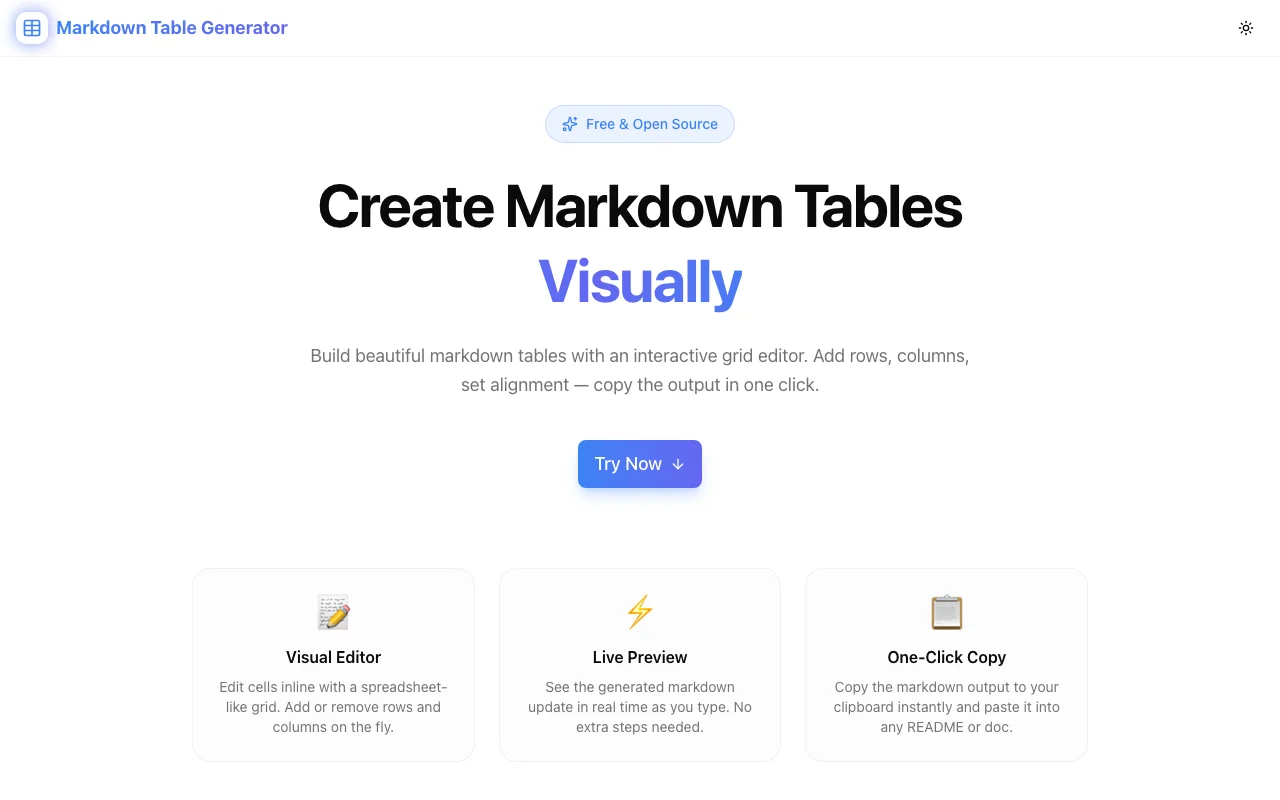
The Markdown Table Generator at markdown-table-generator.tools.jagodana.com lets you build markdown tables the way you'd build them in a spreadsheet—visually. Click cells, type content, set alignment, and copy perfect markdown in one click.
Why Markdown Tables Are Worth the Effort
Before we solve the formatting problem, let's acknowledge why tables matter in the first place.
Structure Makes Documentation Scannable
Walls of text are hard to scan. Tables turn dense information into organized rows and columns that readers can navigate instantly. A comparison table, an API reference, a list of configuration options—these are all dramatically easier to read as tables than as paragraphs or bullet lists.
Markdown Tables Are Portable
Unlike screenshots or embedded spreadsheets, markdown tables render natively in GitHub, GitLab, Bitbucket, Notion, Obsidian, Jekyll, Hugo, and virtually every documentation platform. They're searchable, accessible, version-controlled, and diff-friendly. A screenshot of a table is none of those things.
The Formatting Tax Is Real
Despite their value, many developers avoid tables because the formatting overhead isn't worth it for a quick comparison or a three-row reference. The Markdown Table Generator eliminates that tax entirely.
How It Works
Visual Grid Editor
The editor works like a lightweight spreadsheet. Click any cell to start typing. The grid starts with a default size, but you can add or remove rows and columns from the toolbar at any time. There's no markdown to look at while you're editing—just a clean grid of cells.
This is the key difference from writing tables by hand. You focus on content. The tool handles syntax.
Column Alignment
Markdown supports three alignment options per column: left (default), center, and right. The syntax for this is colons in the separator row:
| Left    | Center  | Right   |
|:--------|:-------:|--------:|
| data    | data    | data    |
Remembering which colon goes where is a minor but real annoyance. In the generator, you click the alignment button on the column header and cycle through the options. The tool writes the correct colon syntax in the output automatically.
Live Preview
As you edit cells and adjust alignment, the generated markdown updates below the grid in real time. There's no "generate" button, no separate step. You always see exactly what will be copied to your clipboard.
This immediate feedback loop means you catch issues while editing, not after pasting into your document. If a cell is too long and you want to rephrase, you see the effect on the markdown output instantly.
Import Existing Tables
Already have a markdown table that needs updating? Click Import, paste the raw markdown, and the editor populates the grid with the existing data. You can then edit visually—add a column, change values, reorder rows—and copy the updated markdown.
This round-trip capability is what separates a table generator from a table editor. You're not starting from scratch every time.
Export to CSV
Need the table data in a different format? Export as CSV and open it in Excel, Google Sheets, or any spreadsheet application. Useful when a table from your docs needs to become a dataset, or when a teammate prefers working in a spreadsheet.
Real-World Use Cases
README Feature Tables
Every popular open-source project has comparison tables in the README. Framework vs. framework, plan vs. plan, feature vs. feature. Building these visually is dramatically faster than hand-writing the markdown, especially when the table has 10+ rows.
API Documentation
API docs are full of parameter tables: name, type, required, description. These tables are updated frequently as the API evolves. Importing the existing table, making changes visually, and copying the updated markdown saves significant time over hand-editing.
Sprint Planning and Status Tables
Many teams track status in markdown files or GitHub issues. A quick table with columns for task, assignee, status, and notes is cleaner than a bullet list—and the generator makes creating one take seconds.
Database Schema Documentation
Documenting database tables (column name, type, nullable, default, description) maps naturally to markdown tables. The generator handles the repetitive formatting while you focus on getting the schema details right.
Configuration References
Environment variables, CLI flags, config file options—any structured reference data that lives in documentation is a natural fit for markdown tables. The visual editor lets you build these references quickly and update them as the software evolves.
The Syntax You Don't Have to Write
For context, here's what the generator handles for you. A basic markdown table looks like this:
| Name     | Type   | Default | Description              |
|:---------|:------:|--------:|:-------------------------|
| host     | string | 0.0.0.0 | Server bind address      |
| port     | number |    3000 | Server port              |
| debug    | bool   |   false | Enable debug logging     |
That's 5 lines of carefully aligned pipes and dashes. Add a column? You need to edit all 5 lines, add a pipe to each, and extend the separator. Remove a row? You need to find the right line and delete it without breaking adjacent pipes.
In the generator, adding a column is one click. Removing a row is one click. The output is always valid.
Privacy and Performance
The Markdown Table Generator runs entirely in your browser. No data is sent to any server—your table content never leaves your machine. There's no account system, no cookies storing your data, no analytics on your table content.
The tool loads fast (it's a static Next.js site) and works offline once loaded. Open the tab, build your table, copy the output, close the tab.
Try It Now
Stop counting pipes. Stop aligning dashes. Build your next markdown table visually and copy clean, valid markdown in one click.
👉 markdown-table-generator.tools.jagodana.com
Markdown Table Generator is part of the 365 Tools Challenge—a new free developer tool every day from Jagodana Studio.