Introducing String Case Converter: Instant Naming Convention Conversion for Developers
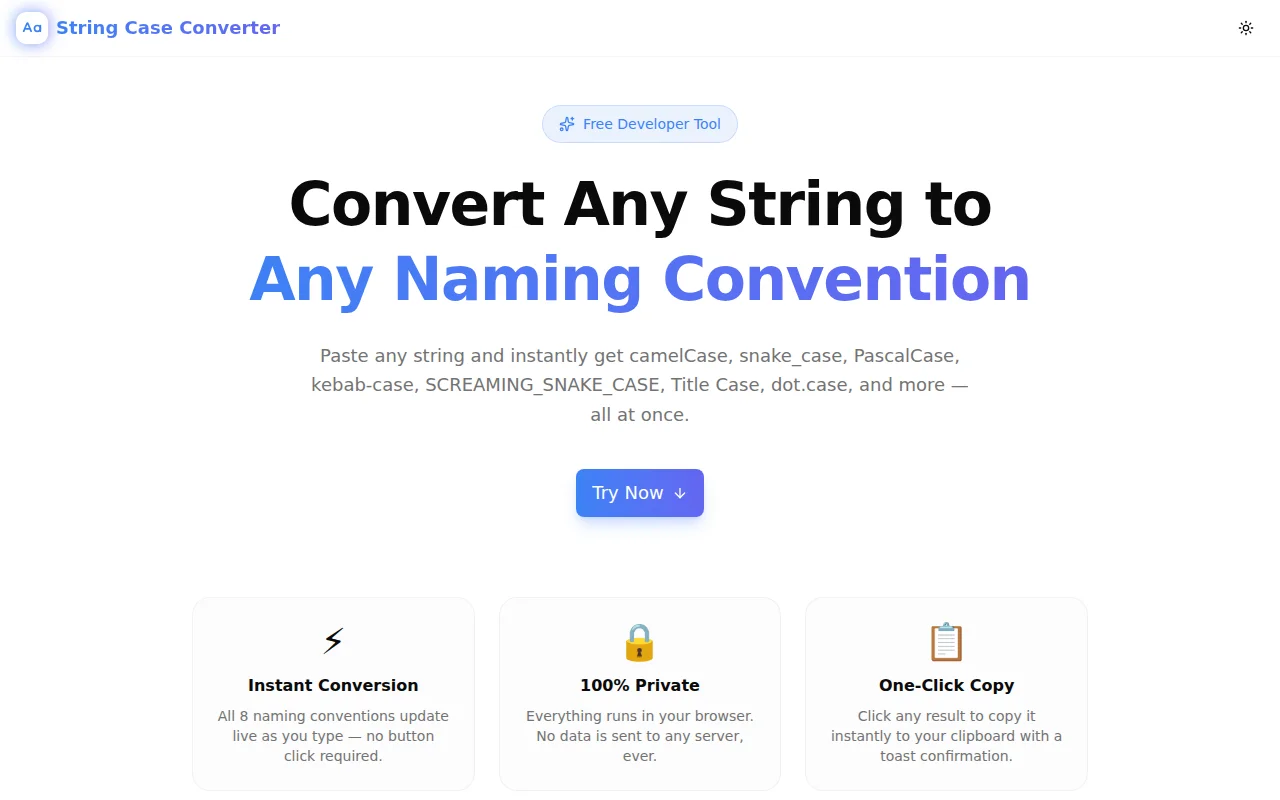
String Case Converter is a free browser tool that converts any string between camelCase, PascalCase, snake_case, kebab-case, SCREAMING_SNAKE_CASE, and four more naming conventions — all at once, live as you type.
Introducing String Case Converter: Instant Naming Convention Conversion for Developers
Every developer converts string casing multiple times a day. You're writing a Python function and the variable needs to be snake_case. You're mapping a REST API response field from camelCase to a database column in snake_case. You're creating an environment variable from a config key in SCREAMING_SNAKE_CASE. You're naming a CSS class in kebab-case.
The process is manual and repetitive: open a new tab, search for a converter, wait for the page to load, paste the string, copy one format, close the tab. Multiply that across a full coding session and you've spent real time on something that should take under a second.
String Case Converter solves this. It's a free, browser-based tool that converts any string into all eight major naming conventions simultaneously, live as you type.
What Does It Convert?
Paste or type any string and instantly see:
- camelCase —
myVariableName(JS/TS variables, Java methods) - PascalCase —
MyVariableName(classes, React components, TypeScript types) - snake_case —
my_variable_name(Python, Ruby, database columns) - SCREAMING_SNAKE_CASE —
MY_VARIABLE_NAME(constants, environment variables) - kebab-case —
my-variable-name(URLs, CSS classes, HTML attributes) - Title Case —
My Variable Name(headings, button labels) - dot.case —
my.variable.name(i18n keys, config files) - flatcase —
myvariablename(package names, some database identifiers)
All eight update on every keystroke. Click any result to copy it to your clipboard.
How Does It Handle Different Input Formats?
The most common problem with string case converters is that they only work well with one input format. String Case Converter uses a cascade parser that correctly handles all common input types:
What input formats does it accept?
Any of them. The parser detects word boundaries from multiple signals:
- camelCase transitions —
myVariableNamecorrectly parses to three words - Underscores —
my_variable_nameorMY_VARIABLE_NAMEboth split on underscores - Hyphens —
my-variable-namesplits on hyphens - Spaces — plain English phrases like
my variable namesplit on spaces - Mixed input —
myVariable_nameorcamelCase-with-hyphensboth parse correctly
What about acronyms?
Consecutive uppercase letters are handled correctly. XMLParser parses as ["xml", "parser"], not ["x", "m", "l", "parser"]. HTMLElement parses as ["html", "element"]. The parser uses a two-pass regex that detects where an acronym ends and a new word begins.
The parsed word list is displayed below the input field so you can verify the parsing before copying.
What happens with numbers?
Numbers are preserved in the output. user123Id parses as ["user123id"] — the numbers stay attached to the surrounding word. This matches the behavior most developers expect.
Who Uses String Case Converter?
API developers
REST API development involves constant negotiation between naming conventions. JSON response fields are typically camelCase. Database columns are snake_case. Environment variables are SCREAMING_SNAKE_CASE. When you're writing a data mapper, String Case Converter lets you grab all three formats at once and move on.
Full-stack developers
Working across JavaScript, Python, and SQL in the same session means switching conventions constantly. String Case Converter removes the mental overhead of remembering the conversion rules for each language and context.
Tech writers and documentation authors
API documentation often needs to show the same concept in multiple naming conventions — the REST field name, the SDK method name, and the constant name. Having all formats visible simultaneously reduces copy-paste errors.
Developers learning new languages
When you're learning Python after years of JavaScript, or picking up Ruby after Go, the naming conventions feel unfamiliar. String Case Converter works as a fast reference: type any string, see what snake_case looks like for this specific name, copy and keep coding.
Open source contributors
Different open source projects use different conventions. When contributing to a project with unfamiliar conventions, String Case Converter helps you match the existing style without memorizing the rules.
How Is It Different from a Simple Regex?
Most developers write their own case conversion utility at some point. The naïve implementation works for simple strings but breaks on edge cases:
XMLParser→x-m-l-parser(wrong) vs.xml-parser(correct)HTMLElement→h-t-m-l-element(wrong) vs.html-element(correct)my_variable_name→ needs to split on underscores AND handle mixed inputcamelCasewith numbers likeget2FACode— how do the numbers attach?
String Case Converter handles these edge cases correctly. The parser uses two regex passes — one for camelCase boundaries, one for consecutive uppercase sequences — before normalizing all delimiters. The result is consistent output regardless of input format.
Is My Data Safe?
Yes. All conversion logic runs entirely in your browser using JavaScript. No string is ever sent to a server. The tool works offline once the page has loaded.
This matters for teams working with confidential variable names, API field names tied to business logic, or internal system names that shouldn't appear in server logs.
What Technologies Power It?
String Case Converter is built with:
- Next.js 16 (App Router)
- TypeScript (strict mode — zero type errors)
- Tailwind CSS v4 with OKLCH color tokens
- shadcn/ui components
- framer-motion for entrance animations
- Clipboard API for copy functionality
The core conversion logic is pure TypeScript with no runtime dependencies. The entire tool is a single interactive component with eight conversion functions.
Try It Now
String Case Converter is free, instant, and requires no account.
string-case-converter.tools.jagodana.com
Type any string — in any format — and every naming convention you need is one click away.
More Free Developer Tools from Jagodana
String Case Converter is part of a growing collection of free, privacy-first developer tools:
- Slug Generator — Generate URL-friendly slugs from any text.
- Git Branch Name Generator — Clean, descriptive Git branch names from any description.
- Commit Message Formatter — Format conventional commits effortlessly.
- Regex Pattern Tester — Build and test regular expressions in real time.
- JSON to TypeScript — Generate TypeScript interfaces from any JSON object.
All tools run entirely in the browser. No accounts, no tracking, no server-side processing.