Introducing Prettier Config Generator: Create .prettierrc Files in Seconds
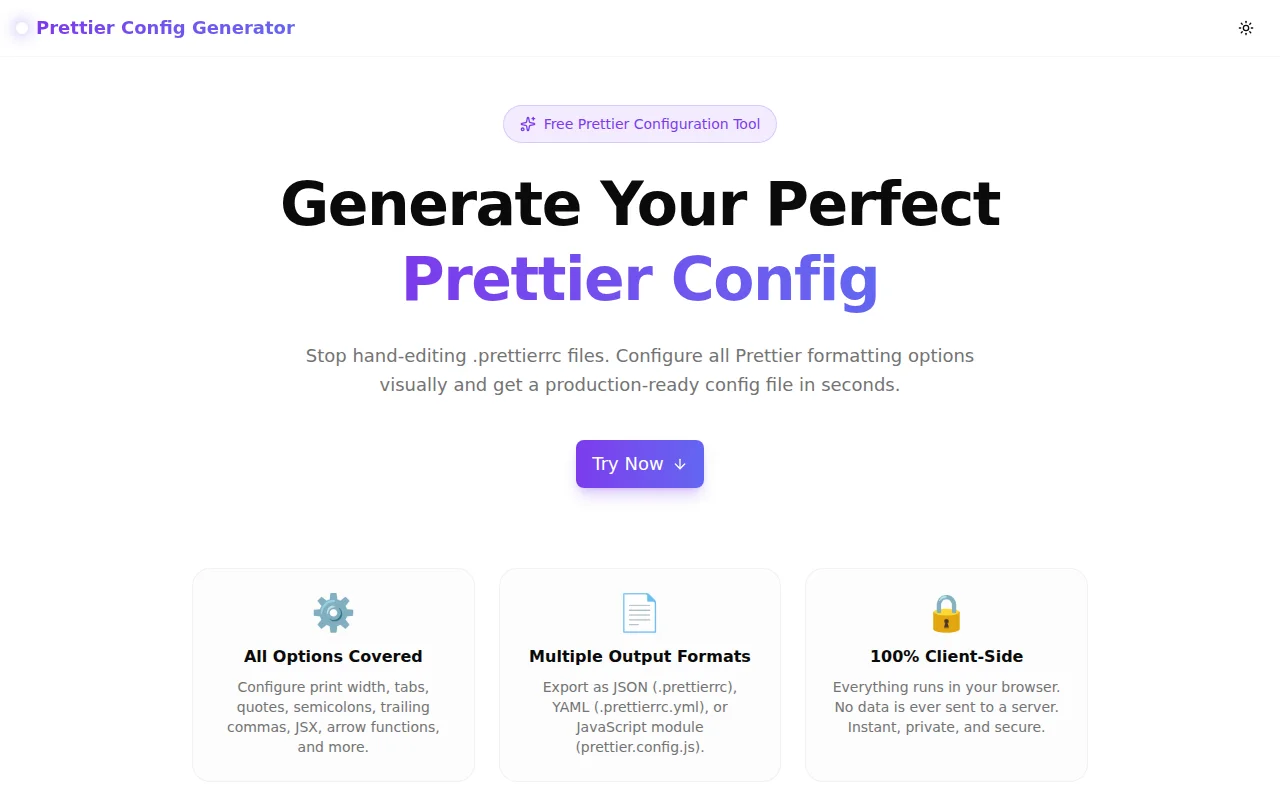
A free online Prettier configuration generator. Configure print width, quotes, semicolons, trailing commas, and every other Prettier option visually — then download your .prettierrc, .prettierrc.yml, or prettier.config.js instantly.
Introducing Prettier Config Generator: Create .prettierrc Files in Seconds
We built a free Prettier configuration generator. Choose your formatting preferences with visual controls — print width, quotes, semicolons, trailing commas, and more — and get a ready-to-use config file in under a minute. Supports JSON, YAML, and JavaScript module formats. No login, no install.
→ prettier-config-generator.tools.jagodana.com
What Is Prettier and Why Does the Config Matter?
Prettier is an opinionated code formatter for JavaScript, TypeScript, CSS, JSON, Markdown, and more. It enforces a consistent style across your entire codebase by reformatting code according to a set of rules — so your team stops arguing about semicolons and spends more time on actual problems.
The .prettierrc config file lets you override Prettier's built-in defaults to match your team's preferences. Without a config, every developer gets Prettier's defaults. With a config, the entire team formats identically, regardless of their local editor settings.
Why Does This Tool Exist?
Setting up Prettier for a new project means visiting the documentation, finding each option name, deciding on a value, and writing the file correctly. Most options have sensible defaults, but every team customises at least a few — single quotes vs. double quotes, with or without semicolons, print width, trailing commas.
The ritual is familiar: check the docs, set an option, check the docs again, set another option. For a senior developer who's done this ten times it's a few minutes. For a junior developer or someone new to the project, it's a rabbit hole that ends with a config copied from Stack Overflow that nobody fully understands.
The generator makes every option visible with a plain-English description. Change a toggle, see the config update. Download when done.
How Does the Prettier Config Generator Work?
How do I generate a .prettierrc file?
Open the tool, adjust the options in the left panel, and watch the config file update in real time in the right panel. When the config looks right, click Download to save the file or Copy to put it in your clipboard. Drop the file at the root of your project — same directory as package.json.
What options does it support?
All standard Prettier v3 options:
- printWidth — target line length (default: 80)
- tabWidth — spaces per indentation level (default: 2)
- useTabs — indent with tabs instead of spaces (default: false)
- semi — add semicolons at end of statements (default: true)
- singleQuote — use single quotes (default: false)
- jsxSingleQuote — single quotes in JSX (default: false)
- trailingComma — where to add trailing commas:
"all","es5","none"(default:"all"in v3) - bracketSpacing — spaces inside object literals:
{ foo: bar }(default: true) - bracketSameLine — put JSX
>on the same line (default: false) - arrowParens — parens around arrow function params:
"always"or"avoid"(default:"always") - endOfLine — line ending:
"lf","crlf","cr","auto"(default:"lf") - proseWrap — markdown prose wrapping:
"preserve","always","never"(default:"preserve")
What config format should I use?
JSON (.prettierrc) is the most common choice and what most tutorials show. It's easy to read and works in every editor.
YAML (.prettierrc.yml) is more concise — no quotes around strings, no commas between entries. Good choice if your team is already using YAML across other config files (GitHub Actions, Docker, etc.).
JavaScript module (prettier.config.js) is the right choice when you need:
- Comments explaining why specific options are set
- Dynamic values (e.g. reading from a shared package)
- Extending a shared Prettier config from an npm package
All three are parsed identically by Prettier — the format is a style preference.
What Is the Difference Between Prettier v2 and v3 Defaults?
The most important change from Prettier v2 to v3 is the trailingComma default:
- Prettier v2 default:
"es5"— trailing commas in arrays and objects, not function parameters - Prettier v3 default:
"all"— trailing commas everywhere valid in modern JavaScript, including function parameters
If you upgrade from Prettier v2 to v3 without specifying trailingComma, function calls and definitions will suddenly get trailing commas added. This is a diff-heavy upgrade that catches teams off guard.
The generator defaults to "all" (the v3 default). If your project targets older environments or you explicitly want v2 behaviour, switch to "es5".
What Should My printWidth Be Set To?
The Prettier default of 80 characters comes from a long tradition in programming — terminals were 80 columns wide, punch cards had 80 columns, and most style guides converged on 80 as a standard.
In practice, modern monitors are wide and most editors wrap long lines, so some teams prefer 100 or 120. Common choices:
| printWidth | Who uses it | |---|---| | 80 | Most OSS projects, the Prettier default | | 100 | Many enterprise teams with wider monitors | | 120 | Teams with very wide monitors or dense codebases | | 140+ | Rare — usually a sign that lines are too long to read |
The key insight: printWidth is a target, not a hard limit. Prettier will exceed it for things it can't break (long strings, JSX attributes). Higher values mean more code per line but don't always mean better readability.
Should I Use Single Quotes or Double Quotes With Prettier?
Both work. Prettier's default is double quotes (singleQuote: false). The "correct" answer is whatever your team or existing codebase uses.
Some practical guidance:
- React / JSX codebases often use double quotes for consistency with HTML attributes (which use double quotes)
- Node.js / CLI projects often prefer single quotes (no shift key)
- TypeScript projects sometimes use double quotes to match the TypeScript compiler default
- Legacy codebases — match what's already there
The tool lets you toggle between them and see the config update immediately. Pick one, commit it, and move on.
How Do I Add the Generated Config to My Project?
- Generate the config — set your options in the tool
- Download the file — click Download for the correct filename, or Copy to clipboard
- Place at project root — drop the file alongside
package.json - Install Prettier — if not already:
npm install --save-dev prettier - Test it — run
npx prettier --write .to format your project
Prettier automatically looks for config files in the project root (and parent directories). It reads .prettierrc, .prettierrc.json, .prettierrc.yml, .prettierrc.yaml, prettier.config.js, prettier.config.mjs, and more.
Does Prettier Config Generator Send My Config Anywhere?
No. Everything runs in your browser. The tool has no backend. When you click Download, the file is created in memory using the browser's Blob API and saved to your device via a temporary URL. No config data is ever transmitted.
Use Cases
New Project Setup
Starting a fresh TypeScript monorepo. Align the team on style preferences once, generate the config, commit it alongside .eslintrc and tsconfig.json. The tool makes the conversation concrete — instead of abstractly debating "tabs vs spaces," you configure together and see the config file.
Open Source Repository
Open source projects need configs that work across contributors on different operating systems. Set endOfLine: "auto" (Prettier maintains the existing line endings per file), configure the rest, download, and commit. Add a format script to package.json so contributors can format with one command.
Code Style Documentation
Use the generator as a documentation aid when onboarding new developers. Show them what each option does — toggle semicolons on and off, switch between trailing comma modes — and have them see the config update. The descriptions explain the "what", which removes the need to read the Prettier docs to understand the team's config choices.
Migrating Legacy Codebases
An existing project has no Prettier config and inconsistent formatting. Use the generator to build a config that matches the existing style as closely as possible, minimising the initial diff. Then iterate from there.
Built in ~20 Minutes
The tool is part of the 365 Tools Challenge — one new micro-tool every day. Prettier Config Generator was built in approximately 20 minutes:
- Forked from the base template
- Implemented all Prettier option controls (toggles, selects, number inputs)
- Added JSON, YAML, and JS output generators (no external libraries)
- Passed TypeScript strict mode type-check
- Deployed via GitHub Actions to Vercel with custom domain
All code is open source: github.com/Jagodana-Studio-Private-Limited/prettier-config-generator
Try it now: prettier-config-generator.tools.jagodana.com