Introducing Package.json Generator: Build Perfect package.json Files in Under a Minute
A free, form-based tool to generate complete, valid package.json files — with all the fields npm init skips. No login. No CLI. Just fill the form, copy, and go.
Introducing Package.json Generator: Build Perfect package.json Files in Under a Minute
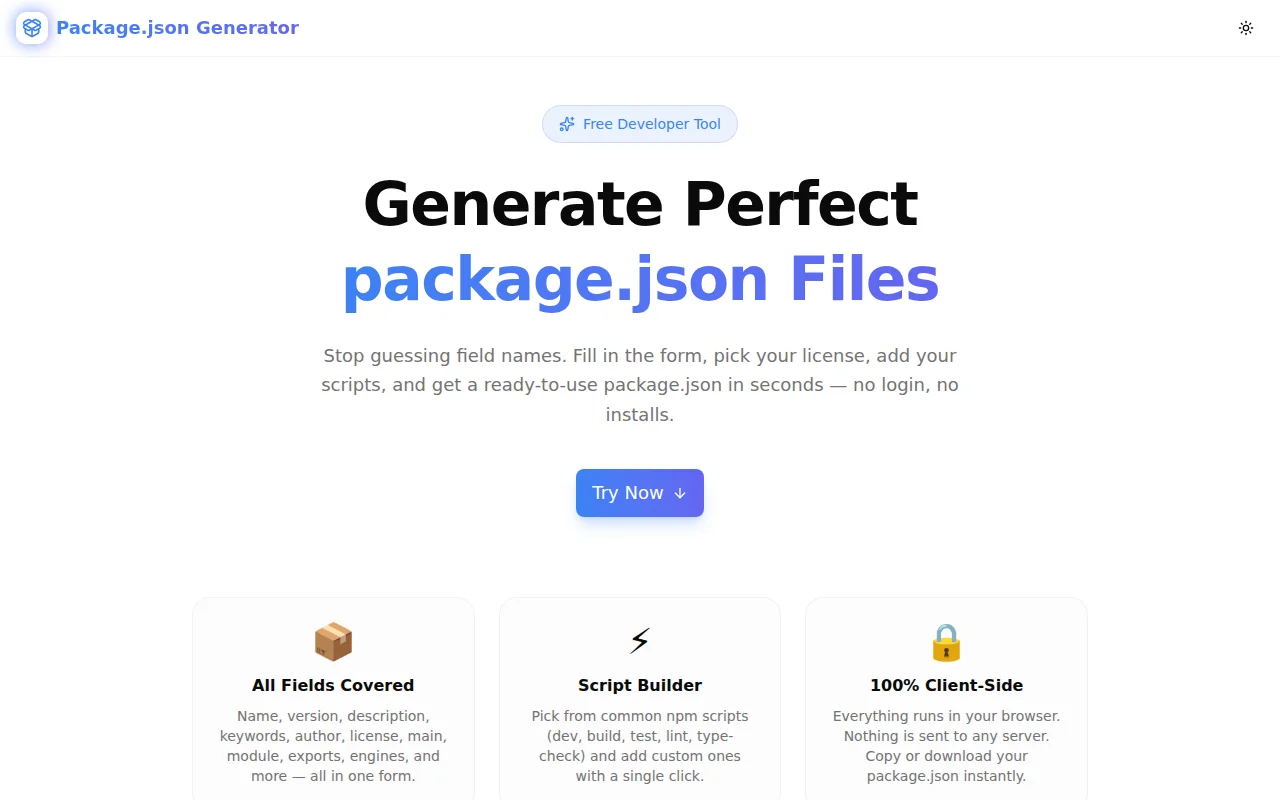
We built a free, visual package.json generator. Fill in a structured form — package name, version, author, license, scripts, entry points, engines — and get a complete, valid package.json instantly. No login. No CLI. No memorising field syntax.
→ package-json-generator.tools.jagodana.com
What Is a package.json and Why Does It Matter?
A package.json is the manifest for every Node.js and JavaScript project. npm, pnpm, Yarn, and Bun all read it to install dependencies, run scripts, and understand your package's metadata.
For applications, it's mostly name, version, scripts, and dependencies. For library authors publishing to npm, the full field set is wider and unforgiving:
{
  "name": "my-lib",
  "version": "1.0.0",
  "type": "module",
  "main": "./dist/index.js",
  "module": "./dist/index.mjs",
  "types": "./dist/index.d.ts",
  "exports": {
    ".": {
      "import": "./dist/index.mjs",
      "require": "./dist/index.js"
    }
  },
  "engines": { "node": ">=18.0.0" },
  "author": "Jane Doe <jane@example.com> (https://janedoe.dev)",
  "license": "MIT",
  "repository": {
    "type": "git",
    "url": "https://github.com/user/my-lib.git"
  }
}
Getting every field right the first time — correct format, right keys, no misspellings — saves a broken npm publish and a confused downstream user.
Why Does This Tool Exist?
npm init only covers the basics
npm init asks for seven fields. It skips exports, engines, module, types, repository, bugs, and more. For a library author, those missing fields are the ones that actually matter.
The format is non-obvious
The author field accepts both a string ("Jane Doe <jane@example.com> (https://janedoe.dev)") and an object. The repository field is an object. The exports field is a nested map. engines uses runtime names as keys. None of this is guessable.
Trial-and-error is slow
Without a tool, you write it, run npm pack, inspect the output, realise types is missing, fix it, re-pack. That loop is avoidable.
How Does Package.json Generator Work?
What fields does it generate?
The tool covers every common package.json field:
- Package info:
name,version,description,keywords,private - Author: composite
"Name <email> (url)"string auto-assembled from three inputs - License: picker with MIT, ISC, Apache-2.0, GPL-3.0, AGPL-3.0, BSD-2-Clause, BSD-3-Clause, MPL-2.0, UNLICENSED, and custom
- Links:
homepage,repository(formatted as{ type: "git", url: "..." }),bugs.url - Entry points:
main,module,types, optionalexportswith CJS + ESM mapping - Module type:
"type": "module"or"type": "commonjs", or omitted - Scripts: toggle-on presets (dev, build, start, test, lint, lint:fix, type-check, format, clean, prepare) + unlimited custom scripts
- Engines:
nodeversion constraint in the correct format
What does "auto-slugification" mean?
When you type a package name, the tool converts it to a valid npm slug in real time — lowercase, hyphens for spaces, no invalid characters. You see the slug before the JSON is generated.
How does the live output work?
The right panel renders the full package.json in real time as you type. Empty fields are excluded from the output — you only get what you've filled in. No placeholder noise.
Does it validate the output?
The generator ensures the JSON structure is valid and that field formats are correct. It doesn't cross-check your semver range or validate your repository URL — but the field shapes match the npm spec.
What Licenses Does It Support?
The picker includes:
| Identifier | License Name |
|:---|:---|
| MIT | MIT License |
| ISC | ISC License |
| Apache-2.0 | Apache License 2.0 |
| GPL-3.0 | GNU General Public License v3 |
| AGPL-3.0 | GNU Affero General Public License v3 |
| BSD-2-Clause | BSD 2-Clause "Simplified" License |
| BSD-3-Clause | BSD 3-Clause "New" License |
| MPL-2.0 | Mozilla Public License 2.0 |
| UNLICENSED | Proprietary / not for distribution |
| CUSTOM | Enter any SPDX expression or custom string |
All identifiers use the correct SPDX format that npm expects.
What Is the exports Field and Should I Use It?
The exports field is the modern way to define package entry points in Node.js 12+. It takes precedence over main when both are present.
With exports, you can expose different files for different conditions:
"exports": {
  ".": {
    "import": "./dist/index.mjs",
    "require": "./dist/index.js"
  }
}
This tells Node.js: when someone does import 'my-lib', use the ESM file. When someone does require('my-lib'), use the CJS file.
Use it if:
- You're publishing a library to npm
- You want to support both ESM and CJS consumers
- You're on Node.js 12+
Skip it if:
- You're building an application (not a library)
- You only target one module format
- Your runtime doesn't support
exportsyet
The generator's checkbox lets you add the exports field only when you need it.
What Is the engines Field?
The engines field tells npm (and users) which Node.js (or other runtime) versions your package supports:
"engines": {
  "node": ">=18.0.0"
}
npm will warn — but not block — installation if the user's Node version doesn't match. Some CI setups enforce it. It's good practice for any package with runtime-specific dependencies.
The generator's engines input accepts a runtime @ semver format (e.g. node @ >=18.0.0) and formats it correctly in the output.
Who Is This For?
Library authors publishing to npm who need exports, main, module, types, engines, and repository — all correctly formatted.
Full-stack developers starting a new Node.js service or script who want a complete starting point beyond what npm init provides.
TypeScript package authors who always forget whether the field is types or typings (it's types — we default to that).
Monorepo maintainers standardising package.json patterns across many packages. Generate once, use as a template.
Developers learning npm packaging who want to see what a well-structured package.json looks like before writing one from scratch.
Try It Now
package-json-generator.tools.jagodana.com
Free. No login. No CLI. Works in any browser. Your data never leaves your device.
Built as part of the 365 Tools Challenge — one useful tool every day for developers, designers, and product builders.