Semver Range Calculator: Understand npm Version Ranges Instantly
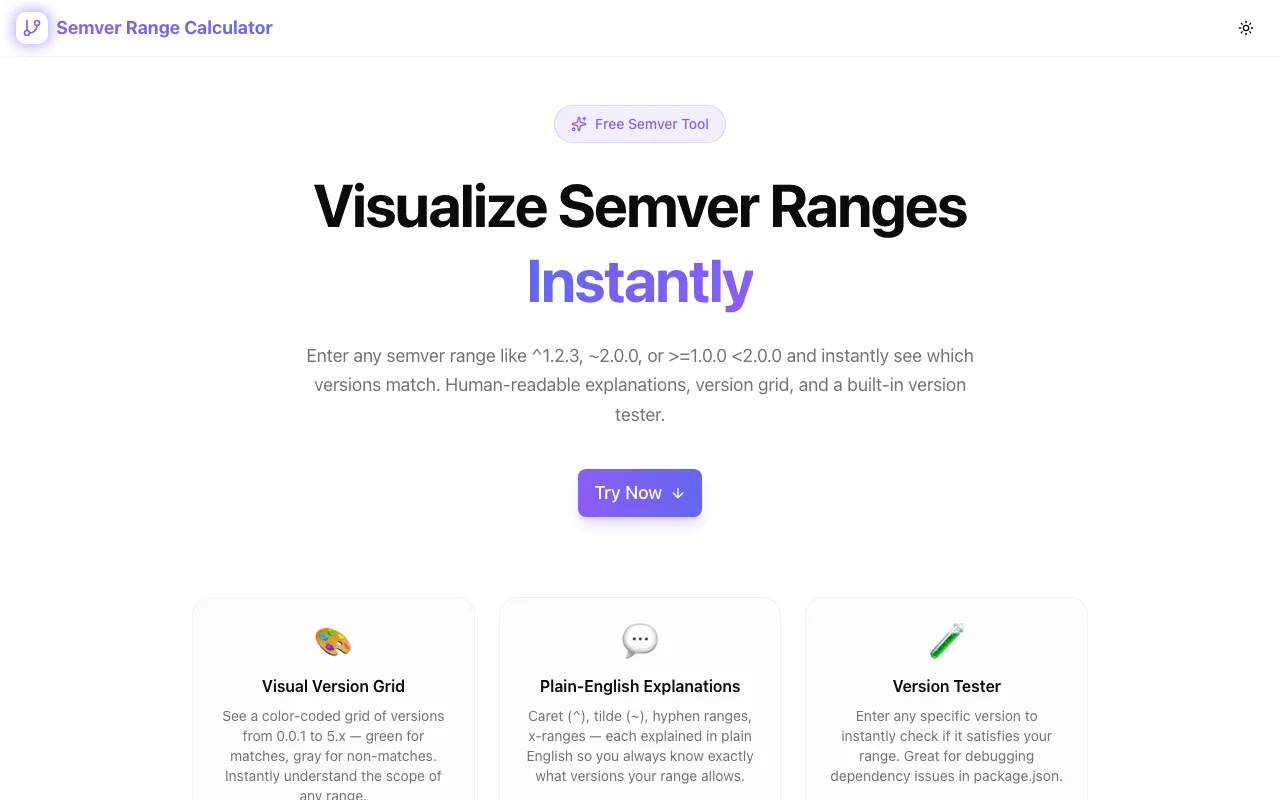
Free online Semver Range Calculator — paste version ranges like ^1.2.3 or ~2.0.0 and instantly see which versions match. Interactive visualization for npm, Node.js, and any semver-based tooling.
Semver Range Calculator: Understand npm Version Ranges Instantly
You open package.json. You see "react": "^18.2.0". You know it means "compatible with 18.2.0" — but what does that actually include? Does it cover 18.3.0? What about 19.0.0? What about 18.2.1-beta.0?
Now try ~5.3.1. Or >=2.0.0 <3.0.0 || ^4.0.0-rc.1. At some point, the mental model breaks down and you're guessing.
The Semver Range Calculator eliminates the guesswork. Paste any semver range expression, see exactly which versions match — in real time, in your browser, with zero setup.
What Is Semantic Versioning?
Semantic versioning (semver) is the versioning scheme used by npm, Cargo, Composer, and most modern package managers. A version number has the format:
MAJOR.MINOR.PATCH
- MAJOR — breaking changes (incompatible API changes)
- MINOR — new features (backwards-compatible)
- PATCH — bug fixes (backwards-compatible)
When you specify dependencies in package.json, you don't pin an exact version. You specify a range — a rule that says "any version matching these constraints is acceptable."
The Range Operators Explained
Caret (^) — The npm Default
When you run npm install react, npm writes "react": "^18.2.0" into your package.json. The caret means:
Allow changes that do not modify the left-most non-zero digit.
In practice:
| Range | Matches | Does Not Match |
|-------|---------|----------------|
| ^1.2.3 | 1.2.3 to <2.0.0 | 2.0.0, 0.9.9 |
| ^0.2.3 | 0.2.3 to <0.3.0 | 0.3.0, 1.0.0 |
| ^0.0.3 | 0.0.3 only | 0.0.4, 0.1.0 |
The ^0.x.y behavior catches people off guard. When the major version is 0, the caret becomes much more restrictive because the API is considered unstable.
Tilde (~) — Patch-Level Updates Only
The tilde is more conservative:
Allow patch-level changes if a minor version is specified.
| Range | Matches | Does Not Match |
|-------|---------|----------------|
| ~1.2.3 | 1.2.3 to <1.3.0 | 1.3.0, 2.0.0 |
| ~1.2 | 1.2.0 to <1.3.0 | 1.3.0 |
| ~1 | 1.0.0 to <2.0.0 | 2.0.0 |
Use tilde when you want bug fixes but not new features.
Comparison Operators
Standard mathematical comparisons work as expected:
>=1.2.0— version 1.2.0 or higher<2.0.0— anything below 2.0.0>=1.0.0 <2.0.0— intersection (AND logic)>=1.0.0 || >=2.5.0— union (OR logic)
X-Ranges and Wildcards
1.xor1.*— any version with major1(equivalent to>=1.0.0 <2.0.0)1.2.x— any patch of1.2(equivalent to>=1.2.0 <1.3.0)*— any version
Hyphen Ranges
1.0.0 - 2.0.0— equivalent to>=1.0.0 <=2.0.01.0 - 2.0— equivalent to>=1.0.0 <2.1.0(missing parts are filled as zero on the left, incremented on the right)
Common Pitfalls
Pitfall 1: Caret with Major Zero
^0.2.3 does not mean "anything compatible with 0.2.3 up to 1.0.0." It means >=0.2.3 <0.3.0. This is the single most misunderstood semver behavior.
Pitfall 2: Pre-release Versions
Pre-releases like 2.0.0-alpha.1 are only matched by ranges that explicitly reference the same major.minor.patch tuple. >=1.0.0 does not match 2.0.0-alpha.1, but >=2.0.0-alpha.0 does.
Pitfall 3: OR vs AND
Spaces between comparators mean AND: >=1.0.0 <2.0.0 means both must be true. The || operator means OR: ^1.0.0 || ^2.0.0 matches either range.
Pitfall 4: Lock Files Hide the Truth
Your package-lock.json pins exact versions. The range in package.json only matters when you run npm install or npm update. If your lock file pins 1.2.3 and your range is ^1.0.0, you won't get 1.5.0 until you explicitly update.
How the Semver Range Calculator Helps
Instead of memorizing these rules, use the Semver Range Calculator:
- Paste your range — any valid npm range expression
- See matching versions — instantly highlighted in green
- Read the explanation — plain-English description of what your range covers
- Test edge cases — try
^0.2.3vs^1.2.3side by side
Real-World Scenarios
Scenario: Specifying peer dependencies
You maintain a React component library. You want to support React 17 and 18 but not 19 (unreleased). Your peer dependency should be:
"peerDependencies": {
  "react": "^17.0.0 || ^18.0.0"
}
Paste that into the calculator to verify it covers 17.0.0 through 18.x.x but excludes 19.0.0.
Scenario: Debugging a version conflict
npm says package A requires lodash@^4.17.0 and package B requires lodash@~4.15.0. Paste both ranges to see that ~4.15.0 only covers 4.15.x while ^4.17.0 starts at 4.17.0 — they don't overlap. That's your conflict.
Scenario: CI matrix testing
Your GitHub Actions matrix tests against Node.js >=18.0.0 <21.0.0. Paste the range to confirm it includes Node 18, 19, and 20 LTS but excludes Node 21.
Built for Speed
The Semver Range Calculator is:
- Browser-only — no data leaves your machine
- Instant — parses ranges as you type, no submit button
- Free — no signup, no paywall, no tracking
- Open source — view the code on GitHub
Built with Next.js and TypeScript, deployed to Vercel via GitHub Actions as part of our 365 Tools Challenge — one useful developer tool, every day.
Try It Now
Open semver-range-calculator.tools.jagodana.com and paste your first range. You'll never guess at ^0.x.y behavior again.