HTTP Basic Auth Generator: Encode & Decode Authorization Headers Without the Terminal
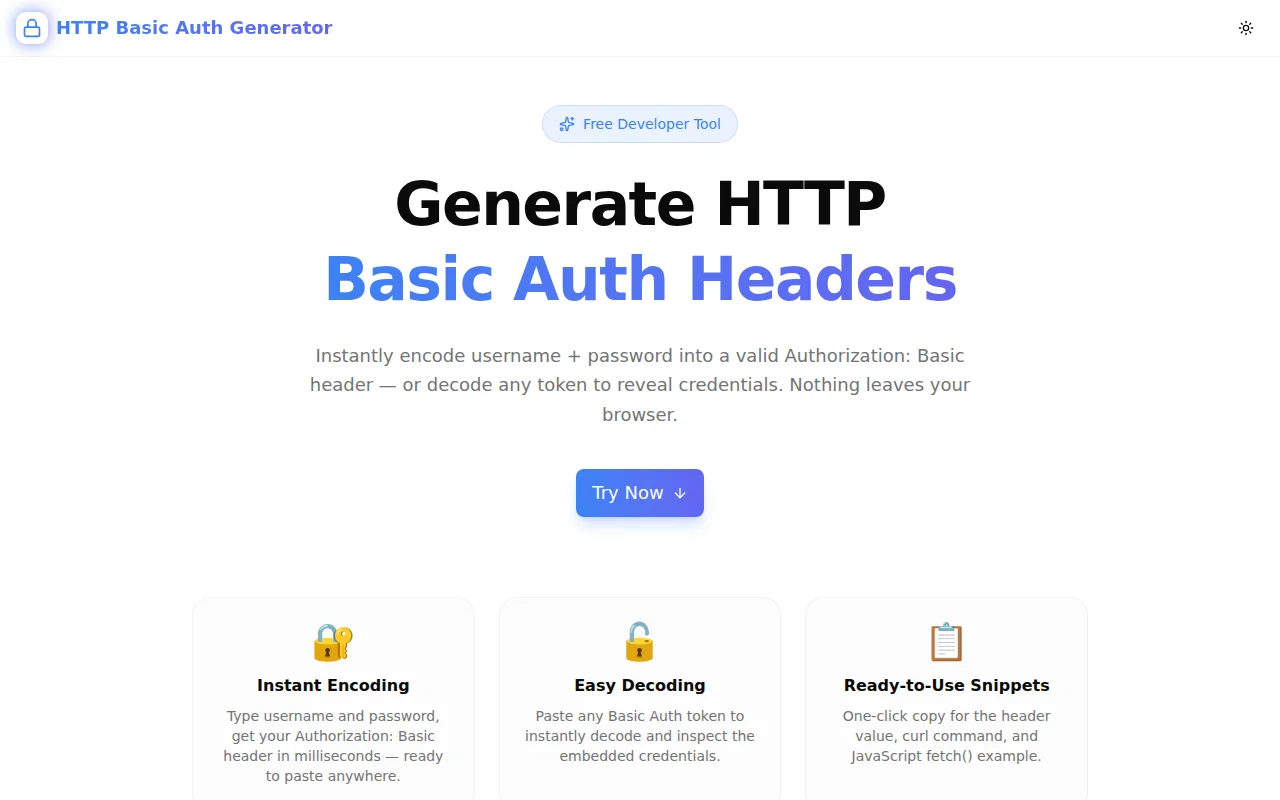
Free online HTTP Basic Auth generator — paste username and password to get your Authorization: Basic header instantly. Decode any token in one click. Includes curl and fetch() snippets. 100% client-side.
HTTP Basic Auth Generator: Encode & Decode Authorization Headers Without the Terminal
You are testing an API. It uses HTTP Basic Authentication. You need the Authorization: Basic header — and you need it now.
The terminal path is: open a shell, type echo -n "user:pass" | base64, remember that -n suppresses the newline on most systems, then manually prepend Authorization: Basic to the output. If you are on Windows without WSL, the command is different. If you use the wrong echo, the header has a trailing newline and your request fails with 401.
The faster path is the HTTP Basic Auth Generator — type username and password, copy the header. Done in under ten seconds.
What Is HTTP Basic Authentication?
HTTP Basic Authentication is the simplest authentication scheme in the HTTP protocol. It sends credentials with every request as a base64-encoded string in the Authorization header:
Authorization: Basic dXNlcm5hbWU6cGFzc3dvcmQ=The value after Basic is the base64 encoding of username:password. Decoding the example above gives username:password.
Basic Auth is supported by virtually every HTTP client, server framework, reverse proxy, and API gateway. It requires no token exchange, no OAuth flow, no session management — just a username and password on every request.
Where Is Basic Auth Used Today?
- Internal APIs and microservices — simple authentication between services with no user context
- Legacy endpoints — many enterprise and legacy systems use Basic Auth over HTTPS for machine-to-machine calls
- Testing and staging environments — protecting non-public environments without full SSO infrastructure
- CI/CD pipelines — authenticating with package registries, artifact servers, and internal APIs from scripts
- HTTP reverse proxies — nginx and Apache's
auth_basicdirective protects entire virtual hosts - CLI tools — many API clients accept
--user username:passwordflags that encode Basic Auth automatically
How Do You Generate an HTTP Basic Auth Header?
The encoding is three steps:
- Concatenate username and password with a colon:
username:password - Base64-encode the result:
dXNlcm5hbWU6cGFzc3dvcmQ= - Prepend the scheme:
Authorization: Basic dXNlcm5hbWU6cGFzc3dvcmQ=
The HTTP Basic Auth Generator does all three automatically. Type username and password — the header is ready to copy.
Why Does the Colon Position Matter?
The colon is the separator between username and password. The decoder splits on the first colon — so passwords can contain colons. If your password is p:ss:w0rd, the encoded string is:
base64("user:p:ss:w0rd") → dXNlcjpwOnNzOncwcmQ=
Decoding gives everything after the first colon as the password: p:ss:w0rd. A correct Basic Auth decoder handles this. The HTTP Basic Auth Generator does too — it splits on the first colon only.
How Do You Decode a Basic Auth Token?
Switch to the Decode tab, paste the token, click Decode. The tool accepts:
- The raw base64 string:
dXNlcjpzZWNyZXQ= - The full header value:
Authorization: Basic dXNlcjpzZWNyZXQ= - Just the part after Basic:
Basic dXNlcjpzZWNyZXQ=
All three formats return the same result: the decoded username and password, displayed separately with individual copy buttons.
What Code Snippets Does It Generate?
Every encoded output includes two ready-to-use code snippets.
curl Snippet
curl -H "Authorization: Basic dXNlcjpzZWNyZXQ=" \
  https://api.example.com/endpoint
Copy and paste directly into your terminal. No assembly required.
JavaScript fetch() Snippet
fetch("https://api.example.com/endpoint", {
  headers: {
    "Authorization": "Basic dXNlcjpzZWNyZXQ="
  }
});
Paste into a Node.js script, browser console, or your application code. Replace the URL with your actual endpoint.
Is HTTP Basic Auth Secure?
Basic Auth credentials are base64-encoded, not encrypted. Anyone who intercepts the request can decode the header and read the username and password. This means:
Always use Basic Auth over HTTPS (TLS). HTTPS encrypts the entire HTTP request including headers. Basic Auth over HTTPS is secure in transit. Basic Auth over HTTP transmits credentials in the clear and must never be used in production.
The HTTP Basic Auth Generator includes this as an FAQ answer — the tool is for developers who understand the security model and are using it correctly.
When Should You Use Basic Auth vs. Other Schemes?
Use Basic Auth when:
- The connection is always HTTPS
- You control both the client and server
- Simplicity outweighs the overhead of token-based auth
- It is a machine-to-machine integration (no human users)
- The system you are integrating with requires it
Use Bearer tokens or OAuth when:
- You need token expiry and rotation
- You need scopes or fine-grained permissions
- Human users are authenticating (use OAuth 2.0 / OIDC)
- The token will be stored in a client (Bearer tokens are revocable; Basic Auth credentials are not)
How to Protect a Service with HTTP Basic Auth
nginx
server {
    listen 443 ssl;

    location / {
        auth_basic "Protected Area";
        auth_basic_user_file /etc/nginx/.htpasswd;
        proxy_pass http://localhost:3000;
    }
}
The .htpasswd file stores hashed passwords — not the raw password. The browser prompts the user for credentials, then sends them as a Basic Auth header. nginx verifies against the hash.
Express.js (Node.js)
const basicAuth = require('express-basic-auth');

app.use(basicAuth({
    users: { 'admin': 'secret' },
    challenge: true
}));
Next.js Middleware
import { NextRequest, NextResponse } from 'next/server';

export function middleware(req: NextRequest) {
  const authHeader = req.headers.get('authorization');
  if (!authHeader?.startsWith('Basic ')) {
    return new NextResponse('Unauthorized', {
      status: 401,
      headers: { 'WWW-Authenticate': 'Basic realm="Protected"' },
    });
  }

  const [user, pass] = atob(authHeader.slice(6)).split(':');
  if (user !== process.env.BASIC_AUTH_USER || pass !== process.env.BASIC_AUTH_PASSWORD) {
    return new NextResponse('Unauthorized', { status: 401 });
  }

  return NextResponse.next();
}
Common Mistakes With HTTP Basic Auth
Encoding the Wrong String
The string to encode is username:password, not the username and password separately. Encoding them separately and concatenating them produces an incorrect token.
Wrong: base64(username) + ":" + base64(password)
Correct: base64(username + ":" + password)
Including a Trailing Newline
On some systems, echo "user:pass" | base64 produces an incorrect result because echo without -n adds a newline character before encoding. The decoded token then has a newline appended to the password, causing authentication to fail.
The HTTP Basic Auth Generator uses btoa() which never adds newlines.
Forgetting the Space After "Basic"
The format is Authorization: Basic <token> — there is a space between "Basic" and the token. Omitting the space produces a 400 or 401 response.
Using HTTP Instead of HTTPS
Basic Auth credentials are only secure when transmitted over HTTPS. Using Basic Auth over plain HTTP exposes credentials to any observer on the network path.
Frequently Asked Questions About HTTP Basic Auth
What is the Authorization: Basic header?
The Authorization: Basic header is the standard HTTP header for Basic Authentication. It contains the word Basic followed by a space and a base64-encoded string of username:password. The server decodes this string and verifies the credentials.
Can passwords contain special characters in Basic Auth?
Yes. The base64 encoding handles any bytes, including special characters and Unicode. The only character with special meaning in the credential string is the colon (:) used as a separator — but since the split happens only on the first colon, passwords may contain colons.
Does Basic Auth work with two-factor authentication?
No. Basic Auth is a single-factor scheme — it only accepts a username and password. For services that require 2FA, you would use OAuth 2.0 or a token-based scheme that accommodates multi-factor flows.
How do I revoke Basic Auth credentials?
Change or delete the password on the server. Unlike Bearer tokens, Basic Auth has no token-level revocation — the credential itself is the authentication factor. If a Basic Auth password is compromised, rotate it immediately.
Is the token stored anywhere by the HTTP Basic Auth Generator?
No. The tool uses btoa() and atob() — browser built-in functions that run entirely in JavaScript. No data is sent to a server, no logs are written, and the credentials are gone when you close the tab or navigate away.
Try the HTTP Basic Auth Generator
Stop typing echo -n and forgetting the flag. Stop looking up the Authorization header format for the fifth time this month.
The HTTP Basic Auth Generator is free, instant, and needs no signup.
http-basic-auth-generator.tools.jagodana.com
Type username and password. Copy the header. Move on.
HTTP Basic Auth Generator is part of the 365 Tools Challenge — a new free developer tool shipped every day from Jagodana Studio. Built with Next.js, TypeScript, and Tailwind CSS.