Introducing Cron Expression Editor: Build Cron Schedules Without Guessing
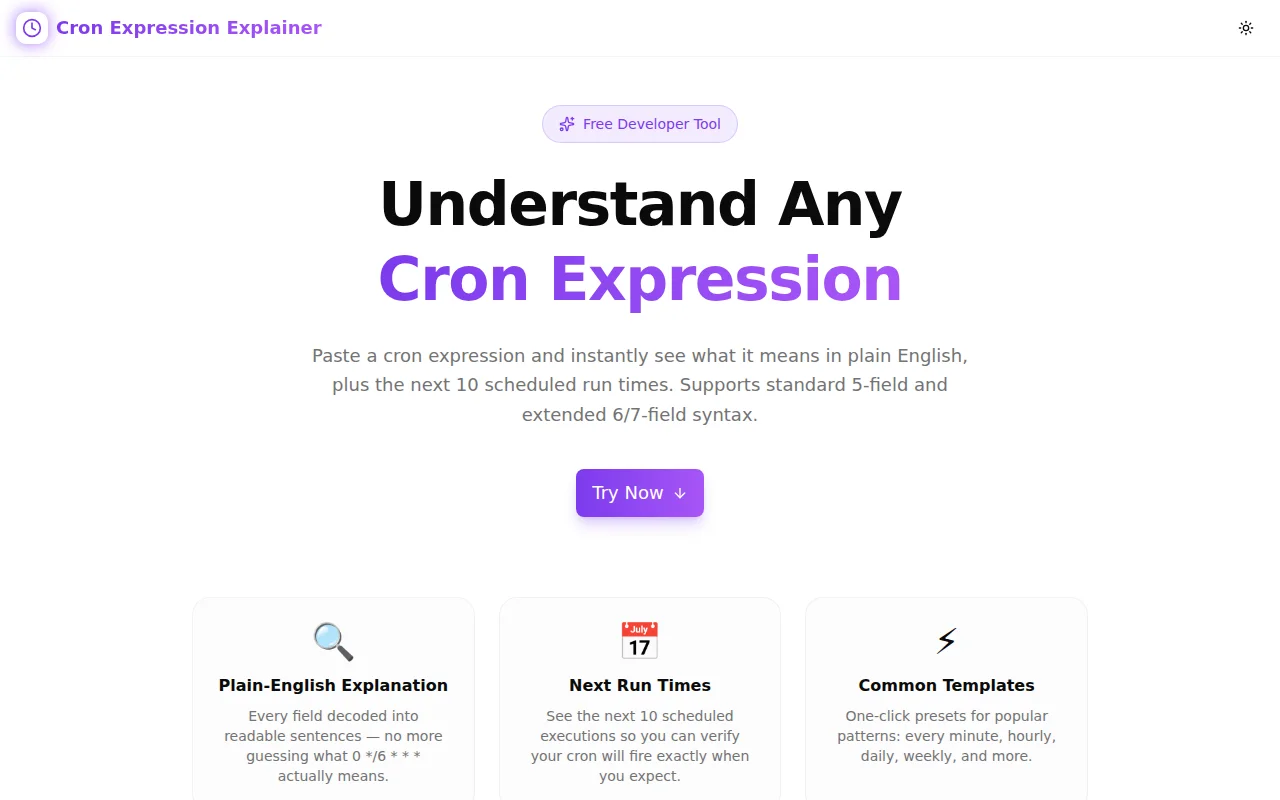
A free online cron expression editor that translates any 5-field schedule into plain English and previews the next 10 run times — no terminal, no man page, no waiting.

Introducing Cron Expression Editor: Build Cron Schedules Without Guessing
We built a free cron expression editor. Type any 5-field cron schedule, get a plain-English description immediately, and see the next 10 scheduled run times in a list. No terminal. No man page. No deploying to find out you got it wrong.
→ cron-expression-editor.tools.jagodana.com
What Is a Cron Expression?
A cron expression is a compact string that defines a recurring schedule for automated tasks. The standard 5-field Unix format is:
minute hour day-of-month month day-of-week
Examples:
0 9 * * 1-5— 9:00 AM every weekday*/15 * * * *— every 15 minutes0 0 1 * *— midnight on the 1st of every month
Cron is used by almost every platform that runs scheduled work: crontab, GitHub Actions, Kubernetes CronJobs, AWS EventBridge, Heroku Scheduler, and dozens of SaaS scheduling tools. If you write backend code, deploy infrastructure, or build data pipelines, you write cron expressions.
Why Is Cron Hard to Get Right?
What does 0 0 1,15 * 5 do?
It runs:
- On the 1st and 15th of every month, AND
- Every Friday
The day-of-month and day-of-week fields use OR semantics when both are non-wildcard — a fact that surprises engineers who assume AND. It's valid cron. It's also almost never what the author intended.
When does 0 0 31 * * run in February?
It doesn't. February doesn't have 31 days. The job silently skips. If your monthly report depends on that job firing, it won't in February.
Is 0 9 * * 1 Monday or Sunday?
It's Monday (1 = Monday, 0 = Sunday). Some schedulers use 0 = Monday, some use 0 = Sunday. Without checking, you're guessing.
These aren't exotic edge cases. They're the kind of mistake that runs fine in development and fails silently in production at 2am on the one day it matters.
How Does Cron Expression Editor Help?
Instant Human-Readable Translation
Every expression is immediately translated into plain English on every keystroke:
| Expression | Description |
|---|---|
| * * * * * | Every minute |
| */5 * * * * | Every 5 minutes |
| 0 9 * * 1-5 | At 9:00 AM on weekdays |
| 0 0 1 * * | At midnight on the 1st of the month |
| 0 0 1 1 * | At midnight on January 1st |
If the expression is invalid, the output tells you why.
Next 10 Run Times
A list of the next 10 scheduled execution times — full date, day name, 12-hour time. So 0 0 1,15 * * shows:
- Thu, Aug 1, 2026, 12:00 AM
- Sat, Aug 15, 2026, 12:00 AM
- Tue, Sep 1, 2026, 12:00 AM
- Mon, Sep 15, 2026, 12:00 AM
This is the fastest way to verify a schedule without running a live job.
Visual Field Builder
Edit each of the 5 fields independently with labeled input boxes: Minute, Hour, Day, Month, Weekday. Change the weekday field from * to 1-5 and watch the description instantly update to "on weekdays."
12 Quick Presets
The most common schedules are available as one-click presets:
- Every minute / 5 minutes / 15 minutes
- Every hour / every 6 hours
- Daily at midnight / daily at noon
- Weekdays at 9am
- Every Sunday
- 1st of month
- Every quarter
- Once a year (Jan 1)
Who Uses Cron Expression Editor?
What cron tool is this?
DevOps and platform engineers validating Kubernetes CronJob schedules, GitHub Actions workflow triggers, or AWS Lambda cron rules before they hit production.
Is this useful for backend developers?
Yes. Any language that reads cron-format schedules — Node.js node-cron, Python APScheduler, Ruby whenever, Go robfig/cron — has the same expression syntax. Validate the schedule before wiring it into the application.
Does it work for system administrators?
Absolutely. Review any crontab entry — backup jobs, log rotation, health checks — and confirm the schedule is correct before deploying. No test environment required.
Can I use this for cloud schedulers?
Yes, for any platform that uses standard 5-field Unix cron syntax. Note that some platforms (Spring Scheduler, AWS CloudWatch Events, Quartz) use a 6-field format with a leading seconds field — this tool does not support the 6-field extension.
What Format Does It Support?
Does it support cron special strings like @daily?
Not currently. The tool supports the 5-field Unix cron format only. @daily, @weekly, @monthly, and @reboot are not parsed.
What special characters work?
| Character | Meaning | Example |
|---|---|---|
| * | Any value | * = every hour |
| , | List | 1,3,5 = values 1, 3, and 5 |
| - | Range | 1-5 = values 1 through 5 |
| / | Step | */15 = every 15 units |
What are the valid ranges for each field?
- Minute: 0–59
- Hour: 0–23
- Day of month: 1–31
- Month: 1–12
- Day of week: 0–7 (both 0 and 7 are Sunday)
Is It Private?
Yes. All parsing and scheduling runs in your browser using pure TypeScript. No cron expression is sent to any server. The tool has no backend, no accounts, and no tracking beyond the standard Google Analytics page-view event every Jagodana tool includes.
Technical Notes
The next-run calculator advances a JavaScript Date object minute by minute from the current time. It checks each minute against all 5 fields and collects the first 10 matches. It caps at 2 years of forward search to avoid hanging on impossible schedules (e.g., 31 23 31 2 * — February 31 doesn't exist). If no runs are found within 2 years, the expression is flagged as invalid.
The human-readable parser uses a set of pattern-matching rules applied to the 5 parsed fields. Step expressions (*/N) on a single field with all others as * get the compact form ("Every N minutes"). Mixed expressions fall back to structured natural language describing each non-wildcard field in order.
Start using it now: cron-expression-editor.tools.jagodana.com
All parsing is client-side. No account needed.