Introducing Cron Expression Explainer: Translate Any Cron Schedule to Plain English
A free browser-based tool that converts any 5-, 6-, or 7-field cron expression into a plain English description with color-coded field breakdowns and the next 10 scheduled run times. No login, no terminal.
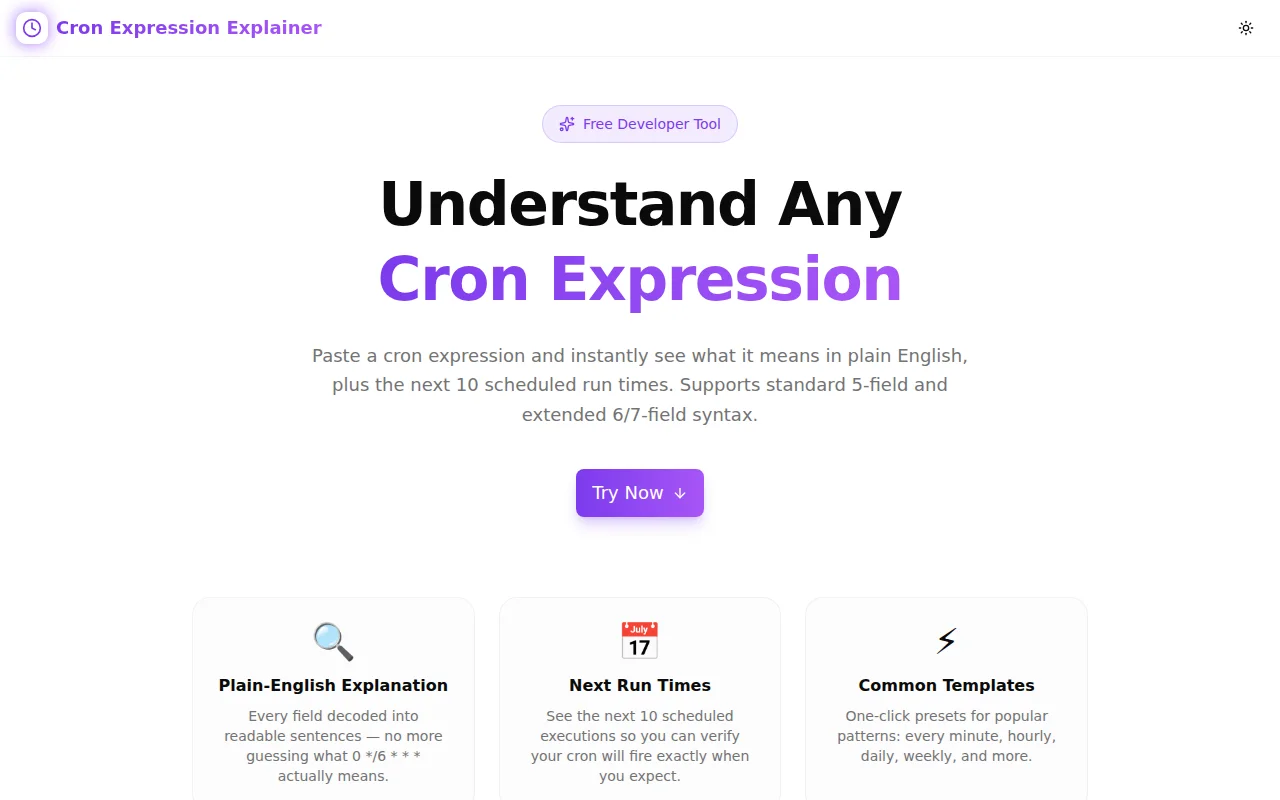
Introducing Cron Expression Explainer: Translate Any Cron Schedule to Plain English
We built a free cron expression explainer. Paste any cron schedule — 5, 6, or 7 fields — get a color-coded breakdown of each field, a plain English summary of the full schedule, and the next 10 run times starting from now. No login. No terminal. No waiting.
→ cron-expression-explainer.tools.jagodana.com
The Problem With Reading Cron
Cron has been the standard format for scheduled tasks since the 1970s. It's on every Linux server, every CI platform, every cloud scheduler. And it's still opaque to read after fifty years.
0 4 */7 * 1-5 — what does that do?
Take a moment. Work through it field by field.
Done? The answer is: at 4:00 AM, every 7 days, on weekdays. Specifically: it fires on days that are both (a) a multiple of 7 from the 1st of the month and (b) Monday through Friday. In most months, that's once or twice.
This kind of mental parsing — five fields, special syntax, field interactions — is what every developer who works with cron does every single time they read or write a schedule. It's slow. It's error-prone. And errors in cron are the worst kind: silent ones that skip silently rather than failing loudly.
What the Tool Does
Paste → Explain
Drop any cron expression into the input field. The tool immediately parses it and returns:
1. Field-by-field breakdown — each field displayed in a colored row with its name, raw value, and human description. Pink for seconds, violet for minutes, purple for hours, blue for day-of-month, green for month, amber for day-of-week, rose for year. You read the table top to bottom and get the full picture.
2. Plain English summary — one sentence that combines all field descriptions into a natural-language schedule description.
0 9 * * 1-5 → At 09:00 on Monday through Friday
*/15 * * * * → Every 15 minutes
30 6 1 1 * → At 06:30 on January 1st
3. Next 10 run times — computed from the current moment in your local timezone. You see exactly when the job will next fire, listed in order.
5, 6, and 7 Field Support
Standard Unix cron uses 5 fields: minute, hour, day-of-month, month, day-of-week. Many platforms extend this:
- 6 fields — add a seconds field at the front (used by Quartz, Spring Scheduler, and some cloud platforms)
- 7 fields — add both seconds at the front and a year field at the end (used by AWS EventBridge and some enterprise schedulers)
The tool auto-detects field count and adjusts the explanation accordingly. Paste a 6-field expression and the breakdown gains a pink seconds row. Paste a 7-field expression and it gains a rose year row at the bottom.
Common Patterns
A grid of 12 one-click templates covers the most frequent schedules:
| Pattern | Expression |
|---|---|
| Every minute | * * * * * |
| Every hour | 0 * * * * |
| Daily at midnight | 0 0 * * * |
| Every weekday at 9 AM | 0 9 * * 1-5 |
| Every 15 minutes | */15 * * * * |
| Weekly on Monday | 0 9 * * 1 |
| Monthly on the 1st | 0 0 1 * * |
| Every 5 minutes on weekdays | */5 9-17 * * 1-5 |
| Twice daily | 0 9,17 * * * |
| Every Sunday at midnight | 0 0 * * 0 |
| Every 6 hours | 0 */6 * * * |
| Quarterly on the 1st | 0 0 1 */3 * |
Clicking any pattern populates the input and immediately renders the explanation and next run times.
The Edge Cases That Trip People Up
Day-of-Month and Day-of-Week OR Semantics
0 0 15 * 5 — does this run on the 15th of the month, or on Fridays, or both?
Both. When neither the day-of-month field nor the day-of-week field is *, Unix cron uses OR semantics: the job fires if either condition is true. So this runs on the 15th of every month AND on every Friday.
Most people assume AND. The behavior is correct by specification. It is almost never what was intended.
Impossible Schedules
0 0 31 2 * — February 31st at midnight.
February never has 31 days. The job never fires. There's no error; the scheduler just skips. If your end-of-month report depends on this running in February, it won't.
The Cron Expression Explainer shows next run times computed forward from now. An impossible schedule produces no results within the 1,000,000-iteration window, making the impossibility visible.
Step With a Range vs. Step With a Wildcard
*/15 means "every 15 minutes" — values 0, 15, 30, 45.
0-30/10 means "every 10 minutes from 0 to 30" — values 0, 10, 20, 30.
Both use / but with different anchor points. The field breakdown shows the expanded value list for each, so you can verify exactly which values are in scope.
Day-of-Week Numbering
Is Sunday 0 or 7? It's both, in Unix cron. 0 and 7 both mean Sunday. 1 is Monday. But in some platforms (older Windows-based schedulers, some enterprise cron variants), 0 is Monday.
The tool assumes Unix cron day-of-week semantics: 0 and 7 = Sunday, 1 = Monday, 6 = Saturday.
How It's Built
The tool is entirely client-side. No data is sent to any server. The parser is a small pure TypeScript function that handles the complete cron field grammar: wildcards, single values, ranges, steps, range-with-step, comma-separated lists, and named aliases (MON–SUN, JAN–DEC).
Next run times are computed by a forward-scan algorithm: starting from the current moment, it advances minute by minute (second by second for 6-field expressions), checking each candidate timestamp against all field constraints simultaneously. The first 10 matches are returned with Date.toLocaleString() for local timezone display.
No external cron library. No API calls. Open the URL, paste a schedule, see the result in under 100 milliseconds.
When to Use It
Before you deploy a new cron job — paste the expression, verify the plain English summary matches your intent, check that the next run times are when you expect them.
When reviewing someone else's infrastructure config — paste the expressions you find, read the explanation, understand the schedule without needing to mentally parse each field.
When debugging a job that seems to be running at unexpected times — check whether day-of-month and day-of-week OR semantics are causing more frequent firing than intended.
When learning cron syntax — use the 12 common patterns as a starting point, click each one, read the field breakdown, and see how changing a single field changes the explanation.
When documenting scheduled jobs — paste the expression, copy the plain English summary, add it as a comment above the cron configuration.
Free. No login. No data leaves your browser.
→ cron-expression-explainer.tools.jagodana.com
Source: github.com/Jagodana-Studio-Private-Limited/cron-expression-explainer