How to Read and Write Cron Expressions Without Memorising the Syntax
Cron expressions power every scheduled job in software — from Kubernetes CronJobs to GitHub Actions. This guide explains the format, common patterns, and how to verify any expression before it goes to production.
How to Read and Write Cron Expressions Without Memorising the Syntax
Cron expressions appear everywhere in modern software: Kubernetes CronJobs, GitHub Actions schedules, AWS EventBridge rules, Apache Airflow DAGs, and plain Unix crontabs. Every developer eventually writes one. Most developers have also deployed one that fired at the wrong time.
This guide explains the cron format from first principles, covers the patterns you will use most often, and shows you how to verify any expression before it reaches production.
What Is a Cron Expression?
A cron expression is a string of five space-separated fields that defines a repeating schedule. Each field specifies one component of time: minute, hour, day of the month, month, and day of the week.
┌─────────── minute (0–59)
│ ┌───────── hour (0–23)
│ │ ┌─────── day of month (1–31)
│ │ │ ┌───── month (1–12 or JAN–DEC)
│ │ │ │ ┌─── day of week (0–6, where 0 = Sunday; or SUN–SAT)
│ │ │ │ │
* * * * *
The asterisk (*) in any field means "every valid value for this field." An expression with five asterisks (* * * * *) runs every minute, every hour, every day — in other words, once per minute continuously.
The Five Special Characters
Every cron expression is built from five characters plus numbers.
Asterisk: *
The wildcard. * in the minute field means every minute (0, 1, 2, … 59). * in the month field means every month.
Comma: ,
Creates a list. 1,3,5 in the day-of-week field means Monday, Wednesday, and Friday (1=Mon, 3=Wed, 5=Fri). 0,6 means Sunday and Saturday.
Hyphen: -
Creates a range. 9-17 in the hour field means every hour from 9 AM to 5 PM, inclusive. 1-5 in the day-of-week field means Monday through Friday.
Slash: /
Creates a step. */5 in the minute field means every 5 minutes (0, 5, 10, 15, … 55). 0-23/6 in the hour field means every 6 hours starting at 0 (0, 6, 12, 18).
Combination
Characters can be combined: 1,15,30,45 in the minute field means four times per hour; 0 9-17/2 * * 1-5 means every two hours from 9 AM to 5 PM on weekdays.
How to Read a Cron Expression
Read each field left to right, then combine the constraints.
Example 1: 0 9 * * 1-5
- Minute
0→ at the start of the hour (0 minutes past) - Hour
9→ at 9 AM - Day-of-month
*→ any day - Month
*→ any month - Day-of-week
1-5→ Monday through Friday
Combined: "At 09:00 on weekdays."
Example 2: */15 * * * *
- Minute
*/15→ every 15 minutes (0, 15, 30, 45) - Hour
*→ every hour - Day-of-month
*→ any day - Month
*→ any month - Day-of-week
*→ any day
Combined: "Every 15 minutes."
Example 3: 0 0 1 * *
- Minute
0→ at minute 0 - Hour
0→ at midnight (00:00) - Day-of-month
1→ on the 1st - Month
*→ every month - Day-of-week
*→ any day
Combined: "At midnight on the 1st of every month."
The Day-of-Month and Day-of-Week Interaction
This is the most common source of cron bugs. When both day-of-month and day-of-week are non-wildcard (neither is *), the job runs when either condition is true, not when both are true.
0 0 1 * 5 means: midnight on the 1st of every month, or midnight every Friday — whichever comes first. Most developers expect AND semantics. The Unix cron standard uses OR.
If you want "the first Friday of every month," cron cannot express this natively. You need a wrapper script that checks the date.
Special Macros
Many cron implementations support named macros for common schedules. These replace the five fields entirely.
| Macro | Equivalent | Meaning |
|-------|-----------|---------|
| @yearly | 0 0 1 1 * | Once a year, January 1st at midnight |
| @annually | 0 0 1 1 * | Same as @yearly |
| @monthly | 0 0 1 * * | Once a month, on the 1st at midnight |
| @weekly | 0 0 * * 0 | Once a week, Sunday at midnight |
| @daily | 0 0 * * * | Once a day at midnight |
| @midnight | 0 0 * * * | Same as @daily |
| @hourly | 0 * * * * | Once an hour at the start of the hour |
Macros are supported by Vixie cron (Linux standard), Kubernetes, and most orchestration tools. AWS EventBridge and Quartz schedulers do not support them.
How to Write Common Schedules
Every N minutes
*/5 * * * *     → every 5 minutes
*/10 * * * *    → every 10 minutes
*/15 * * * *    → every 15 minutes
*/30 * * * *    → every 30 minutes
Specific times daily
0 0 * * *       → midnight
0 6 * * *       → 6 AM
0 9 * * *       → 9 AM
0 12 * * *      → noon
0 17 * * *      → 5 PM
0 23 * * *      → 11 PM
Business hours
0 9-17 * * 1-5   → every hour from 9 AM to 5 PM, weekdays
0/30 9-17 * * 1-5 → every 30 minutes during business hours
Note: 0/30 is equivalent to 0,30 — some implementations require the */30 form.
Weekly
0 0 * * 0       → Sunday midnight
0 0 * * 1       → Monday midnight
0 9 * * 1       → Monday 9 AM
0 9 * * 5       → Friday 9 AM
Monthly
0 0 1 * *       → 1st of every month, midnight
0 0 15 * *      → 15th of every month, midnight
0 0 L * *       → last day of month (Quartz/some platforms only)
Quarterly and annual
0 0 1 */3 *     → quarterly: Jan 1, Apr 1, Jul 1, Oct 1
0 0 1 1,4,7,10 * → same as above, more explicit
0 0 1 1 *       → January 1st (yearly)
Platform-Specific Differences
Cron syntax varies across platforms. Test expressions on the platform you are targeting.
GitHub Actions
GitHub Actions uses standard 5-field cron syntax in UTC. The minimum interval is 5 minutes.
on:
  schedule:
    - cron: '0 9 * * 1-5'   # 9 AM UTC, weekdays
Note: GitHub Actions scheduled runs can be delayed by 5–15 minutes during high-demand periods.
Kubernetes CronJobs
Kubernetes uses standard 5-field cron in the cluster's configured timezone (UTC by default). Starting from Kubernetes 1.25, the timeZone field is supported for non-UTC schedules.
spec:
  schedule: "0 9 * * 1-5"
  timeZone: "America/New_York"
AWS EventBridge (CloudWatch Events)
AWS uses a 6-field format with an additional Year field at the end, and swaps the order: minute hour day-of-month month day-of-week year. AWS also does not support */n in the day-of-week field.
0 9 ? * MON-FRI * → weekdays at 9 AM (? means "any" for day-of-month)
The ? character is AWS-specific — it means "no specific value" and is required when either day-of-month or day-of-week is non-wildcard.
Apache Airflow
Airflow uses standard 5-field cron with the addition of @once (run exactly once when the DAG is enabled) and support for @hourly, @daily, @weekly, @monthly.
How to Verify a Cron Expression Before Deploying
The safest way to verify a cron expression is to calculate the next several run times before pushing it to production. A weekly report job that should fire Monday morning must be confirmed to not accidentally fire Sunday night.
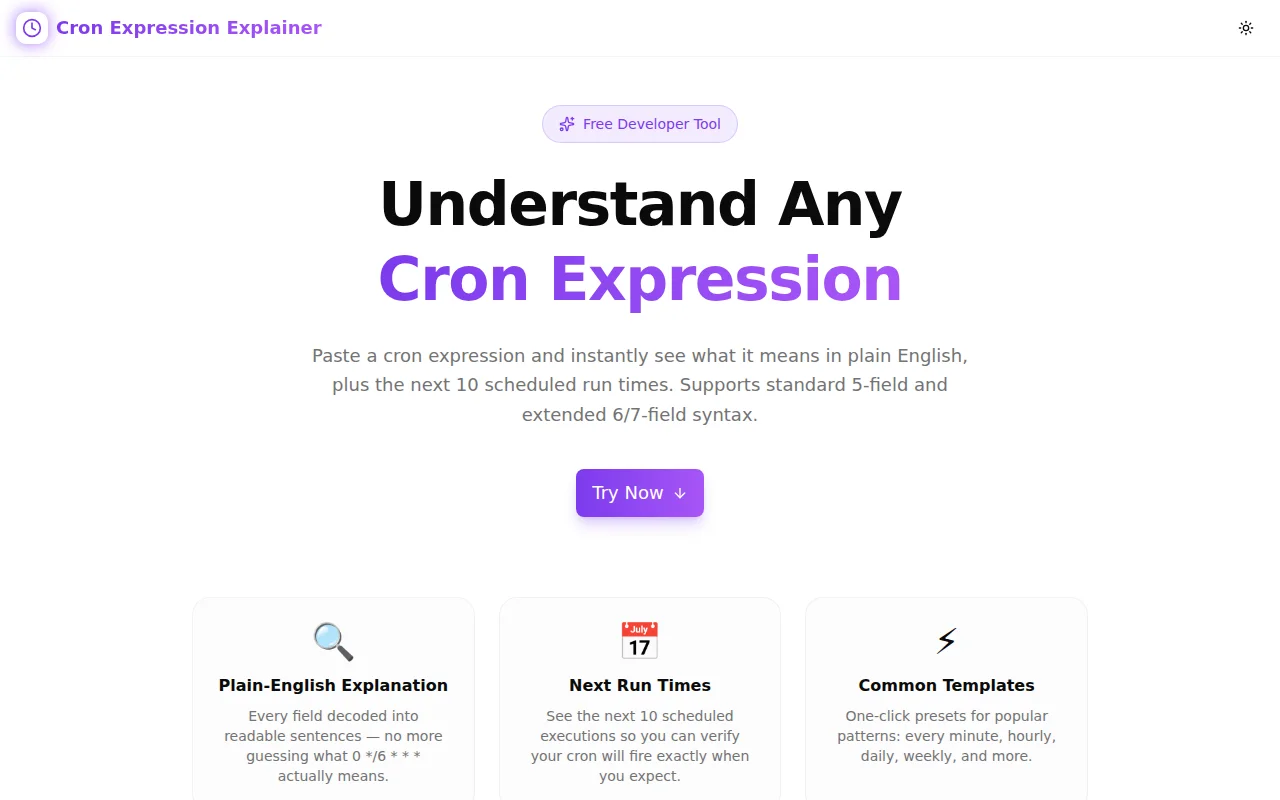
Cron Job Calculator lets you type any expression and immediately see:
- A plain-English description of the schedule
- The next 10 run times from the current moment, shown in your local timezone
- Field-level validation errors if the syntax is wrong
No account required, no install, runs in the browser.
How to Use Cron Job Calculator
Verifying a cron expression takes under a minute.
- Open cron-job-calculator.tools.jagodana.com
- Type your expression in the input field — description and next run times update instantly
- Check the description — confirm it matches your intent in plain English
- Review the next 10 runs — verify specific dates for monthly, quarterly, or annual jobs
- Copy the validated expression to your deployment configuration
For quick starting points, the preset library includes 15 common schedules and all 6 special macros.
Common Cron Mistakes
Off-by-one on day-of-week
Day-of-week numbering varies. Most Unix systems use 0=Sunday, 1=Monday, … 6=Saturday. Some systems treat 7 as Sunday. Confirm the convention for your platform.
Wrong timezone assumption
Cron runs in the timezone of the host (for Unix cron) or a configured default (UTC for most cloud schedulers). A job set to fire at 0 9 * * * on an EC2 instance in UTC timezone will fire at 2 AM EST / 5 AM PST during standard time, not 9 AM local.
Missing zero in hourly expression
9 * * * * is "at minute 9 of every hour" (9:09, 10:09, 11:09 …), not "at 9 AM." The hour must be in the second field: 0 9 * * *.
Step with quotient larger than range
*/100 in the minute field produces only one run per hour (at minute 0), because the range is 0–59 and no multiple of 100 falls within it beyond 0. Use 0 if you want once-per-hour at the start.
OR semantics surprise
As described above: non-wildcard day-of-month and non-wildcard day-of-week are OR'd, not AND'd. 0 0 1 * 5 fires on the 1st of every month AND every Friday, not only on Fridays that fall on the 1st.
Frequently Asked Questions
What does * * * * * do?
* * * * * runs every minute, every hour, every day of the year. It is the maximum possible frequency for a standard cron job. The asterisk in each field means "any value," so all constraints are always satisfied.
Can I schedule a cron job to run every second?
Standard 5-field cron has a minimum resolution of one minute. For sub-minute scheduling, use a Quartz scheduler (which adds a seconds field), Kubernetes batch jobs with a tight loop, or a purpose-built task queue like Celery or Sidekiq.
What is the difference between 0 0 * * 7 and 0 0 * * 0?
Both target Sunday, but 7 is only valid on some implementations. The standard range is 0–6, with 0=Sunday. Some platforms (including Vixie cron) also accept 7 as Sunday for compatibility, but 0 is the portable choice.
How do I run a job every weekday at 9 AM local time when my server is in UTC?
Convert your local time to UTC before writing the expression. 9 AM EST (UTC-5) is 14:00 UTC → 0 14 * * 1-5. During daylight saving (EDT, UTC-4), 9 AM is 13:00 UTC → 0 13 * * 1-5. Most teams use a UTC offset for the primary schedule and accept one-hour drift during daylight saving transitions, or use a scheduler that supports explicit timezone configuration (Kubernetes 1.25+ with timeZone).
Build and verify your cron schedule: cron-job-calculator.tools.jagodana.com