cURL to Fetch: Convert curl Commands to JavaScript fetch, axios & XHR Instantly
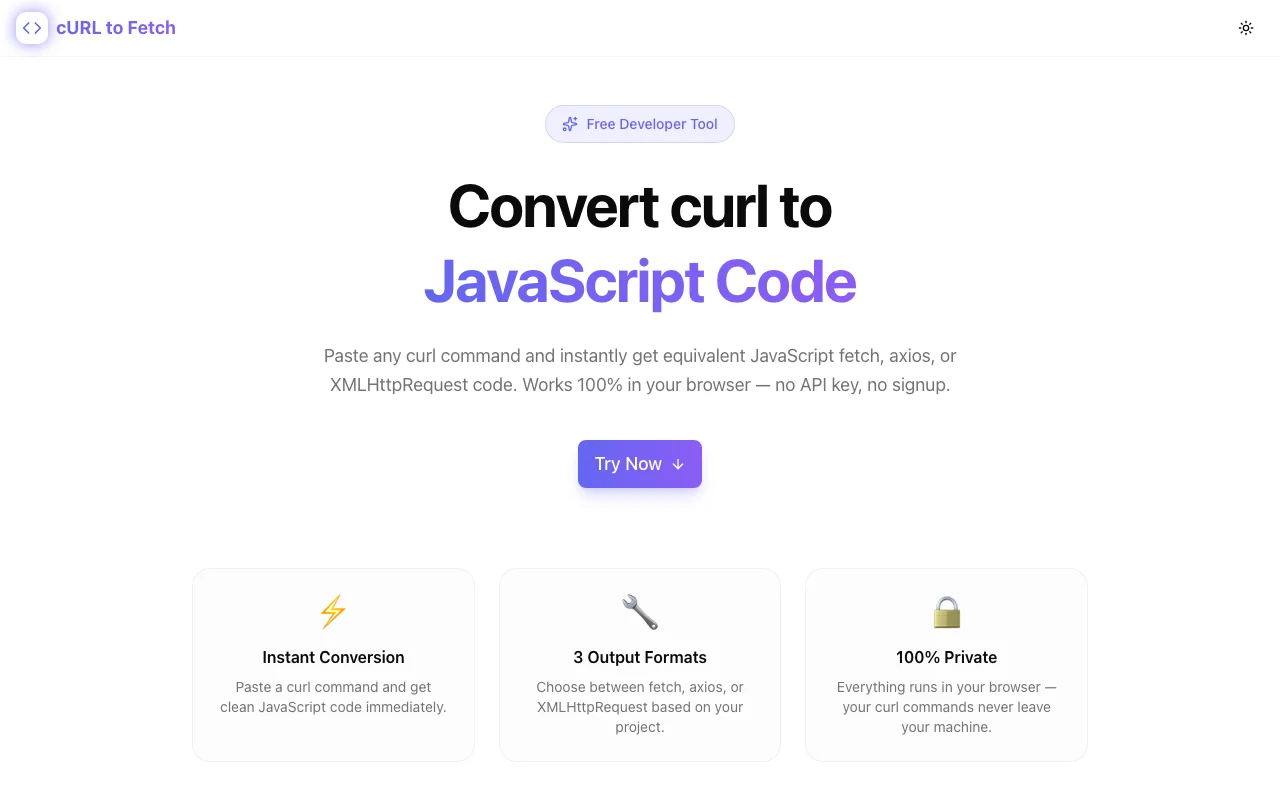
Free online tool to convert curl commands into JavaScript fetch, axios, or XMLHttpRequest code. Paste a curl command, get clean JS code — no signup, runs in the browser.
cURL to Fetch: Convert curl Commands to JavaScript fetch, axios & XHR Instantly
You're reading API docs. There's a curl example. You need it in JavaScript. Now you're manually rewriting headers, body parameters, and auth tokens — and hoping you didn't miss anything.
cURL to Fetch Converter at curl-to-fetch.tools.jagodana.com eliminates that translation step entirely. Paste a curl command, choose fetch, axios, or XMLHttpRequest, and get clean, copy-ready JavaScript code in seconds.
Why curl-to-JavaScript Conversion Is Harder Than It Looks
curl commands pack a lot of information into a compact syntax. A typical API call looks like this:
curl -X POST https://api.example.com/v1/users \
  -H "Authorization: Bearer sk_test_abc123" \
  -H "Content-Type: application/json" \
  -d '{"name": "Jane", "email": "jane@example.com"}'
Converting this to JavaScript fetch means:
const response = await fetch('https://api.example.com/v1/users', {
  method: 'POST',
  headers: {
    'Authorization': 'Bearer sk_test_abc123',
    'Content-Type': 'application/json',
  },
  body: JSON.stringify({ name: 'Jane', email: 'jane@example.com' }),
});
Simple enough for one request. But curl has dozens of flags — -u for basic auth, --data-raw, --data-binary, -F for form data, -L for redirects — and each maps differently to fetch vs. axios vs. XMLHttpRequest. Do this manually 10 times a day and you're burning real time on rote translation.
How to Use cURL to Fetch Converter
Step 1: Grab Your curl Command
Copy a curl command from:
- API documentation (Stripe, Twilio, GitHub, OpenAI, etc.)
- Browser DevTools → Network tab → right-click a request → "Copy as cURL"
- Postman → Code snippet → cURL
- Your terminal history
Step 2: Paste and Convert
Open curl-to-fetch.tools.jagodana.com and paste the curl command. The tool parses it instantly — no submit button, no loading spinner.
Step 3: Pick Your Format
Choose the output that matches your project:
- fetch — the standard browser API, ideal for modern frontend projects
- axios — if your project already uses axios for interceptors, defaults, or Node.js compatibility
- XMLHttpRequest — for legacy codebases that haven't migrated yet
Step 4: Copy and Use
Click the copy button, paste into your codebase, and you're shipping — not debugging misplaced headers.
What Gets Parsed
The converter handles the most common curl flags developers encounter:
| curl Flag | What It Does | JavaScript Mapping |
|-----------|-------------|-------------------|
| -X POST | Sets HTTP method | method: 'POST' |
| -H "Key: Value" | Adds a header | headers: { 'Key': 'Value' } |
| -d '{"key":"val"}' | Sends request body | body (fetch) / data (axios) |
| -u user:pass | Basic authentication | Authorization: 'Basic ...' header |
| --data-raw | Raw body data | Same as -d |
When This Tool Saves the Most Time
Integrating Third-Party APIs
Every SaaS API — Stripe, SendGrid, Cloudflare, Vercel — documents endpoints with curl. If you're building in JavaScript, you need to translate every example before you can test it in your code.
Debugging Network Requests
Chrome DevTools lets you "Copy as cURL" for any network request. When you need to reproduce that request in your application code, the converter bridges the gap instantly.
Onboarding and Learning
Junior developers learning APIs often start by running curl commands in the terminal. Converting those working examples to JavaScript helps them understand how HTTP requests map to code — without the manual translation errors that slow down learning.
Moving Between Languages
Backend developers comfortable with curl who are writing frontend code (or vice versa) can stay productive without memorizing the nuances of each JavaScript HTTP client.
Privacy: Your Data Stays Local
cURL to Fetch Converter runs 100% in the browser. Your curl commands — including API keys, tokens, and request bodies — are never sent to any server. The parsing and code generation happen entirely in JavaScript on your machine.
This matters. curl commands from real projects often contain production API keys, auth tokens, and sensitive payloads. A server-based converter would mean sending those secrets to a third party. This tool doesn't.
Try It Now
Open curl-to-fetch.tools.jagodana.com, paste any curl command, and get JavaScript code in seconds. Free, no account, no install.
Built by Jagodana Studio as part of the 365 Tools Challenge — one useful developer tool, every day.