Unix Timestamp Converter: Convert Epoch to Date and Back — Free Online Tool
Free online Unix timestamp converter. Convert epoch timestamps to human-readable dates in any timezone, decode seconds vs milliseconds automatically, and convert dates back to epoch. No signup required.
Unix Timestamp Converter: Convert Epoch to Date and Back
You're reading a log file and see 1744214400. Or debugging an API response with "expiresAt": 1744300800000. Or inspecting a JWT and wondering if the exp claim means the token is expired.
Every developer hits Unix timestamps dozens of times a week — and every time, it means a context switch: open a new tab, search, convert, close the tab. That's a small annoyance that compounds into real friction.
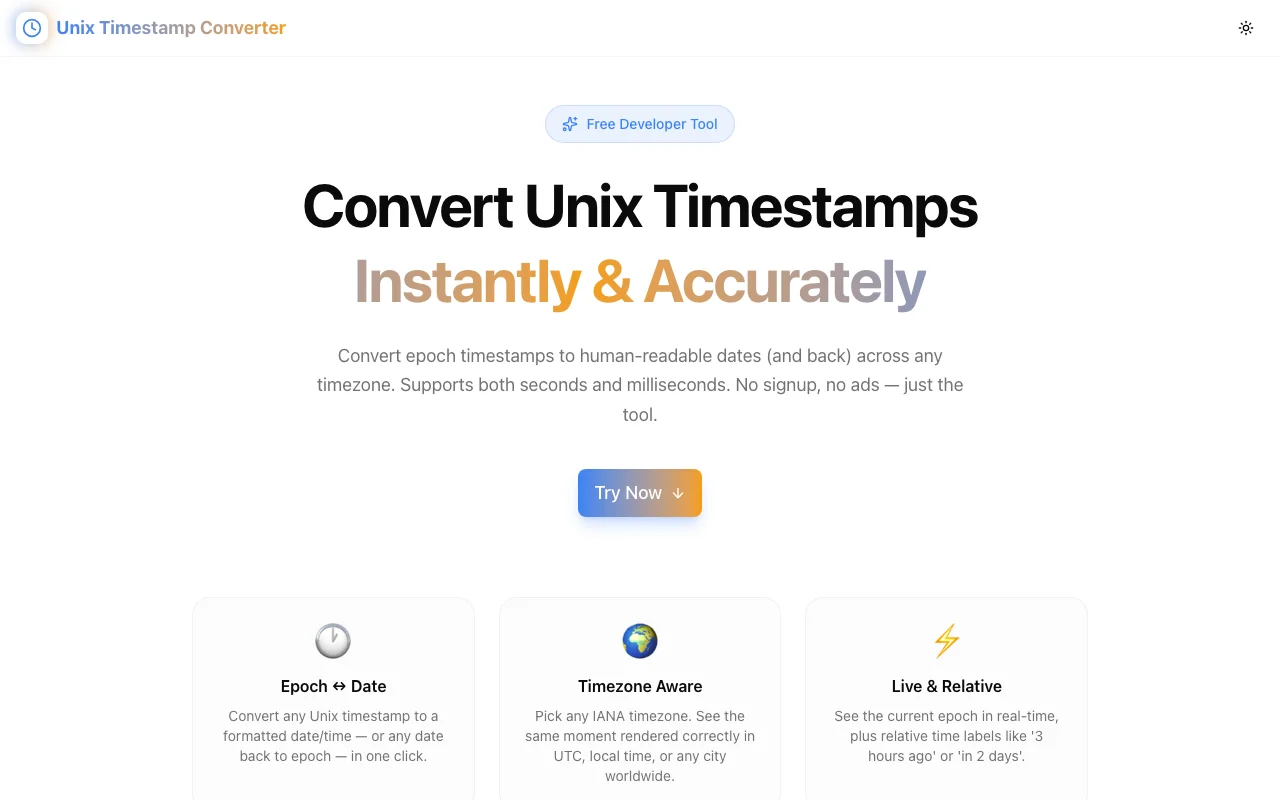
The Unix Timestamp Converter at unix-timestamp-converter.tools.jagodana.com eliminates that friction. Paste a timestamp, get a human-readable date in any timezone. Or pick a date, get the epoch. Done.
What Is a Unix Timestamp?
A Unix timestamp (also called epoch time) is the number of seconds elapsed since 00:00:00 UTC on 1 January 1970 — the "Unix epoch." It's the universal language for representing time in software:
- APIs use it in JSON responses:
"createdAt": 1744214400 - Databases store it in integer columns
- JWTs use it for
iat(issued at) andexp(expiration) claims - Log files timestamp entries with it
- Cron jobs and scheduled tasks reference it
- Git commits are internally tracked with it
The reason it's universal: it's timezone-independent (always relative to UTC), fits in a single integer, and is trivially comparable and sortable.
Seconds vs. Milliseconds — The Constant Confusion
Unix timestamps come in two flavors:
| Format | Digits | Example | Represents |
|--------|--------|---------|------------|
| Seconds | 10 | 1744214400 | Standard Unix time |
| Milliseconds | 13 | 1744214400000 | Used in JavaScript Date.now(), many APIs |
Confusing seconds and milliseconds is one of the most common time bugs in software. If you treat a millisecond timestamp as seconds, you get a date in the year 57,000+. If you treat seconds as milliseconds, you get a date in 1970.
The Unix Timestamp Converter auto-detects the unit based on the number of digits — 10 digits means seconds, 13+ means milliseconds. No manual selection required.
How to Use the Unix Timestamp Converter
Converting Epoch to Date
- Open unix-timestamp-converter.tools.jagodana.com
- Select your target timezone from the dropdown (default: UTC)
- Paste your timestamp into the "Epoch → Date" tab
- Click Convert to Date (or press Enter)
You instantly get:
- Formatted date in your selected timezone (e.g., "April 09, 2026, 12:00:00 UTC")
- ISO 8601 string (e.g.,
2026-04-09T12:00:00) - UTC string (standard RFC format)
- Epoch in both seconds and milliseconds — useful when you need both representations
- Relative time — how long ago or how far in the future ("3 hours ago", "in 2 days")
Converting Date to Epoch
- Switch to the "Date → Epoch" tab
- Select your timezone (the date will be interpreted in this timezone)
- Use the date/time picker to enter your target date and time
- Click Convert to Epoch
Results include the epoch in seconds, milliseconds, the UTC ISO string, and relative time.
The Live Clock
At the top of the tool, the current Unix timestamp updates in real-time — showing both seconds and milliseconds. Click the copy button to grab it instantly, no conversion needed.
Quick Reference Panel
Common historical and future timestamps are listed for instant reference:
- Unix Epoch (0) — January 1, 1970, 00:00:00 UTC
- Y2K — January 1, 2000, 00:00:00 UTC
- Year 2038 Problem — January 19, 2038, 03:14:07 UTC (the Unix signed 32-bit integer overflow)
Click any of these to pre-fill the converter and see the formatted date in your selected timezone.
Real-World Use Cases
Debugging API Responses
Your REST API returns:
{
  "userId": "abc123",
  "createdAt": 1744214400,
  "lastLoginAt": 1744300800000
}
Note the mix: createdAt is in seconds, lastLoginAt is in milliseconds (a common inconsistency). Paste each into the converter to immediately see the dates without writing code.
Inspecting JWT Expiration
JWTs carry claims like:
{
  "sub": "user123",
  "iat": 1744214400,
  "exp": 1744300800
}
Paste 1744300800 into the converter to see when the token expires. If the relative time shows "3 hours ago," your token is expired — and you've found your 401 bug.
Reading Database Timestamps
When querying databases directly:
SELECT created_at FROM users WHERE id = 1;
-- Returns: 1744214400
Paste the integer directly into the converter. No FROM_UNIXTIME() call needed.
Scheduling Future Events
Need to set a Redis TTL, a cron job trigger time, or a scheduled Lambda execution for "30 days from now at 9 AM EST"? Use the Date → Epoch tab to get the exact epoch value to put in your config.
Cross-Timezone Coordination
Given a timestamp from a US-based API, verify it's the correct time in your team's London office by switching to Europe/London timezone. The same epoch, rendered in the right timezone — critical for distributed teams.
The Year 2038 Problem, Briefly
A timestamp you'll see referenced often: 2147483647 — the maximum value for a 32-bit signed integer. On January 19, 2038 at 03:14:07 UTC, Unix time stored in 32-bit signed integers will overflow to a large negative number, potentially causing software failures.
Modern systems use 64-bit integers (solving the problem until the year 292 billion), but legacy embedded systems and some older databases still use 32-bit storage. The Year 2038 Problem is this generation's Y2K — mostly handled, but worth being aware of when working with embedded systems or old codebases.
The converter includes 2147483647 in its quick reference panel so you can see exactly when it falls and verify your own timestamps in relation to it.
Why This Tool Over Alternatives
vs. Googling "epoch converter"
Google's results include converter tools, but they're usually ad-heavy, slow, and require multiple clicks to get timezone-aware output. Unix Timestamp Converter is a single focused page with no ads, no trackers beyond GA4, and instant output.
vs. new Date(1744214400 * 1000) in the browser console
The browser console only gives you local time. Getting the same timestamp in Tokyo or São Paulo requires additional Intl API code. The converter handles all timezones with a single dropdown change.
vs. Moment.js or Day.js in a script
Writing a script to decode a timestamp takes 30 seconds minimum. The converter takes 3 seconds. For one-off lookups during debugging, the tool wins.
vs. Other epoch tools
Many epoch tools haven't been updated in years, lack millisecond support, have no timezone dropdown, or don't offer reverse conversion. This tool handles all cases with a clean, modern UI.
Try the Unix Timestamp Converter
The next time you see a raw integer that looks like a timestamp, don't guess. Open the tool.
Open Unix Timestamp Converter →
Free, fast, no signup. Works in any browser. Bookmark it — you'll use it more than you expect.
Built by Jagodana Studio as part of the #365ToolsChallenge — one useful developer tool shipped every day.