Introducing tsconfig.json Generator: Visual TypeScript Config Builder with Project Presets
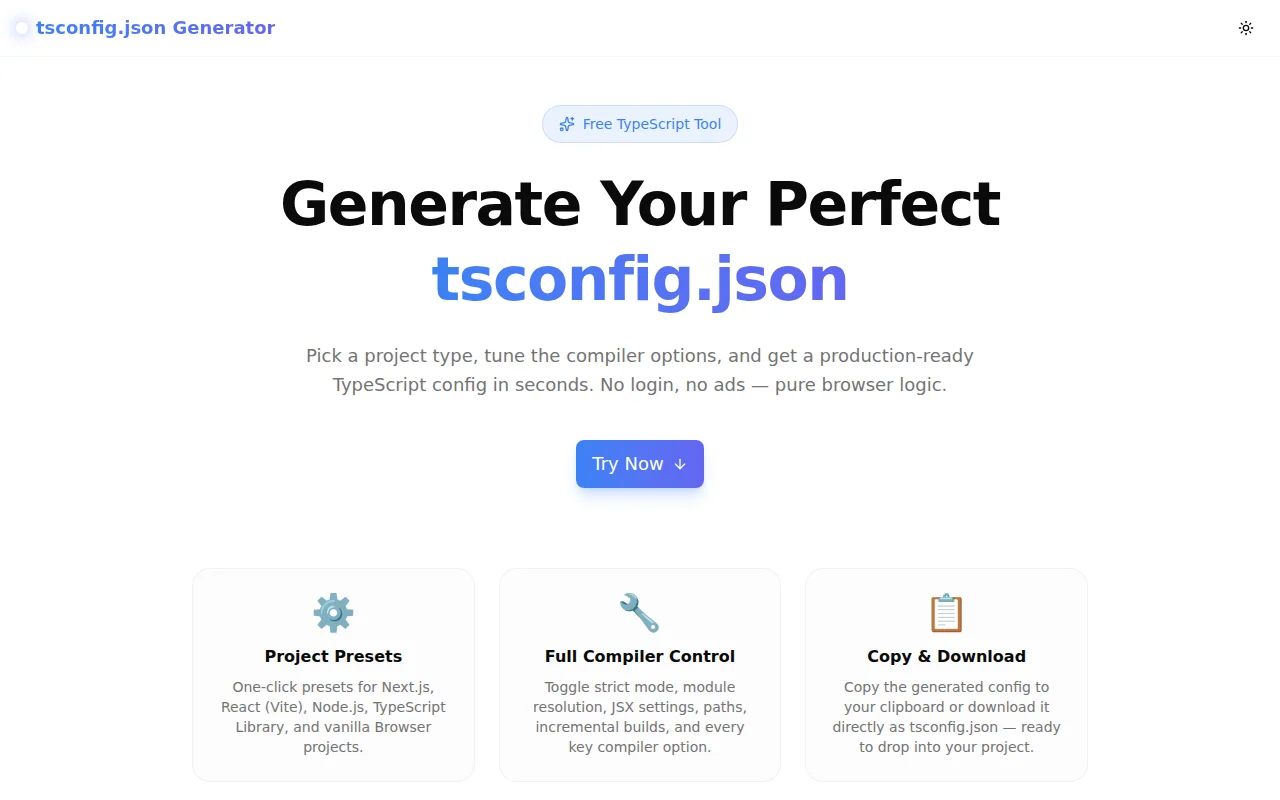
Stop copying old tsconfig.json files. Our free tsconfig.json Generator gives you project presets for Next.js, React, Node.js, and TypeScript libraries — plus live preview and one-click download. 100% browser-based.
Introducing tsconfig.json Generator: Visual TypeScript Config Builder with Project Presets
Every TypeScript project starts the same way: create tsconfig.json, spend time looking up the right options, copy from a previous project, second-guess the choices, and end up with a config that works but that you never fully understand.
Today we're launching tsconfig.json Generator — a free, browser-based tool that produces a correct, production-ready TypeScript configuration in seconds. Pick a preset, toggle your options, copy or download. No signup. No server. 100% in your browser.
What Is a tsconfig.json File?
tsconfig.json is the configuration file that the TypeScript compiler (tsc) reads to determine how to compile your code. It controls:
- Which JavaScript version to emit (
target) - How to handle module imports (
module,moduleResolution) - Which DOM and language APIs are available (
lib) - How strict the type checking is (
strict,strictNullChecks,noImplicitAny) - Whether to emit JavaScript files or just type-check (
noEmit,outDir) - How JSX is transformed (
jsx) — critical for React projects - Whether to generate declaration files (
declaration,declarationMap) — essential for libraries
The right combination of options depends entirely on your project type. A Next.js app, a Node.js API, a Vite React app, and a reusable TypeScript library all need different configurations.
Why Is tsconfig.json Configuration Painful?
There Are Too Many Options
The TypeScript compiler has well over 100 configuration options. The TypeScript Handbook documents them thoroughly, but reading documentation is not the same as knowing which options to combine for a specific stack.
The Defaults Are Not Always What You Want
Some TypeScript defaults are conservative by design. strict: false is the default — but most modern projects should enable strict mode from day one. moduleResolution: "node" is the default, but "bundler" is correct for most modern frontend projects.
Options Interact in Non-Obvious Ways
Setting esModuleInterop: true implicitly enables allowSyntheticDefaultImports. Setting strict: true enables strictNullChecks, noImplicitAny, and several other flags. Understanding these interactions requires reading the docs carefully.
Copy-Paste from Old Projects Carries Baggage
The most common approach is to copy a tsconfig.json from a previous project. The problem: you inherit that project's choices, which may have been wrong, outdated, or specific to a different stack. You end up with options you don't need and missing options you do need.
How Does tsconfig.json Generator Solve This?
Five Project Presets
One click loads a correct baseline for your stack:
Next.js — follows the official Next.js TypeScript documentation:
{
  "compilerOptions": {
    "target": "ES5",
    "module": "ESNext",
    "moduleResolution": "bundler",
    "lib": ["dom", "dom.iterable", "esnext"],
    "jsx": "preserve",
    "strict": true,
    "noEmit": true,
    "esModuleInterop": true,
    "skipLibCheck": true,
    "resolveJsonModule": true,
    "forceConsistentCasingInFileNames": true,
    "noFallthroughCasesInSwitch": true,
    "incremental": true,
    "baseUrl": ".",
    "paths": { "@/*": ["./src/*"] }
  }
}
React (Vite) — correct for Vite-based React projects with the new JSX transform:
{
  "compilerOptions": {
    "target": "ES2020",
    "module": "ESNext",
    "moduleResolution": "bundler",
    "lib": ["ES2020", "DOM", "DOM.Iterable"],
    "jsx": "react-jsx",
    "strict": true,
    "noEmit": true,
    "sourceMap": true,
    "noUnusedLocals": true,
    "forceConsistentCasingInFileNames": true
  }
}
Node.js — uses NodeNext module resolution for modern Node.js ESM projects.
TypeScript Library — enables declaration, declarationMap, composite, and sourceMap for publishing a typed npm package.
Browser (Vanilla TS) — for TypeScript projects compiled directly by tsc without a framework bundler.
What Does "moduleResolution: bundler" Mean?
This is one of the most commonly misunderstood tsconfig.json settings. The "bundler" mode was introduced in TypeScript 4.7 and is designed for projects where a bundler (Vite, esbuild, Next.js, Parcel) handles module resolution at build time.
In "bundler" mode:
- TypeScript allows
importstatements without file extensions (the bundler resolves them) package.jsonexports fields are respected- CommonJS-style
require()is disallowed in.tsfiles
For Node.js projects that run tsc directly without a bundler, use "nodeNext" instead.
What Is the Difference Between strict and Individual Strict Flags?
strict: true is a shorthand that enables a bundle of individual flags:
strictNullChecks—nullandundefinedare distinct typesnoImplicitAny— error on implicitanytypestrictFunctionTypes— stricter function type checkingstrictBindCallApply— stricterbind,call, andapplystrictPropertyInitialization— error on uninitialised class propertiesnoImplicitThis— error on implicitanytype forthisuseUnknownInCatchVariables— catch variables default tounknowninstead ofany
Enabling strict: true is the recommended approach. The generator turns off the strict toggle to reveal the individual flags, so you can understand exactly what strict mode enables.
When Should I Use noEmit: true?
Set noEmit: true when your project uses a separate build tool to compile TypeScript:
- Next.js — Next.js runs its own Babel/SWC compilation.
tscis used only for type checking. - Vite — esbuild handles compilation.
tscis for types only. - ts-jest — Jest compiles TypeScript at test time.
tsctype-checks the project.
Leave noEmit: false (the default) when tsc is your build tool — Node.js projects, TypeScript libraries compiled directly, or any project where tsc is responsible for producing the JavaScript output.
When Should I Use declaration: true?
Enable declaration: true when you are building a TypeScript library that other TypeScript projects will consume. This tells tsc to emit .d.ts files alongside the compiled JavaScript. Without declaration files, consumers of your library get no type information.
Pair it with:
declarationMap: true— enables "Go to definition" to jump to the original.tssource instead of the generated.d.tscomposite: true— required for TypeScript project references, which power monorepo incremental builds
Live Preview Updates in Real Time
There is no "Generate" button. The tsconfig.json preview updates every time you change an option. This makes it easy to see the direct effect of each toggle — especially for options like strict (which reveals or hides child flags) or esModuleInterop (which makes allowSyntheticDefaultImports redundant).
Copy or Download in One Click
The tool provides two ways to get your config:
- Copy — copies the JSON to your clipboard, ready to paste into your project
- Download — saves the file directly as
tsconfig.json— drop it into your project root
Is This Tool Free? Does It Send Data Anywhere?
Completely free, with no account required. All logic runs in your browser — there are no server calls, no analytics on your configuration choices, and no rate limits. Your tsconfig settings stay on your device.
The tool works offline once the page has loaded.
Who Is This For?
- TypeScript developers starting a new project who want a correct baseline without doc-diving
- JavaScript developers adding TypeScript to an existing project for the first time
- Teams establishing a standard tsconfig baseline for new services
- Library authors who need the right emit settings for shipping typed packages
- Developers onboarding to TypeScript who want to understand what each option does
Try It Now
Generate your tsconfig.json in seconds — no signup, no setup.
👉 tsconfig-generator.tools.jagodana.com
Open source on GitHub:
👉 github.com/Jagodana-Studio-Private-Limited/tsconfig-generator
This is part of the 365 Tools Challenge — one small, useful developer tool every day for a year.