Lorem Ipsum Generator: Free Placeholder Text for Developers & Designers
Generate lorem ipsum placeholder text instantly — paragraphs, sentences, words, or lists in plain text, HTML, or Markdown. Free, client-side, no signup.
Lorem Ipsum Generator: Free Placeholder Text for Developers & Designers
Placeholder text is one of those unsexy necessities that every developer and designer needs multiple times a week. You're building a UI, populating a CMS demo, testing a typography system, filling in a Figma wireframe — and you need text that looks like real content without actually being real content.
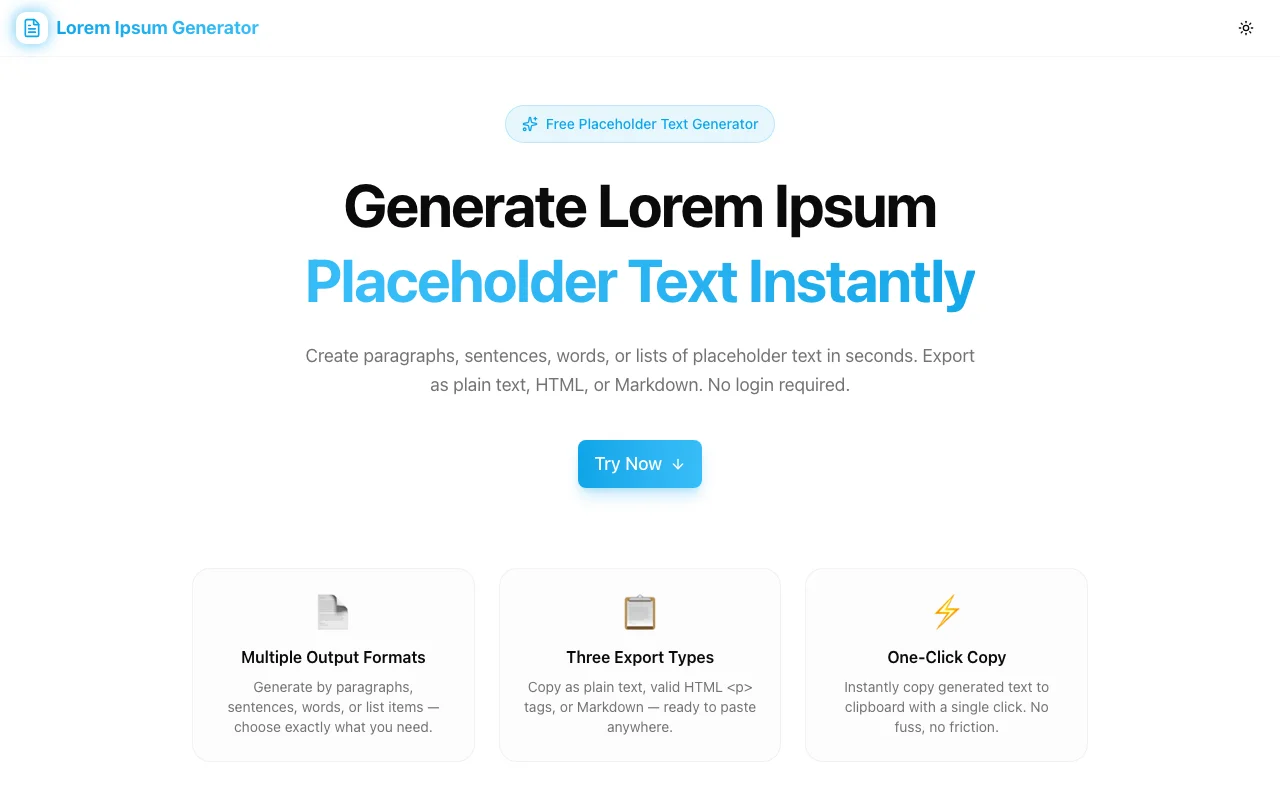
The Lorem Ipsum Generator at Jagodana Tools is a free, browser-based utility that produces authentic lorem ipsum text in seconds. Choose your output type, set a quantity, pick a format, and copy. That's it.
What Is Lorem Ipsum, and Why Does It Exist?
Lorem ipsum has been used as placeholder text since the 1500s. It originates from a scrambled passage of De Finibus Bonorum et Malorum (On the Ends of Good and Evil) by Cicero, written in 45 BC. Richard McClintock, a Latin professor at Hampden-Sydney College, traced the source in the 1980s.
The reason it became the industry standard for placeholder text is deliberate: lorem ipsum looks like language without reading like language. When you use real text in a design, readers engage with the content rather than the layout. Gibberish text is too obviously fake and breaks immersion. Latin placeholder text hits the middle ground — it has the rhythm and letterform distribution of real prose without distracting readers from the visual design.
Type designers, printing press operators, and typesetters have used it for centuries. Today, web developers and UI designers use it for the same reason.
Why Developers and Designers Need Placeholder Text
The use cases are more varied than they might seem:
UI development — You're building a card component that displays a title, description, and tags. You need realistic content to test overflow, line-height, and truncation behavior. Hardcoding "Lorem ipsum" once works for a prototype, but you need multiple variations for a component library.
CMS seeding — You've built a blog system and want to populate it with demo content before the real posts are written. You need 10–20 realistic-looking posts with varied paragraph lengths.
Typography testing — You're evaluating a new typeface at various weights and sizes. You need substantial body copy to judge character spacing, line rhythm, and readability at scale.
Wireframing — You're building a Figma prototype to show a stakeholder. Empty boxes labeled "CONTENT HERE" kill immersion. Realistic placeholder text makes the prototype feel closer to a finished product.
Email templates — You're designing a newsletter template and need body copy that wraps correctly at various column widths.
How to Use the Lorem Ipsum Generator
The tool is intentionally minimal. Here's the workflow:
Step 1: Choose your output type. Select Paragraphs, Sentences, Words, or List. Each produces structurally different output:
- Paragraphs — full multi-sentence blocks for body copy
- Sentences — single sentences for labels, descriptions, or card text
- Words — a flat word sequence for testing character limits or truncation
- List — sentence-length items formatted as a list
Step 2: Set the count. Use the number input to set how many paragraphs, sentences, list items (1–50), or words (1–500) you want. The tool generates exactly that amount.
Step 3: Pick your export format. Choose Plain Text, HTML, or Markdown depending on where you'll paste the output.
Step 4: Toggle the classic opening. The "Start with Lorem ipsum…" toggle adds the canonical opening phrase (Lorem ipsum dolor sit amet, consectetur adipiscing elit) to the first item. Disable it for fully randomized output.
Step 5: Copy and paste. Click "Copy to Clipboard" and paste wherever you need it. The text is already in the correct format — no manual conversion needed.
The Four Output Types Explained
Paragraphs
Each paragraph contains 3–6 sentences, and each sentence is 8–17 words. This produces text blocks that closely mimic real prose in terms of rhythm and visual weight. Use paragraphs for body copy, article content, and CMS seeding.
Sentences
Individual sentences without paragraph grouping. Each sentence is 8–17 words, starts with a capital letter, and ends with a period. Use sentences for card descriptions, meta text, tooltip content, or anywhere you need short standalone text.
Words
A flat sequence of random words from the lorem ipsum word bank, joined by spaces. No sentence structure, no punctuation. Use words for testing character limits, ellipsis overflow behavior, or filling fixed-width fields.
List
Sentence-length items formatted as a list. In Plain Text mode, each item gets a • prefix. In HTML mode, items are wrapped in <ul>/<li> tags. In Markdown mode, items get a - prefix. Use list mode for wireframing nav items, feature lists, or any bulleted content.
Three Export Formats with Examples
Plain Text
Lorem ipsum dolor sit amet, consectetur adipiscing elit. Sed do eiusmod tempor incididunt ut labore et dolore magna aliqua. Enim ad minim veniam, quis nostrud exercitation ullamco.

Perspiciatis unde omnis iste natus error voluptatem accusantium doloremque laudantium. Totam rem aperiam eaque ipsa quae ab illo inventore veritatis.
Plain text is format-agnostic. Use it in Figma, Sketch, email clients, Google Docs, or anywhere that doesn't require structured markup.
HTML
<p>Lorem ipsum dolor sit amet, consectetur adipiscing elit. Sed do eiusmod tempor incididunt ut labore et dolore magna aliqua.</p>
<p>Perspiciatis unde omnis iste natus error voluptatem accusantium doloremque laudantium.</p>
HTML output is ready to paste directly into templates, React components, or HTML files. For lists, output is <ul>/<li> with proper indentation.
Markdown
Lorem ipsum dolor sit amet, consectetur adipiscing elit. Sed do eiusmod tempor incididunt ut labore et dolore magna aliqua.

Perspiciatis unde omnis iste natus error voluptatem accusantium doloremque laudantium.
Markdown output uses blank lines between paragraphs and - prefixes for list items. Paste directly into MDX files, READMEs, Notion pages, or any Markdown editor.
Why We Built It
The existing lorem ipsum generators online are either too minimal (no format options, no output types), cluttered with ads, or require account creation for features that should be free.
We wanted a tool that:
- Produces realistic, authentic latin text (not "aaa bbb ccc")
- Supports four output types for different use cases
- Exports in three formats without requiring manual conversion
- Runs 100% client-side so your content stays private
- Loads instantly and requires zero setup
It took roughly 2–3 hours to build as part of the #365Tools challenge — one tool per day, every day, for a year.
Try It Now
Open the Lorem Ipsum Generator at lorem-ipsum-generator.tools.jagodana.com — it's free, instant, and works on any device. No account, no install, no friction.
Built by Jagodana Studio — we build developer tools that remove friction from everyday workflows.