Security Headers Generator: Configure HTTP Security Headers Without Reading the Docs
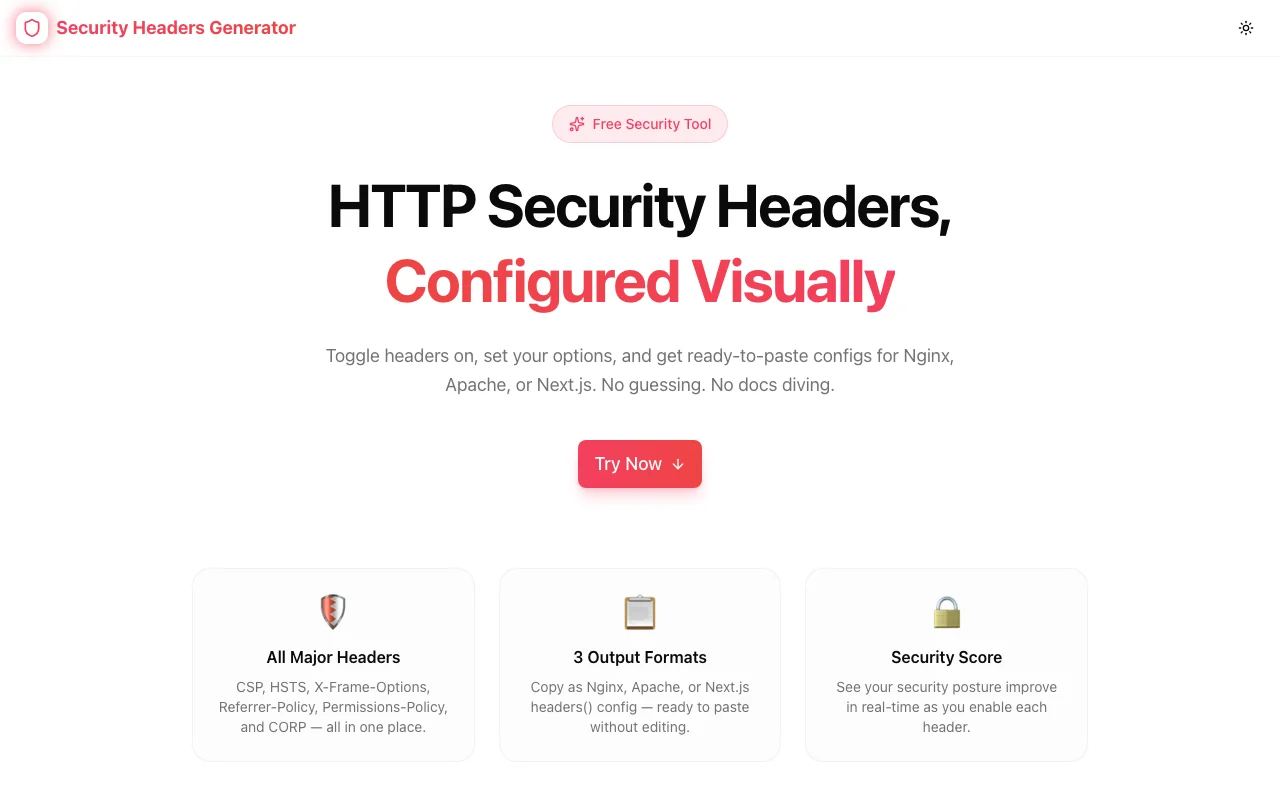
A free visual tool for configuring Content-Security-Policy, HSTS, X-Frame-Options, Referrer-Policy and more. Export as Nginx, Apache, or Next.js config in seconds.
Security Headers Generator: Configure HTTP Security Headers Without Reading the Docs
You know you should set security headers. You've probably seen the grade on securityheaders.com. You may have even added X-Content-Type-Options: nosniff to a config and called it a day.
But Content-Security-Policy has 15 directives. HSTS has a preload flag that permanently commits your domain to HTTPS — you can't undo it without a multi-month wait. Permissions-Policy replaced Feature-Policy with different syntax. Getting any of this wrong either leaves you exposed or breaks your site in ways that are annoying to debug.
The Security Headers Generator is a free, browser-based tool that lets you configure all major HTTP security headers through a visual UI and copy the output as Nginx, Apache, or Next.js config — no documentation tab required.
What HTTP Security Headers Actually Do
Before the tool walkthrough, the short version of why each header matters:
| Header | What It Protects Against | |--------|--------------------------| | Strict-Transport-Security | Downgrade attacks — forces HTTPS | | X-Frame-Options | Clickjacking — blocks iframe embedding | | X-Content-Type-Options | MIME sniffing — enforces declared content types | | Referrer-Policy | Data leakage — controls what URL appears in Referer header | | Content-Security-Policy | XSS — controls which scripts/styles/images can load | | Permissions-Policy | Feature abuse — restricts browser APIs (camera, mic, GPS) | | Cross-Origin-Opener-Policy | Spectre-style info leaks via cross-origin windows | | Cross-Origin-Resource-Policy | Spectre-style info leaks via cross-origin resource reads |
Missing even one of these gives attackers a surface that didn't need to exist. The challenge is getting them all configured correctly at once.
How the Generator Works
The tool is split into two panels: configure on the left, output on the right.
Configure Panel
Each header has a toggle. Enable a header and its options appear inline. No separate settings screen. No modal. The options for each header are:
Strict-Transport-Security:
- max-age dropdown: 30 days, 6 months, 1 year (recommended), 2 years
- includeSubDomains checkbox
- preload checkbox (with an implicit warning — this is a permanent commitment)
X-Frame-Options:
- DENY — no iframe embedding anywhere
- SAMEORIGIN — same origin only
Referrer-Policy:
- All 8 valid values in a dropdown, with
strict-origin-when-cross-originmarked as the recommended default
Content-Security-Policy:
- Separate input fields for each directive:
default-src,script-src,style-src,img-src,font-src,connect-src,frame-ancestors - Edit each field directly — the generator assembles the final directive string
Permissions-Policy:
- Checkboxes for camera, microphone, geolocation, payment, USB, and fullscreen
- Unchecked = blocked (
feature=()). Checked = allowed.
Cross-Origin-Opener-Policy and Cross-Origin-Resource-Policy:
- Dropdowns with all valid values and the recommended option marked
Security Score
A bar at the top shows your current score as a percentage: how many of the 8 headers are enabled. It reads Weak (red), Moderate (yellow), or Strong (green). It is a rough indicator — not a substitute for an actual audit — but useful for spotting gaps at a glance.
Output Panel
The right side shows your current config in whichever format you've selected:
Nginx tab:
add_header Strict-Transport-Security "max-age=31536000; includeSubDomains" always;
add_header X-Frame-Options "SAMEORIGIN" always;
add_header X-Content-Type-Options "nosniff" always;
...
Next.js tab:
const nextConfig = {
  async headers() {
    return [
      {
        source: '/(.*)',
        headers: [
          { key: 'Strict-Transport-Security', value: 'max-age=31536000; includeSubDomains' },
          ...
        ],
      },
    ];
  },
};
Click Copy. Paste into your config. Done.
Practical Workflows
Starting fresh with Next.js
- Open the generator
- Enable all headers
- Set CSP
default-srcto'self', add your CDN domain toscript-src - Set
img-srcto'self' data:if you use inline images - Switch to the Next.js tab
- Copy the
headers()function - Paste into
next.config.ts - Deploy and check the browser console for CSP violations
- Iterate on the CSP fields until violations stop
The whole loop takes under 10 minutes on a first pass. Tuning CSP until it's tight typically takes one or two more iterations after seeing what your app actually loads.
Auditing after a security scan
You ran your site through securityheaders.com and got a C. You're missing COOP, CORP, and Permissions-Policy.
- Open the generator — your existing headers are already at defaults
- Enable the three missing headers
- Leave the defaults (they're sensible)
- Switch to Nginx tab
- Copy the three new
add_headerlines - Add them to your nginx.conf
- Reload Nginx
- Rescan — your grade goes up
Teaching CSP to a junior dev
CSP is genuinely complex. The generator makes it concrete:
- Show how
default-src 'self'blocks everything external - Add
https://cdn.example.comtoscript-srcand show how the output changes - Explain why
'unsafe-inline'weakens the policy - Toggle frame-ancestors between
'none'and'self'and show the difference
Interactive demos beat docs pages for this kind of learning.
Common Mistakes the Generator Helps You Avoid
Forgetting to set frame-ancestors in CSP alongside X-Frame-Options
CSP's frame-ancestors is the modern replacement for X-Frame-Options. If you only set the header, older CSP-aware browsers may still allow framing. The generator outputs both.
Setting HSTS with preload before you're ready
The preload flag submits your domain to browsers' hardcoded HSTS preload lists. Once you're in, you cannot be removed quickly — even if you need to move back to HTTP temporarily for some reason. The generator doesn't block you from enabling preload, but it's visible and explicit rather than hidden in a string.
Using unsafe-inline in script-src
It's tempting. It makes CSP "work" immediately. It also defeats the purpose of CSP for XSS protection. The generator's default is 'self' — you have to explicitly type 'unsafe-inline' if you want it, which creates a moment of intentional decision-making.
Wrong Permissions-Policy syntax
Feature-Policy used space-separated values. Permissions-Policy uses a different syntax: feature=() to deny, feature=* to allow everywhere, feature=(self) to allow same-origin. The generator handles the syntax for you — you just check boxes.
100% Client-Side
No data is sent to any server. The header generation happens entirely in your browser. You can use this tool with production configs, internal tool configs, or anything else without worrying about what leaves your machine.
The tool also works offline after the first page load.
Try It
security-headers-generator.tools.jagodana.com
Enable everything, tune the CSP to your domains, pick your output format, and paste. If you hit a CSP violation after deploying, come back, adjust the directive, and copy the updated value. That's the workflow — iterative, fast, and in your browser.