Stop Serving SVGs as Separate Files — Convert Them to CSS Data URIs Instead
Learn how converting SVGs to CSS data URIs eliminates HTTP requests and speeds up your site. Free tool included — paste SVG, get production-ready CSS instantly.
Stop Serving SVGs as Separate Files — Convert Them to CSS Data URIs Instead
Every SVG icon on your page is an HTTP request. Every decorative illustration, every logo variation, every arrow — another round-trip to the server.
On a typical marketing page with 15–20 SVG elements, that's 15–20 extra requests before the page finishes loading. CDNs help. Caching helps. But the fastest request is the one that never happens.
The Data URI Approach
CSS data URIs let you embed SVG code directly inside your stylesheet:
.icon-arrow {
  background-image: url("data:image/svg+xml,%3Csvg xmlns='http://www.w3.org/2000/svg' viewBox='0 0 24 24'%3E%3Cpath d='M5 12h14M12 5l7 7-7 7'/%3E%3C/svg%3E");
}
The SVG lives in the CSS. When the browser parses the stylesheet, the icon is already there. No extra request. No flash of missing content. No CDN dependency for a 200-byte arrow.
This works for background-image, mask-image (for colorable SVGs), and even list-style-image for custom bullet points.
Why Developers Skip This
Because the encoding is annoying.
You can't just paste raw SVG into a url() value. Special characters need to be escaped. Whitespace should be stripped. XML declarations and comments add bytes for no reason. And then you have to choose between URL encoding and Base64 — URL encoding is usually smaller, but Base64 is more widely supported in edge cases.
Most developers know this optimization exists. Most don't bother because the manual process is tedious and error-prone.
A Tool That Does It in One Step
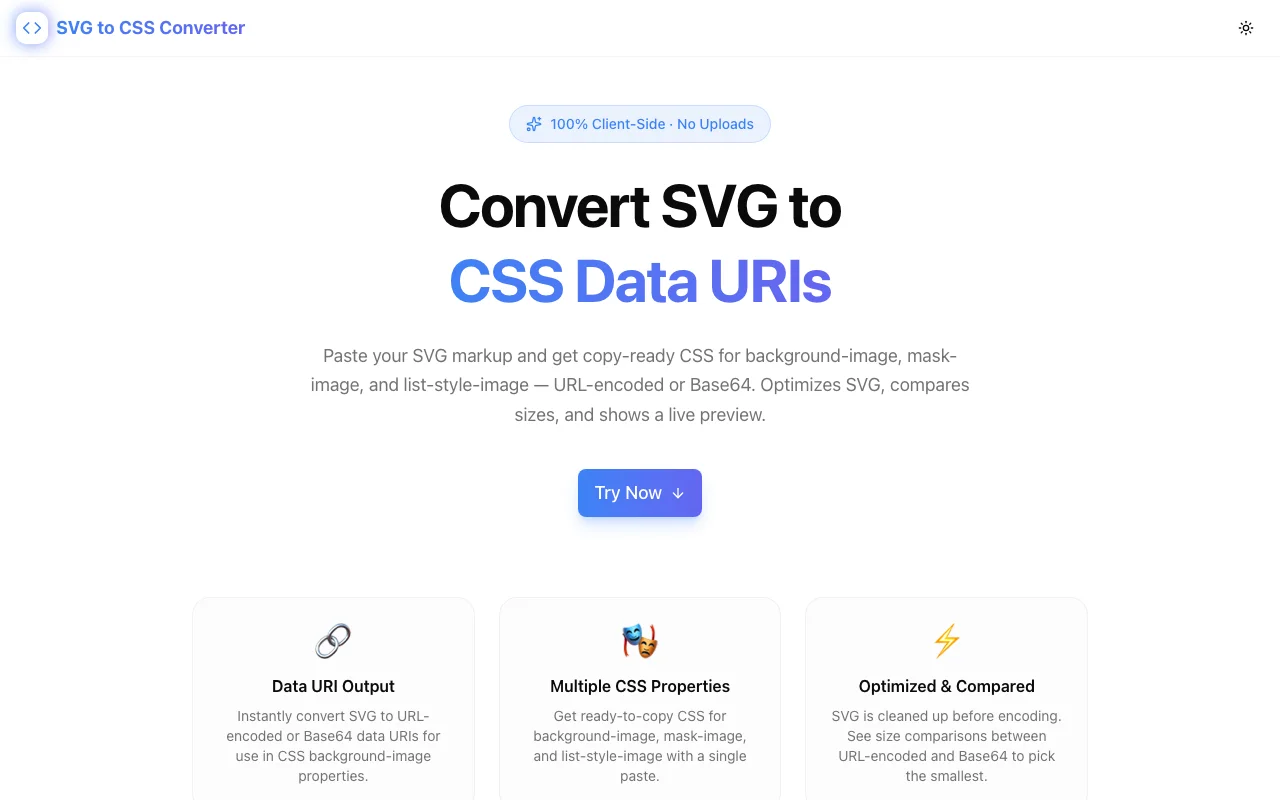
We built SVG to CSS Converter to eliminate that friction.
Paste your SVG. Get back:
- URL-encoded data URI — typically the smaller option
- Base64 data URI — for maximum compatibility
- Ready CSS snippets for
background-image,mask-image, andlist-style-image - Size comparison so you can pick the smaller encoding
- Live preview confirming the SVG renders correctly through CSS
The tool also optimizes your SVG before encoding — stripping whitespace, removing XML declarations and comments, trimming unnecessary attributes. You get cleaner output than you'd produce by hand.
Everything runs in your browser. No SVG data leaves your machine.
URL Encoding vs. Base64: Which Is Smaller?
The short answer: URL encoding almost always wins for SVG.
URL encoding preserves the readable SVG text and only escapes special characters (<, >, #, etc.). Since SVG is XML — mostly ASCII text with repeated patterns — URL encoding produces compact output.
Base64 converts every byte into a 6-bit representation, inflating the output by roughly 33%. For binary formats like PNG or JPEG, Base64 is the only option. But for text-based SVG, it's wasteful.
The SVG to CSS Converter shows both encodings with their byte sizes side by side, so you can compare and choose for each SVG.
When Base64 makes sense:
- Older email clients or environments that choke on URL-encoded data URIs
- SVGs with complex special characters that produce verbose URL encoding
- Content Security Policy (CSP) configurations that treat URL-encoded and Base64 data URIs differently
For standard web development, URL encoding is the better default.
When to Use Data URIs (and When Not To)
Good candidates:
- Icons under 2KB (arrows, chevrons, checkmarks, social icons)
- Decorative elements that appear on every page (already cached in CSS)
- UI elements that need to load instantly (loading spinners, placeholder graphics)
- Custom bullet points via
list-style-image
Poor candidates:
- Large illustrations (>5KB) — better as separate cached files
- SVGs that change frequently — each edit invalidates the entire stylesheet cache
- SVGs used exactly once on a rarely visited page — separate file with lazy loading wins
The sweet spot is small, repeated SVGs. Icons. Logos. UI chrome. The stuff that appears on nearly every page and needs to be there immediately.
The mask-image Trick
One underused technique: mask-image with data URIs lets you create colorable SVG icons purely in CSS:
.icon {
  width: 24px;
  height: 24px;
  background-color: currentColor;
  mask-image: url("data:image/svg+xml,...");
  mask-size: contain;
  mask-repeat: no-repeat;
}
The SVG acts as a mask. The background-color fills the shape. Change the color with color: red — the icon follows. No SVG fill attributes needed. No JavaScript. Pure CSS.
This is especially useful for icon systems. Define your SVG shapes once as data URIs in CSS custom properties, then reuse them across components with different colors:
:root {
  --icon-arrow: url("data:image/svg+xml,...");
  --icon-check: url("data:image/svg+xml,...");
}

.arrow {
  mask-image: var(--icon-arrow);
  background-color: currentColor;
}
The SVG to CSS Converter generates mask-image CSS alongside the standard background-image output, so you can grab whichever approach fits your use case.
Performance Impact
How much does inlining SVGs actually save? It depends on the page, but the math is straightforward:
- Each HTTP/2 request still has overhead — TLS negotiation (first load), header frames, priority signaling. For a 200-byte SVG icon, the request overhead can exceed the payload.
- Connection limits aren't a bottleneck on HTTP/2, but multiplexing still has scheduling costs. Fewer requests means less contention.
- Cache invalidation is simpler — your CSS file has a hash in its filename. When you update an icon, the new CSS bundle is fetched once. No stale-icon issues from aggressive cache headers on individual SVG files.
The tradeoff: your CSS file gets larger. But for small SVGs (under 2KB each), the combined size increase is trivial compared to the request savings. A stylesheet with 20 inlined icons might add 15–20KB — one fewer image download on a slow connection.
Browser Support
CSS data URIs work everywhere. All modern browsers support both URL-encoded and Base64 SVG data URIs in background-image, mask-image, and list-style-image.
The one edge case: mask-image requires the -webkit- prefix for Safari. The SVG to CSS Converter includes the prefixed version in its output.
Part of the 365 Tools Challenge
SVG to CSS Converter is part of Jagodana's 365 Tools Challenge — one new developer tool shipped every day for a year.
Every tool is free, open-source, and runs entirely client-side. No accounts. No tracking. No upsells.