Back to Projects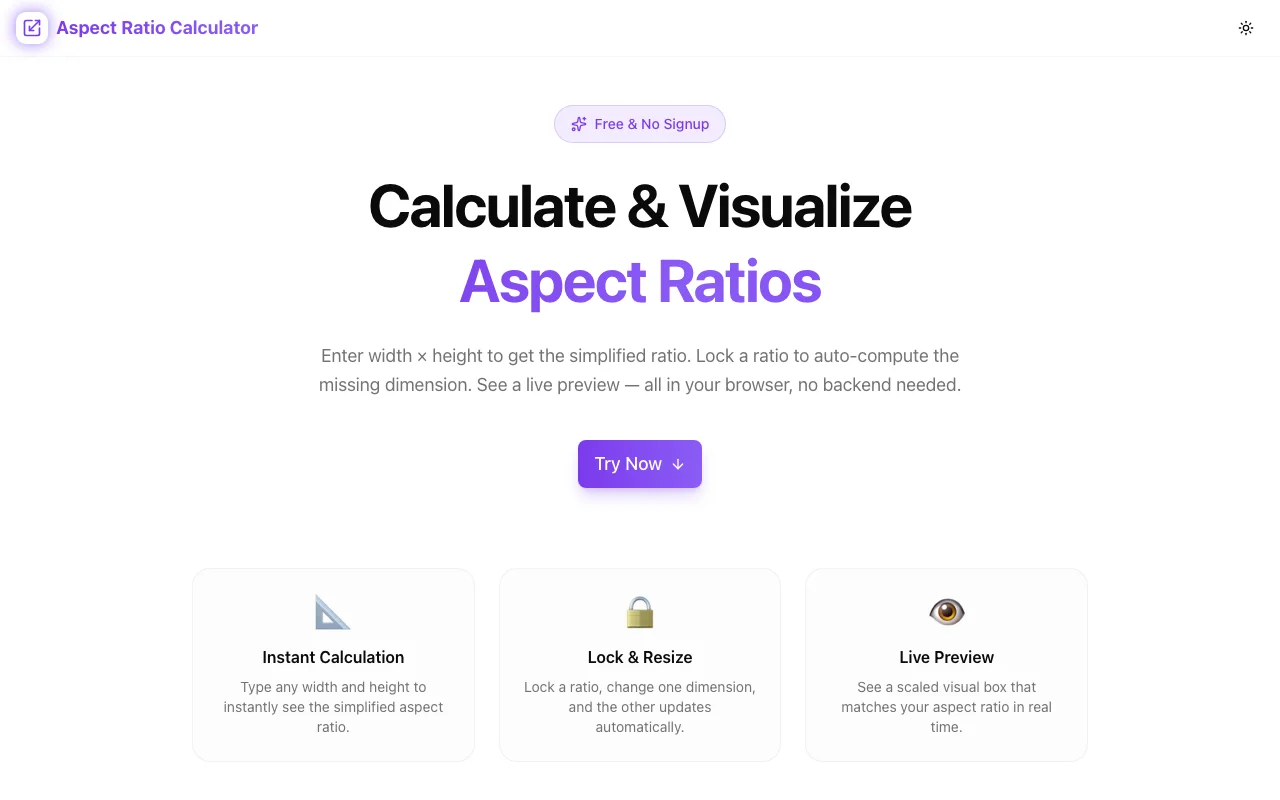
Design ToolsFeatured
Aspect Ratio Calculator
A free, browser-based tool for designers, developers, and content creators to calculate aspect ratios, resize dimensions proportionally, and visualize shapes—no signup, no install.
Aspect RatioDesign ToolsVideo ProductionResponsive DesignDeveloper ToolsNext.jsTypeScript
Start Similar ProjectAbout the Project
Aspect Ratio Calculator — Calculate, Convert & Visualize Ratios
Aspect Ratio Calculator is a free, browser-based tool for designers, developers, and content creators. Calculate the ratio from any two dimensions, resize proportionally without distortion, and preview the resulting shape—all without leaving your browser.
The Problem
Aspect ratios come up constantly in digital work:
- A client sends a video that needs to be embedded in a 16:9 container—what height does a 1200px-wide embed need?
- You're designing a thumbnail in Figma and need to match YouTube's exact ratio
- You're cropping images for a responsive grid and need to maintain consistent proportions across breakpoints
- A developer asks you to provide assets at 3:2, and you're not sure what pixel dimensions that means at different sizes
The math isn't complex, but it's repetitive. And getting it wrong means stretched images, broken layouts, and letterboxing where there should be none. Most people open a calculator and do the arithmetic manually—or reach for a spreadsheet. Both are slow and error-prone.
How It Works
1. Calculate the Ratio
Enter any width and height pair and instantly get the simplified aspect ratio. The tool reduces the ratio to its simplest integer form:
1920 × 1080→ 16:92560 × 1600→ 16:101080 × 1080→ 1:12048 × 858→ approximately 2.39:1 (cinema widescreen)
No rounding issues. The result is displayed alongside a visual preview of the proportions.
2. Resize Proportionally
Lock in an aspect ratio and enter one dimension to calculate the other:
- Enter width → get height
- Enter height → get width
- Common ratio presets (16:9, 4:3, 21:9, 1:1, 9:16, 4:5) to start from
Useful for:
- Calculating embed dimensions for iframes
- Sizing images for specific containers
- Ensuring video exports match target platform specs
3. Visualize the Shape
Every ratio is rendered as a scaled rectangle so you can see the proportions visually—not just as numbers. Helpful when choosing between aspect ratios for a new project or explaining the difference to a client.
4. Common Ratios Reference
The tool includes a reference panel with the most common aspect ratios across platforms and use cases:
| Ratio | Common Use | |-------|------------| | 16:9 | YouTube, Vimeo, HD video, desktop wallpapers | | 4:3 | Legacy TV, older presentations, some cameras | | 1:1 | Instagram square posts, avatars, profile photos | | 9:16 | Instagram Stories, TikTok, mobile-first video | | 4:5 | Instagram portrait posts | | 21:9 | Ultrawide monitors, cinematic video | | 3:2 | DSLR photography, 35mm film | | 2:3 | Portrait photography, book covers |
Click any preset to load it instantly into the calculator.
Key Features
- Ratio calculation — enter width and height, get the simplified ratio instantly
- Proportional resizing — lock a ratio and calculate the missing dimension
- Visual preview — see the shape, not just the numbers
- Common ratio presets — 16:9, 4:3, 1:1, 9:16, 4:5, 21:9, and more
- Decimal ratio output — see both simplified integer ratios and decimal equivalents
- No signup required — open the URL and start calculating
- Client-side only — all calculations happen in your browser
- Dark/light mode — works in your preferred environment
Technical Implementation
Core Technologies
- Next.js with App Router
- TypeScript in strict mode
- TailwindCSS for styling
- shadcn/ui for accessible UI components
- Framer Motion for visual previews
Architecture
- GCD-based ratio simplification for accurate integer ratios
- Reactive inputs with real-time calculation (no submit button needed)
- Canvas-based shape preview scaled to fit the viewport
- Zero external API calls—all math runs client-side
Use Cases
Video Production
Producing content for multiple platforms means knowing exact dimensions for each. YouTube (16:9), TikTok (9:16), Instagram Feed (1:1 or 4:5), Instagram Stories (9:16), LinkedIn (16:9 or 1:1)—the Aspect Ratio Calculator lets you quickly convert between target dimensions for any export spec.
Web Development
Building responsive image containers, video embeds, or card grids? Use the tool to calculate the correct CSS padding-top percentage hack for intrinsic ratio containers, or find the height for a given width before you write the markup.
Graphic Design
Designing for print or screen at non-standard sizes? Enter your artboard dimensions and get the ratio—then use the resize calculator to generate additional sizes (small, medium, large) at the same proportions.
Photography
Cameras shoot in 3:2 by default. Social platforms often want 1:1, 4:5, or 16:9. Quickly calculate crop coordinates and output dimensions before editing so you know exactly how much you need to crop.
UI/UX Design
Maintaining consistent image proportions across a design system is easier when you can calculate target dimensions from a ratio rather than eyeballing it. Use the tool during design reviews to verify asset proportions match spec.
Why Aspect Ratio Calculator?
vs. Manual Math
- Instant — no arithmetic, no rounding
- Visual — see the shape, not just numbers
- Accurate — GCD simplification gives exact integer ratios
vs. Figma / Photoshop
- No file needed — paste dimensions and go
- No software install — works in any browser
- Purpose-built — faster than using a design tool's calculator
vs. Search Engine Calculators
- Multi-mode — calculate ratio, resize, and preview in one tool
- Presets — common platform ratios ready to load
- Visual output — see proportions rendered, not just returned as text
Try it now: aspect-ratio-calculator.tools.jagodana.com
The Challenge
The client needed a robust design tools solution that could scale with their growing user base while maintaining a seamless user experience across all devices.
The Solution
We built a modern application using Aspect Ratio and Design Tools, focusing on performance, accessibility, and a delightful user experience.
Project Details
Category
Design Tools
Technologies
Aspect Ratio,Design Tools,Video Production,Responsive Design,Developer Tools,Next.js,TypeScript
Date
March 2026
Related Projects
More work in Design Tools