Back to Projects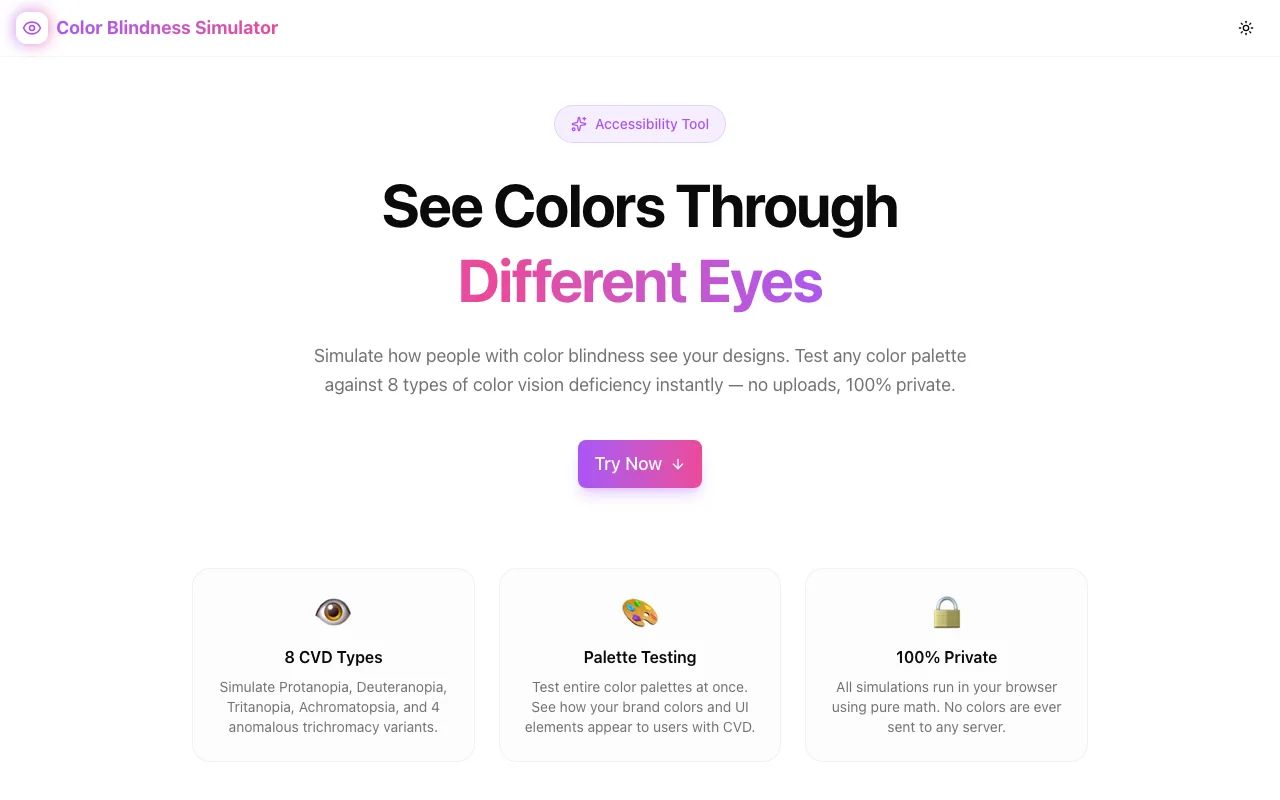
Developer ToolsFeatured
Color Blindness Simulator
Simulate 8 types of color vision deficiency instantly in your browser. Test color palettes, compare original vs. simulated views, check WCAG contrast ratios, and build more accessible designs—100% client-side, free, no signup.
AccessibilityColor BlindnessColor Vision DeficiencyWCAGDeveloper ToolsDesign ToolsNext.jsTypeScript
Start Similar ProjectAbout the Project
Color Blindness Simulator — Test Your Designs for Color Vision Deficiency
Color Blindness Simulator is a free, browser-based tool that lets designers and developers see exactly how their color choices appear to people with color vision deficiency (CVD). Simulate all 8 major CVD types, compare palettes side-by-side, and check WCAG contrast ratios—without installing anything or creating an account.
The Problem
Roughly 300 million people worldwide live with some form of color vision deficiency. That's about 8% of men and 0.5% of women. Yet most designers pick colors based on how they personally see them, never testing whether a red-green status indicator, a color-coded chart, or a subtle hover state actually works for everyone.
The consequences are real: users miss critical alerts, can't distinguish chart segments, or fail to notice active states in navigation. And the problem isn't just red-green—there are 8 distinct types of CVD, each affecting color perception differently.
Most accessibility testing treats color blindness as an afterthought. Browser DevTools offer basic simulation for one or two types. Standalone tools often require uploads, accounts, or desktop installs. None of them make it easy to test a full palette across all CVD types simultaneously.
How It Works
1. Color Input
Enter any color using a hex code, RGB values, or the color picker. The tool accepts whatever format is fastest for your workflow.
2. Eight CVD Simulations
See your chosen color transformed through all 8 types of color vision deficiency:
- Protanopia — no red cone cells (red-blind)
- Deuteranopia — no green cone cells (green-blind)
- Tritanopia — no blue cone cells (blue-blind)
- Protanomaly — reduced red sensitivity (red-weak)
- Deuteranomaly — reduced green sensitivity (green-weak, the most common form)
- Tritanomaly — reduced blue sensitivity (blue-weak)
- Achromatopsia — complete color blindness (monochromacy)
- Achromatomaly — partial color blindness (reduced color vision)
Each simulation uses scientifically accurate color transformation matrices based on established CVD research.
3. Palette Comparison Grid
Don't test one color in isolation—compare your entire palette. The comparison grid shows your original colors alongside every CVD simulation, making it immediately obvious when two colors that look distinct to you become indistinguishable under a specific CVD type.
This is where most color accessibility issues surface: not in individual colors, but in the relationships between colors.
4. WCAG Contrast Checker
Built-in contrast ratio checking against WCAG 2.1 standards. Verify that your color combinations meet AA (4.5:1 for normal text, 3:1 for large text) or AAA (7:1 / 4.5:1) requirements—not just for typical vision, but after CVD simulation.
Key Features
- 8 CVD simulation types — comprehensive coverage of all major color vision deficiencies
- Palette comparison grid — test multiple colors simultaneously, spot problem pairs instantly
- WCAG contrast checker — verify accessibility compliance alongside CVD simulation
- 100% client-side — your colors and data never leave your browser
- No signup required — start testing immediately
- Responsive design — works on desktop, tablet, and mobile
- Dark/light theme — comfortable to use in any environment
Technical Implementation
Core Technologies
- Next.js with App Router
- TypeScript in strict mode
- TailwindCSS for styling
- shadcn/ui for accessible components
- Framer Motion for animations
Architecture
- CVD simulation powered by color science transformation matrices (Brettel, Viénot, and Machado models)
- Real-time color processing with zero external API calls
- Responsive layout optimized for side-by-side comparison workflows
- Complete SEO setup with JSON-LD structured data
Use Cases
UI/UX Design
You're designing a dashboard with color-coded status indicators (green for success, yellow for warning, red for error). Run those three colors through the simulator to verify they remain distinguishable across all CVD types. If protanopia makes red and green look the same, you know to add icons or labels as secondary differentiators.
Data Visualization
Charts and graphs rely heavily on color to distinguish data series. A pie chart with 5 color segments might effectively become 3 segments for someone with deuteranopia. The palette comparison grid reveals these collisions before you ship.
Brand & Marketing
Your brand colors look great to you—but do they work for 8% of men? Test your primary, secondary, and accent colors to ensure your brand identity holds up across all vision types.
Accessibility Audits
Building an accessibility report? Run your site's entire color palette through the simulator, document which pairs fail under specific CVD types, and provide concrete recommendations. The WCAG contrast checker adds quantitative data to your audit.
Education
Learning about color accessibility? The simulator makes abstract concepts tangible. See firsthand how deuteranomaly differs from deuteranopia, or why tritanopia affects blue-yellow rather than red-green.
Why Color Blindness Simulator?
vs. Browser DevTools
- All 8 CVD types — DevTools typically offers only 2
- Palette comparison — test multiple colors at once, not just the current page
- WCAG integration — contrast checking built in
- Shareable — send a link to stakeholders, no DevTools required
vs. Upload-Based Tools
- No file upload — work with colors directly, not screenshots
- Real-time — results update as you type
- Private — nothing leaves your browser
- Faster iteration — change a value, see the result instantly
vs. Desktop Applications
- No install — works in any modern browser
- No account — start immediately
- Cross-platform — same tool on Mac, Windows, Linux, or mobile
- Always current — no updates to download
Results
Color Blindness Simulator helps teams catch accessibility issues before they reach users:
- Immediate visibility — see how any color appears under all 8 CVD types
- Faster design decisions — compare palettes in seconds, not minutes
- Quantified compliance — WCAG contrast ratios give you hard numbers for audits
- Zero friction — no signup, no install, no file uploads
Try it now: color-blindness-simulator.tools.jagodana.com
The Challenge
The client needed a robust developer tools solution that could scale with their growing user base while maintaining a seamless user experience across all devices.
The Solution
We built a modern application using Accessibility and Color Blindness, focusing on performance, accessibility, and a delightful user experience.
Project Details
Category
Developer Tools
Technologies
Accessibility,Color Blindness,Color Vision Deficiency,WCAG,Developer Tools,Design Tools,Next.js,TypeScript
Date
March 2026
Related Projects
More work in Developer Tools

