Back to Projects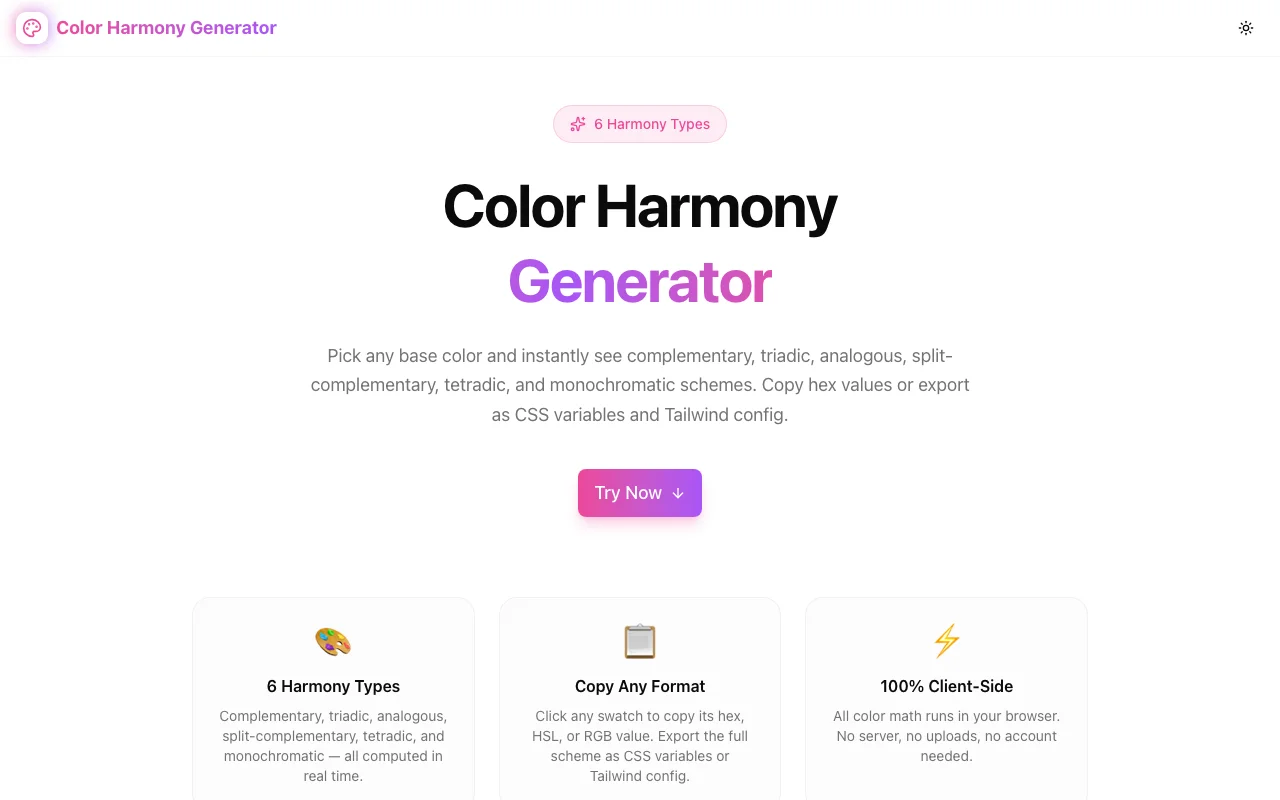
Design ToolsFeatured
Color Harmony Generator
A free browser-based color harmony tool that generates complementary, triadic, analogous, split-complementary, tetradic, and monochromatic schemes from any base color—with one-click copy for HEX, HSL, RGB, CSS variables, and Tailwind config.
ColorDesign ToolsCSSTailwindFrontendNext.jsTypeScript
Start Similar ProjectAbout the Project
Color Harmony Generator — Color Scheme Generator for Designers and Developers
Color Harmony Generator is a free, browser-based tool that takes any base color and instantly calculates the six standard harmony schemes from color theory: complementary, triadic, analogous, split-complementary, tetradic, and monochromatic. Copy any color value in HEX, HSL, or RGB format with a single click, or export the entire scheme as CSS custom properties or a Tailwind config snippet. No signup, no install, no data sent to any server.
The Problem
Picking a color palette is one of the most time-consuming parts of starting a design or frontend project. Color theory gives clear rules—complementary colors sit 180° apart on the wheel, triadic colors are 120° apart—but translating a brand hex code into a complete, harmonious palette requires either a design tool subscription, a manual hue calculation, or constant searching across scattered browser tabs.
Designers copying values out of Figma still need HEX, HSL, and RGB versions of each color for different contexts: HSL for CSS variables, HEX for design handoff, RGB for opacity-based utilities. Developers need those values formatted for both raw CSS and Tailwind configuration. Most generators give you swatches to look at but no direct path to production-ready code.
How It Works
1. Pick Your Base Color
Enter any HEX code directly into the text input, or click the color picker to choose visually. The base color drives all six harmony schemes simultaneously. Change the base and every scheme updates instantly—no "generate" button, no page reload.
The current HSL values display next to the picker so you can see where your color sits on the wheel without running a separate conversion.
2. Choose a Harmony Scheme
Six scheme tabs give you different structural relationships between colors:
- Complementary — two colors at 180° apart. Maximum contrast, high visual impact.
- Triadic — three colors equally spaced at 120°. Vibrant and balanced, works for playful or colorful brands.
- Analogous — three adjacent colors each 30° apart. Harmonious, natural-feeling, safe for professional contexts.
- Split-Complementary — base color plus the two neighbors of its complement. Softer contrast than complementary with similar visual tension.
- Tetradic — four colors forming two complementary pairs, 90° apart. Rich variety for complex UIs.
- Monochromatic — the same hue at five lightness levels (20%, 40%, 55%, 70%, 85%). Cohesive and elegant, ideal for backgrounds, surfaces, and text color scales.
3. Copy Individual Colors
Each swatch in the active scheme shows the hex value inside the color block. Click the block to copy the hex. Below each swatch, three copy buttons let you grab the color in any format:
- HEX —
#EC4899 - HSL —
hsl(330, 81%, 60%) - RGB —
rgb(236, 72, 153)
4. Export the Full Scheme
Two export buttons generate production-ready code for the entire active scheme:
CSS Variables:
:root {
  /* Complementary scheme — base #EC4899 */
  --harmony-1: #EC4899;  /* Base */
  --harmony-2: #49EC98;  /* Complement */
}
Tailwind Config:
// tailwind.config.js — extend.colors
// Complementary scheme — base #EC4899
{
    "harmony-1": "#EC4899",  // Base
    "harmony-2": "#49EC98",  // Complement
}
Both snippets are copied to the clipboard with one click.
5. All Schemes at a Glance
A preview strip below the active scheme shows all six schemes simultaneously as horizontal color bars. Each bar is clickable and switches the active scheme. Useful for quick visual comparison across approaches before committing to one.
Key Features
- Six color theory schemes — complementary, triadic, analogous, split-complementary, tetradic, monochromatic
- Three copy formats — HEX, HSL, and RGB for every color
- CSS variables export — one-click copy of the full
:rootblock - Tailwind config export — copy directly into
extend.colors - Live hex input + color picker — pick visually or enter precisely
- All-schemes preview strip — compare all six at once
- Fully client-side — pure TypeScript color math, no API calls
- No signup required — open and use immediately
Technical Implementation
Core Technologies
- Next.js with App Router
- TypeScript in strict mode
- Tailwind CSS v4 for styling
- shadcn/ui component library
- Client-side rendering — zero external API dependencies
Color Math
All color calculations are implemented as pure TypeScript functions. No external color library dependencies:
hexToRgb— parses 6-digit hex to{r, g, b}rgbToHsl— converts to{h, s, l}using the standard algorithmhslToRgb— reverses the conversion for swatch renderingrgbToHex— formats back to hex stringshiftHue— rotates hue by degrees for harmony calculationsbuildSchemes— generates all six scheme definitions from a base HSL value
The monochromatic scheme locks the hue and saturation, stepping through fixed lightness values (20, 40, 55, 70, 85%) to produce a usable light-to-dark scale.
Architecture
- Single
ColorHarmonyToolcomponent manages all state useMemofor scheme recalculation on color changeuseCallbackfor stable event handlers- Swatch grid adapts column count to scheme size (2, 3, 4, or 5 columns)
navigator.clipboard.writeTextfor all copy operations with sonner toast feedbackToolEventsanalytics tracking for color picker, hex input, copy, and export actions
Use Cases
Starting a New Design Project
Pick your brand's primary color, run it through the generator, and pick a harmony scheme that fits the tone—triadic for expressive brands, analogous for professional ones, monochromatic for clean minimal interfaces. Export to CSS variables and drop them into your design system before writing a line of component code.
Design-to-Code Translation
A designer delivers a brand color. You need a full palette for primary, secondary, accent, surface, and text roles. The monochromatic scheme gives you a ready-made light-to-dark scale. Complementary or split-complementary gives you accent candidates. Export the scheme as Tailwind config and register the colors in minutes.
Checking Color Relationships
You have two colors in a design and they look off. Paste the primary into the generator and check if the secondary matches any harmony scheme. If it doesn't, you can see which color it should be and decide whether to adjust.
Teaching Color Theory
The all-schemes preview strip makes the abstract structure of color theory tangible. Shift the base color and watch how all six schemes rotate together. The relationship between complementary, split-complementary, and triadic schemes becomes clear from the visual.
Tailwind Theme Building
The Tailwind export generates an extend.colors block ready to paste into tailwind.config.js. Each color gets a semantic name (harmony-1 through harmony-N) and a comment identifying its role in the scheme. Rename the keys to match your token naming convention and the palette is production-ready.
Why Color Harmony Generator?
vs. Design Tools (Figma, Adobe Color)
- No account required — open and use in seconds
- Direct code output — CSS variables and Tailwind config, not just swatches
- Three copy formats — HEX, HSL, and RGB from the same interface
- Free, no export limits
vs. Manual Calculation
- Instant results — no mental math for hue degrees
- Six schemes simultaneously — compare approaches at a glance
- Accurate output — rounding handled correctly throughout
vs. Other Online Generators
- Production-ready code — CSS custom properties and Tailwind config, not just color swatches
- All three formats — most generators give HEX only
- Client-side privacy — your brand colors never touch a server
- No ads or popups — open, use, copy, done
Results
Color Harmony Generator removes the manual work from palette building:
- Instant scheme generation — six harmony approaches from any hex code in milliseconds
- Direct code output — CSS variables and Tailwind config ready to paste
- Three formats per color — no separate HEX-to-HSL conversion step
- Zero setup — no account, no install, no configuration
Try it now: color-harmony-generator.tools.jagodana.com
The Challenge
The client needed a robust design tools solution that could scale with their growing user base while maintaining a seamless user experience across all devices.
The Solution
We built a modern application using Color and Design Tools, focusing on performance, accessibility, and a delightful user experience.
Project Details
Category
Design Tools
Technologies
Color,Design Tools,CSS,Tailwind,Frontend,Next.js,TypeScript
Date
April 2026
Related Projects
More work in Design Tools