Back to Projects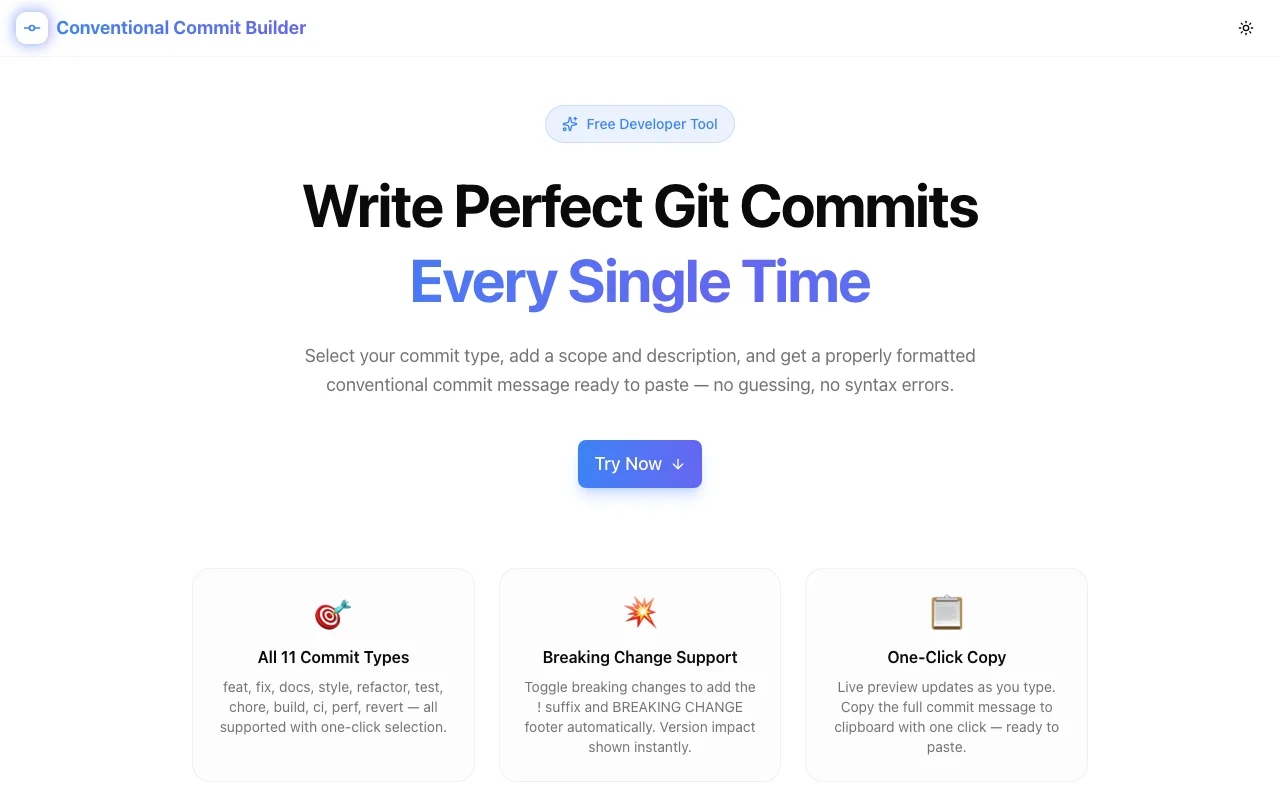
Developer ToolsFeatured
Conventional Commit Builder
A free browser-based tool that builds perfectly formatted conventional commit messages. Select type, scope, description, and breaking change — get a ready-to-paste git commit message with semantic version impact shown instantly.
GitDeveloper ToolsConventional CommitsSemantic VersioningFrontendNext.jsTypeScript
Start Similar ProjectAbout the Project
Conventional Commit Builder — Format Git Commits Instantly
Conventional Commit Builder is a free, browser-based tool for writing properly formatted conventional commit messages without memorizing the spec. Select a commit type, add a scope and description, toggle breaking change if needed, and get a ready-to-paste commit message in seconds.
The Problem
The Conventional Commits specification is widely used — it powers semantic-release, changelog generation, and version bumping across thousands of projects. But writing the format by hand from memory is error-prone:
- Is it
feat(auth): ...orfeat[auth]: ...? - Does breaking change get a
!before or after the scope? - Does the BREAKING CHANGE footer appear before or after other footers?
A wrong format silently breaks downstream tooling. You only find out when the changelog is wrong or semantic-release skips the version bump.
There was no lightweight, focused tool for building the message correctly — just the spec itself, written as a document.
How It Works
1. Select a Commit Type
The tool displays all 11 conventional commit types in a grid:
| Type | Purpose | Version Impact | |---|---|---| | feat | New feature | Minor bump | | fix | Bug fix | Patch bump | | docs | Documentation only | None | | style | Formatting, no logic change | None | | refactor | Neither fix nor feature | None | | test | Adding or fixing tests | None | | chore | Build process, tooling | None | | build | Build system changes | None | | ci | CI/CD configuration | None | | perf | Performance improvement | Patch bump | | revert | Revert a previous commit | Patch bump |
Each tile shows the type name, an emoji, and a one-line description. Click to select.
2. Add Scope and Description
The scope is optional — it describes which part of the codebase is affected (e.g. auth, api, ui). The description is the short imperative summary of the change.
Both fields update the live preview instantly.
3. Toggle Breaking Change
A toggle switch marks a commit as a breaking change. When enabled:
- The
!suffix is added after the scope:feat(auth)!: - A
BREAKING CHANGE:footer is appended automatically - The version impact badge changes from minor to major
4. Add Body and Footer (Optional)
An expandable section reveals optional body and footer fields for longer explanations and issue references. These appear in the correct positions per the spec.
5. Copy the Formatted Message
The live preview updates as you type. Click Copy Commit Message to copy the full formatted message to clipboard — ready to paste into your terminal or git client.
Key Features
- All 11 commit types — complete conventional commits coverage
- Scope support — optional scope in parentheses, formatted correctly
- Breaking change toggle — adds
!andBREAKING CHANGEfooter automatically - Optional body and footer — expandable fields for longer commits
- Live preview — updates character by character as you type
- Semantic version impact badge — shows major/minor/patch/none per selection
- Version impact reference — quick table showing which types trigger which bump
- One-click copy — clipboard copy with toast confirmation
- Reset button — clear all fields at once
- 100% client-side — no data sent anywhere, no login required
- Dark mode — matches system theme
Technical Implementation
Core Technologies
- Next.js 16 with App Router
- TypeScript in strict mode
- Tailwind CSS v4 with OKLCH brand tokens (blue/indigo)
- shadcn/ui for accessible components
- Framer Motion for staggered section animations
- Sonner for clipboard toast notifications
- lucide-react for icons
Commit Message Builder Logic
The commit message is assembled from parts:
function buildCommitMessage(
  type: CommitType,
  scope: string,
  description: string,
  isBreaking: boolean,
  body: string,
  footer: string
): string {
  const scopePart = scope.trim() ? `(${scope.trim()})` : "";
  const breakingMark = isBreaking ? "!" : "";
  const firstLine = `${type.value}${scopePart}${breakingMark}: ${description.trim()}`;

  const parts = [firstLine];
  if (body.trim()) {
    parts.push("", body.trim());
  }
  const footerLines: string[] = [];
  if (isBreaking) footerLines.push(`BREAKING CHANGE: ${description.trim()}`);
  if (footer.trim()) footerLines.push(footer.trim());
  if (footerLines.length > 0) {
    parts.push("", footerLines.join("\n"));
  }
  return parts.join("\n");
}
The message follows the spec exactly: first line, blank line separator before body, blank line separator before footer section.
Version Impact Calculation
const versionImpact = isBreaking ? "major" : selectedType.impact;Each commit type carries a static impact value (minor, patch, or none). Breaking change overrides any type to major.
Use Cases
Teams Using semantic-release
semantic-release reads conventional commit messages to determine version bumps and generate changelogs. Wrong message format means wrong versioning. The builder ensures every commit follows the spec.
Developers Learning Conventional Commits
The type grid with descriptions teaches the spec while you use it — you learn what each type does from the one-line description before selecting it.
Projects with Commit Lint
Teams using commitlint with @commitlint/config-conventional fail builds on malformed commits. The builder produces lint-passing output by construction.
Open Source Contributors
Contributing to projects that require conventional commits is easier with a visual builder — especially for occasional contributors who don't have the format memorized.
Why Conventional Commit Builder?
vs. Memorizing the Spec
The spec is a document. The builder is a tool. Fewer mental lookups, fewer format errors.
vs. IDE Plugins
IDE plugins require installation, configuration, and IDE-specific setup. The builder works in any browser instantly — useful on any machine, for any project.
vs. Git Templates
Git commit templates only help with static boilerplate. They don't enforce type selection, calculate version impact, or handle breaking change formatting.
Try it now: conventional-commit-builder.tools.jagodana.com
The Challenge
The client needed a robust developer tools solution that could scale with their growing user base while maintaining a seamless user experience across all devices.
The Solution
We built a modern application using Git and Developer Tools, focusing on performance, accessibility, and a delightful user experience.
Project Details
Category
Developer Tools
Technologies
Git,Developer Tools,Conventional Commits,Semantic Versioning,Frontend,Next.js,TypeScript
Date
April 2026
Related Projects
More work in Developer Tools

