Back to Projects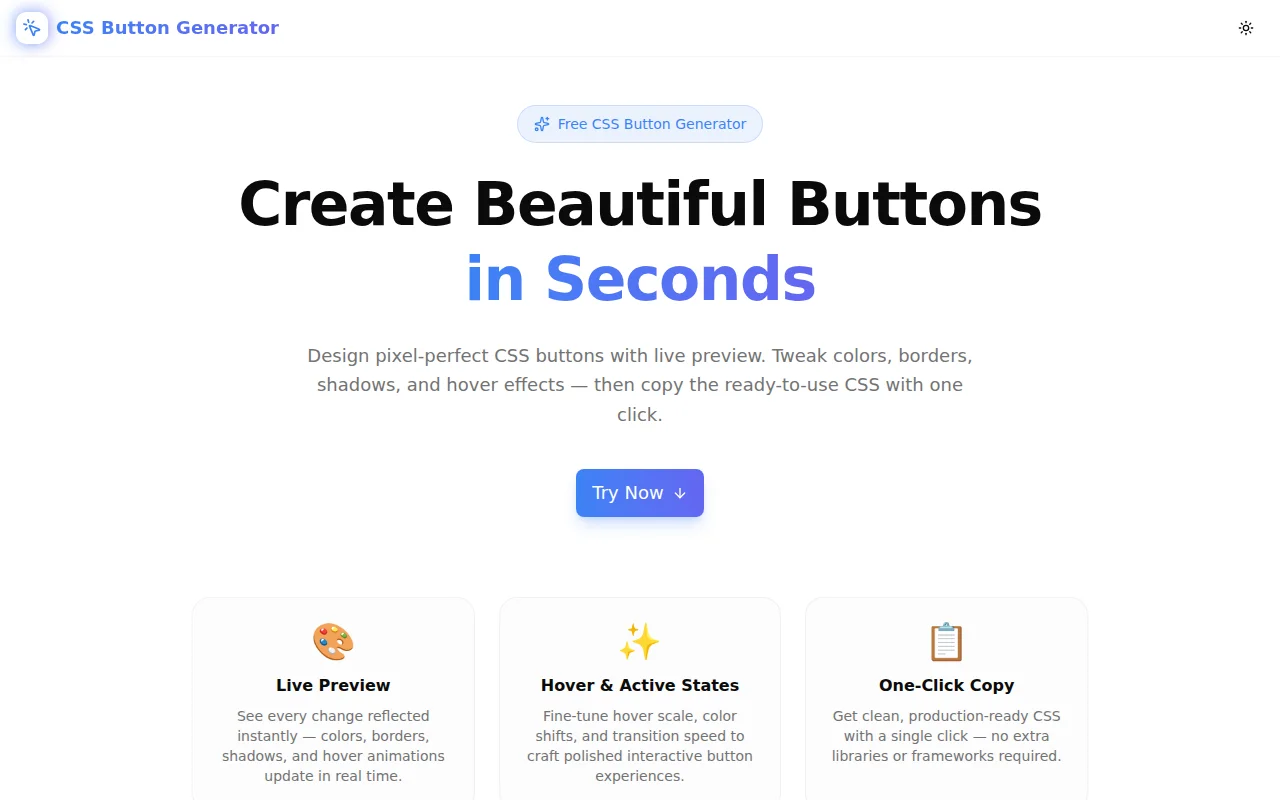
Developer ToolsFeatured
CSS Button Generator
A free visual CSS button style generator with live preview. Customize colors, borders, box shadows, hover effects, and transition speed — then copy production-ready CSS in one click. No signup required.
CSSButton GeneratorDeveloper ToolsFrontendNext.jsTypeScript
Start Similar ProjectAbout the Project
CSS Button Generator — Create Beautiful CSS Buttons Instantly
CSS Button Generator is a free, browser-based tool for designing pixel-perfect CSS buttons with a live preview. Pick a preset style, customize colors, border radius, padding, box shadow, hover effects, and transition speed — then copy the clean, production-ready CSS with one click. No login, no install, no dependencies.
The Problem
Designing a CSS button sounds simple. It isn't. A production-ready button needs:
- A base style (background, color, border, padding, radius)
- A hover state with smooth transitions
- An active/pressed state
- A focus-visible ring for keyboard accessibility
- Correct contrast ratio between text and background
Writing all of this from scratch takes time. Iterating on values means toggling between a text editor and a browser, refreshing after every tweak. For a polished gradient pill with a lift hover effect and a colored box shadow, the iteration loop is painful.
The generator collapses that loop to zero. Adjust a slider, see the button update immediately, copy when satisfied.
How It Works
1. Choose a Preset
Six presets cover the most common button design patterns:
- Solid — filled background, high contrast, clean
- Outline — transparent fill, colored border and text
- Ghost — no border, subtle hover fill
- Gradient — two-color gradient with optional shadow
- Pill — fully rounded corners for modern, friendly UIs
- 3D — bottom shadow that creates a physical press effect
Each preset loads a complete configuration. Customize from there.
2. Customize Every Detail
The controls panel exposes every CSS property that matters:
Colors — background, text, border, box shadow, and gradient accent color each have a hex input and a color picker.
Shape & Size — border radius, padding X/Y, font size, and font weight are all adjustable with sliders. The radius slider goes from 0 to 9999px so you can get sharp corners, subtle rounding, or a full pill shape.
Border — set the width from 0 to 6px. When the width is greater than zero, a border color picker appears automatically.
Box Shadow — toggle on/off with a single switch. When enabled, control offset X/Y, blur radius, spread radius, and shadow color independently.
Hover Effects — five hover behaviours: Darken, Lighten, Scale, Lift, or None. Each corresponds to a different CSS transform or background-color transition.
Transition Duration — set the animation speed from 50ms (snappy) to 800ms (deliberate).
3. Live Preview in Light and Dark Mode
Two preview areas — a white background and a dark background — show the button simultaneously so you can verify it works in both contexts. Hover and click the preview button to see the interactive states exactly as CSS will render them.
An inline WCAG contrast ratio indicator shows whether the text/background combination meets AA (4.5:1) or AAA (7:1) standards, helping you catch accessibility issues before writing a single line of code.
4. Share via URL
Every configuration change updates the browser URL automatically. Share the URL with a teammate and they see the exact same button settings when they open it.
5. Copy Production-Ready CSS
The generated CSS block includes:
.btn { /* base styles */ }
.btn:hover { /* hover state */ }
.btn:active { /* active/pressed state */ }
.btn:focus-visible { /* keyboard focus ring */ }
One click copies the full block to the clipboard. Paste it directly into a stylesheet, a CSS module, or Tailwind's @layer components.
Key Features
- Six style presets — solid, outline, ghost, gradient, pill, 3D
- Live button preview — updates instantly as you adjust controls
- Light and dark mode preview — see both simultaneously
- WCAG contrast ratio — AA/AAA compliance indicator built in
- Complete CSS output — base, :hover, :active, and :focus-visible
- URL-based state — share your button config with a link
- One-click copy — production-ready CSS to clipboard
- Fully client-side — no API calls, no data leaves your browser
- No signup required — open and start immediately
Technical Implementation
Core Technologies
- Next.js 16 with App Router
- TypeScript in strict mode (zero type errors)
- Tailwind CSS v4 with OKLCH color tokens
- framer-motion for page animations
- shadcn/ui for base UI components
- Sonner for toast notifications
Architecture
The tool is a single pure TypeScript component with no external API dependencies:
ButtonConfiginterface captures all configurable propertiesbuildButtonCSS(config)generates the CSS string synchronously — output is always in sync with inputsadjustBrightness()andhexToRgba()handle color math for hover states and shadowsgetContrastRatio()implements the WCAG luminance algorithm for the accessibility indicator- URL state sync via
URLSearchParamsandhistory.replaceState()— no routing library needed - Preview hover states are implemented in React using
onMouseEnter/onMouseLeaverather than CSS:hoverso the preview reflects the exact generated CSS behaviour
Color Math
Rather than pulling in a color library, the tool uses three small pure functions:
hexToRgba(hex, alpha)— converts a 6-digit hex color torgba()for transparent shadowsadjustBrightness(hex, amount)— shifts RGB channels by a fixed amount for darken/lighten hover effectsgetContrastRatio(hex1, hex2)— implements the WCAG 2.1 relative luminance formula to compute contrast ratios
Use Cases
Building a Design System
When setting up a design system, use the generator to establish button token values — border radius, padding scale, shadow style. Export the CSS, then translate the values into your token definitions.
Prototyping Landing Page CTAs
Marketing landing pages need polished CTA buttons. The generator lets you try multiple styles — gradient pill vs. solid rounded vs. ghost outline — in seconds, without touching code.
Matching a Brand Kit
Given a primary brand color, use the generator to explore button styles that work with it. The contrast ratio indicator prevents you from shipping unreadable text/background combinations.
Teaching CSS Interactive States
The side-by-side controls and live preview make the relationship between CSS properties and visual output explicit. Hover the preview button with "Scale" selected and watch transform: scale(1.05) execute — then see exactly what CSS produced it.
Copying into Tailwind Projects
The generated CSS values (border radius, padding, colors, shadow) translate directly to Tailwind utility classes. Use the generator to find the right values, then apply the equivalent rounded-lg, px-6, shadow-blue-500/40 classes in your templates.
Why CSS Button Generator?
vs. Writing CSS by Hand
- Instant feedback — no save-reload-inspect cycle
- Hover states included — not just the base style
- Accessibility built in — WCAG contrast ratio is always visible
- Complete output — focus-visible ring and active state generated automatically
vs. Other Button Generators
- Six presets — not just "change the color"
- URL sharing — send your exact config to a teammate
- No ads or paywalls — open and use, always free
- Dark mode preview — see both light and dark simultaneously
Results
CSS Button Generator reduces a multi-step, multi-tool workflow to a single screen:
- From zero to production CSS in under a minute
- Accessible by default — contrast checker prevents oversight
- Shareable configurations — no screenshots, just a URL
- Clean output — no framework dependencies, no dead code
Try it now: css-button-generator.tools.jagodana.com
The Challenge
The client needed a robust developer tools solution that could scale with their growing user base while maintaining a seamless user experience across all devices.
The Solution
We built a modern application using CSS and Button Generator, focusing on performance, accessibility, and a delightful user experience.
Project Details
Category
Developer Tools
Technologies
CSS,Button Generator,Developer Tools,Frontend,Next.js,TypeScript
Date
May 2026
Related Projects
More work in Developer Tools

