Back to Projects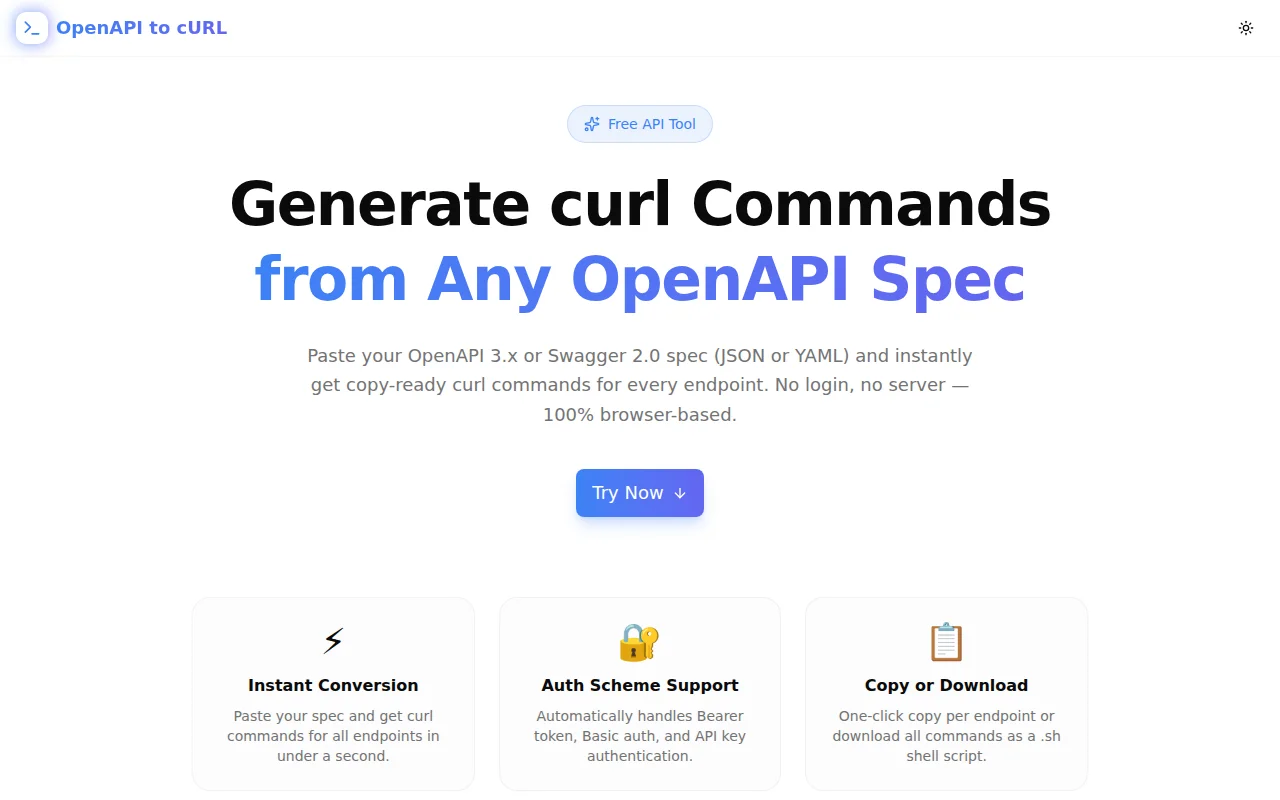
Developer ToolsFeatured
OpenAPI to cURL
Paste any OpenAPI 3.x or Swagger 2.0 spec (JSON or YAML) and instantly get copy-ready curl commands for every endpoint. Supports Bearer auth, Basic auth, and API key schemes. 100% client-side — your spec never leaves the browser.
APIcurlOpenAPISwaggerDeveloper ToolsREST APINext.jsTypeScript
Start Similar ProjectAbout the Project
OpenAPI to cURL — Generate curl Commands from Any OpenAPI Spec
OpenAPI to cURL is a free, browser-based tool that converts any OpenAPI 3.x or Swagger 2.0 specification into ready-to-run curl commands — one per endpoint, instantly. Paste your spec, pick an endpoint, copy the curl command. No signup, no server, no uploads. Your API spec never leaves the browser.
The Problem
Testing an API shouldn't require Postman installed, a collection configured, and an environment set up before you can make a single request.
Most developers have the API spec — Swagger UI, a JSON file, a YAML in the repo. What they don't have is a fast path from "spec exists" to "curl command I can run right now." Writing curl commands by hand from an OpenAPI spec is error-prone: paths have parameters, bodies have schemas, security schemes have different auth header formats, and a single mistake means a 401 or a 400 response that sends you back to reading documentation.
The alternative — importing into Postman, Insomnia, or Bruno — is 3–5 clicks minimum. That's fast enough once the collection is set up, but it's the wrong tool when you need one curl command to test one endpoint before a code review.
How It Works
1. Paste Your Spec
Paste any OpenAPI 3.x or Swagger 2.0 JSON or YAML spec directly into the input box. Load a Petstore example with one click to try it immediately.
2. Browse Endpoints
All paths and methods from the spec appear as a scrollable list. Filter by HTTP method (GET, POST, PUT, PATCH, DELETE) or search by path or summary text. Large specs with hundreds of endpoints stay navigable.
3. Get the curl Command
Select any endpoint and the tool generates the full curl command:
- HTTP method (
-X GET,-X POST, etc.) - Full URL with server base URL and resolved path parameters
- Query parameters with example values
- Request body from the schema (JSON object with example values per property)
- Auth headers based on the spec's security schemes (Bearer, Basic, API key)
Accept: application/jsonheader by default
4. Set Your Auth Token
Enter your actual token in the auth token field and the generated curl command updates instantly — no copy-paste-search-replace.
5. Copy or Download All
Copy the current endpoint's command with one click, or download every endpoint as a ready-to-run shell script.
Key Features
- OpenAPI 3.x and Swagger 2.0 — both versions, JSON and YAML
- Path parameter resolution —
{petId}becomes an example value in the URL - Request body generation — builds example JSON from the schema's property types and examples
- Auth scheme support — Bearer token, HTTP Basic auth, API key (header)
- Auth token input — enter your token and all commands update live
- Method filter + search — navigate large specs quickly
- Download as .sh — all endpoints in one runnable shell script
- 100% client-side — spec is never uploaded or sent to any server
- No signup required — open and use immediately
Technical Implementation
Core Technologies
- Next.js 16 with App Router
- TypeScript in strict mode
- TailwindCSS v4 for styling
- js-yaml for YAML spec parsing
- Framer Motion for animations
- shadcn/ui component library
Architecture
The tool parses specs entirely in the browser using JSON.parse for JSON input and js-yaml for YAML input. Path and query parameters are extracted from the operation and path item objects. Request body schemas are walked to generate example JSON values. Security schemes from components.securitySchemes (OpenAPI 3.x) and securityDefinitions (Swagger 2.0) are read to emit the correct auth header format.
The shell script download uses the Blob API and a temporary anchor element — no server, no file upload.
Use Cases
API Integration Development
You're integrating a third-party API. The docs have a Swagger UI. Instead of clicking "Try it out" in the browser or importing to Postman, paste the spec, pick the endpoint you're integrating, get the curl command, and run it from the terminal to verify the response structure before writing a single line of code.
Code Review and Debugging
A team member's API change broke something. The PR includes the updated OpenAPI spec. Paste the spec, find the changed endpoint, run the generated curl command against staging, confirm the response — all in under 60 seconds.
Onboarding New Team Members
New engineers joining a project need to understand the API before touching the codebase. Point them at the spec and the tool: paste, browse, run. No environment setup required to make their first API request.
Writing API Documentation
Technical writers and developer advocates need real examples. Generate curl commands for every endpoint directly from the authoritative spec — no manual curl-writing, no risk of stale examples.
CI / Smoke Testing
The shell script download gives you all endpoints as a bash script. Modify the placeholder values, add assertions with jq, and you have a smoke test script that you can run after a deployment.
Why OpenAPI to cURL?
vs. Postman / Insomnia / Bruno
- Zero install — open in a browser, no client to download
- No collection setup — paste spec, get commands, done
- Fast path to one curl command — when you need to test one endpoint, not manage a collection
vs. Swagger UI's "Try it out"
- Works offline — no dependency on a running server
- Produces a curl command you can reuse — Swagger UI executes the request; this gives you the command
- Works with any spec — not just the spec your running server serves
vs. Writing curl by Hand
- No auth header format lookup — Bearer vs. Basic vs. API key handled automatically
- No path parameter mistakes —
{petId}resolved to an example value - No schema-to-JSON translation — request body generated from the spec
Try it now: openapi-to-curl.tools.jagodana.com
The Challenge
The client needed a robust developer tools solution that could scale with their growing user base while maintaining a seamless user experience across all devices.
The Solution
We built a modern application using API and curl, focusing on performance, accessibility, and a delightful user experience.
Project Details
Category
Developer Tools
Technologies
API,curl,OpenAPI,Swagger,Developer Tools,REST API,Next.js,TypeScript
Date
May 2026
Related Projects
More work in Developer Tools

