Back to Projects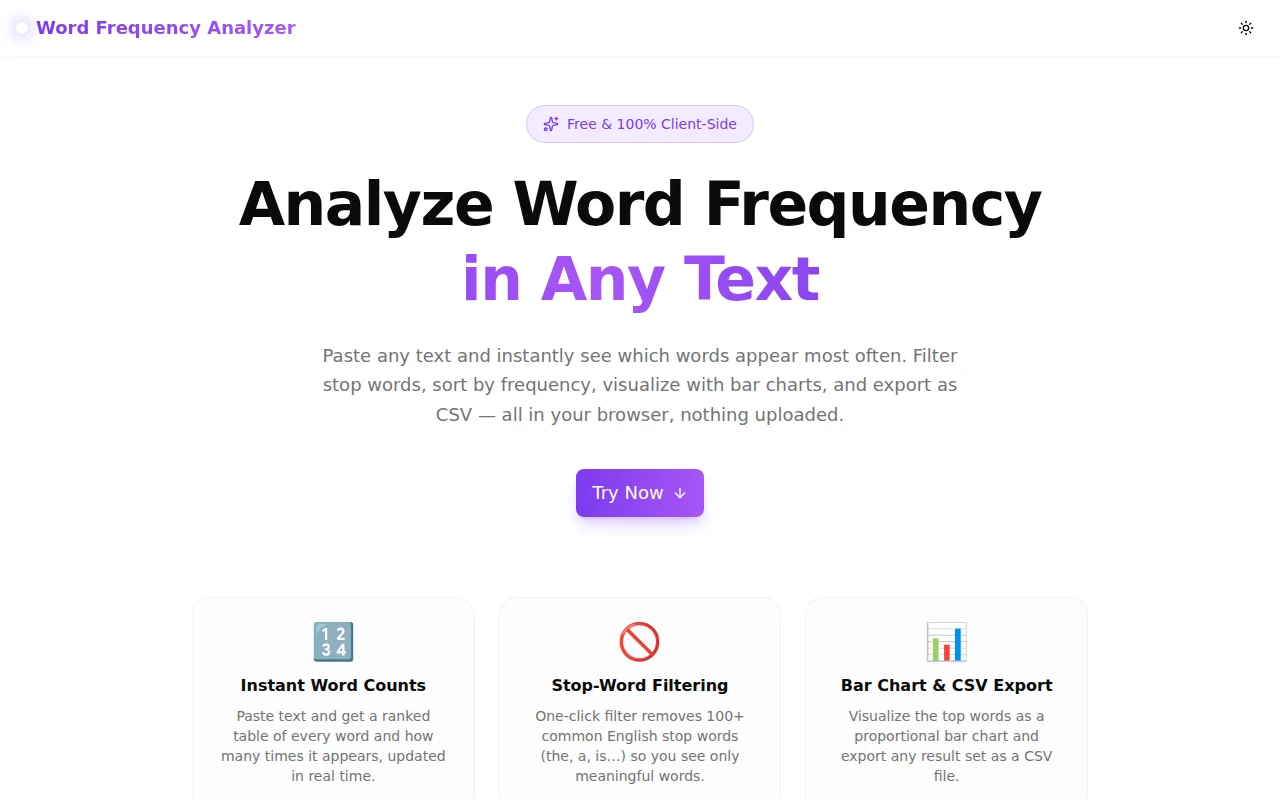
Developer ToolsFeatured
Word Frequency Analyzer
A free browser-based tool that instantly counts and ranks every word in any text, with stop-word filtering, sortable frequency tables, a live bar chart, and one-click CSV export — no sign-up required.
Text AnalysisWritingSEODeveloper ToolsNext.jsTypeScript
Start Similar ProjectAbout the Project
Word Frequency Analyzer — Count & Rank Words in Any Text
Word Frequency Analyzer is a free, browser-based tool that counts how often every word appears in a piece of text and ranks the results. Paste any content — an article, a blog post, code comments, customer feedback, or a transcript — and instantly see a ranked frequency table, a proportional bar chart, and total/unique word statistics. Filter stop words, adjust minimum word length, sort by any column, and export the full results as a CSV file. No sign-up, no uploads, 100% client-side.
The Problem
Every writer, SEO specialist, researcher, and developer runs into the same scenario: you have a body of text and you want to know which words dominate it. Are you overusing "really"? Which keywords appear most in a competitor's article? Which terms recur in a dataset of customer reviews? What are the most common identifiers in a log file?
The naive approach is to eyeball the text, which misses patterns entirely. The developer's approach is to write a quick Python or shell script — which works but interrupts your workflow and is overkill for a five-minute task. Most online word-counter tools only report total counts, not per-word frequency. Tools that do show frequency often have intrusive ads, slow server-side processing, or confusing interfaces.
Word Frequency Analyzer solves the problem directly: paste text, get frequency data, do something with it.
How It Works
1. Paste Any Text
The input area accepts any plain text content. Paste an article, a CSV of product descriptions, a block of code, or a transcript. The tool handles accented characters (é, ü, ñ) and apostrophes in contractions correctly — "don't" counts as one word, not two.
2. Configure the Analysis
Four options let you adjust the analysis without reloading or clicking "analyze":
- Filter stop words — removes ~120 common English function words (the, a, is, of, to…) so the frequency table shows meaningful vocabulary instead of grammatical filler
- Case sensitive — when off (default), "The" and "the" count as the same word; when on, they count separately
- Minimum word length — exclude single letters, two-letter words, or any short tokens that clutter the results
- Show top N — limit the table to the 10, 20, 50, 100, or 200 most frequent words
All options update the results in real time — no submit button.
3. Read the Frequency Table
The results table shows four columns for each word: rank, word, count, and percentage of the filtered total. Click any column header to sort ascending or descending. A miniature proportional bar in the fifth column gives an at-a-glance visual weight for each word.
The statistics bar above the table shows total words (before filtering), unique words (after filtering), character count, and the top word with its count.
4. Visualize with the Bar Chart
Switch to the Bar Chart tab to see the top 30 words rendered as animated horizontal bars, each scaled relative to the most frequent word. Words with higher counts produce longer bars; the proportions are immediately visible without reading numbers. The bars animate on render — useful for spotting outliers (a word that's dramatically more common than the second-ranked word).
5. Export or Copy
- Export CSV — downloads a
word-frequency.csvfile with rank, word, count, and percentage for every displayed row. Open in Excel, Google Sheets, or import into a data analysis tool. - Copy — copies the full table as tab-separated text, ready to paste into any spreadsheet.
Key Features
- Real-time frequency table — results update as you type or change options, with no "analyze" button
- Stop-word filter — 120+ common English words filtered with one checkbox toggle
- Case-insensitive matching — toggleable; default off
- Minimum word length — filter out short tokens
- Top-N selector — 10 / 20 / 50 / 100 / 200 rows
- Sortable columns — click any column header to sort ascending/descending
- Bar chart visualization — top 30 words with animated proportional bars
- Statistics summary — total words, unique words, character count, top word
- CSV export — one-click download of the full frequency table
- Clipboard copy — tab-separated copy for direct paste into spreadsheets
- Fully client-side — no text is sent to any server; works offline
- No sign-up required — open and use immediately
Technical Implementation
Core Technologies
- Next.js 16 with App Router and TypeScript strict mode
- Tailwind CSS v4 with OKLCH brand color tokens
- shadcn/ui — Tabs, Badge, Button components
- framer-motion — bar chart animation and section entrance transitions
- Sonner — toast notifications for export/copy actions
- Google Analytics 4 — anonymous usage events via GA4
Architecture
The tool uses a pure useMemo-based reactive pipeline:
tokenize(text, caseSensitive)— regex-splits text into word tokens, handles accented characters and apostrophescountWords(tokens, options)— builds a frequency map, applies stop-word and minimum-length filterssortedmemo — sorts the frequency map entries by the selected column and direction, slices to top-N- Render — table rows and bar chart bars derive directly from
sorted
No useEffect, no manual state invalidation, no "loading" state — options changes and text input flow through the memo chain and the UI updates synchronously.
The stop-word set is a Set<string> of ~120 lowercased tokens checked in O(1) per word. For typical article lengths (1,000–10,000 words), the full pipeline runs in under 1ms.
Use Cases
Content Writing & Editing
Check your own draft for overused words before publishing. If "really," "very," or a particular jargon term appears disproportionately, the frequency table makes it obvious. Word Frequency Analyzer is faster than the "Find All" function in a word processor when you want a broad view of word distribution.
SEO Keyword Analysis
Paste a competitor's article or your own content to see which terms carry the most weight. Compare the frequency profile of a high-ranking page against your own draft. Identify keyword stuffing (a single term appearing 50+ times at 5% frequency). The CSV export makes it easy to import the data into a spreadsheet for deeper analysis.
Academic Research & Literature Analysis
Analyze transcripts, interview notes, open-ended survey responses, or historical texts. Which concepts recur in a corpus of documents? Which terms differentiate one document from another? Paste and compare.
Developer Log Analysis
Paste a block of server logs, error output, or stack traces. The frequency table reveals which errors, hostnames, or status codes appear most often — faster than sort | uniq -c | sort -rn in a terminal.
Language Learning
See which vocabulary items appear most frequently in native-language texts. Prioritize learning the high-frequency words first, filter out stop words to focus on content vocabulary, and use the CSV to build a personal vocabulary list.
Customer Feedback & Support Tickets
Paste a batch of customer reviews or support tickets (after removing personally identifying information). Which product features, pain points, or competitor names appear most often? The frequency table is a quick alternative to a full text-mining pipeline for small-to-medium datasets.
Why Word Frequency Analyzer?
vs. Word Counter Tools
Most word counters report a single total word count. Word Frequency Analyzer goes further: it reports per-word frequency, percentage, rank, and provides a visual chart. The word count is one stat in the summary bar, not the whole tool.
vs. Python/Shell Scripts
A script takes a few minutes to write and requires a terminal. Word Frequency Analyzer is open-and-paste. For a quick analysis on someone else's machine, or during a content review meeting, the browser tool is significantly faster.
vs. Text Mining Libraries (NLTK, spaCy)
Those tools are the right choice for large-scale automated analysis. Word Frequency Analyzer is the right choice when you have a single document and want an answer in 10 seconds, not a Jupyter notebook setup.
Privacy
All analysis happens in the browser. Your text is never sent to a server, never logged, never stored. Suitable for sensitive documents, internal communications, or proprietary content.
Try it now: word-frequency-analyzer.tools.jagodana.com
The Challenge
The client needed a robust developer tools solution that could scale with their growing user base while maintaining a seamless user experience across all devices.
The Solution
We built a modern application using Text Analysis and Writing, focusing on performance, accessibility, and a delightful user experience.
Project Details
Category
Developer Tools
Technologies
Text Analysis,Writing,SEO,Developer Tools,Next.js,TypeScript
Date
May 2026
Related Projects
More work in Developer Tools

