Back to Projects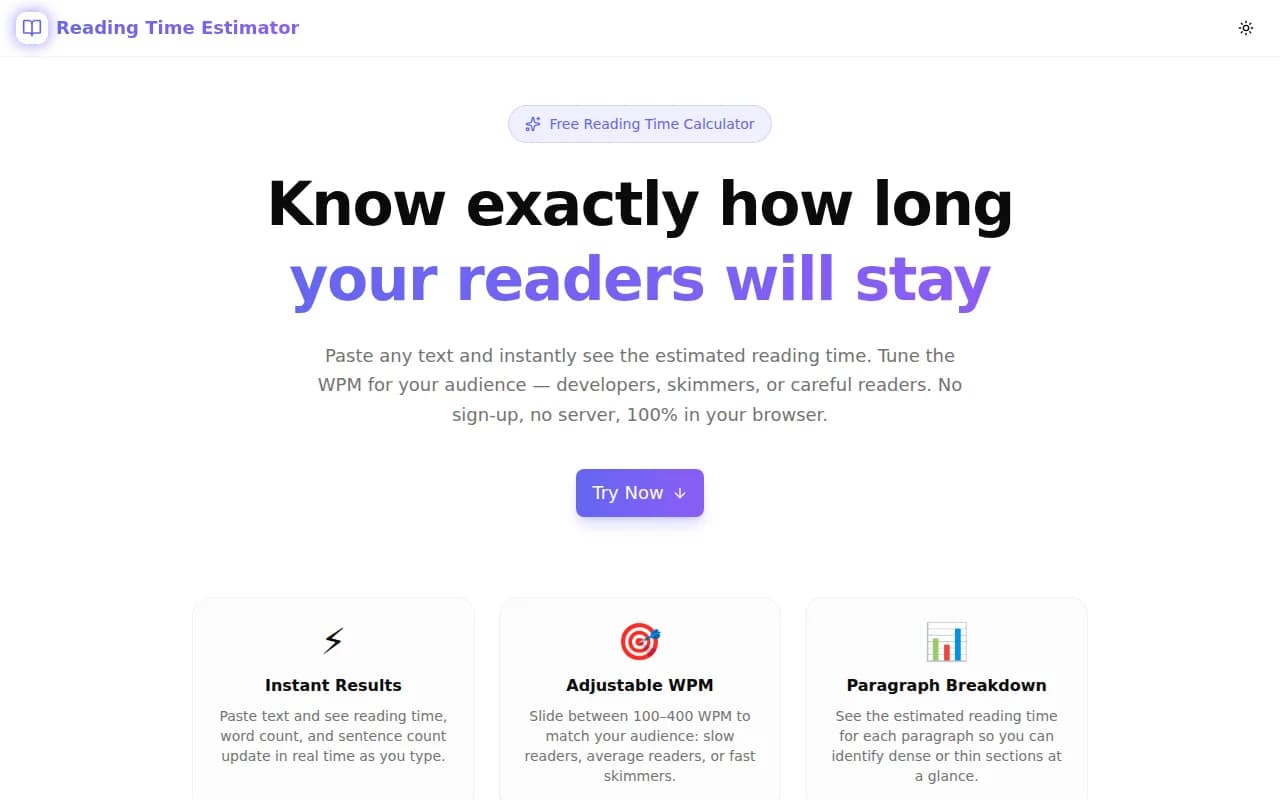
Developer ToolsFeatured
Reading Time Estimator
A free browser-based tool that instantly estimates how long any text takes to read — with adjustable WPM, word and character counts, per-paragraph breakdowns, and platform comparisons. No login, no server, 100% client-side.
Content ToolsReading TimeWord CountDeveloper ToolsBloggingNext.jsTypeScript
Start Similar ProjectAbout the Project
Reading Time Estimator — Instant Word Count & Reading Speed Calculator
Reading Time Estimator is a free, browser-based tool that tells you exactly how long any piece of text will take to read. Paste your article, blog post, or documentation, adjust the words-per-minute slider to match your audience, and see the result instantly — no signup, no server calls, no ads.
The Problem
You've written a 1,200-word blog post. How long will it take your readers to get through it?
If you're publishing on Medium, Dev.to, Ghost, or your own blog, you might want to show a reading time badge. Or you're planning your content calendar and need to know if a draft is too long for a newsletter. Or you're a developer documenting an API and want to flag dense sections before they ship.
The problem is that "reading time" isn't one number — it depends on who's reading. A developer reading dense API documentation reads at 150–180 WPM. A casual blog reader scrolls at 250–300 WPM. Children's content is written for 100–150 WPM. The right estimate depends on your audience.
Most reading time calculators hardcode a single WPM value and give you a single number. That's fine for a quick sanity check — but it's not enough information to make content decisions.
How It Works
1. Paste or Type Your Text
The tool's main input accepts any text — blog posts, articles, documentation, emails, newsletters, scripts. Text is processed entirely in your browser. Nothing is sent to a server.
2. Adjust the WPM Slider
A slider lets you set the words-per-minute from 50 to 600. Four presets are available for common audiences:
- 100 WPM — children's content
- 160 WPM — developer documentation
- 200 WPM — average adult (the default)
- 265 WPM — Medium.com's published formula
The reading time estimate at the top of the page updates instantly as you move the slider.
3. Review the Counts
Below the main estimate, five stat badges show:
- Words — total whitespace-separated tokens
- Characters — total character count including spaces
- No spaces — character count excluding spaces
- Sentences — approximate sentence count based on punctuation
- Paragraphs — double-newline-separated blocks
4. Check the Paragraph Breakdown
Every paragraph in your text gets its own reading time estimate. This breakdown helps you spot which sections are dense (will slow readers down) and which are thin (might feel too brief). It's the fastest way to identify editing targets without reading the whole piece again.
5. Compare Platform Estimates
A "Platform Comparison" panel shows how four major publishing platforms would display the reading time for the same text, each using their published WPM formula:
| Platform | WPM | |---|---| | Medium | 265 | | Dev.to | 275 | | Ghost | 275 | | Substack | 200 |
This lets you see why the same article shows "4 min read" on Medium and "5 min read" on your personal blog.
Key Features
- Instant reading time calculation — updates as you type, no button required
- Adjustable WPM slider — 50–600 WPM with four audience presets
- Full text statistics — words, characters, characters (no spaces), sentences, paragraphs
- Per-paragraph breakdown — spot dense sections before publishing
- Platform comparison — Medium, Dev.to, Ghost, Substack estimates side-by-side
- Copy stats — one click to copy the full summary to clipboard
- Sample text — loads a demo article to show capabilities immediately
- Fully client-side — no API calls, no data leaves your browser
- No signup required — open and start measuring immediately
Technical Implementation
Core Technologies
- Next.js 16 with App Router
- TypeScript in strict mode
- Tailwind CSS v4 with OKLCH color tokens
- shadcn/ui components (new-york style)
- Framer Motion for animations
- Client-side only — zero external API dependencies
Architecture
Reading time calculation is a single pure function:
const totalSeconds = Math.round((wordCount / wpm) * 60);The paragraph breakdown iterates over double-newline-split segments, running the same calculation per block. All state is managed with React useState and memoized with useMemo — the calculation never blocks the UI.
The platform comparison panel re-runs the same calculation with each platform's WPM constant, keeping the logic in one place and the output consistent.
Why No Backend?
Content is private. A blog post draft, a job description, a proposal — these are documents you don't want uploaded to a third-party server just to count words. Running the calculation in the browser means your text stays in your browser.
Use Cases
Bloggers and Content Creators
Add a reading time badge to every post. Paste your draft, read the estimate, and decide whether to expand, trim, or split the piece before publishing.
Technical Writers
Documentation that takes 45 minutes to read might need to be split into sections. The paragraph breakdown shows which sections are pulling most of the weight so you can restructure before the doc ships.
Newsletter Writers
Newsletters have a format expectation. A 3-minute read feels different from a 12-minute read. Estimate before you send.
Developers Building Content Platforms
Need to implement reading time for your blog? Use this tool to validate your implementation against a known reference. If your formula gives a different result for the same text and WPM, you'll see the discrepancy immediately.
Educators and Course Creators
Estimate reading time for assigned articles, study guides, and course materials. Set the WPM to match your students' likely reading level.
Content Calendar Planning
Estimating the total reading time across a week's content helps balance depth and breadth. A mix of 2-minute and 8-minute pieces serves different audience moods.
Results
Reading Time Estimator removes the guesswork from content length:
- Platform parity — understand why estimates differ between Medium, Ghost, and your CMS
- Audience-matched estimates — set the WPM for your actual readers, not an average
- Section-level insight — the paragraph breakdown shows where your readers will slow down
- Zero friction — paste, read, done — no account, no install, no wait
Try it now: reading-time-estimator.tools.jagodana.com
The Challenge
The client needed a robust developer tools solution that could scale with their growing user base while maintaining a seamless user experience across all devices.
The Solution
We built a modern application using Content Tools and Reading Time, focusing on performance, accessibility, and a delightful user experience.
Project Details
Category
Developer Tools
Technologies
Content Tools,Reading Time,Word Count,Developer Tools,Blogging,Next.js,TypeScript
Date
May 2026
Related Projects
More work in Developer Tools

