Back to Projects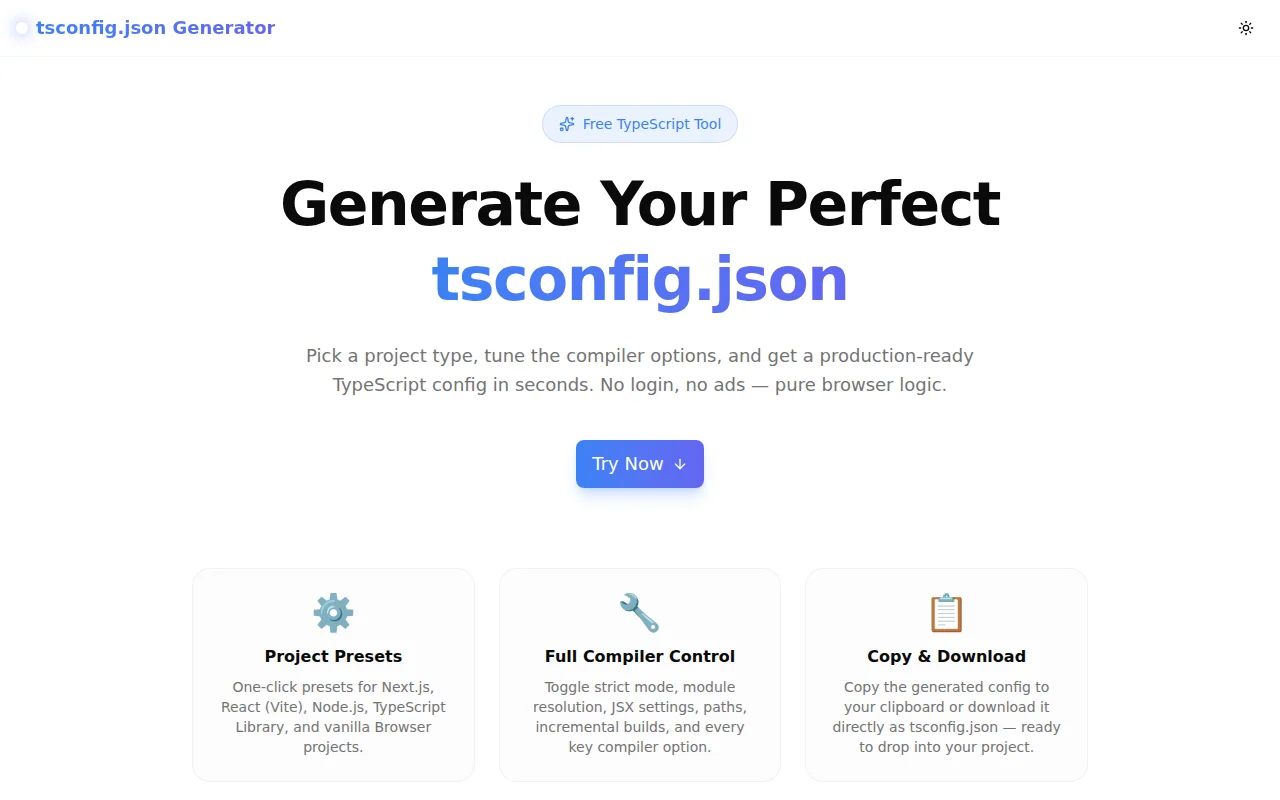
Developer ToolsFeatured
tsconfig.json Generator
A free visual TypeScript compiler config builder with project presets for Next.js, React, Node.js, Library, and Browser — generate a production-ready tsconfig.json in seconds, no signup required.
TypeScriptDeveloper ToolsConfigurationNext.jsNode.jsFrontendBuild Tools
Start Similar ProjectAbout the Project
tsconfig.json Generator — Visual TypeScript Config Builder
tsconfig.json Generator is a free, browser-based tool that helps TypeScript developers create a correct, production-ready tsconfig.json without memorising every compiler option. Choose a project preset, toggle the options you need, watch the JSON update live, and copy or download the result in one click.
The Problem
Every TypeScript project starts the same way: create tsconfig.json, look up the options you need, copy from a project you had last year, forget whether moduleResolution: "bundler" is right for your new Next.js project, and spend 20 minutes cross-referencing the TypeScript docs.
The official TypeScript Handbook documents hundreds of compiler options. The right combination depends on whether you're targeting Node.js or a browser, whether you use a bundler like Vite or Next.js, whether you're building a library that ships .d.ts declaration files, and a dozen other context-specific decisions.
The mental overhead is real. Even experienced TypeScript developers open a previous project's config and copy-paste when starting fresh.
How It Works
1. Project Presets
Click one button to load a sensible baseline for your stack:
- Next.js —
target: ES5,moduleResolution: "bundler",jsx: "preserve",noEmit: true, incremental builds, paths support - React (Vite) —
target: ES2020,moduleResolution: "bundler",jsx: "react-jsx", source maps on - Node.js —
target: ES2022,module: "NodeNext",moduleResolution: "nodenext", strict, no emit - TypeScript Library —
declaration: true,declarationMap: true,composite: true, source maps - Browser (Vanilla TS) —
target: ES2020,moduleResolution: "bundler", DOM libs, source maps
Each preset reflects the current official recommendations for that stack. Customize from there.
2. Full Compiler Option Control
Every section is individually configurable:
Output Settings — target, module system, moduleResolution, JSX transform, outDir, rootDir
Type Checking — strict mode (and individual strict flags when strict is off), noUnusedLocals, noUnusedParameters, noFallthroughCasesInSwitch, forceConsistentCasingInFileNames
Emit — noEmit, declaration, declarationMap, sourceMap, removeComments, incremental, composite
Interop & Extras — esModuleInterop, skipLibCheck, resolveJsonModule, allowJs, checkJs, experimentalDecorators, @ path alias
Include / Exclude — configurable via comma-separated text fields
lib — checkboxes for all common lib entries (ES2020, DOM, DOM.Iterable, ESNext, WebWorker, etc.)
3. Live JSON Preview
The generated tsconfig.json updates in real time as you toggle options. There is no "generate" button — the output is always current.
4. Copy & Download
Click Copy to copy the JSON to your clipboard, or Download to save it directly as tsconfig.json — ready to drop into your project root.
Key Features
- Five project presets — Next.js, React (Vite), Node.js, TypeScript Library, Browser
- Live JSON preview — output updates as you change options, no button press needed
- Full compiler option coverage — target, module, strict mode, JSX, emit, lib, and more
- Copy & download — clipboard copy or direct file download
- Fully client-side — no data sent to any server, works offline once loaded
- No signup required — open and generate immediately
- Dark mode support — respects system preference
Technical Implementation
Core Technologies
- Next.js 16 with App Router
- TypeScript in strict mode
- Tailwind CSS v4 with OKLCH design tokens
- shadcn/ui component library
- Framer Motion for animated UI
- Client-side rendering — zero external API dependencies
Architecture
- React state drives the
TsConfigobject that represents the current configuration buildTsconfig()pure function converts state to a JSON-safe object, omitting default values and redundant fields (e.g.,allowSyntheticDefaultImportswhenesModuleInteropis already true)JSON.stringifywith 2-space indent produces the live preview output- Preset system applies partial config objects on top of the current state
- Clipboard API and
URL.createObjectURLhandle copy and download without any server calls
Use Cases
Starting a New TypeScript Project
Instead of copying an old config and adjusting it, open the generator, click the preset for your stack, toggle any project-specific options, and download. The whole workflow takes under a minute.
Onboarding Developers to TypeScript
When a JavaScript developer is setting up TypeScript for the first time, the option descriptions in the tool ("Enables all strict type-checking flags", "Skip type checking of .d.ts files") make the config readable and educational, not just a wall of JSON.
Debugging Compiler Behaviour
When TypeScript is behaving unexpectedly, the generator helps verify which options should be set for a given stack. Comparing your project's config against the generator's preset reveals missing or conflicting options.
Library Authors
The Library preset automatically sets declaration: true, declarationMap: true, composite: true, and correct output paths — everything needed to ship a TypeScript package that consumers can type-check against.
Monorepo Projects
The composite: true and incremental: true options are explained in the UI, making it easier to configure project references correctly without looking up the TypeScript docs.
Why tsconfig.json Generator?
vs. Manual Configuration
- No memorisation required — every option is visible with a description
- Context-appropriate presets — start from a correct baseline, not zero
- Live preview — see the exact output before saving it
vs. Copying from Another Project
- Always up to date — presets reflect current TypeScript and framework recommendations
- Intentional choices — every option is visible and togglable, not silently inherited
- No cruft — the generator only includes options that add value for your configuration
vs. TypeScript Documentation
- Action-oriented — produces a file, not an explanation
- Contextual — presets guide you to the right combination for your stack
- Faster — seconds to a working config instead of minutes of reading
Results
tsconfig.json Generator removes the configuration overhead from starting a TypeScript project:
- Zero lookup time — presets surface the right options for each stack
- No silent mistakes — every option is visible, not hidden
- Faster project setup — from zero to a correct tsconfig.json in seconds
Try it now: tsconfig-generator.tools.jagodana.com
The Challenge
The client needed a robust developer tools solution that could scale with their growing user base while maintaining a seamless user experience across all devices.
The Solution
We built a modern application using TypeScript and Developer Tools, focusing on performance, accessibility, and a delightful user experience.
Project Details
Category
Developer Tools
Technologies
TypeScript,Developer Tools,Configuration,Next.js,Node.js,Frontend,Build Tools
Date
May 2026
Related Projects
More work in Developer Tools

