Back to Projects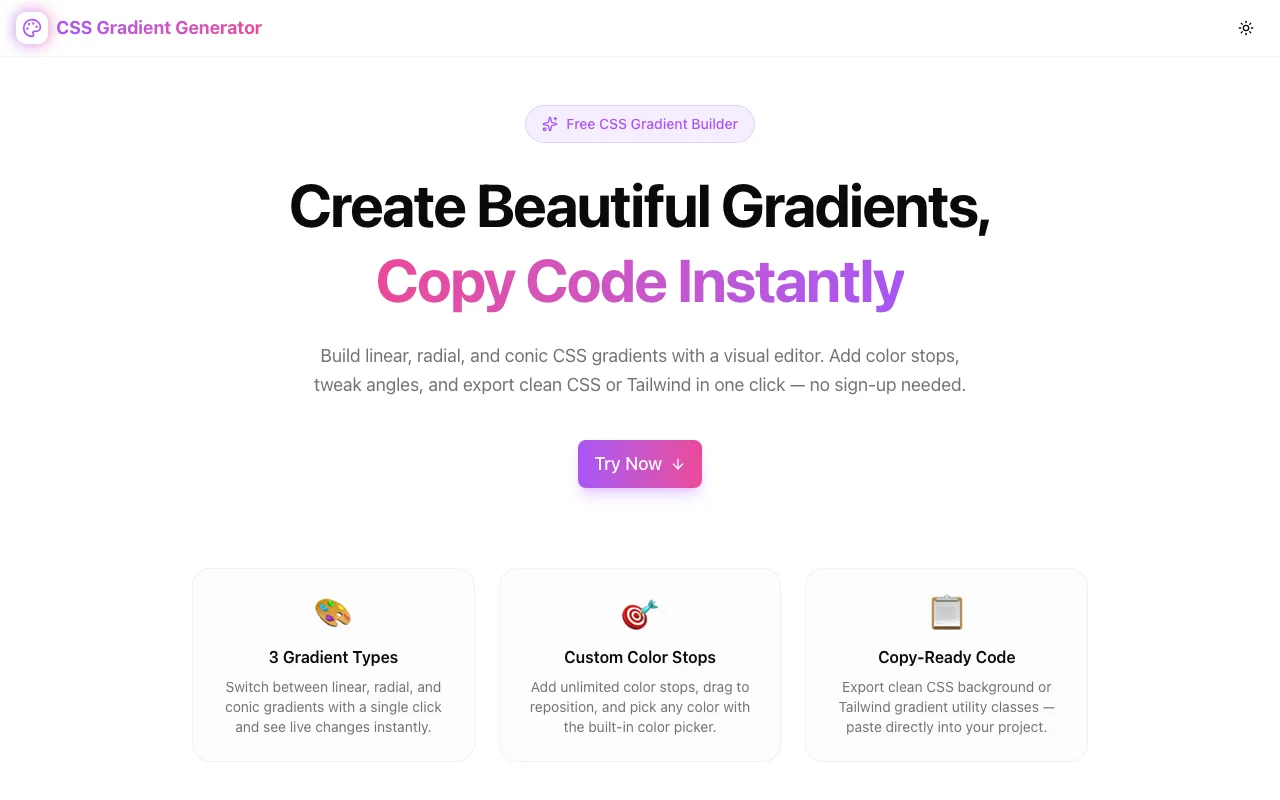
Design ToolsFeatured
CSS Gradient Generator
Create beautiful linear, radial, and conic CSS gradients with live preview. Add color stops, adjust angles, and copy clean CSS or Tailwind code instantly — no sign-up required.
CSSGradientDesign ToolsDeveloper ToolsFrontend DevelopmentCSS GeneratorTailwind CSSNext.jsTypeScript
Start Similar ProjectAbout the Project
CSS Gradient Generator — Build Gradients Visually, Copy Code Instantly
CSS Gradient Generator is a free visual editor for creating linear, radial, and conic CSS gradients in your browser. Pick colors, add stops, adjust angles, and preview changes in real time — then copy production-ready CSS or Tailwind utility classes in one click.
The Problem
CSS gradients are powerful but tedious to write by hand. Even a simple three-stop linear gradient requires memorizing direction syntax, getting hex colors right, and manually calculating stop positions:
background: linear-gradient(135deg, #a855f7 0%, #6366f1 50%, #ec4899 100%);Now try adjusting that until it looks right. Or switching from linear-gradient to radial-gradient. Or adding a fourth stop and re-distributing the positions. You end up refreshing the browser dozens of times for what should take thirty seconds.
CSS Gradient Generator eliminates all of that with an interactive editor where every change is instantly visible.
How It Works
Gradient Type Switcher
Switch between three CSS gradient functions with a single click:
- Linear — straight-line gradients at any angle (0°–360°)
- Radial — circular or elliptical gradients radiating from a center point
- Conic — color sweeps around a center point (great for pie charts and color wheels)
Visual Color Stop Editor
Each color stop has its own color picker and position slider:
- Click the color swatch to open the browser's native color picker
- Drag the position slider or type a percentage (0–100%) to place the stop
- Click Add Stop to add as many stops as your gradient needs
- Remove any stop with the × button (minimum of 2 stops required)
The stops are always sorted by position in the preview, matching how CSS renders them.
Angle & Direction Controls
For linear gradients, set the angle with:
- A range slider (smooth, 0°–360°)
- A numeric input (type any value)
- Quick-select buttons for the eight cardinal/diagonal directions (0°, 45°, 90°, 135°, 180°, 225°, 270°, 315°)
For conic gradients, the angle controls the starting position of the first color stop.
For radial gradients, choose between ellipse (default, adapts to the element's dimensions) and circle (always circular).
Live Preview
A full-width preview swatch updates on every change. Below it, two element mockups show how the gradient looks applied to real UI components — a button and a card — so you're not guessing how it will look in context.
Built-in Presets
Six curated gradient presets let you start from something beautiful and customize from there:
| Preset | Style | |--------|-------| | Sunset | Orange → Pink → Purple | | Ocean | Cyan → Blue | | Forest | Emerald → Deep Green | | Rose Gold | Amber → Pink | | Aurora | Radial Purple → Cyan → Emerald | | Neon | Conic rainbow sweep |
The Random button generates a new gradient (type, angle, and colors) each time — useful for inspiration or discovering unexpected combinations.
CSS & Tailwind Output
Two output tabs — CSS and Tailwind — give you the code in the format your project uses.
CSS output:
background: linear-gradient(135deg, #a855f7 0%, #ec4899 100%);Tailwind output (for linear gradients with 2–3 stops):
bg-gradient-to-br from-[#a855f7] to-[#ec4899]
Click Copy to send the output to your clipboard. A toast confirms the copy.
Who It's For
Frontend developers building landing pages, dashboards, buttons, cards, and hero sections who want to prototype gradient styling without leaving their workflow.
UI/UX designers exploring color directions and gradient aesthetics before handing off specs.
Full-stack developers and founders who need polished visual elements quickly without hiring a designer.
Key Features
- 3 gradient types: Linear, Radial, Conic
- Unlimited color stops with native color picker
- Live preview with element mockups (button + card)
- Angle slider + quick-select buttons for linear gradients
- Radial shape selector (ellipse vs circle)
- 6 presets + random generator
- CSS and Tailwind output with one-click copy
- 100% client-side — no sign-up, no data sent to server
- Dark mode supported
Try It
The Challenge
The client needed a robust design tools solution that could scale with their growing user base while maintaining a seamless user experience across all devices.
The Solution
We built a modern application using CSS and Gradient, focusing on performance, accessibility, and a delightful user experience.
Project Details
Category
Design Tools
Technologies
CSS,Gradient,Design Tools,Developer Tools,Frontend Development,CSS Generator,Tailwind CSS,Next.js,TypeScript
Date
April 2026
Related Projects
More work in Design Tools