Back to Projects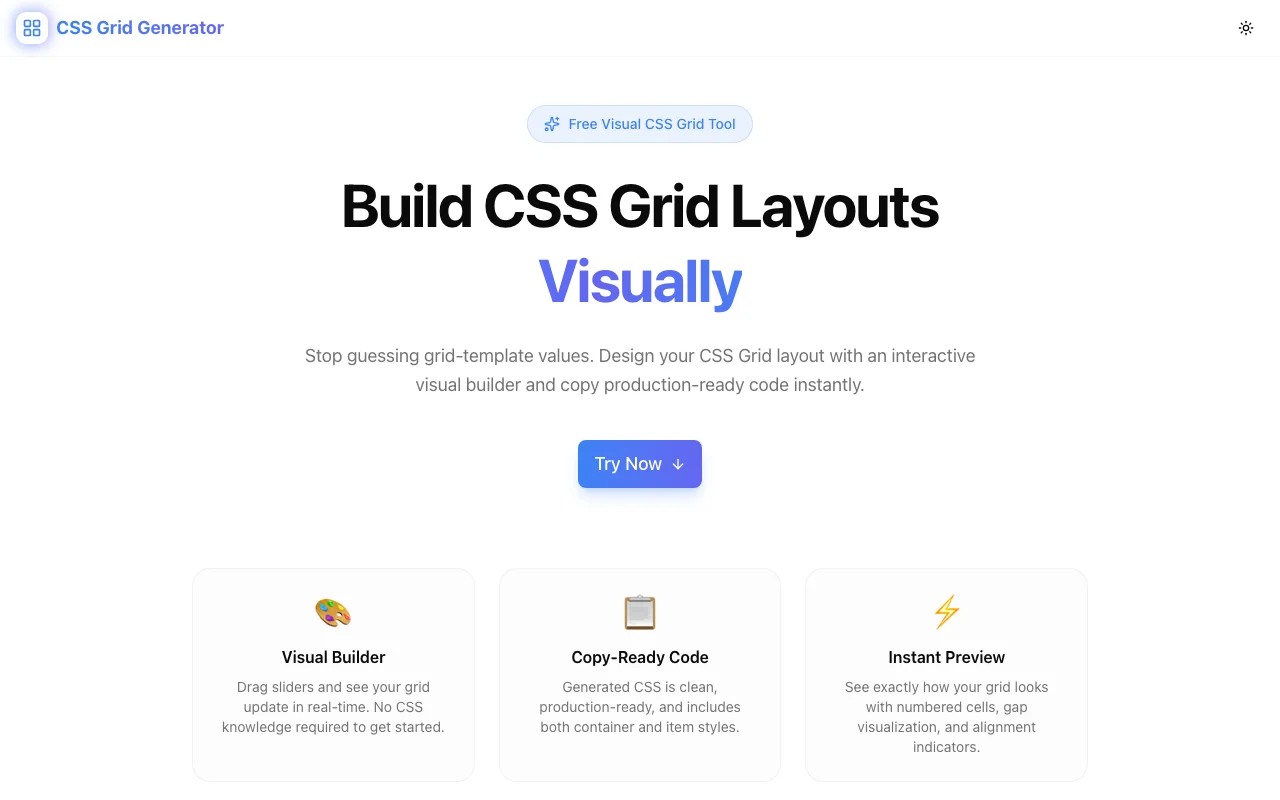
Developer ToolsFeatured
CSS Grid Generator
A free browser-based visual CSS Grid layout builder with an interactive grid editor, drag-to-resize areas, live code preview, and one-click copy—no signup required.
CSS GridLayout BuilderDeveloper ToolsFrontendNext.jsTypeScript
Start Similar ProjectAbout the Project
CSS Grid Generator — Build CSS Grid Layouts Visually
CSS Grid Generator is a free, browser-based tool that lets you design CSS Grid layouts using an interactive visual builder. Define rows and columns, resize tracks, place grid items, preview the rendered layout in real time, and copy production-ready CSS in one click. No signup, no install—just open the page and start building layouts.
The Problem
CSS Grid is the most powerful layout system the web has ever had—and one of the hardest to write from memory. grid-template-columns, grid-template-rows, grid-area, repeat(), minmax(), fr units—the syntax is expressive but dense. Even experienced frontend developers find themselves looking up the exact property names and value formats every time they need a new grid layout.
The result? Developers either spend time context-switching to MDN documentation, copy layouts from old projects and modify them, or fall back to flexbox when grid would be the better choice. The cognitive overhead of grid syntax slows down what should be a fast, visual task: defining where things go on a page.
How It Works
1. Visual Grid Builder
Start by defining your grid dimensions—how many rows and columns you need. The builder renders an interactive grid where you can see exactly how your layout will look. Add or remove tracks from the toolbar without writing a single CSS property.
2. Track Sizing
Click on any row or column track to set its size. Use pixels for fixed widths, fr units for flexible proportions, auto for content-sized tracks, or minmax() for responsive ranges. The visual grid updates immediately so you can see how different values affect the layout.
3. Grid Item Placement
Define grid areas by specifying where items start and end across rows and columns. The builder shows each item's placement visually, making it easy to experiment with different layouts without manually calculating grid-column and grid-row values.
4. Live Code Preview
As you design your layout, the generated CSS updates in real time below the visual builder. You see the exact code that will produce your layout—grid-template-columns, grid-template-rows, gap, and individual item placement rules. No "generate" button, no separate step.
5. One-Click Copy
When your layout looks right, copy the complete CSS to your clipboard with one click. Paste it into your stylesheet and you're done. The output is clean, production-ready code—not a framework-specific snippet.
Key Features
- Visual grid builder — design layouts by clicking and configuring, not writing syntax
- Flexible track sizing — px, fr, auto, minmax(), and repeat() support
- Grid item placement — position items visually across rows and columns
- Live CSS preview — output updates as you design
- Gap controls — set row and column gaps visually
- One-click copy — copy production-ready CSS to clipboard instantly
- Fully client-side — no data sent to any server
- No signup required — start building layouts immediately
- Responsive preview — see how your grid behaves at different sizes
Technical Implementation
Core Technologies
- Next.js with App Router
- TypeScript in strict mode
- TailwindCSS for styling
- Client-side rendering — zero external API dependencies
Architecture
- Interactive grid component with visual track controls
- Real-time CSS generation from grid configuration state
- Responsive layout for desktop and mobile use
- Clean, standards-compliant CSS output
Use Cases
Page Layouts
Building a classic header-sidebar-content-footer layout? Define four grid areas, set the sidebar to a fixed width and the content to 1fr, and you have a responsive page structure in seconds. No trial-and-error with CSS properties.
Dashboard Grids
Dashboards are grids by nature—cards of different sizes arranged in rows and columns. The visual builder lets you experiment with card placement and sizing without writing and rewriting grid-column: span 2 until it looks right.
Responsive Component Layouts
Components with multiple sections—pricing cards, feature grids, team member layouts—map naturally to CSS Grid. Define the grid visually, copy the CSS, and drop it into your component. When the design changes, open the generator, adjust, and copy again.
Learning CSS Grid
If you're learning CSS Grid, the visual builder creates an immediate feedback loop. Adjust a value, see what changes. It's faster than reading documentation and more hands-on than following a tutorial. You build intuition for how fr units, minmax(), and grid areas work by seeing them in action.
Prototyping
When a designer hands you a layout, the fastest path to code is often visual-to-visual. Match the design in the grid builder, copy the CSS, and refine from there. It bridges the gap between a static mockup and a working layout.
Why CSS Grid Generator?
vs. Writing CSS Grid by Hand
- No syntax memorization — property names, value formats, and area definitions are handled by the visual interface
- Instant visual feedback — see the layout as you build it, not after a browser refresh
- Faster iteration — try different track sizes and item placements with clicks, not code edits
vs. Framework Layout Utilities
- Framework-agnostic — outputs standard CSS that works everywhere
- Full grid power — no limitations of utility class systems; use any grid feature
- Learning value — you see the actual CSS, not abstracted class names
vs. Other Grid Generators
- No signup or account — start immediately
- Fully client-side — your layout data never leaves your browser
- Live preview — no "generate" button between editing and output
- Clean output — production-ready CSS, not verbose or over-specified
Results
CSS Grid Generator removes the friction between layout design and CSS implementation:
- Zero syntax overhead — design layouts visually, copy clean CSS
- Accurate output — grid properties, track sizes, and item placements are always valid
- Faster prototyping — go from idea to working CSS in seconds
- No data risk — everything stays in your browser
Try it now: css-grid-generator.tools.jagodana.com
The Challenge
The client needed a robust developer tools solution that could scale with their growing user base while maintaining a seamless user experience across all devices.
The Solution
We built a modern application using CSS Grid and Layout Builder, focusing on performance, accessibility, and a delightful user experience.
Project Details
Category
Developer Tools
Technologies
CSS Grid,Layout Builder,Developer Tools,Frontend,Next.js,TypeScript
Date
March 2026
Related Projects
More work in Developer Tools

