Back to Projects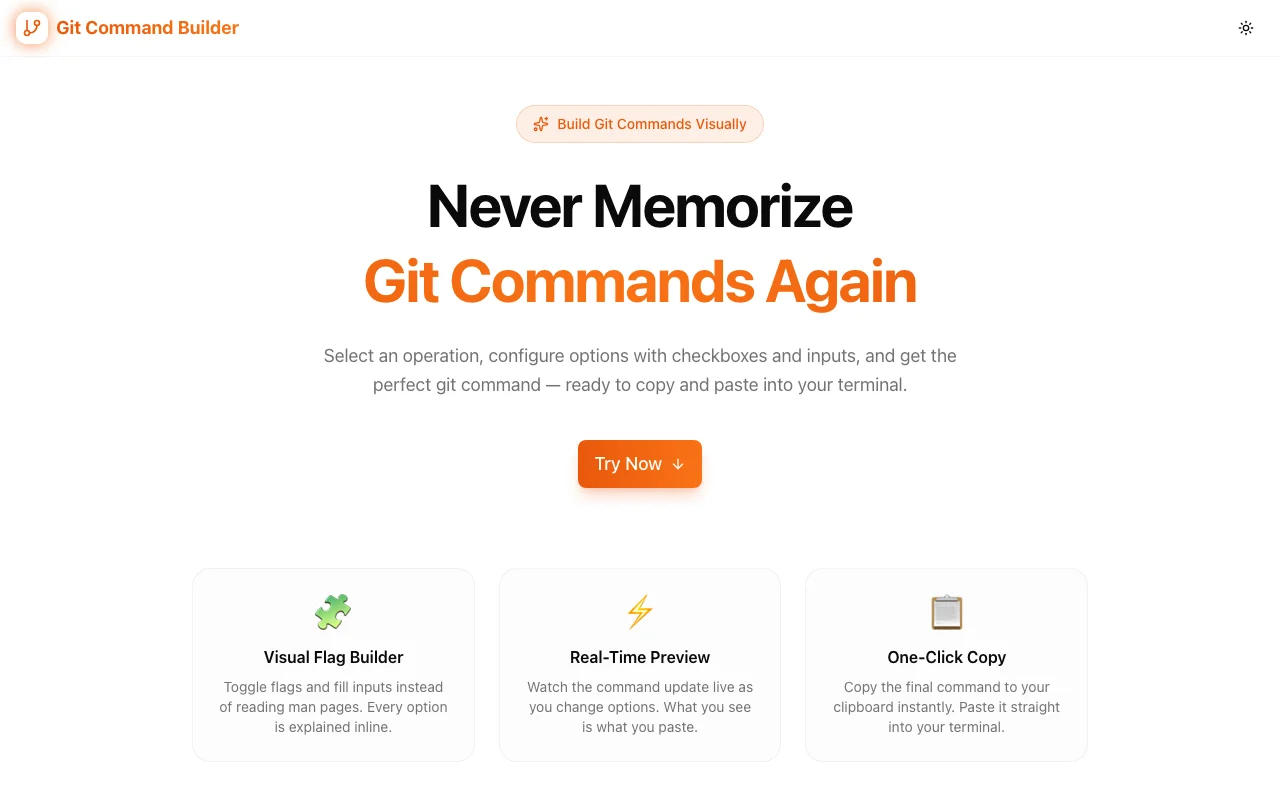
Developer ToolsFeatured
Git Command Builder
A visual tool that helps developers construct complex git commands without memorizing syntax. Pick an operation, toggle flags, fill in values, and copy the ready-to-run command—all in the browser.
GitCLIDeveloper ToolsVersion ControlNext.jsTypeScript
Start Similar ProjectAbout the Project
Git Command Builder — Construct Complex Git Commands Visually
Git Command Builder is a free, browser-based tool that lets developers construct git commands through an interactive visual interface. Pick an operation, toggle the flags you need, fill in values like branch names or file paths, and copy the complete command—ready to paste into your terminal.
The Problem
Git has over 150 commands, many with dozens of flags each. Even experienced developers Google git syntax regularly. git rebase --onto, git cherry-pick --no-commit, git stash push --keep-index — the combinations are vast and the consequences of getting a flag wrong can range from annoying to destructive.
Most developers rely on a handful of memorized commands and look up everything else. That lookup cycle—open browser, search, scan Stack Overflow, copy, adapt—takes time and breaks flow. Worse, the search results often show flags that don't apply to your situation or miss the specific combination you need.
How It Works
1. Choose an Operation
Start by selecting from 16 supported git operations—the ones developers use most and struggle with most:
- clone — clone repositories with depth, branch, and submodule options
- commit — craft commits with amend, signoff, and message options
- branch — create, delete, rename, and list branches
- merge — merge branches with strategy, no-ff, and squash options
- rebase — interactive rebase, onto, autosquash, and abort
- cherry-pick — pick commits with no-commit, edit, and signoff
- stash — push, pop, apply, list, and drop with keep-index
- reset — soft, mixed, and hard reset with path options
- log — format output, filter by author/date, graph view
- diff — compare branches, staged changes, stat summaries
- remote — add, remove, rename, and inspect remotes
- tag — create annotated/lightweight tags, sign, delete, list
- fetch — fetch with prune, tags, depth, and specific remotes
- pull — pull with rebase, no-commit, and strategy options
- push — push with force, tags, set-upstream, and delete remote branches
- checkout — switch branches, restore files, create and switch
2. Toggle Flags
Each operation shows its available flags as interactive toggles. Click to enable or disable. Flags that require values (like --author or --depth) reveal an input field when enabled. Boolean flags (like --force or --no-ff) simply toggle on and off.
No need to remember which flags take values or what the shorthand forms are. The interface shows you exactly what's available.
3. Real-Time Command Preview
As you select operations and toggle flags, the complete git command builds in real time at the bottom of the interface. You see exactly what will run before you copy it. Change a flag? The preview updates instantly.
This immediate feedback eliminates the trial-and-error cycle of building commands in the terminal and discovering you missed a flag or used the wrong syntax.
4. One-Click Copy
When the command looks right, click copy. The complete command goes to your clipboard, ready to paste into your terminal. No manual selection, no accidental partial copies.
Key Features
- 16 git operations — the most used and most complex git commands
- Interactive flag builder — toggle flags without memorizing syntax
- Real-time preview — see the complete command as you build it
- One-click copy — copy the finished command to clipboard instantly
- No signup required — start building commands immediately
- Client-side only — nothing is sent to a server, your commands stay local
- Responsive design — works on desktop and mobile
Use Cases
Complex Rebases
Interactive rebasing with --onto is one of the most powerful git operations and one of the most commonly misused. The Git Command Builder walks you through the options—base, target, autosquash—and shows you the complete command before you run it.
Force Push Safety
git push --force vs git push --force-with-lease is the difference between overwriting a teammate's work and safely updating. The builder makes it obvious which flags are available and what each one does.
Surgical Cherry-Picks
Cherry-picking across branches with --no-commit for staging, --edit for modifying the message, or --signoff for compliance—each flag combination produces a different workflow. The builder lets you compose exactly the combination you need.
Log Formatting
git log --oneline --graph --author="name" --since="2 weeks ago" is powerful but tedious to type every time. Build the exact log command you want, copy it, and save it as an alias.
Stash Management
git stash push --keep-index --message "WIP: feature X" is more useful than plain git stash but harder to remember. The builder surfaces these options so you use them when they'd help.
Onboarding New Developers
New team members who are still learning git can use the builder as a training tool. See all available flags for an operation, understand what each one does, and build confidence with the syntax before running commands.
Technical Implementation
Core Technologies
- Next.js with App Router
- TypeScript in strict mode
- TailwindCSS for styling
- shadcn/ui for accessible components
Architecture
- Structured operation definitions with typed flag metadata (boolean, string, enum)
- Declarative command builder engine that composes valid git syntax from user selections
- Client-side rendering with zero server dependencies
- Responsive layout that works across screen sizes
Why Git Command Builder?
vs. Stack Overflow / Google
- Faster — no searching, scanning, or adapting answers to your situation
- Complete — see all available flags, not just the ones in the top answer
- Interactive — build exactly the command you need, not the closest example
vs. git help
- Visual — structured interface instead of a wall of man page text
- Explorable — discover flags you didn't know existed
- Immediate — see the result as you toggle, not after reading paragraphs
vs. Git GUIs (GitKraken, SourceTree)
- Lightweight — no install, no account, runs in the browser
- Command-focused — builds CLI commands you can use anywhere
- Educational — teaches the underlying syntax, not an abstraction layer
Results
Git Command Builder helps developers work faster with git:
- Eliminates syntax lookup — stop Googling git flags mid-workflow
- Reduces errors — preview the exact command before running it
- Surfaces advanced options — discover flags you'd otherwise miss
- Zero friction — no signup, no install, no configuration
Try it now: git-command-builder.tools.jagodana.com
The Challenge
The client needed a robust developer tools solution that could scale with their growing user base while maintaining a seamless user experience across all devices.
The Solution
We built a modern application using Git and CLI, focusing on performance, accessibility, and a delightful user experience.
Project Details
Category
Developer Tools
Technologies
Git,CLI,Developer Tools,Version Control,Next.js,TypeScript
Date
March 2026
Related Projects
More work in Developer Tools

