Back to Projects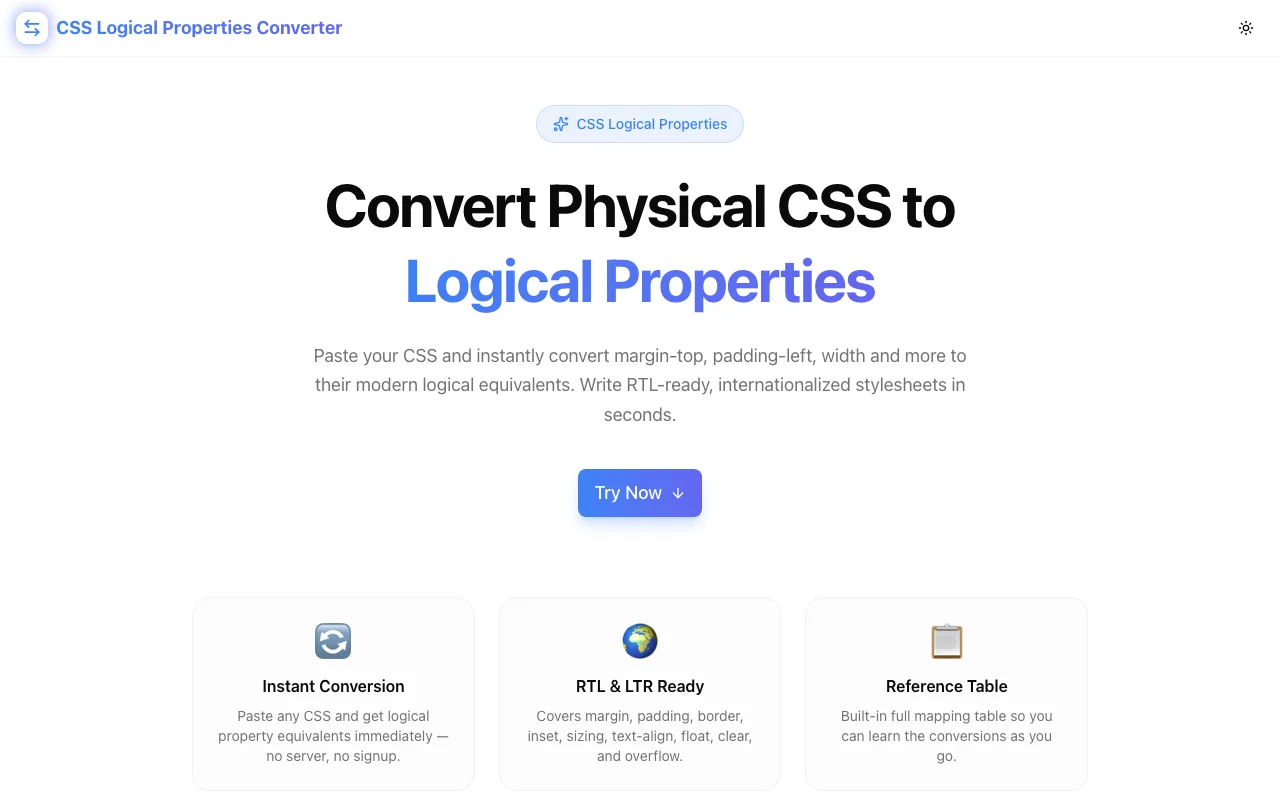
Developer ToolsFeatured
CSS Logical Properties Converter
A free browser tool that instantly converts physical CSS properties (margin-top, padding-left, width) to their CSS logical equivalents (margin-block-start, padding-inline-start, inline-size) for RTL/LTR internationalization. No signup, fully client-side.
CSSLogical PropertiesRTLInternationalizationDeveloper ToolsFrontendNext.jsTypeScript
Start Similar ProjectAbout the Project
CSS Logical Properties Converter — Convert Physical to Logical CSS
CSS Logical Properties Converter is a free, browser-based tool that instantly converts physical CSS properties—margin-top, padding-left, width, top, left, border-top-left-radius—to their CSS logical equivalents. Paste your CSS, click Convert, and get RTL-ready output you can copy directly into your project. No signup, no server, nothing leaves your browser.
The Problem
Physical CSS properties (margin-left, padding-top, width) are hardcoded to screen directions. In a left-to-right English layout they behave exactly as named. In a right-to-left Arabic or Hebrew layout, margin-left still means the left side of the screen—not the start of the text direction. You end up writing separate RTL overrides for every physical property:
/* LTR */
.sidebar {
  margin-left: 24px;
  padding-right: 16px;
  border-left: 2px solid blue;
}

/* RTL override — extra work, easy to miss */
[dir="rtl"] .sidebar {
  margin-left: 0;
  margin-right: 24px;
  padding-right: 0;
  padding-left: 16px;
  border-left: none;
  border-right: 2px solid blue;
}
CSS logical properties eliminate this duplication. They describe position in terms of writing direction (inline-start, block-end) rather than physical direction (left, bottom). The browser applies the right value automatically based on the document's direction and writing-mode.
/* Works correctly in both LTR and RTL */
.sidebar {
  margin-inline-start: 24px;
  padding-inline-end: 16px;
  border-inline-start: 2px solid blue;
}
The challenge: hundreds of existing stylesheets use physical properties. Converting them by hand—looking up each mapping, replacing every property—takes too long and introduces errors.
How It Works
1. Paste CSS Input
Paste any CSS into the left panel. The tool accepts individual declarations, full rule blocks, or entire stylesheets.
2. Instant Conversion
Click Convert to Logical Properties. The tool parses every CSS declaration using a comprehensive mapping table and replaces each physical property with its logical equivalent. Properties without a logical counterpart are left unchanged.
3. Review Stats
A summary bar shows how many properties were converted and how many remained unchanged—so you know at a glance what changed and what didn't.
4. Copy Output
The converted CSS appears in the right panel. Click the copy icon to put it on your clipboard. Ready to paste into your stylesheet.
5. Reference Table
A collapsible full mapping table is built into the tool. Browse every physical→logical conversion across margin, padding, border, border-radius, inset, sizing, text-align, float, clear, overflow, and resize.
Property Coverage
The converter handles the full set of physical-to-logical mappings:
Box Model
| Physical | Logical |
|----------|---------|
| margin-top | margin-block-start |
| margin-bottom | margin-block-end |
| margin-left | margin-inline-start |
| margin-right | margin-inline-end |
| padding-top | padding-block-start |
| padding-bottom | padding-block-end |
| padding-left | padding-inline-start |
| padding-right | padding-inline-end |
Border
Each physical border direction maps to its logical counterpart for the shorthand and the -width, -color, and -style variants:
border-top→border-block-startborder-bottom→border-block-endborder-left→border-inline-startborder-right→border-inline-end
Border Radius
| Physical | Logical |
|----------|---------|
| border-top-left-radius | border-start-start-radius |
| border-top-right-radius | border-start-end-radius |
| border-bottom-left-radius | border-end-start-radius |
| border-bottom-right-radius | border-end-end-radius |
Position (Inset)
| Physical | Logical |
|----------|---------|
| top | inset-block-start |
| bottom | inset-block-end |
| left | inset-inline-start |
| right | inset-inline-end |
Sizing
| Physical | Logical |
|----------|---------|
| width | inline-size |
| height | block-size |
| min-width | min-inline-size |
| max-width | max-inline-size |
| min-height | min-block-size |
| max-height | max-block-size |
Text, Float, Overflow, Resize
text-align: left→text-align: starttext-align: right→text-align: endfloat: left/right→float: inline-start/inline-endclear: left/right→clear: inline-start/inline-endoverflow-x/overflow-y→overflow-inline/overflow-blockresize: horizontal/vertical→resize: inline/block
Key Features
- Instant paste-and-convert — no forms to fill, no settings to configure
- Full property coverage — margin, padding, border, border-radius, inset, sizing, text-align, float, clear, overflow, resize
- Value-level remapping — handles
text-align: left→start, not just property names - Conversion stats — shows exactly how many properties changed
- Built-in reference table — collapsible mapping guide for learning while you convert
- One-click copy — output ready to paste immediately
- Fully client-side — CSS never leaves your browser
- No signup required — open and use immediately
- Load example — pre-loaded sample CSS to try the tool instantly
Technical Implementation
Core Technologies
- Next.js with App Router
- TypeScript in strict mode
- Tailwind CSS v4 with OKLCH color tokens
- shadcn/ui components (new-york style)
- framer-motion for animations
- Fully client-side — zero external API dependencies
Architecture
- Regex-based CSS declaration parser that preserves surrounding whitespace and rule structure
- Static property-to-property and value-to-value mapping tables
- Conversion stats computed as a single pass through matched declarations
- Clipboard API integration for one-click copy
- Collapsible reference panel with grouped mapping data
Browser Support
CSS logical properties have full support in Chrome, Firefox, Safari, and Edge as of 2024. The only exceptions are very old browsers (IE11), which are outside the support scope for modern web projects.
Use Cases
Migrating Legacy Stylesheets
A design system built three years ago uses physical properties throughout. Converting it to logical properties is the prerequisite for proper RTL support. Paste each component's CSS, convert, review, copy. No manual lookup required.
Building Internationalized UIs
Starting a new project that will serve Arabic, Hebrew, or Persian users alongside English users? Write once with logical properties and get correct directionality in both LTR and RTL without extra overrides.
Learning Logical Properties
The reference table built into the tool shows every mapping. Use the converter to see what your existing CSS becomes in logical form—the pattern becomes clear after a few passes, and the mental model sticks.
Design Token Conversion
Design systems that specify spacing tokens as marginLeft, paddingTop etc. can use the converter to identify which token names need logical equivalents.
Code Review Reference
During PR review, paste a diff's CSS into the converter to quickly check whether physical properties slipped in where logical ones should be used.
Why This Tool
Physical CSS properties are not going away—they remain valid, well-supported, and appropriate for cases where direction truly is fixed to the screen. But for UI elements that must work in both LTR and RTL contexts, logical properties are the correct choice, and the conversion is mechanical enough that a tool should do it.
The converter removes the bottleneck: instead of manually looking up each mapping or relying on memory, you paste and get the answer. The reference table keeps the learning loop alive so the tool gradually becomes unnecessary—you learn the mappings and stop needing to look them up.
Try it now: css-logical-properties-converter.tools.jagodana.com
The Challenge
The client needed a robust developer tools solution that could scale with their growing user base while maintaining a seamless user experience across all devices.
The Solution
We built a modern application using CSS and Logical Properties, focusing on performance, accessibility, and a delightful user experience.
Project Details
Category
Developer Tools
Technologies
CSS,Logical Properties,RTL,Internationalization,Developer Tools,Frontend,Next.js,TypeScript
Date
April 2026
Related Projects
More work in Developer Tools

