Back to Projects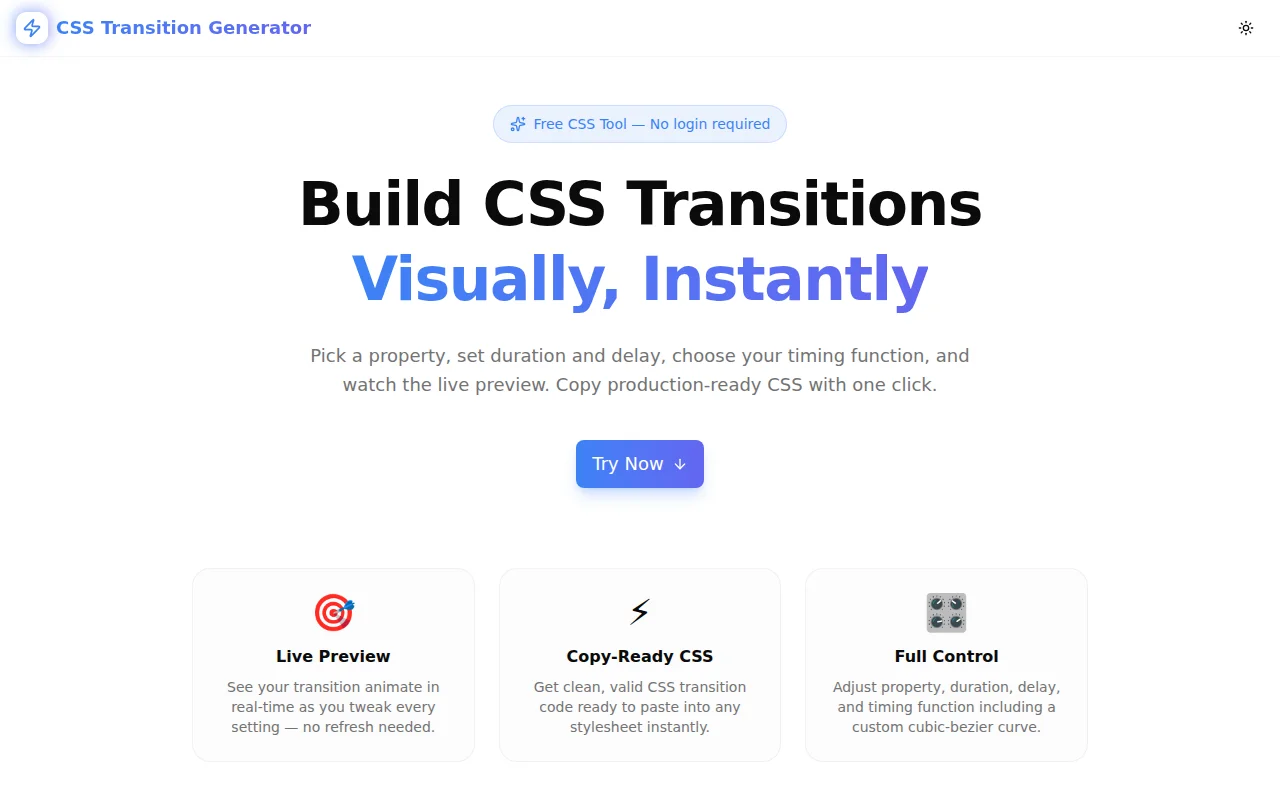
Developer ToolsFeatured
CSS Transition Generator
A free visual CSS transition builder with a live animated preview. Select a property, set duration and delay, choose your timing function (including custom cubic-bezier), and copy production-ready CSS in seconds — no signup required.
CSSCSS TransitionsCSS AnimationDeveloper ToolsFrontendNext.jsTypeScript
Start Similar ProjectAbout the Project
CSS Transition Generator — Visual CSS Transition Builder with Live Preview
CSS Transition Generator is a free, browser-based tool that lets you build CSS transitions visually. Select a CSS property, set duration and delay with sliders, pick a timing function (including a custom cubic-bezier editor), and watch the animation play back in real time. Copy the production-ready transition declaration with one click. No signup, no install — open and start animating.
The Problem
CSS transitions are the simplest way to animate UI state changes, but the syntax hides a lot of invisible complexity:
transition: transform 400ms cubic-bezier(0.25, 0.46, 0.45, 0.94) 0ms;Which property? What duration feels right? What's the difference between ease-in and ease-out at 300ms vs 600ms? And cubic-bezier — four numbers that mean nothing without a visual curve and a live preview.
Developers end up guessing timing values, copying them from blog posts written years ago, or refreshing a browser tab repeatedly to see whether their animation "feels right." The feedback loop is slow and the result is almost never intentional.
How It Works
1. Property Selector
Choose from seven CSS properties that represent the most common transition use cases:
- Opacity — fade elements in and out
- Scale — grow or shrink elements (via
transform: scale) - Rotate — spin elements (via
transform: rotate) - Translate X — slide elements horizontally (via
transform: translateX) - Background — crossfade between two colors
- Border Radius — morph between a rounded rectangle and a circle
- Box Shadow — animate shadow depth and spread
Each property has sensible from/to values baked in, so the preview is always meaningful — not just a white box that barely moves.
2. Duration and Delay Sliders
Duration runs from 50ms to 3000ms in 50ms steps. Delay runs from 0ms to 2000ms. Both update the preview in real time and are reflected immediately in the generated CSS output. You can feel the difference between a 200ms and a 600ms transition at a glance — no need to imagine it.
3. Timing Function Picker
Six timing functions are available as one-click buttons:
ease— the browser default: fast start, smooth endlinear— constant speed, robotic but predictableease-in— starts slow, acceleratesease-out— starts fast, decelerates (most natural for exit animations)ease-in-out— slow at both ends (good for toggle states)cubic-bezier— fully custom curve with a draggable SVG editor
4. Cubic-Bezier Editor
When cubic-bezier is selected, an interactive SVG editor appears. Two control handles (P1 in blue, P2 in indigo) can be dragged to reshape the Bézier curve. The curve preview updates live, the four numeric values update below it, and the generated CSS reflects the exact values in real time.
This makes the abstract cubic-bezier(x1, y1, x2, y2) syntax tangible — you see the acceleration curve, you understand what the numbers mean, and you can experiment without memorizing anything.
5. Live Animated Preview
The preview box animates between the from and to states of the selected property when you click Play. After the animation completes, it resets automatically so you can play it again with different settings. A Reset button instantly returns the preview to its starting state.
The preview box uses the same CSS the tool generates — no approximation, no simulation. What you see is exactly what your element will do in production.
6. Copy-Ready CSS Output
Two outputs are shown:
- Shorthand — the single-line
transitiondeclaration, highlighted and copyable in one click - Full CSS snippet — a commented block showing where to place the declaration in a real stylesheet (
.elementbase class and.element:hover, .element.activestates)
Key Features
- 7 transition properties — opacity, scale, rotate, translate, background, border-radius, box-shadow
- Duration slider — 50ms to 3000ms in 50ms steps
- Delay slider — 0ms to 2000ms in 50ms steps
- 6 timing functions — all standard plus custom cubic-bezier
- Draggable cubic-bezier editor — visual SVG curve with P1/P2 handles
- Live animated preview — plays the actual CSS transition on click
- One-click copy — copies the
transitionshorthand to clipboard - Full CSS snippet — ready-to-paste block with selectors
- Fully client-side — no data leaves your browser
- No signup required — open, adjust, copy, done
Technical Implementation
Core Technologies
- Next.js 16 with App Router
- TypeScript in strict mode
- Tailwind CSS v4 with OKLCH color tokens
- shadcn/ui (new-york style) for UI components
- Framer Motion for page-level animations
- Lucide React for icons
Architecture
- All transition logic is pure client-side TypeScript — no API calls, no server computation
- The preview element applies the generated
transitionCSS directly via inline styles - The cubic-bezier SVG editor uses React refs and native mouse events for drag tracking — no canvas, no third-party chart library
- CSS output generation is a synchronous pure function: inputs in, string out, always deterministic
Use Cases
Hover Effects
The most common use case. Opacity transitions (.button:hover { opacity: 0.8 }) and scale transforms (.card:hover { transform: scale(1.03) }) need just the right duration and easing to feel polished rather than mechanical. The generator lets you find that sweet spot visually.
Page and Component Transitions
Elements entering and leaving the viewport — modals, toasts, dropdowns, sidebars — need carefully chosen timing functions. ease-out feels natural for elements appearing; ease-in for disappearing. The generator makes this distinction tangible.
Loading and State Animations
Background-color transitions on buttons (default → loading → success → error), border-radius morphing for skeleton loaders, box-shadow animations for focus rings — all are buildable in the generator and copyable in seconds.
Teaching CSS Transitions
The live preview paired with the cubic-bezier editor makes abstract timing concepts visual. Show students the difference between ease-in and ease-out by clicking between them and playing the preview. Show them what a cubic-bezier curve actually looks like. The tool is as useful for learning as it is for production.
Design System Tokens
Use the generator to define your design system's standard transition durations and easing curves. Instead of transition-duration: var(--duration-fast) mapping to an arbitrary 150ms, you can validate that 150ms ease-out actually feels right for your use case before encoding it as a token.
Why CSS Transition Generator?
vs. Manual CSS
- Immediate visual feedback — no save-refresh loop to evaluate timing
- Easing made tangible — see the difference between
ease-inandease-outwithout memorizing their effect - cubic-bezier without math — drag the curve, not the numbers
vs. Other Online Tools
- Multiple properties — not just opacity or one generic box
- Cubic-bezier editor included — no separate tool needed
- Full CSS output — not just the property value, but a complete snippet
vs. Browser DevTools
- Dedicated UX — no digging through Elements and Computed panels
- Play button — deliberate preview instead of triggering via hover
- Shareable output — copy the CSS, not a screenshot
Results
CSS Transition Generator removes friction from CSS animation work:
- Zero guessing — see what 400ms
ease-outlooks like before writing it - Cubic-bezier demystified — drag the curve, understand the numbers
- Seconds, not minutes — from idea to CSS in one flow
- Confident output — preview matches production, copy and move on
Try it now: css-transition-generator.tools.jagodana.com
The Challenge
The client needed a robust developer tools solution that could scale with their growing user base while maintaining a seamless user experience across all devices.
The Solution
We built a modern application using CSS and CSS Transitions, focusing on performance, accessibility, and a delightful user experience.
Project Details
Category
Developer Tools
Technologies
CSS,CSS Transitions,CSS Animation,Developer Tools,Frontend,Next.js,TypeScript
Date
May 2026
Related Projects
More work in Developer Tools

