Back to Projects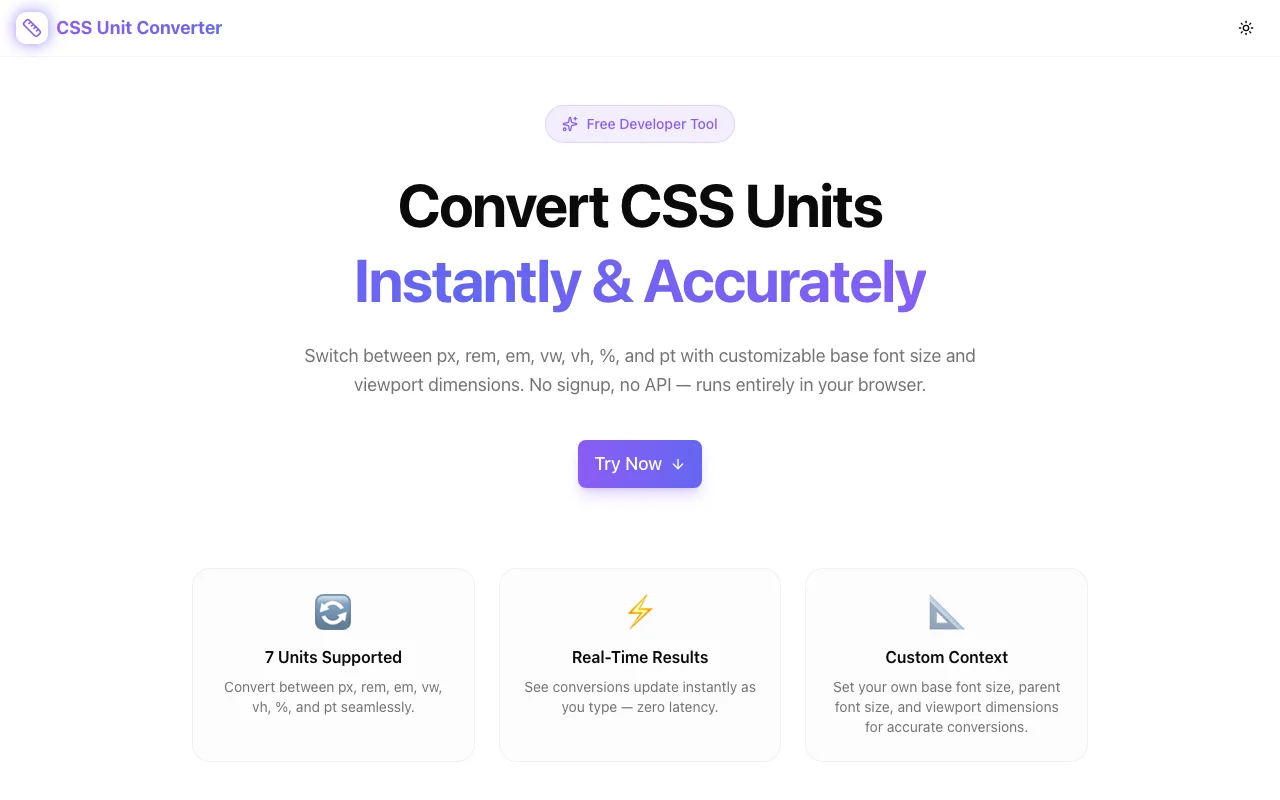
Developer ToolsFeatured
CSS Unit Converter
A free browser-based tool that converts between CSS units (px, rem, em, vw, vh, %, pt) in real time with customizable base font size and viewport dimensions—no signup required.
CSSUnit ConversionDeveloper ToolsFrontendNext.jsTypeScript
Start Similar ProjectAbout the Project
CSS Unit Converter — Convert Between px, rem, em, vw, vh, % & More
CSS Unit Converter is a free, browser-based tool that lets frontend developers and designers instantly convert values between CSS units—px, rem, em, vw, vh, %, and pt. Set your base font size and viewport dimensions, type a value, and see every equivalent unit in real time. No signup, no install, no data leaving your browser.
The Problem
CSS has too many units—and they all relate to each other differently depending on context. 1rem might be 16px or 14px or 20px, depending on your root font size. 1vw depends on the viewport width, which changes across devices. em is relative to the parent element's font size, not the root.
Developers constantly context-switch between units: a design file specifies 24px, but the codebase uses rem. A responsive layout needs vw values, but the mockup is in pixels. Converting between units means pulling up a calculator, remembering the base values, and doing the math every time. It's repetitive, error-prone, and slow.
How It Works
1. Enter a Value in Any Unit
Type a number and select the source unit—px, rem, em, vw, vh, %, or pt. The tool immediately computes equivalent values in every other supported unit.
2. Customize Base Settings
Conversions depend on context. The tool lets you set:
- Base font size — the root
font-sizeyour project uses (default: 16px). This drives rem and em conversions. - Viewport width — used for vw and percentage calculations.
- Viewport height — used for vh conversions.
Change these to match your actual project settings and get accurate results instead of generic defaults.
3. Real-Time Conversion
Every value updates instantly as you type. No "convert" button, no page reload. Change the input, change the base settings—results update immediately.
Key Features
- Seven CSS units — px, rem, em, vw, vh, %, pt
- Real-time conversion — results update as you type
- Customizable base font size — match your project's root font size
- Custom viewport dimensions — set width and height for accurate vw/vh values
- Bidirectional conversion — convert from any unit to all others simultaneously
- Fully client-side — no API calls, no data leaves your browser
- No signup required — start converting immediately
- Mobile-friendly — responsive layout works on any device
Technical Implementation
Core Technologies
- Next.js with App Router
- TypeScript in strict mode
- TailwindCSS for styling
- Client-side conversion engine — zero external API dependencies
Architecture
- Pure mathematical conversion layer with configurable base values
- Real-time input processing with instant recalculation
- Responsive design for desktop, tablet, and mobile
- Google Analytics integration for anonymous usage tracking
Use Cases
Design-to-Code Translation
A designer hands you a mockup in pixels. Your codebase uses rem throughout. Instead of dividing by 16 in your head every time, paste the pixel value and read the rem equivalent instantly. If your project uses a non-standard base font size, set it once and every conversion is accurate.
Responsive Layout Development
Building a fluid layout that uses viewport units? Enter your target size in pixels and see what percentage of the viewport it represents. Compare vw and vh values to find the right unit for horizontal vs. vertical spacing.
Cross-Unit Consistency Checks
Working on a component library where some values are in rem, others in px, and a few in em? Convert them all to a common unit to check for consistency. Spot when two values that should match are actually 0.5px apart.
Typography Scaling
Setting up a type scale? Enter each step in pixels and convert to rem for your CSS. Or start with rem values and verify the pixel output matches your design spec at different base sizes.
Print Stylesheet Development
Need pt values for print styles? Convert from the screen units you're familiar with to the point values print CSS requires—without memorizing that 1pt = 1.333px.
Why CSS Unit Converter?
vs. Manual Calculation
- Faster — instant results vs. mental division
- Accurate — no rounding errors from head math
- Contextual — set your actual base font size and viewport, not just assume 16px
- All units at once — see every conversion simultaneously
vs. Browser DevTools
- No project needed — convert units without having a running application
- Custom base values — DevTools uses the page's computed values; this tool lets you set any base
- All units visible — DevTools shows computed styles in px; this shows all unit equivalents
vs. Other Converters
- Custom viewport dimensions — most converters only handle px-to-rem
- Seven units — broader coverage than typical two-unit converters
- No ads, no signup — clean interface focused on the task
- Real-time updates — no submit button, no waiting
Results
CSS Unit Converter eliminates the repetitive math of CSS development:
- Zero friction — type a value, see all conversions instantly
- Project-accurate — custom base settings match your real environment
- Faster development — stop context-switching to a calculator
- Fewer bugs — accurate conversions mean fewer mismatched values in production
Try it now: css-unit-converter.tools.jagodana.com
The Challenge
The client needed a robust developer tools solution that could scale with their growing user base while maintaining a seamless user experience across all devices.
The Solution
We built a modern application using CSS and Unit Conversion, focusing on performance, accessibility, and a delightful user experience.
Project Details
Category
Developer Tools
Technologies
CSS,Unit Conversion,Developer Tools,Frontend,Next.js,TypeScript
Date
March 2026
Related Projects
More work in Developer Tools

