Back to Projects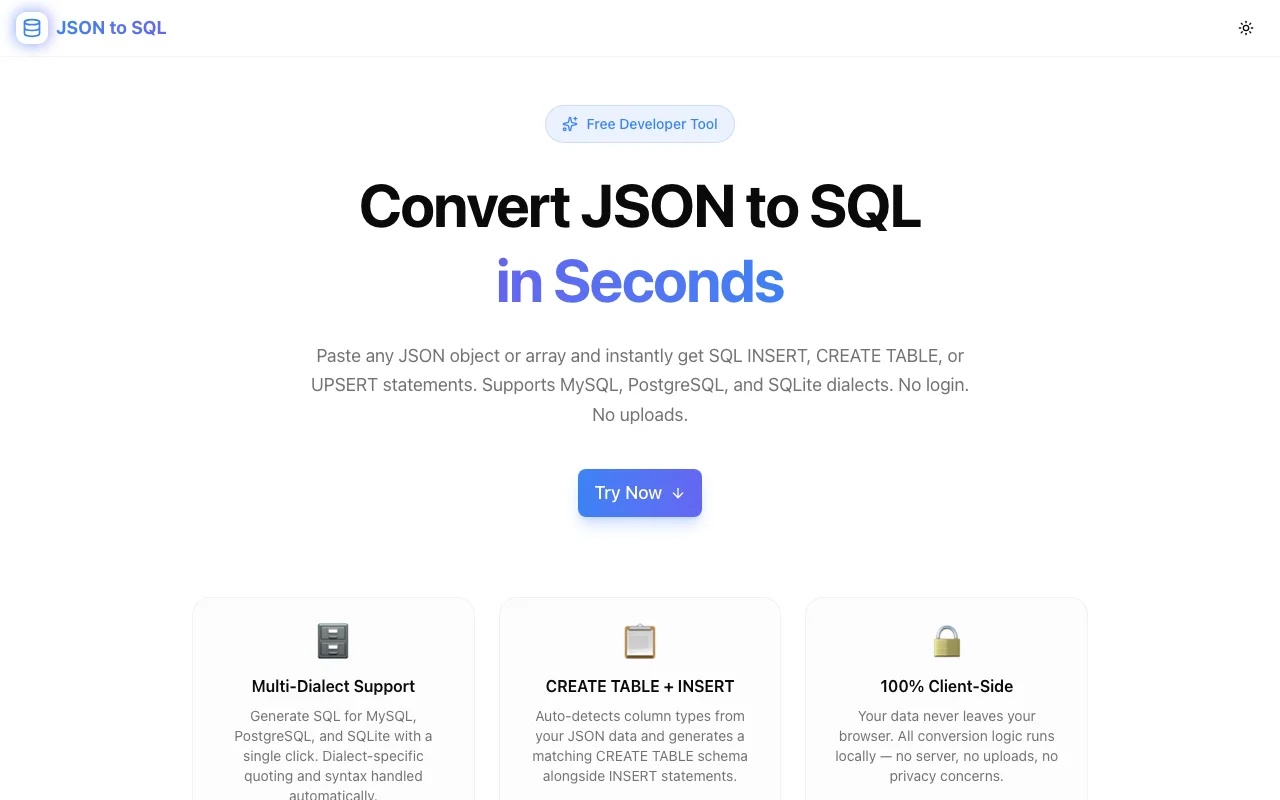
Developer ToolsFeatured
JSON to SQL Converter
A free, browser-based developer tool that converts JSON objects and arrays into SQL INSERT, CREATE TABLE, and UPSERT statements. Supports MySQL, PostgreSQL, and SQLite — no signup, no uploads.
JSONSQLMySQLPostgreSQLSQLiteDeveloper ToolsNext.jsTypeScript
Start Similar ProjectAbout the Project
JSON to SQL Converter — Paste JSON, Get SQL Instantly
JSON to SQL Converter is a free developer tool that turns any JSON object or array into ready-to-run SQL statements. Paste your data, choose your dialect, and get INSERT, CREATE TABLE, and UPSERT statements in seconds — no server, no signup, no data leaving your browser.
The Problem
When seeding a database, migrating data, or writing tests, developers constantly need to turn JSON into SQL. The manual approach is tedious:
- Type out column names from the JSON keys — and keep them in sync if the schema changes
- Match SQL types to JSON value types — is this an INT, REAL, TEXT, or BOOLEAN?
- Format VALUES rows — every string needs quotes, nulls need NULL, booleans need 1/0 or TRUE/FALSE
- Handle dialects — backticks for MySQL, double-quotes for PostgreSQL, different UPSERT syntax for each engine
- Repeat for every row — paste a 50-object array and the work multiplies
Even with scripting, this is boilerplate that takes 10–20 minutes to get right and is trivial for a tool to handle.
How It Works
1. Paste Your JSON
Drop any JSON object or array into the input panel. The tool accepts a single object ({"id": 1, "name": "Alice"}) or an array of objects ([{…}, {…}, {…}]). Malformed JSON is caught immediately with a clear error message.
2. Configure Your Options
Choose from four options before converting:
- SQL Dialect — MySQL, PostgreSQL, or SQLite
- Table Name — set the target table name (editable inline)
- CREATE TABLE — toggle whether to include an inferred
CREATE TABLEstatement - UPSERT — generate
ON DUPLICATE KEY UPDATE(MySQL),ON CONFLICT DO UPDATE(PostgreSQL), orINSERT OR REPLACE(SQLite) instead of plainINSERT - Batch INSERT — combine all rows into a single multi-row
INSERTor generate individual statements
All options update the SQL output live — no button to click.
3. Copy and Use
Click Copy SQL to copy the generated output to the clipboard. The output panel shows a live line and character count. Paste directly into your database client, migration file, or seed script.
Key Features
- Auto schema inference — column types are inferred from JSON values: numbers become
INTorREAL, booleans becomeBOOLEAN(orTINYINT(1)for MySQL), and everything else becomesTEXT - Multi-dialect support — MySQL backtick quoting, PostgreSQL double-quote quoting, SQLite standard quoting — all handled automatically
- Nested JSON handling — nested objects and arrays are serialised to JSON strings within SQL, the standard approach for storing sub-documents in relational columns
- Batch INSERT — one statement for all rows, or individual statements per row
- UPSERT generation — dialect-correct upsert syntax for all three engines
- NULL handling —
nullandundefinedvalues produceNULLin the SQL output - Live conversion — SQL updates as you type JSON, no manual trigger needed
- 100% client-side — your data never leaves the browser
Technical Implementation
Core Technologies
- Next.js with App Router
- TypeScript in strict mode
- Tailwind CSS v4 with OKLCH tokens
- shadcn/ui for accessible components
- Framer Motion for animations
Architecture
The conversion pipeline runs entirely in the browser:
- JSON parsing —
JSON.parse()with structured error recovery and user-facing messages - Schema inference — iterates all rows to collect unique column names; inspects the first non-null value per column to determine SQL type
- Value serialisation — type-aware serialisation per dialect (booleans as
TRUE/FALSEfor PostgreSQL,1/0for MySQL; nested objects/arrays as escaped JSON strings) - Identifier quoting — dialect-aware quoting with correct escape sequences for each engine
- UPSERT generation — builds dialect-specific conflict-resolution clauses from the column list
Performance
- Conversion is synchronous and completes in under 1ms for typical JSON payloads
- No debounce delay — the output reflects every keystroke immediately
- No external API calls, no network latency, no rate limits
Use Cases
Database Seeding
You have fixture data in JSON (from a mock API, a test generator, or a teammate's export). Instead of writing a migration script, paste the JSON into the tool, copy the SQL, and run it directly in your database client or migration file.
Data Migration
Moving data from a JSON-based system (MongoDB export, API dump, NoSQL migration) to a relational database. JSON to SQL Converter handles the column extraction and type mapping so you can focus on the migration logic.
Manual Testing
Writing integration tests that need specific database state? Generate precise INSERT statements from JSON fixtures without boilerplate code.
Rapid Prototyping
You're prototyping a new feature and need a few rows of test data in the database. Describe the data as JSON (fast to write), convert it to SQL, and seed the database in seconds.
ETL Pipelines
Inspect a sample of the JSON data, use the tool to understand the column structure and SQL types, then write your ETL pipeline with confidence.
Why JSON to SQL Converter?
vs. Writing Inserts Manually
- Zero boilerplate — no typing column names, no wrapping strings in quotes
- No dialect errors — MySQL/PostgreSQL/SQLite differences handled automatically
- Batch output — 50 rows in one paste, not 50 inserts to type
- Type accuracy — inferred types match your JSON values precisely
vs. ORM Seed Scripts
- No setup — no database connection, no ORM installation, no project scaffold
- Instant — paste and copy, no
npm install, no migration run - Portable — the generated SQL works in any client (psql, mysql CLI, TablePlus, DBeaver)
vs. Writing a One-off Script
- No code to write — open the tool, paste JSON, done
- No dependencies — no Node.js, no Python, no libraries
- Reusable — works for any JSON structure, any dialect, any table
Results
JSON to SQL Converter removes a common friction point in database workflows:
- Under 30 seconds from JSON to working SQL for any payload size
- Zero dialect errors — correct quoting and type mapping for MySQL, PostgreSQL, and SQLite every time
- No data exposure — all processing in the browser, nothing logged server-side
- Instant feedback — errors surface immediately, correct SQL appears as you type
Try it now: json-to-sql.tools.jagodana.com
The Challenge
The client needed a robust developer tools solution that could scale with their growing user base while maintaining a seamless user experience across all devices.
The Solution
We built a modern application using JSON and SQL, focusing on performance, accessibility, and a delightful user experience.
Project Details
Category
Developer Tools
Technologies
JSON,SQL,MySQL,PostgreSQL,SQLite,Developer Tools,Next.js,TypeScript
Date
April 2026
Related Projects
More work in Developer Tools

