Back to Projects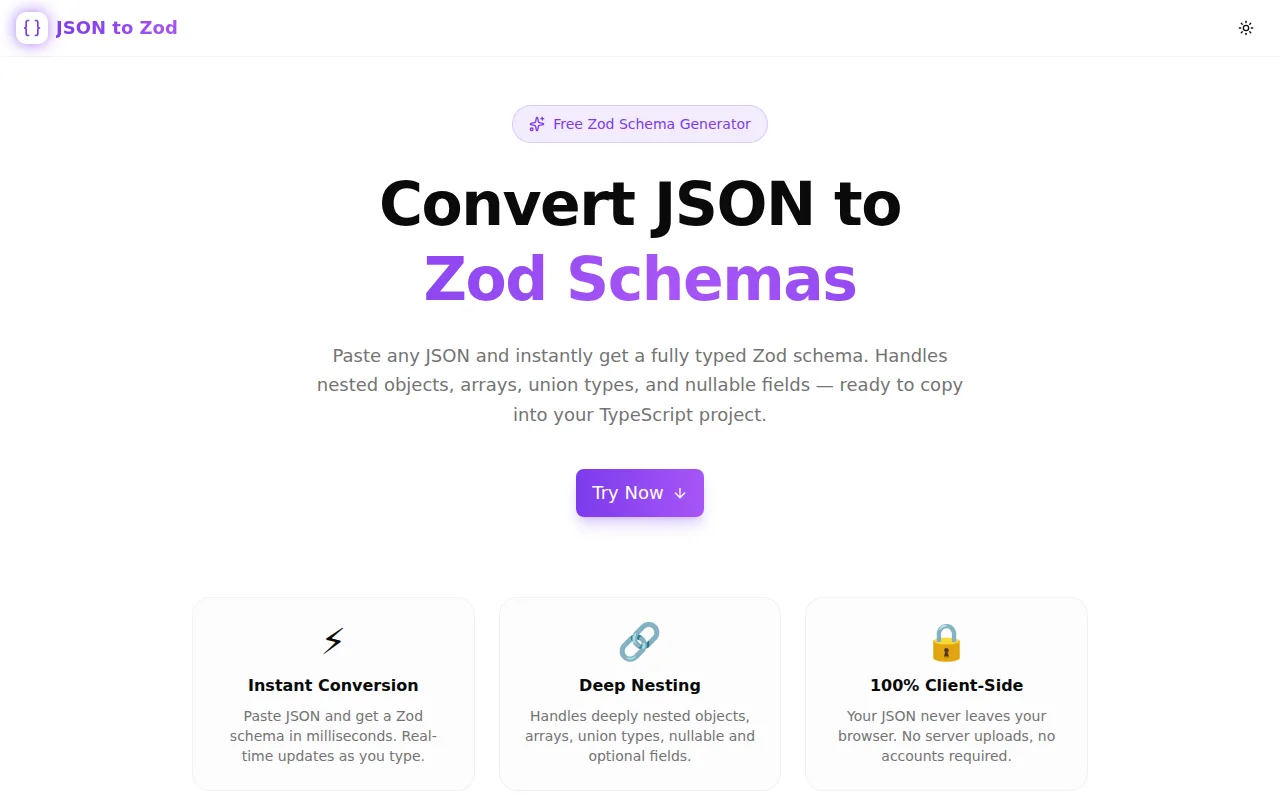
Developer ToolsFeatured
JSON to Zod Schema Generator
A free browser tool that converts any JSON object or array into a fully typed Zod validation schema. Handles nested objects, arrays, union types, nullable fields, and optional fields — with one-click copy.
TypeScriptZodJSONSchema ValidationDeveloper ToolsNext.jsFrontend
Start Similar ProjectAbout the Project
JSON to Zod Schema Generator — Convert JSON to TypeScript Zod Schemas
JSON to Zod is a free, browser-based tool that converts any JSON object or array into a fully typed Zod schema in milliseconds. Paste your JSON, adjust options (optional fields, include import, schema name), and copy the TypeScript-ready output. No account, no server uploads, 100% client-side.
The Problem
Zod is now the de facto runtime validation library for TypeScript projects. But writing Zod schemas by hand from an existing JSON payload is tedious and error-prone:
{
  "id": 1,
  "name": "Alice",
  "email": "alice@example.com",
  "address": {
    "street": "123 Main St",
    "city": "Springfield"
  },
  "tags": ["admin", "user"]
}
To validate this, you need to write:
import { z } from "zod";

export const userSchema = z.object({
  id: z.number().int(),
  name: z.string(),
  email: z.string(),
  address: z.object({
    street: z.string(),
    city: z.string(),
  }),
  tags: z.array(z.string()),
});

export type User = z.infer<typeof userSchema>;
With deeply nested objects, this becomes a multi-minute chore. Copy a JSON response from Postman or a browser DevTools panel and you want the schema immediately — not after ten minutes of typing.
How It Works
1. Paste JSON
Paste any valid JSON object, array, or primitive into the input panel. The conversion starts immediately — no button press required.
2. Configure Options
Three options control the output:
- Schema name — sets the exported
constname (auto-converts to camelCase) - Optional fields — wraps every field with
.optional()for partial shapes - Include import — prepends
import { z } from "zod"to the output
3. Copy and Use
Click "Copy Schema" to copy the full TypeScript Zod schema to your clipboard. Paste it directly into your project.
Type Inference Logic
The converter uses recursive type inference to produce accurate Zod types:
| JSON Type | Zod Output |
|:---|:---|
| "string" | z.string() |
| 42 (integer) | z.number().int() |
| 3.14 (float) | z.number() |
| true / false | z.boolean() |
| null | z.null() |
| [...] (homogeneous) | z.array(z.string()) etc. |
| [...] (mixed types) | z.array(z.union([...])) |
| {...} (object) | z.object({...}) (recursive) |
| Unknown | z.unknown() |
Integer detection
The converter distinguishes integers (z.number().int()) from floats (z.number()) by checking Number.isInteger(value). This is more accurate than most similar tools that use z.number() for everything.
Union types for mixed arrays
When an array contains multiple types — e.g. [1, "two", true] — the converter generates z.array(z.union([z.number().int(), z.string(), z.boolean()])) rather than falling back to z.unknown().
Deeply nested objects
Nested objects are converted recursively with correct indentation, so even complex API responses with five or six levels of nesting produce readable, correctly indented schemas.
Key Features
- Instant conversion — real-time as you type, no button press
- Deep nesting — recursively converts objects at any depth
- Integer detection —
z.number().int()for whole numbers - Mixed-type arrays — generates
z.union([...])for heterogeneous arrays - Optional fields — toggle to wrap all fields with
.optional() - Schema name — configure the exported
constname - Type export — generates
z.infer<typeof schema>type automatically - Import toggle — optionally prepend the zod import statement
- Example presets — three ready-to-try JSON examples
- One-click copy — copies schema to clipboard with toast confirmation
- 100% client-side — no server, no data collection, no account
- Zod v3 + v4 compatible — uses the stable API surface shared across versions
Technical Implementation
Core Technologies
- Next.js 16 with App Router (server components for SEO, client component for the tool)
- TypeScript in strict mode throughout
- Tailwind CSS v4 with OKLCH color tokens
- shadcn/ui components (new-york style)
- Framer Motion for entrance animations
- Sonner for toast notifications
- Zod v4 (already a project dependency via
@t3-oss/env-nextjs)
Schema Generation Architecture
The converter is a single recursive function:
function getZodType(value: JsonValue, indent: number, makeOptional: boolean): string {
  if (value === null) return makeOptional ? "z.null().optional()" : "z.null()";
  if (Array.isArray(value)) { /* union detection + z.array() */ }
  if (typeof value === "object") { /* recursive z.object() */ }
  if (typeof value === "string") return makeOptional ? "z.string().optional()" : "z.string()";
  if (typeof value === "number") {
    const base = Number.isInteger(value) ? "z.number().int()" : "z.number()";
    return makeOptional ? `${base}.optional()` : base;
  }
  if (typeof value === "boolean") return makeOptional ? "z.boolean().optional()" : "z.boolean()";
  return makeOptional ? "z.unknown().optional()" : "z.unknown()";
}
The optional flag is threaded recursively so every field at every nesting level gets .optional() when enabled. The output function wraps the schema in a named const with an z.infer type export.
Use Cases
API Response Validation
You're integrating a third-party API. Copy the JSON response from Postman into the converter, get the Zod schema, and add runtime validation to your fetch call in 30 seconds.
tRPC Router Inputs
tRPC uses Zod for input validation. Instead of writing schemas manually to match your client payloads, paste the example payload and get the schema ready.
React Hook Form Schemas
React Hook Form uses Zod via the zodResolver adapter. Paste the shape of your form's default values and get a validation schema with one copy.
Prototyping TypeScript Types
When prototyping, paste sample JSON data and get both a Zod schema and a TypeScript type from z.infer simultaneously. Faster than writing interfaces by hand.
Backend Payload Validation
Express, Fastify, and Hono all work with Zod for body parsing validation. Paste the expected request body shape, copy the schema, and wire it up in your handler.
Learning Zod
If you're new to Zod, seeing how different JSON structures map to Zod methods is the fastest way to learn the API. Paste a JSON object, see the output, modify it, see how it changes.
Why Build This?
Zod is the most-downloaded TypeScript validation library. As of 2025, it's a standard dependency in nearly every tRPC project, T3 stack application, and modern TypeScript API. Developers write Zod schemas constantly.
The friction is always the same: you have JSON data from an API response, a database query result, or a form payload, and you need to write a Zod schema for it. The mapping is mechanical — it should be instant.
Existing solutions either require a Node.js CLI, produce schemas that don't handle edge cases (integers vs. floats, mixed arrays), or are buried inside larger tools that are overkill for a single paste-and-copy operation.
JSON to Zod is the focused tool that covers this one workflow completely, runs in the browser, and requires no setup.
Try it now: json-to-zod.tools.jagodana.com
The Challenge
The client needed a robust developer tools solution that could scale with their growing user base while maintaining a seamless user experience across all devices.
The Solution
We built a modern application using TypeScript and Zod, focusing on performance, accessibility, and a delightful user experience.
Project Details
Category
Developer Tools
Technologies
TypeScript,Zod,JSON,Schema Validation,Developer Tools,Next.js,Frontend
Date
July 2026
Related Projects
More work in Developer Tools

