Back to Projects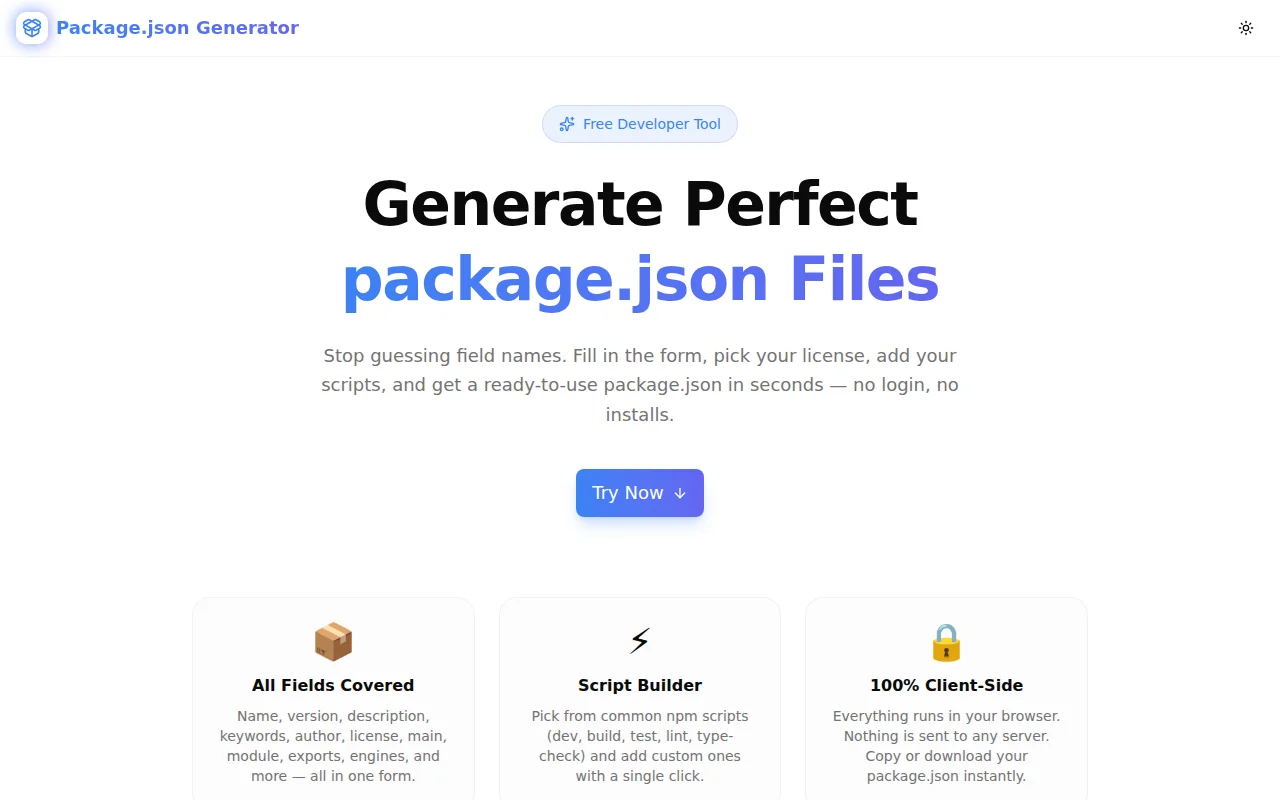
Developer ToolsFeatured
Package.json Generator
A free, visual form-based tool to generate complete, valid package.json files with every common field — name, version, scripts, license, author, exports, engines, and more. No login required.
Node.jsnpmJavaScriptTypeScriptDeveloper ToolsFrontendNext.js
Start Similar ProjectAbout the Project
Package.json Generator — Build Perfect package.json Files Instantly
Package.json Generator is a free browser-based tool that lets you fill in a structured form and instantly get a complete, valid package.json. No memorising field syntax. No hunting for the right format for author or exports. Fill in what you know, skip what you don't, and copy or download the result.
→ package-json-generator.tools.jagodana.com
The Problem
Every JavaScript project starts with a package.json. Most developers know name, version, and scripts. But the full spec is wide:
- What's the right format for the
authorfield — a string or an object? - Should I use
main,module,exports, or all three? - What does
"type": "module"actually affect? - How do I set
enginesto target Node 18+? - What's the exact
licenseidentifier for Apache?
Getting these right matters for library authors publishing to npm, for teams standardising project configurations, and for developers onboarding onto a new stack. But the npm documentation is scattered, and npm init only covers the basics.
The result: most package.json files are half-filled, missing fields that tooling, bundlers, and package managers actually read.
How It Works
1. Package Info Form
Fill in the fundamentals: name (auto-slugified to a valid npm format), version, description, and keywords. Toggle the private flag to mark packages that shouldn't be published.
2. Author & License
Enter author name, email, and URL — the tool formats the composite author string correctly. Select a license from the picker: MIT, ISC, Apache-2.0, GPL-3.0, AGPL-3.0, BSD-2-Clause, BSD-3-Clause, MPL-2.0, UNLICENSED, or a custom value.
3. Links
Add homepage, repository (formatted as { type: "git", url: "..." }), and bugs.url — the fields most library authors forget until their first npm publish.
4. Entry Points & Module Type
Configure main (CJS), module (ESM bundler hint), and types (TypeScript declarations). Optionally include the modern exports field with mapped CJS and ESM paths. Select "type": "module" or "commonjs" — or omit it entirely.
5. Scripts Builder
Toggle common npm scripts on/off with a single click: dev, build, start, test, lint, lint:fix, type-check, format, clean, prepare. Add unlimited custom scripts with name and command fields.
6. Engines
Set runtime version constraints (e.g. node >=18.0.0) without remembering the exact field format.
7. Live Output + Copy/Download
The generated package.json updates in real time in the right panel. Copy to clipboard or download as a file with one click.
Key Features
- All common fields — name, version, description, keywords, author, license, homepage, repository, bugs, type, main, module, types, exports, scripts, engines, private
- Auto-slugification — name is automatically formatted to a valid npm slug
- License picker — MIT, ISC, Apache, GPL, AGPL, BSD, MPL, UNLICENSED, custom
- Script toggle system — enable common scripts in one click, add custom ones
- Exports field — optional modern Node.js
exportswith CJS + ESM mapping - Live preview — output updates as you type, no submit button
- Copy & download — one-click clipboard copy or
package.jsonfile download - 100% client-side — nothing sent to a server; runs entirely in the browser
- No login required — open and use immediately
Technical Implementation
Core Technologies
- Next.js 16 with App Router
- TypeScript in strict mode
- Tailwind CSS v4 with OKLCH color tokens
- shadcn/ui components (new-york style)
- framer-motion for animations
- Entirely client-side — zero API calls, no data leaves the browser
Architecture
The tool maintains a FormState object across all form sections. A buildPackageJson() function reads that state and constructs the output object — omitting any empty fields — then serialises it with JSON.stringify(output, null, 2).
The author field is assembled from three separate inputs into the npm "Name <email> (url)" format. The exports field maps "." → { import: "...", require: "..." } when enabled. Script presets are toggled via a Record<string, boolean> map that merges with any custom scripts at output time.
The right panel renders the live JSON in a monospace pre block with sticky positioning so it stays visible while scrolling the form.
Use Cases
Starting a New npm Package
The most direct use case. You have an idea for a library, you need a package.json before you write a line of code. This tool gives you a complete starting point in under two minutes — including fields (exports, engines, types) that npm init doesn't ask for.
Standardising Team Configurations
Teams with multiple packages often drift into inconsistent package.json patterns. Use the generator as a template baseline: configure once, download, drop into each new package, and adjust only what changes.
Learning the package.json Spec
The form surface area is a reference. Which fields exist, what they do, and how they interrelate. For developers newer to Node.js packaging, filling out the form and reading the live output is faster than navigating the npm documentation.
Library Author Checklist
Before publishing to npm, library authors can use the generator to confirm they've set main, module, types, exports, engines, license, and repository correctly. The live output makes it easy to spot missing or malformed fields before npm publish.
Migration to ESM
Migrating a package from CJS to ESM requires adding "type": "module", updating exports, and often setting main and module separately for dual-mode packages. The generator's entry-point section makes the right combination of fields obvious.
Why Package.json Generator?
vs. npm init
- More fields —
npm initasks for seven fields; this tool covers everything - Exports support —
npm initdoesn't touch the modernexportsfield - No CLI required — useful for developers who want to preview before committing
vs. Remembering the Spec
- Format handled —
authorstring format,repositoryobject shape,engineskey format - License identifiers — correct SPDX strings, not guesses
- No typos — common field names are fixed; you fill in values, not keys
vs. Copying from Existing Projects
- No inherited cruft — start clean, not from someone else's
scriptsanddevDependencies - Always valid — no accidentally copying a malformed field from an old project
- Explicit choices — you decide what goes in, not what you forgot to remove
Results
Package.json Generator removes the friction from starting a JavaScript package:
- Complete output — all the fields that
npm initmisses - Correct format — no second-guessing author strings or exports maps
- Instant download — drop it into your project directory and start building
- Zero dependencies at build time — the generator itself needs nothing beyond a browser
Try it now: package-json-generator.tools.jagodana.com
The Challenge
The client needed a robust developer tools solution that could scale with their growing user base while maintaining a seamless user experience across all devices.
The Solution
We built a modern application using Node.js and npm, focusing on performance, accessibility, and a delightful user experience.
Project Details
Category
Developer Tools
Technologies
Node.js,npm,JavaScript,TypeScript,Developer Tools,Frontend,Next.js
Date
June 2026
Related Projects
More work in Developer Tools

